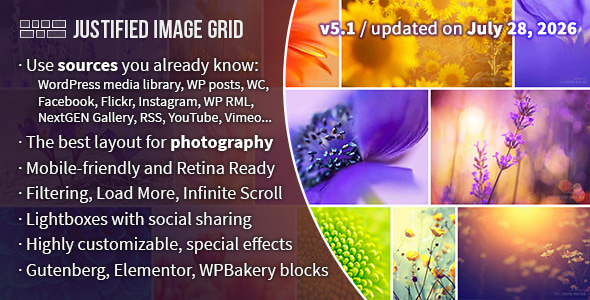
Justified Image Grid is a premium WordPress gallery plugin that arranges your photos into a clean horizontal grid where every image keeps its original aspect ratio, so rows line up edge to edge without cropping. It is sold on CodeCanyon for a one-time $69 and is aimed at photographers, design studios and agencies who want portfolio-quality galleries without building a custom template. With more than 23,000 sales and a 4.77 out of 5 rating across 1,788 reviews, it is one of the longest-running commercial gallery plugins in the WordPress ecosystem, and the developer, Firsh, continues to ship updates.
What Justified Image Grid Actually Does Well
The core feature is the layout engine. Rather than forcing thumbnails into a fixed grid of identical squares, the plugin scales each row so the images fill the available width exactly, preserving the shape of every photo. You control the target row height, and the plugin recalculates as the browser resizes. The result is a gallery that reads left to right like a contact sheet, with no awkward gaps and no cropped faces or horizons. A setting for incomplete last rows lets you decide whether the final row stretches to full width or stops short.
You also get real control over the thumbnail appearance. You can set a fixed aspect ratio or let widths vary, apply effects such as desaturation, blur, sepia or glow on the fly, and style overlays, borders, shadows and hover icons. Captions can slide, fade, or take on a polaroid look with a translucent background. If you manage several client sites, custom presets let you save a combination of settings once and reuse it elsewhere, which removes a lot of repetitive clicking.
Content sources go beyond the standard WordPress media library. The plugin can pull from Facebook, Instagram (your own account) and Flickr, and it can replace existing NextGEN galleries with a faster display. It also integrates with the WP Real Media Library plugin, so folders and collections you have already organised stay usable inside the gallery. For existing sites, an automatic takeover mode converts your current WordPress galleries without you rebuilding anything.
Behaviour options cover the practical side of running a busy gallery. You can filter by tags, categories or custom taxonomies, add a load-more button or infinite scroll, and mix multiple galleries on a single page. Custom links let a thumbnail open a page or a video instead of a lightbox image, and video support covers YouTube, Vimeo and self-hosted files. There is a hidden limit option that shows a set number of thumbnails while keeping every image available in the lightbox, which is useful when you want a tidy homepage grid but a full archive behind it.
Performance and platform support are handled sensibly. Conditional script loading means the plugin’s JavaScript and CSS only load on pages that actually contain a gallery, so the rest of your site is unaffected. CDN compatibility, retina-ready thumbnails and mobile-specific settings round out the display side. Right-click protection and an optional download link give you some control over how visitors take images away. The plugin ships with a shortcode editor for styling individual galleries and a built-in WPBakery Page Builder add-on with live preview during frontend editing.
Who This Fits, and Where It Does Not
This is a strong fit for photographers and visual studios running portfolio sites where the images are the product. Wedding, architecture, portrait and editorial photographers benefit most, because the justified layout was designed around preserving the compositional choices you made in camera. It also suits agencies building client sites on WPBakery or Elementor, where the page builder add-on and live preview shorten the feedback loop considerably. If you already run WooCommerce and want product imagery presented in a gallery format, the vendor lists compatibility with WooCommerce versions 5 through 10, so that path is open.
Multilingual projects are covered too. WPML compatibility is declared, which matters if you run a translated site and need gallery captions or filters to follow the language switch. Anyone migrating away from NextGEN, or managing a large media library through WP Real Media Library, will find the integration work already done.
Where it is the wrong choice: if you need a gallery that behaves like a full content management system, with front-end user uploads, voting, membership gating or community features, this is not that product. It displays images beautifully; it does not turn your site into a stock photo marketplace or a social platform. Similarly, if your priority is a masonry layout with irregular vertical columns, the justified grid is a different visual language, and you would be paying for a layout engine you do not intend to use. Finally, if you want a free solution and your needs are modest, the default WordPress gallery block may be enough, and $69 is hard to justify for a handful of images.
Technical Details
| Specification | Detail |
|---|---|
| Price | $69.00 one-time, via CodeCanyon |
| Developer | Firsh |
| WordPress compatibility | WordPress 4.9.x through 7.0.x |
| Page builder support | Block Editor, Elementor, Elementor Pro, Visual Composer, WPBakery Page Builder |
| E-commerce compatibility | WooCommerce 5.x.x through 10.x.x |
| Multilingual compatibility | WPML |
| Browsers | IE11, Firefox, Safari, Opera, Chrome, Edge |
| Source files included | JavaScript, CSS, PHP |
| High resolution | Yes |
| Gutenberg optimised | Yes |
| Last vendor update | 29 July 2026 |
| Sales and rating | 23,207 sales, 4.77 / 5 from 1,788 reviews |
Strengths and Limitations
Strengths
- The justified layout preserves original aspect ratios, which matters for any photographer whose framing is deliberate.
- Genuinely deep settings, but with contextual help and built-in presets so you are not staring at a blank options screen.
- Conditional script loading keeps the plugin from slowing down pages that have no gallery on them.
- Broad page builder coverage, including a bundled WPBakery add-on with live frontend preview.
- Long track record: updates shipped as recently as July 2026, with support for WordPress versions going back to 4.9.
- Reusable presets and a shortcode editor make managing multiple galleries or client sites far less tedious.
Limitations
- Flickr as a content source requires a PRO API key, so that integration is not fully self-contained out of the box.
- The justified grid is a specific aesthetic. If you want a masonry or fixed-square layout, you are paying for an engine you will not use.
- There is no front-end upload, membership or community functionality. This is a display plugin, not a user-generated content platform.
- The vendor’s listing does not state a trial, refund window or licensing terms beyond the CodeCanyon standard, so check those before purchase if they matter to you.
- Right-click protection deters casual copying only. It will not stop anyone determined to save an image.
Frequently Asked Questions
Does Justified Image Grid crop my photos?
No. The plugin’s central design decision is that images retain their original aspect ratio, so nothing is cropped to fit a uniform grid. Rows are scaled to fill the available width instead. You can override this and impose a fixed aspect ratio or random widths if you prefer a more uniform look, but the default behaviour respects your original framing.
Which page builders does it work with?
It supports the WordPress Block Editor, Elementor and Elementor Pro, Visual Composer, and WPBakery Page Builder. A WPBakery add-on is bundled, and it includes live preview while you edit on the frontend. If you build with Gutenberg, the plugin is listed as Gutenberg optimised, so you can insert galleries through the block editor as well.
Can I pull images from Instagram or Facebook?
Yes. The plugin can use Facebook, Instagram (your own account) and Flickr as content sources, and version 5.1 reintroduced Instagram support. Flickr requires a PRO API key that you obtain yourself, so that particular source needs an extra step. Everything is then rendered through the same justified grid layout as your local media library images.
Will it slow down my WordPress site?
It should not, if configured normally. Conditional script loading means the plugin’s JavaScript and CSS only load on pages that actually contain a gallery, leaving the rest of your site untouched. CDN compatibility and retina-ready thumbnail serving are also supported. As with any gallery, very large image sets benefit from load-more or infinite scroll rather than rendering everything at once.
The Verdict
Buy Justified Image Grid if you are a photographer, studio or agency that needs portfolio-grade galleries on WordPress and wants the images displayed exactly as shot. The 23,000-plus sales and 4.77 rating over nearly 1,800 reviews are meaningful signals for a plugin that has been maintained since 2012 and updated as recently as July 2026. It is particularly good value if you build multiple client sites, where reusable presets and the page builder add-on pay for themselves quickly.
Do not buy it if you need front-end uploads, community features or a masonry layout, or if your gallery needs are simple enough for the core WordPress block. In those cases the $69 is better spent elsewhere. For everyone in between, the honest answer is that this is a mature, well-supported display plugin whose main constraint is that it does one thing rather than everything.
View the live demo and full feature list at justifiedgrid.com to see whether the justified layout suits the images you plan to publish.
