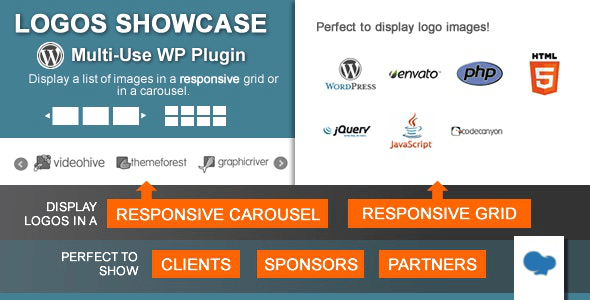
Logos Showcase is a WordPress plugin that displays a set of images as either a grid or a carousel, most commonly used for client, sponsor, partner or supporter logos. It ships as a Logos Showcase Interface Element with three layout modes, category grouping, link tracking and a shortcode generator, and it suits site owners who need a lightweight, self-hosted way to present branded images without building a custom template. The plugin is sold on CodeCanyon for $24 by the developer cmoreira, and it has accumulated 8,747 sales with a 4.73 out of 5 rating across 554 reviews.
What the plugin actually does well
The core of the product is a custom post type. Each logo is stored as an entry, which means images behave like content rather than hard-coded markup. That single design decision unlocks most of the useful behaviour described below.
Three display modes cover the common layout needs. A normal grid keeps every image at a fixed size while the container adapts to the viewport. A responsive grid instead fixes the number of columns and lets the images scale to fill them, dropping columns on narrow screens when the configured count no longer fits. A horizontal carousel, built on the bxSlider library, adds touch support and exposes controls for slides shown, slides moved per transition, transition speed, autoplay and whether navigation controls appear at all. For a logo wall, the responsive grid is usually the right default; the carousel makes more sense in a narrow sidebar or a header strip where vertical space is scarce.
Categories turn a single flat list into several distinct sets. A site can maintain one group for clients and another for technology partners, then render only the relevant group wherever it is needed. The live category filter extends this further: on grid layouts, visitors can toggle which logos they see, either through a visible filter bar or a more compact hidden variant. That is a meaningful step up from a static image strip, because it lets a visitor self-select the subset they care about.
Styling is handled through a small set of pre-built treatments rather than a full design system. The grayscale option desaturates logos and can restore full colour on hover, which is the standard way to keep a busy logo wall visually calm. A box highlight style adds a hover emphasis instead. Tooltips can be switched on to surface a name or short description when a visitor hovers. The vendor notes that more built-in styles are likely in future releases and that the style layer is structured to make additions straightforward, though no timeline or commitment is given.
Links and measurement are handled per entry. Each logo can point to an internal page or an external URL, and can open in the same tab or a new one. Enabling tracking records how many times each logo was clicked, which is genuinely useful for sponsorship reporting, affiliate-style partner pages, or simply working out which client logos attract attention.
Integration paths are broad. A dedicated widget drops a grid or carousel into any widget area, and the vendor states it also works with Layers WP. A separate component registers with WPBakery, the page builder formerly known as Visual Composer. For everything else, a shortcode and PHP function generator produces ready-to-paste code based on chosen settings; shortcodes go into posts and pages, while the PHP function is intended for theme files. The plugin is not flagged as Gutenberg-optimized, so block editor users should expect to work through the shortcode rather than a native block.
Two smaller conveniences round out the feature set. The default image dimensions can be set centrally, so newly uploaded logos are resized to consistent proportions on upload. Bulk upload via the WordPress Media Library lets an existing image collection be selected and converted into logo entries in one action, which saves considerable time on a site with dozens of logos. The feature label itself is renameable, so a site can call the section “Partners”, “Brands” or anything else without touching code.
Where it fits, and where it does not
The clearest fit is an agency, consultancy or software company that wants a client or partner wall on its homepage or a dedicated page. The category filter and click tracking make it more useful than a plain gallery in that scenario, because the wall becomes measurable rather than decorative.
Event and conference sites are another natural match. Sponsors are typically tiered, and categories map cleanly onto platinum, gold and silver groupings, with each logo linking to the sponsor’s site. Nonprofits and community organisations face the same problem with supporters and donors, and the grayscale hover treatment keeps a long list from overwhelming the page.
It also works as a general-purpose linked image grid for anyone who needs one. A publisher listing partner publications, a restaurant group showing locations, or a directory-style page of linked thumbnails can all be built with it. The vendor is explicit that the plugin was designed for logos first and adapted for other uses, so expectations should be set accordingly.
The wrong choice is a project that needs a true portfolio or media gallery. There is no lightbox, no video support, no masonry layout and no per-image caption field beyond the tooltip. A photographer’s portfolio or a product catalogue with filtering by attributes needs a gallery plugin, not this one. Similarly, a site that depends on native Gutenberg blocks for its editing workflow will find the shortcode-based approach a step backwards, and anyone wanting a fully visual, drag-and-drop builder experience should look at plugins designed around that model.
Strengths and limitations
Strengths
- Three distinct layout modes, each with sensible responsive behaviour, so one plugin covers grid and slider needs.
- Category grouping plus a live front-end filter gives visitors control over what they see.
- Per-logo click tracking provides real reporting data for sponsor and partner pages.
- Widget, WPBakery and shortcode/PHP entry points mean it can be placed almost anywhere, including inside theme files.
- Bulk import from the Media Library makes populating a large logo set fast.
- Source files are included, covering JavaScript, HTML, CSS and PHP, which matters for agencies that need to customise output.
- Wide WordPress version support, listed from 5.0 through 6.2.
Limitations
- The last vendor update is dated July 2023 and the highest WordPress version listed is 6.2.x, so compatibility with later core releases is not documented. Buyers running current WordPress should verify behaviour before committing.
- There is no native Gutenberg block. The vendor explicitly marks the plugin as not Gutenberg-optimized, so block editor users must fall back to shortcodes.
- Styling options are limited to the built-in treatments. Anything beyond grayscale, box highlight and tooltips requires editing the included CSS.
- No lightbox, no video, no masonry and no advanced gallery features. The tooltip is the only per-image text field.
- Click tracking records counts only. There is no date breakdown, referrer data or export, so it is a rough indicator rather than an analytics tool.
- Carousel behaviour depends on bxSlider, a third-party script, which constrains how far the slider can be customised without modifying bundled files.
How it compares with the alternatives
The realistic alternatives fall into three groups: full gallery plugins, page-builder logo modules, and hand-coded template output.
Full gallery plugins offer far more display options, including lightboxes, masonry, video and metadata. They also carry more weight, more settings and often a subscription or annual licence. Logos Showcase trades breadth for focus. If the requirement is strictly a linked image grid with categories, the lighter plugin does the job with less configuration and fewer moving parts.
Page builders such as Elementor, Divi and WPBakery increasingly ship their own logo grid widgets. Those are convenient if the whole site is already built in that builder, but they tie the logo wall to the builder. Changing builders later means rebuilding the section. A standalone plugin with shortcodes survives that migration. Notably, Logos Showcase also registers a WPBakery component, so it can coexist with that builder rather than compete with it.
Hand-coding a logo grid in a theme template is free and gives complete control. It also means every new logo requires a developer, and there is no filtering, no tracking and no admin interface for non-technical staff. The plugin’s value is that it turns a recurring maintenance task into content editing. For a one-off, static set of five logos that will never change, custom code is reasonable. For anything that grows, the plugin wins on total cost of ownership.
Frequently Asked Questions
Does Logos Showcase work with the current version of WordPress?
The vendor lists compatibility up to WordPress 6.2.x, and the last update was in July 2023. Later versions are not officially documented, so there is no guarantee. In practice, plugins of this type often continue working, but a staging test is advisable before installing on a live site, particularly if the theme or other plugins have also been updated.
Can logos be organised into separate groups on different pages?
Yes. Logos are assigned to categories, and each shortcode, widget or PHP call can specify which category to display. A site can therefore show clients on one page and sponsors on another, or mix both in a single grid. Grid layouts can additionally expose a live filter so visitors choose the category themselves.
Is a Gutenberg block included for the block editor?
No. The vendor marks the plugin as not Gutenberg-optimized, so there is no native block. Placement in the block editor is done by inserting a shortcode block and pasting the generated shortcode. Widget areas and WPBakery have their own dedicated interfaces, and theme files can call the generated PHP function directly.
Can click tracking show which logos perform best?
It records a running click count per logo, which is enough to rank logos by popularity over time. It does not break counts down by date, capture referrers, or export to a spreadsheet. Treat it as a directional signal for sponsor reporting rather than a replacement for a full analytics platform.
Verdict
Logos Showcase is a sensible purchase for anyone who needs a maintainable client, sponsor or partner logo wall on a WordPress site and does not want to hand-code it. The category system, live filter and click tracking give it more substance than a basic image grid, and the widget, WPBakery and shortcode routes mean it fits most site architectures. It is a poor fit for portfolio, gallery or catalogue projects, and buyers running WordPress versions newer than 6.2 should confirm compatibility first. At $24 with source files included and a long track record of sales, the risk is low for the specific job it was built to do.