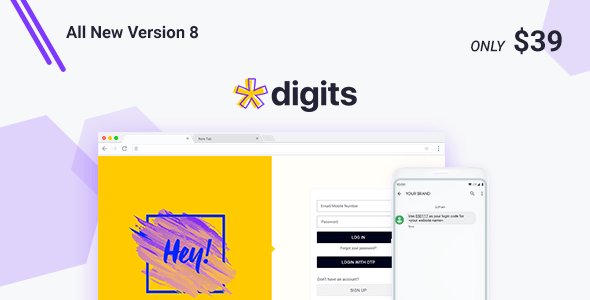
Digits : WordPress Mobile Phone Number OTP Signup and Login Form is a plugin that replaces the standard WordPress email-and-password registration flow with mobile number verification. A visitor enters a phone number, receives a one-time passcode by SMS, and is logged in without ever creating or remembering a password. It suits store owners, membership site operators and agencies who want to cut the friction out of account creation, particularly on WooCommerce and BuddyPress installations.
The plugin comes from UnitedOver and sells on CodeCanyon for $39. It has been purchased 8,213 times and holds a 4.16 out of 5 rating across 341 reviews, which places it among the more established options in this category. The vendor last updated the item in September 2026.
What the plugin actually does
The core mechanic is a one-time password (OTP), sometimes called a one-time passcode or SMS passcode. A numeric code is generated at the moment of signup or login, sent to the user’s handset, and then discarded. Nothing persistent is stored that a user has to recall, which removes the forgotten-password support burden almost entirely.
Around that mechanic the plugin layers a set of capabilities worth understanding before purchase:
- Mobile-only registration. Accounts can be created from a phone number alone, so the email verification loop — open inbox, find message, click link, return to site — disappears. For high-intent audiences arriving from social or paid traffic, that is usually the single biggest drop-off point.
- Passwordless and email-less login. Returning users authenticate the same way they registered. The vendor positions this as a conversion measure, and the logic holds: every removed step is a step a user cannot abandon.
- Custom form fields. Text inputs, dates, numbers, dropdowns, checkboxes, radio buttons and a user role selector can be added to the signup form. That makes the plugin usable for onboarding flows where you need a name, a city or a role assignment at the point of registration rather than in a follow-up profile screen.
- Backend customer creation. Staff can create a customer while manually adding an order from the WordPress admin, with the same verification features applied. This matters for phone-order or wholesale operations where the customer never touches the front-end form.
- Add-on modules. The vendor ships separate extensions covering phone number merging, migration of existing accounts, a forced login page lock, country-based SMS routing, one-click login, an additional fields and logic builder, and an email filter. These are not part of the base price and should be budgeted separately.
- Gateway breadth. The listing names well over a hundred SMS providers, including Twilio, Nexmo, Plivo, MessageBird, Clickatell, Infobip, Sinch, Amazon SNS and Firebase. Firebase is offered as a free OTP route, which is unusual and can keep costs near zero for low volumes.
- International delivery. The vendor states that sending SMS internationally is free through their free gateways. In practice, cost and reliability depend entirely on which gateway is selected, and the vendor does not publish per-country delivery data.
Compatibility is broad. The plugin declares support for WordPress 5.0 through 7.0, WooCommerce 6 through 10, BuddyPress 9 and 10, Easy Digital Downloads, WPML, Elementor, Elementor Pro, WPBakery and the block editor. Source files include PHP, JavaScript, JSON, HTML, CSS and layered PNG assets, so a developer can restyle the forms rather than fighting them.
Where it fits, and where it does not
The clearest fit is a WooCommerce store selling to a market where mobile numbers are the primary identity signal — much of South Asia, the Middle East, Africa and Southeast Asia. In those markets an email-first signup is often a genuine barrier, and an SMS code is the familiar pattern. The plugin’s long gateway list, which includes many regional providers rather than only the global aggregators, reflects that audience.
Membership and community sites built on BuddyPress are a second strong fit. Registration friction is the main reason community sites stall at low member counts, and removing the email round-trip addresses that directly.
Agencies building client sites will find the custom fields and role selector useful for onboarding, and the source files make it straightforward to match a client’s design system. Sites that need a phone number as a verified identifier — booking systems, classifieds, anything where duplicate or fake accounts are a problem — also benefit, because a working handset is required to complete registration.
There is a clear case where this is the wrong product. If the audience is primarily desktop-based, in a country where SMS delivery is expensive or unreliable, or in a sector where users expect and prefer email receipts and password managers, forcing phone verification will reduce signups rather than increase them. The same applies to any project with a compliance requirement to support email-based account recovery, since a phone-only account has no fallback if the number changes.
Strengths and limitations
Strengths
- Removes the email verification loop entirely, which is the step most likely to lose a new user.
- Gateway coverage is unusually wide, including regional providers that global competitors often omit.
- A free OTP route via Firebase means the plugin can be tested and run at small scale without SMS spend.
- Custom fields and a user role selector allow meaningful data capture at registration.
- Broad declared compatibility with WordPress, WooCommerce, BuddyPress, WPML and the major page builders.
- Source files are included, so forms can be restyled by a developer.
- Established sales history and a large review base, which reduces the risk of buying an abandoned item.
Limitations
- The rating sits at 4.16 out of 5, which is solid but not exceptional for a plugin at this price and volume. A meaningful minority of buyers report problems.
- Costs do not stop at the $39 licence. SMS credits are billed by the gateway, and the add-on modules are separate purchases. The vendor does not state add-on pricing in the listing.
- Delivery reliability is outside the plugin’s control. A gateway that performs well in one country may be slow or filtered in another, and the plugin cannot fix that.
- Phone-only accounts create a recovery problem. If a user loses or changes their number, there is no email fallback unless the Email Filter add-on is configured.
- The gateway list is long but unverified per provider. The vendor does not publish which gateways are actively maintained or tested against the current release.
- Setup requires obtaining API credentials from an SMS provider and configuring them correctly. The vendor describes setup as easy, but it is not a zero-configuration install.
- The vendor notes that the compatibility list on CodeCanyon cannot reflect the very latest plugin versions, so the declared version numbers should be treated as approximate.
How it compares to the alternatives
Most WordPress OTP plugins fall into two groups. The first is a thin layer that bolts phone verification onto the default WordPress registration form. These are cheap and quick, but they usually stop at verification — they do not replace the login flow, they rarely support WooCommerce checkout properly, and custom fields are an afterthought.
Digits sits in the second group: a full replacement for the authentication flow. It handles registration, login, WooCommerce account creation and back-end customer creation in one system, and it exposes hooks and template files for customisation. That breadth is the reason it has accumulated thousands of sales rather than a few hundred.
The trade-off is weight. A plugin that replaces authentication touches more of WordPress than one that adds a verification step, which means more surface area for conflicts with other login-related plugins, security tools and caching layers. Buyers who only need to verify an existing email-based account should look at the lighter category. Buyers who want to remove passwords from the site entirely are in the right place.
On price, $39 is mid-range for this category. The deciding factor is not the licence fee but the ongoing SMS cost, which varies enormously by gateway and destination country.
Frequently Asked Questions
Does Digits work with WooCommerce checkout?
Yes. The plugin declares compatibility with WooCommerce versions 6 through 10 and can create a customer account at the point of order, including orders placed manually from the WordPress admin. That means a shopper can register and check out using a phone number and SMS code without a separate email step.
Do I need to pay for SMS messages on top of the plugin price?
Usually yes. The $39 covers the plugin only. Sending codes requires an SMS gateway account, and most providers charge per message. Firebase is offered as a free OTP option, and the vendor states that some free gateways handle international delivery at no cost, but reliability varies.
Can existing users keep their accounts after switching to phone login?
Not automatically. Existing accounts are tied to email addresses, so a migration step is required to link phone numbers to them. The vendor provides a separate Old Account Migrator add-on for this purpose, which is sold independently of the base plugin and is not included in the $39 price.
Is coding knowledge required to install and configure it?
No coding is needed for a standard setup. The plugin installs like any other WordPress plugin and is configured through admin screens. However, an SMS gateway account must be created and its API credentials entered, and customising the form templates beyond the built-in options does require familiarity with PHP and CSS.
Verdict
Digits is a well-established, broadly compatible option for site owners who want to remove passwords and email verification from the WordPress signup process. It is the right purchase for WooCommerce stores and BuddyPress communities serving mobile-first audiences, and for agencies that need a customisable, source-available authentication layer with wide gateway support. It is the wrong purchase for sites whose users expect email-based accounts and password managers, for projects with a strict budget where ongoing SMS costs are not viable, and for anyone who only needs to add a verification step to an existing email login rather than replace it. The 4.16 rating and the sheer number of reviews suggest a product that works for most buyers but has rough edges for some, so testing on a staging site before going live is sensible.