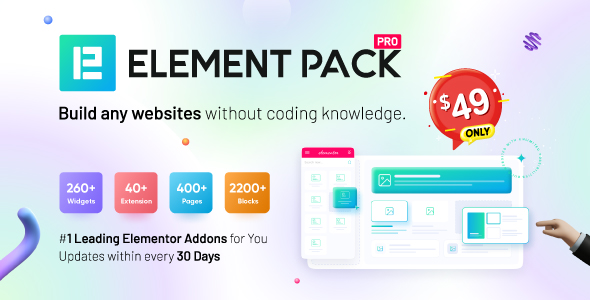
Element Pack is a commercial add-on pack for the Elementor page builder on WordPress. It installs alongside Elementor and adds a large library of extra widgets — the drag-and-drop content blocks used to assemble pages — so site builders can create layouts that the free version of Elementor does not include. It is aimed at freelancers, agencies and site owners who already build with Elementor and want a broader widget set without switching page builders. The plugin is sold on CodeCanyon by the developer bdthemes for a one-time price of $49, and it has accumulated 7,766 sales with a 4.27 out of 5 rating across 199 reviews.
Those numbers matter because Element Pack Add-ons sit in a crowded category. Elementor’s own ecosystem includes dozens of widget packs, and the buying decision usually comes down to whether a specific pack covers the widgets a project actually needs. Element Pack’s pitch is breadth: the vendor states the pack contains more than 285 elements, covering everything from pricing tables and countdown timers to image comparison sliders and map embeds.
What Element Pack Actually Adds to Elementor
The core value is widget count and variety. Rather than installing five small plugins to get a countdown timer, a logo grid and a flip box, a single installation covers all three. For anyone managing multiple client sites, that reduces plugin sprawl, which in turn reduces update and compatibility overhead.
Several widget groups stand out as genuinely useful rather than filler:
- Marketing and conversion widgets. Countdown timers, call-out boxes, dual buttons, pricing lists and featured boxes cover the standard blocks used on landing pages and service pages. These are the widgets most projects reach for first.
- Image and media tools. Image Compare, Image Magnifier, Image Stack, Image Accordion and a lightbox widget handle before-and-after sliders, zoomable product shots and animated galleries. Image Compare in particular is awkward to build by hand and is a common requirement for renovation, cosmetic and photography sites.
- Social proof and team elements. Review Card, Review Card Carousel, Member and Logo Grid let a site display testimonials, staff profiles and client logos without custom markup.
- Utility widgets. Cookie Consent, Reading Progress, Business Hours, Open Street Map and a Calendly embed cover the small functional pieces that otherwise require separate plugins. Cookie Consent is notable because it addresses GDPR compliance, which is a legal requirement for sites serving EU visitors.
Beyond the widgets themselves, the pack includes a template library. Templates are pre-built page sections that can be imported and then edited, which shortens the time between a blank page and a finished layout. The vendor also states the codebase follows current standards and targets PHP 8.x, HTML5 and modern CSS, and that source files in JavaScript, JSON, HTML, CSS, LESS and PHP are included. Source files matter for agencies that need to modify behaviour rather than just styling.
Compatibility is broad. The vendor lists support for WordPress 6.8.x back to 5.5.x, WooCommerce 9.x back to 7.x, Elementor and Elementor Pro, Contact Form 7, Gravity Forms, WPForms, Easy Digital Downloads, WPML, BuddyPress and bbPress. Multilingual support is claimed for more than 15 languages, with right-to-left layout support — relevant for Arabic, Hebrew and similar locales. Browser support extends back to Internet Explorer 11, which is unusual in current plugin listings and suggests the vendor is still accommodating legacy enterprise environments.
Where Element Pack Fits and Where It Does Not
The strongest fit is an agency or freelancer running several Elementor-based sites who wants one licensed widget library instead of assembling a stack of single-purpose plugins. The breadth of the widget set means most page types — service pages, landing pages, team pages, pricing pages — can be built without leaving the Elementor editor.
It also suits site owners who are not developers. The widgets are configured through Elementor’s standard interface, so no coding is required to place and style them. The template library reinforces this: a non-technical user can import a section and adjust text and images rather than build from scratch.
A third fit is WooCommerce stores that want product-adjacent elements like countdown timers, pricing lists and review carousels without adding separate e-commerce widget plugins, since WooCommerce compatibility is explicitly listed.
Where it is the wrong choice: projects that use Gutenberg rather than Elementor. Element Pack is an Elementor add-on, so on a block-editor site it does nothing. The vendor does list Gutenberg optimisation, but that refers to how the plugin’s output behaves in the block editor, not to providing Gutenberg blocks as an alternative to Elementor. Anyone who has deliberately standardised on the native WordPress editor should look elsewhere.
A second poor fit is a very small site — a five-page brochure site, for example — where 285 widgets is far more than will ever be used. The licence cost is modest, but the added surface area for updates and potential conflicts is not worth it when three or four widgets would cover the whole build.
Strengths and Limitations
Strengths
- Large widget library in a single plugin, which reduces the number of separate add-ons a site needs to maintain.
- Includes source files in multiple formats, so agencies can extend or restyle widgets rather than only configure them.
- Wide stated compatibility, including WooCommerce, WPML, BuddyPress, bbPress and several major form plugins.
- Multilingual and RTL support built in, which many competing packs handle poorly or not at all.
- Established track record: 7,766 sales and a 4.27 rating from 199 reviews indicates a product that has been used at scale rather than a new release.
- One-time purchase price of $49 rather than a recurring subscription.
Limitations
- The rating is 4.27 out of 5, not near-perfect. Across 199 reviews that suggests a meaningful minority of buyers hit problems, which is worth reading into before purchase.
- A 285-plus widget library adds weight. Every widget ships with its own CSS and JavaScript assets, and on a site that uses only a handful, that is unused code unless the vendor provides per-widget loading controls. The listing does not state whether asset loading can be disabled per widget.
- Breadth comes at the cost of depth in places. Some widgets are simple by design — Review Card, for instance, is described as a static review box, so it does not pull reviews dynamically from a database or third-party service.
- Support for Internet Explorer 11 is listed, which is a legacy browser. Maintaining that compatibility can constrain the modern CSS and JavaScript techniques used elsewhere in the plugin.
- Dependency on Elementor is total. If a project moves away from Elementor, the investment in Element Pack does not transfer.
- The vendor’s listed WordPress compatibility tops out at 6.8.x. Sites running newer WordPress releases should confirm current support before buying.
How Element Pack Compares to Other Widget Packs
The alternative category is broad: Elementor’s own Pro widgets, other CodeCanyon widget bundles, and free packs distributed through the WordPress plugin repository. The trade-offs differ by type.
Free widget packs cost nothing but typically offer fewer widgets, slower update cycles and limited or community-only support. They suit hobby projects and tight budgets. Element Pack’s advantage is volume plus commercial support and a documented update history.
Elementor Pro bundles its own widget set with the page builder licence, which is convenient for anyone already paying for Pro. The overlap is real, but Element Pack covers widget types Pro does not — image comparison, reading progress, cookie consent, Open Street Map — so the two are complementary rather than strictly competing.
Other commercial packs compete mainly on design quality and niche specialisation. Some focus on a narrow vertical, such as e-commerce or marketing, and go deeper on fewer widgets. Element Pack’s position is the opposite: maximum coverage in one purchase. Buyers choosing between them should compare the specific widget list against their typical project requirements rather than the headline count.
Frequently Asked Questions
Does Element Pack require Elementor Pro?
No. Element Pack works with the free version of Elementor, and the vendor lists Elementor Pro as compatible rather than required. That said, some layouts benefit from Pro features such as the theme builder and dynamic content, so the combination is common in agency workflows.
Can Element Pack be used on more than one website?
Licensing terms are set by the marketplace and the developer, and the product listing does not state how many sites a single purchase covers. Buyers should check the licence terms on the CodeCanyon item page before deploying across multiple client sites, since add-on licences often restrict activations.
Will Element Pack slow down a WordPress site?
It can add page weight, because a large widget library means more CSS and JavaScript files. The practical impact depends on how many widgets a page uses and whether unused assets are loaded. Sites already running several plugins should test performance after installation rather than assume it is negligible.
Is Element Pack compatible with WooCommerce and multilingual plugins?
Yes. The vendor lists WooCommerce 7.x through 9.x, WPML, BuddyPress and bbPress as compatible, along with Contact Form 7, Gravity Forms and WPForms. Multilingual support is stated for more than 15 languages with right-to-left layout support, which covers most non-Latin language sites.
Verdict
Element Pack is a sensible purchase for freelancers, agencies and site owners who build primarily with Elementor and want a wide widget library from a single vendor at a one-time price. The 7,766 sales and 4.27 rating indicate a mature product with a substantial user base, and the inclusion of source files plus broad plugin compatibility makes it practical for client work. It is a poor fit for Gutenberg-only sites, for very small builds where the widget count is wasted, and for anyone unwilling to accept a rating that sits below 4.5. Buyers should check the current WordPress compatibility ceiling and the licence’s site limit before committing, and should review recent user feedback rather than relying on the aggregate score alone.