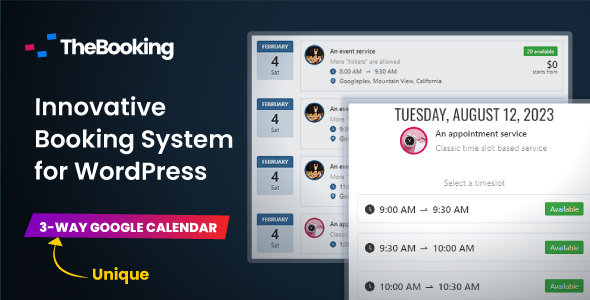
Team Booking is a WordPress plugin that turns a standard WordPress site into an appointment and reservation system, with its most distinctive feature being a three-way integration with Google Calendar. Availability is defined as calendar events, those events become bookable slots on the site, and confirmed reservations are written back into the calendar automatically. It suits clinics, consultancies, tutors, repair services and small agencies that already run their working lives in Google Calendar and want their website to follow that calendar rather than duplicate it.
What the plugin actually does
The organising idea behind Team Booking Calendars is that the calendar is the source of truth. Instead of building availability inside WordPress with a separate set of opening hours, working days and buffer rules, the administrator creates ordinary Google Calendar events and marks them as available. The plugin reads those events and offers them to visitors as bookable time slots. When a customer books, the plugin creates a matching event containing the reservation details. That three-way loop — read availability, present slots, write the booking back — is what separates this product from the majority of booking plugins, which keep availability in their own database and treat calendar sync as an optional extra.
Services are unlimited and each one carries its own reservation form. The form builder is where most of the day-to-day configuration happens: fields can be added, reordered and made mandatory, so a physiotherapy appointment can collect different information from a photography quote request. Two service types are supported. Appointment services are tied to specific time slots and cover the obvious cases such as consultations, lessons and technical callouts. Unscheduled services have no time slot at all and behave more like a ticket or enquiry form, which is useful for estimate requests and support queues that get triaged later.
Payments are handled in-house rather than through a separate e-commerce plugin. PayPal and Stripe are supported out of the box, and the Stripe integration covers iDeal, Apple Pay and Google Pay, which matters for European customers who expect local payment methods at checkout. Prices can be attached per service, and the plugin includes a coupon and promotion engine with rules based on date ranges and specific days of the week — enough for seasonal offers or a discount on quiet weekdays without writing any code.
For remote appointments, Zoom and Google Meet integrations generate a meeting link automatically once a reservation is confirmed. The access details are emailed to the customer, and meetings can also be started from the WordPress admin. Combined with the calendar sync, this means a booking made on a Sunday evening can produce a calendar entry and a video link without anyone touching the site.
On the team side, the plugin supports multiple providers sharing one booking system. Availability is pooled so that several people can offer services without the site selling the same slot twice. The vendor’s platform page for the newer version of this product describes a more advanced model in which a whole team shares one availability pool and assignments happen automatically, but that behaviour belongs to the current subscription release rather than to the version sold on CodeCanyon, and it should not be assumed here.
Where it fits, and where it does not
The strongest fit is a service business with one to a handful of providers who already live inside Google Calendar. A two-person dental practice, a driving instructor with a car and a diary, a consultancy booking discovery calls, or a repair firm dispatching technicians all map cleanly onto the appointment model. The unscheduled service type extends that to businesses that want a structured intake form rather than a diary — an agency collecting project briefs, for example, can use the same plugin for both paid consultations and free quotes.
Virtual-first businesses are a good match too. Automatic Zoom or Google Meet link creation removes a step that most teams handle manually, and the payment integrations mean a paid online session can be booked, paid for and provisioned in one flow.
There are situations where this is the wrong tool. Sites that need complex resource management — booking a specific room, a specific piece of equipment and a specific staff member at the same time, with dependencies between them — will find the model too simple, because availability here is fundamentally a calendar rather than an inventory. Businesses with no Google account, or with policies that forbid storing appointment data in Google, should look elsewhere; the calendar integration is the core of the product, not a garnish. High-volume venues selling hundreds of tickets per event, such as cinemas or festivals, need seat-level inventory and are outside the plugin’s design.
Strengths and limitations
Strengths
- Availability management happens in Google Calendar, which most service businesses already check several times a day, so there is no second schedule to keep in sync.
- Bookings written back to the calendar carry the reservation details, giving staff one place to see the working day.
- Per-service reservation forms mean different services can collect genuinely different information without custom development.
- Payments, coupons and video meeting links are included rather than sold as add-ons.
- Compatibility is broad: WordPress 5.3 through 7.0.x, the block editor, Elementor, WPBakery and Visual Composer, plus WPML for multilingual sites.
- Source files are included, so a development team can extend behaviour rather than working only through settings.
- A track record of more than 7,000 sales and a 4.62 out of 5 rating across 306 reviews is meaningful evidence that the plugin works in production for a range of businesses.
Limitations
- The version sold on CodeCanyon is version 3 and is no longer updated there. The developer, VonStroheim, has moved active development to a separate platform where version 4 is sold as a subscription. Buyers are purchasing a maintained-but-frozen product, and the vendor states plainly that new releases and direct support happen elsewhere.
- Because the newer version is a subscription, anyone who wants the team-wide shared availability and automatic assignment described for version 4 will have to pay again on a recurring basis.
- Dependence on Google Calendar is total. If the connected account is suspended, misconfigured or loses API access, the booking system stops offering slots.
- The plugin does not appear to support Outlook, Microsoft 365 or CalDAV calendars, which rules it out for organisations standardised on Microsoft.
- Resource and inventory logic — rooms, equipment, capacity per slot — is not part of the feature set, and the vendor does not claim otherwise.
- Internet Explorer 10 and 11 are listed as compatible browsers, which suggests the front-end codebase carries legacy support rather than being written purely for current browsers.
How it compares with the wider booking plugin category
Most WordPress booking plugins are built the other way round. Availability lives inside the plugin, in a settings screen with opening hours, lead times, buffers and holiday exceptions, and calendar syncing is a one-way export added later. That approach is more self-contained and works without any third-party account, but it means the schedule has to be maintained twice — once in WordPress and once wherever staff actually look.
Team Booking Calendars inverts that. The advantage is a single source of truth and almost no configuration of availability rules, since the calendar itself expresses them. The trade-off is a hard dependency on one external service and a thinner set of scheduling primitives than plugins built around a native booking engine. Where a native-availability plugin might offer fine-grained buffer rules, minimum notice periods or complex recurring patterns, this one relies on the calendar to encode those decisions.
On price, a one-off $39 sits at the lower end of the commercial market, where annual licences commonly run higher and subscription booking platforms cost considerably more per month. That is a real advantage for a small business, but it comes with the caveat that the CodeCanyon copy is a legacy release. The honest comparison is not simply price against features; it is a one-time payment for a frozen version against recurring payments for an actively developed one.
Frequently Asked Questions
Do I need a Google account to use Team Booking?
Yes. The plugin is built around Google Calendar, and availability is defined by calendar events. Without a connected Google account there is no mechanism for creating bookable slots or writing reservations back. Organisations that cannot use Google Calendar, or that standardise on Microsoft 365 or another calendar service, should choose a plugin with a self-contained scheduling engine instead.
Can several staff members take bookings through one calendar?
Yes, the plugin supports multiple providers working from a shared booking system so that slots are not sold twice. The more advanced model, where an entire team shares one availability pool and appointments are assigned automatically, belongs to the newer subscription version rather than the CodeCanyon release. Buyers who need that specific behaviour should check the developer’s own site before purchasing.
Does it handle payments and video meetings?
Both are included. PayPal and Stripe are supported natively, with Stripe covering iDeal, Apple Pay and Google Pay, and prices can be set per service. Zoom and Google Meet integrations create a meeting link automatically after a reservation and email the details to the customer, so remote appointments do not require manual setup.
Is the CodeCanyon version still updated?
No. The vendor states that the CodeCanyon listing is version 3 and is no longer updated there. Version 4 is developed and supported on the developer’s own platform and sold as a subscription. Existing version 3 installations continue to work, and the vendor describes an upgrade path, but new features and direct support arrive only on the newer release.
Verdict
Team Booking is a sensible purchase for a small service business that runs on Google Calendar and wants its website to reflect that calendar without maintaining a parallel schedule. The combination of calendar-driven availability, per-service forms, built-in payments and automatic video meeting links covers a lot of ground for a one-off $39, and the sales and rating figures suggest it holds up in real use. It is a poor fit for anyone who needs Microsoft calendar support, complex resource and inventory logic, or guaranteed long-term feature development from the CodeCanyon copy. Buyers in that last group should weigh the subscription version on the developer’s own site before committing, and anyone whose business depends on the plugin should confirm the current state of support directly with the vendor rather than assuming the marketplace listing is the whole picture.