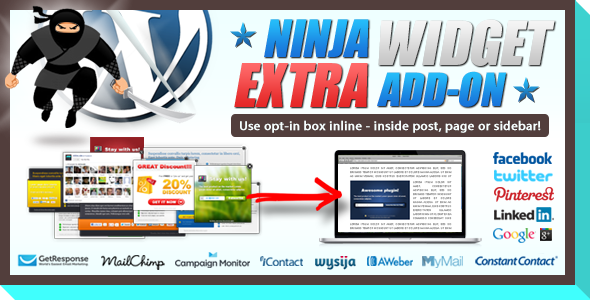
Ninja Widget Extra Add-on is a WordPress add-on that places Ninja Popups opt-in forms and social share buttons inline inside a page, post or sidebar instead of in a floating overlay. It is an extension rather than a standalone plugin, so it only does anything on a site that already runs Ninja Popups version 3.1 or later. It suits publishers who want an email capture box or share row embedded in the flow of an article, and it is a poor fit for anyone who wants a complete popup solution from a single purchase.
Sold on CodeCanyon for $9 by the developer arscode, the add-on has accumulated 2,915 sales and a 4.1 out of 5 rating across 152 reviews. Those numbers describe a small, settled utility rather than an actively evolving product: the vendor last updated the item in December 2017.
What the add-on actually does
The core idea is simple. Ninja Popups normally renders its opt-in forms and social buttons as overlays that sit on top of the page. This add-on turns the same assets into a widget, which means the same form can be dropped into a sidebar, inserted between paragraphs of a post, or placed anywhere a widget area exists in the active theme.
Because the widget is a standard WordPress widget, placement follows the normal rules. A site owner can add it to any registered sidebar, and with a widget-aware page builder or a shortcode-friendly editor it can also be positioned inside post content. The vendor states that an unlimited number of these widgets can be used on a page, post or sidebar, so a long article could carry an opt-in near the top, a share row in the middle and a second opt-in at the end without hitting a cap.
Reuse is the practical benefit. Any campaign, form or button set already built in Ninja Popups becomes available as an inline element without rebuilding it. That matters for sites running several popups across different pages, because it keeps one library of designs rather than two parallel sets of assets. The add-on also inherits the translation readiness of the parent plugin, so forms built for a multilingual audience can be reused inline in the same way.
Under the hood the widget is powered by jQuery and ships with editable JavaScript, CSS and PHP source files. That is worth noting for agencies: the styling can be adjusted directly rather than fought with through a settings screen, and a developer can extend the markup if a client needs something the default output does not cover. The vendor also advertises a three-click installation and a 24-hour support response window, though the support claim is a vendor statement rather than something independently verified here.
Where it fits and where it does not
The strongest use case is a content site that already runs Ninja Popups and wants to reduce reliance on overlays. Editorial teams often find that exit-intent and timed popups annoy readers, and an inline box placed after the second or third paragraph converts differently without interrupting the reading experience. Bloggers, newsletter operators and niche publishers fit this profile well.
A second fit is membership and course sites built on WordPress that use Ninja Popups for lead capture. An inline form inside a lesson page or a resource post can sit naturally in the content, and a social share row placed the same way gives readers an action that does not require dismissing anything.
A third fit is the agency or freelancer maintaining several client sites on the same stack. Buying one $9 add-on that unlocks inline placement across every site already licensed for Ninja Popups is cheap, and having direct access to the CSS and PHP means client-specific tweaks do not require a plugin fork.
The clear wrong choice is anyone who does not own Ninja Popups. This add-on has no standalone functionality; without the parent plugin at version 3.1 or higher it will not produce anything useful. It is also the wrong purchase for a site that needs a modern block-based editor experience, since the product predates the block editor and the vendor gives no indication of block support. Anyone running a current WordPress release should test compatibility on a staging copy before committing, because the vendor’s declared compatibility list tops out at WordPress 4.9.x. Finally, a site that wants a single plugin handling both overlays and inline forms should look at an all-in-one opt-in tool instead of assembling two pieces.
Strengths and limitations
Strengths
- Genuinely cheap at $9, especially for agencies that can reuse one licence across a client base.
- Reuses existing Ninja Popups designs, so there is no second form builder to learn or maintain.
- Inline placement in sidebars and post content, with no stated limit on how many widgets appear on a single page.
- Editable JavaScript, CSS and PHP source files give developers full control over output and styling.
- Translation ready, which matters for non-English publishers running multilingual campaigns.
- A long sales history and a large review base give some confidence that the basic mechanism works as described.
Limitations
- Hard dependency on Ninja Popups 3.1 or later. Without the parent plugin the add-on is inert.
- Last updated in December 2017. The vendor’s compatibility list stops at WordPress 4.9.x, so behaviour on current WordPress versions is not documented.
- The 4.1 rating across 152 reviews is respectable but not stellar, and it suggests a meaningful minority of buyers hit friction.
- No high-resolution assets are included, which limits how cleanly the widget can be presented on retina displays without custom CSS work.
- Browser support is declared from Internet Explorer 8 upward, a legacy list that says nothing about how the widget behaves in current browser engines.
- No block editor integration is stated, so placement inside post content depends on widgets, shortcodes or a page builder.
How it compares with the alternatives
The realistic alternatives fall into three groups. The first is the parent plugin’s own overlay system: free to use, already installed, and effective for exit-intent and scroll-triggered capture, but it cannot place a form in the middle of an article. The add-on exists precisely to cover that gap, so it complements rather than replaces the overlay approach.
The second group is dedicated inline opt-in plugins. These typically bundle their own form builder, templates and analytics, and they work without any parent plugin. They cost more and add another design system to manage, but they are self-contained and generally maintained against current WordPress releases. For a site with no existing Ninja Popups investment, that is usually the more sensible route.
The third group is manual placement: pasting form embed code directly into posts or widget areas. That costs nothing and works with almost anything, but it loses the design reuse, the widget-level controls and the ability to change a form in one place and have it update everywhere. The add-on sits between the two extremes, trading a small amount of money and a dependency for convenience within an existing stack.
Frequently Asked Questions
Do I need Ninja Popups to use Ninja Widget Extra Add-on?
Yes. The add-on requires Ninja Popups for WordPress version 3.1 or later and will not function without it. It is an extension that exposes existing Ninja Popups forms and social buttons as inline widgets, so there is nothing for it to display on a site that does not already run the parent plugin.
Can I place more than one widget on the same page?
Yes, the vendor states that an unlimited number of widgets can be used on a page, post or sidebar. In practice this means a long article could carry an opt-in near the introduction, a social share row mid-article and a second opt-in at the end, all drawing on the same set of Ninja Popups designs.
Does it work with the current version of WordPress?
The vendor’s declared compatibility list ends at WordPress 4.9.x, and the item was last updated in December 2017. There is no published statement about newer releases. Anyone running a current WordPress version should test the widget on a staging site before relying on it in production, and should expect to verify behaviour personally.
Can the widget’s appearance be customised?
Yes, to a degree. The package includes JavaScript, CSS and PHP source files, so the markup and styling can be edited directly by someone comfortable with code. Design changes to the forms themselves are made in Ninja Popups, since the add-on reuses those existing designs rather than providing its own builder.
Verdict
Buy this if the site already runs Ninja Popups 3.1 or later and the goal is to move opt-in forms and share buttons out of overlays and into the body of pages, posts and sidebars. At $9 with editable source files and no stated widget limit, the cost is low enough that the decision rests almost entirely on whether the parent plugin is already in place. It is also a reasonable pickup for freelancers and agencies maintaining multiple WordPress sites on that stack.
Do not buy it if Ninja Popups is not installed, if the site depends on the block editor for content layout, or if running a fully current WordPress version with no appetite for compatibility testing. In those cases a standalone inline opt-in plugin will cost more but remove the dependency and the uncertainty. The 2017 update date is the single detail that should give any buyer pause, and it is worth weighing before spending even a small amount.