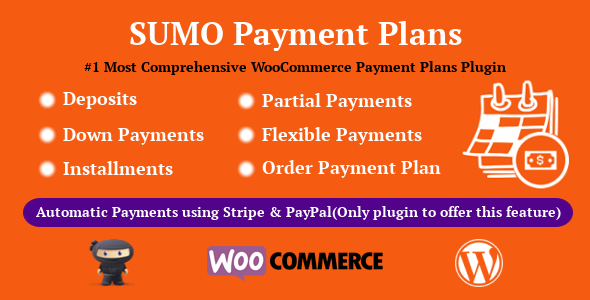
SUMO WooCommerce Payment Plans is a WordPress plugin that adds deposits, down payments, fixed or variable installments and scheduled payment plans to a WooCommerce store. It is built for shop owners who sell high-ticket items, services or made-to-order products and need customers to pay over time rather than in a single transaction. The plugin is sold on CodeCanyon by FantasticPlugins for $49, has passed 2,804 sales and holds a 4.33 out of 5 rating across 67 reviews.
Payment plans are one of the few features WooCommerce has never shipped natively, so third-party plugins carry the whole burden of solving it. SUMO WooCommerce Payment Plans eCommerce support covers the full range of common structures — a deposit now with the balance later, a down payment followed by installments, or a set number of equal payments — and it handles the unglamorous parts too: due dates, reminder emails and overdue chasing.
What the plugin actually lets a store do
The core idea is that a payment plan becomes a property of a product. Once a plan is attached, the product can be bought on those terms, and the checkout flow changes to reflect it. Several configuration choices follow from that.
Deposits and balance payments
A deposit can be a fixed figure set by the store or an amount the customer chooses at checkout, which suits custom work where the total is not known in advance. The remaining balance can be tied to a specific calendar date or to a number of days after the deposit is paid. Stores can also force a deposit, removing the option to pay in full — useful when a deposit is a condition of ordering rather than a convenience.
Installment structures
Installments can be split into equal fixed amounts or left variable so the customer decides how much to pay each time. Interest can be added on top of installment payments, which means the plugin can model a simple finance arrangement rather than only a deferred payment. Each installment due date is either a set number of days after the previous payment or a fixed calendar date, and due dates can be synchronised so a customer with several active plans pays them on the same day.
How money is collected
There are three collection models. The first is manual: customers log in and pay each installment themselves using whatever gateway the store already supports. The second is automatic card charging through Stripe, which requires the WooCommerce Stripe gateway plugin. The third is automatic charging through PayPal Reference Transactions, a payment method bundled with the plugin itself. The vendor notes that the Order PaymentPlan feature — assigning a plan to a non-plan order after the fact — does not work with the PayPal Reference Transactions method.
Reminders and overdue handling
Payment reminder emails go out on a schedule the store defines, and an overdue period can be configured with more than one follow-up reminder. Customers can also settle several installments or the whole remaining balance in one payment, which reduces the amount of manual account management a store has to do.
Checkout and order behaviour
Shipping can be charged at the initial payment or held until the final one, though this only works when a single payment plan product is in the cart. Specific payment gateways can be hidden when a plan product is in the cart, which prevents customers from picking a gateway that cannot support recurring charges. For downloadable products, access to the files can be granted either after the initial payment or only once the balance is cleared. Plans can also be scheduled to run within a defined window.
Where this fits, and where it does not
The clearest fit is a store selling something expensive enough that a single payment is a barrier: furniture, custom joinery, photography packages, courses, event tickets, agency retainers billed in stages, or equipment with a deposit-and-delivery structure. Any business that already takes deposits by bank transfer and tracks the balance in a spreadsheet gets the most obvious upgrade, because the plugin moves that bookkeeping into the order record.
It also suits stores that need to enforce terms rather than merely offer them. Forcing a deposit, hiding unsuitable gateways and granting download access only on final payment are all control features, and they matter to sellers who have been burned by customers who take delivery and stop paying.
It is the wrong choice for a store that only needs a straightforward subscription. Recurring billing at a fixed interval is a different problem, and WooCommerce Subscriptions handles it more directly. This plugin is about a finite number of payments against a known or partially known total, not an open-ended billing relationship. Stores selling low-cost items with no margin to absorb gateway fees on many small transactions are also a poor fit — splitting a $30 product into six payments costs more in processing than it recovers in conversions.
Strengths and limitations
Strengths
- Genuinely broad configuration: deposits, down payments, fixed installments, variable installments and interest can be combined rather than picked from a single mode.
- Two automatic charging routes plus manual payment, so a store is not locked into one gateway to offer plans at all.
- Due date synchronisation and multi-installment settlement both reduce support tickets from customers juggling several plans.
- Reminder and overdue email sequences are built in, which is the part most competing approaches leave to a separate plugin.
- Source files are included and the plugin is translation ready and WPML compatible, which matters for agencies building multilingual stores.
- A long track record: 2,804 sales and a 4.33 rating is a meaningful signal of stability for a CodeCanyon item.
Limitations
- Automatic card charging depends on the WooCommerce Stripe plugin being installed and configured separately. The plugin does not provide card storage on its own.
- The Order PaymentPlan feature is incompatible with the bundled PayPal Reference Transactions method, so stores relying on that gateway lose a capability others get.
- Shipping charged at initial or final payment only works when a single payment plan product is in the cart. Mixed carts with several plan products fall outside that behaviour.
- The plugin is not Gutenberg optimised, so stores using the block editor for product layouts should expect the plan interface to sit outside that design system.
- Several advertised integrations — SUMO Reward Points, SUMO Affiliates, SUMO Memberships, WooCommerce Recover Abandoned Cart — require those plugins to be purchased and installed separately.
- Support runs through the vendor’s own ticket system rather than the CodeCanyon comments section, which adds a registration step before any question can be asked.
- The vendor does not state a refund policy or a support response time in the listing.
How it compares with the alternatives
There are two broad alternatives in this category. The first is a dedicated deposit or partial-payment plugin, which usually does one thing — take a deposit, collect the balance later — with less configuration and a simpler interface. The second is a full subscription or membership platform, which handles recurring billing but treats a payment plan as an awkward special case.
SUMO sits between them and leans toward the deposit plugin side, but with more depth. Where a basic deposit plugin stops at “pay 20% now, rest in 30 days”, this one continues into installment counts, interest, synchronised due dates, overdue escalation and automatic charging. The trade-off is a longer settings surface and more decisions to make before a plan goes live. A store that only ever needs one deposit rule will find the configuration heavier than necessary; a store that needs three different plan types across different product categories will find the extra depth is the reason to choose it.
Against subscription platforms, the distinction is structural rather than qualitative. Subscriptions assume an ongoing relationship with no defined end. Payment plans assume a fixed total and a fixed number of payments. Choosing the wrong model creates accounting problems later, so the decision should be made on the commercial structure, not on feature lists.
Frequently Asked Questions
Does SUMO WooCommerce Payment Plans work with any payment gateway?
Manual installment payments work with any gateway WooCommerce already supports, because the customer initiates each payment. Automatic charging is narrower: it requires either the WooCommerce Stripe plugin for card charging or the PayPal Reference Transactions method bundled with the plugin. Stores using other gateways can still offer plans, but customers must pay each installment manually.
Can customers pay off a plan early?
Yes. The plugin allows customers to pay multiple installments or the entire remaining balance at once rather than waiting for each due date. This is useful for stores that would rather close out an order than carry it on the books for months, and it removes a common reason for customers to contact support.
What happens if a customer misses an installment?
The store defines an overdue period, and the plugin sends reminder emails based on that schedule. More than one overdue reminder can be configured, so a store can escalate from a gentle nudge to a firmer notice. The plugin does not itself suspend access or cancel orders — those decisions remain with the store.
Is the plugin compatible with the current versions of WordPress and WooCommerce?
The vendor lists compatibility with WordPress 6.9.x back to 5.5.x and WooCommerce 9.x.x back to 5.x.x, and the listing was last updated in June 2026. That range covers current installations. As with any plugin that hooks into checkout, testing on a staging site before updating a live store is sensible.
Verdict
SUMO WooCommerce Payment Plans is worth buying for stores that sell high-value products or services and need real control over how and when customers pay — particularly those that want automatic charging, enforced deposits and overdue email sequences in one plugin rather than assembled from three. The $49 price is low relative to the configuration depth, and the sales and rating history suggests it is maintained rather than abandoned.
It is not the right purchase for stores that only need a simple subscription, or for anyone selling low-margin items where splitting payments costs more than it earns. Stores that need the Order PaymentPlan feature alongside PayPal Reference Transactions should also look elsewhere, since those two do not work together. Everyone else evaluating payment plans for WooCommerce will find this among the more complete options available.