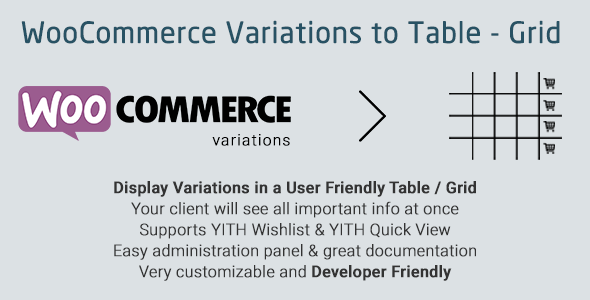
WooCommerce Variations to Table – Grid is a WordPress plugin that replaces the default dropdown menus on variable product pages with a searchable table or grid of every variation. Shoppers see all sizes, colours or other attributes side by side, with price, stock status and an add-to-cart control in each row. It suits store owners whose catalogues contain products with many variations, where dropdown selectors force customers to click through several fields before they can see what is actually available.
The plugin comes from developer nitroweb and sells on CodeCanyon for $39. It has accumulated 2,654 sales and holds a 4.25 out of 5 rating across 84 reviews, which places it among the more established tools in this niche. The vendor last updated it in August 2026 and states support runs until November 2026.
What the plugin actually changes on a product page
The core swap is straightforward. WooCommerce normally renders variable products as a set of select fields — one per attribute — plus a price that only updates once every field has a value. This plugin renders the same data as a table, with one row per variation and columns for whichever fields the store owner enables. That means a shirt with four sizes and six colours becomes 24 visible rows instead of two dropdowns.
Because everything is visible at once, the plugin adds a live search box above the table. On catalogues with dozens or hundreds of variations, a customer can type a SKU fragment or an attribute value and narrow the rows immediately rather than scrolling. Column sorting works on the frontend as well, so price or stock can be ordered without a page reload.
The admin panel under WooCommerce → Variations Table controls what appears. Each column — thumbnail, SKU, price, stock, quantity field, add-to-cart button, wishlist icon, description, and a totals column — can be switched on or off globally. Stock messages are editable, including separate text for in-stock, out-of-stock and low-stock states, with a configurable threshold that decides when low stock is triggered. Column order is set by drag and drop.
Three features deserve particular attention for anyone running a larger store:
- Bulk add to cart. A select-all checkbox and an “Add Selected to Cart” button let a customer pick several variations in one action. For wholesale buyers or anyone ordering multiple sizes, this removes a repetitive loop of add-to-cart, page reload, add-to-cart.
- Per-product overrides. The table can be disabled for individual products, and whole categories can be excluded so they keep the standard dropdown behaviour. Headers can be auto-generated, set globally as custom HTML, or written per product.
- Shortcode placement. The [vartable] shortcode renders the table anywhere shortcodes run — posts, pages, landing pages — with attributes that override every global setting. A separate global shortcode outputs variations for all variable products on a single page.
The plugin also integrates with several common extensions: WooCommerce Variation Swatches and Photos, YITH WooCommerce Wishlist, YITH WooCommerce Quick View, WooCommerce Product Gift Wrap, and Additional Variation Images Gallery. AJAX can be enabled for add-to-cart and wishlist actions so the page does not reload. A responsive mode makes the table usable on phones. Translations ship for English, Greek, French, Italian and Polish, and the codebase is translatable through standard .po and .mo files. Developers can extend behaviour through WordPress filters and actions without editing core files, and the package includes PHP, JavaScript, HTML and CSS source.
Where this fits, and where it does not
The clearest fit is a store selling products where the variation matrix is the product. Apparel with size and colour combinations, industrial parts differentiated by dimension or material, print products with paper stock and finish options, or electronics with capacity and colour tiers. In all of these, the dropdown model hides information the customer needs to make a decision, and the table turns a multi-step selection into a single scan.
Wholesale and B2B stores get a second benefit from bulk add-to-cart, since trade buyers typically order several variants in one transaction. Stores that rely on a shortcode-driven landing page — a “compare all models” page, for instance — can use the global shortcode to place every variation on one URL.
It is the wrong choice in a few situations. Stores with very simple products that have two or three variations will gain little: a table adds visual weight where two dropdowns already work fine. Stores with an extremely large matrix — say 500 or more variations on one product — should test carefully, because a table of that size is a scrolling problem regardless of how well it searches, and the vendor does not publish guidance on performance ceilings. Finally, any store heavily invested in the block editor should note the vendor lists Gutenberg optimisation as “No”; the plugin is built around shortcodes and the classic product page, and the listing does not claim full site editing support.
Strengths and limitations
Strengths
- Makes the full variation set visible at once, which removes the guesswork of sequential dropdowns.
- Live search and frontend column sorting handle large variation lists better than a native selector.
- Granular column control — every field can be toggled, and headers can be customised globally or per product.
- Bulk add-to-cart with select-all is genuinely useful for trade and multi-size orders.
- Per-product and per-category exclusion means the plugin can be applied selectively rather than site-wide.
- Shortcode attributes mirror the admin settings, so placement and configuration stay consistent.
- Documented integration with several widely used WooCommerce extensions, plus a filter and action API for developers.
- A substantial install base and a multi-year update history, with compatibility declared back to WordPress 4.9.
Limitations
- The 4.25 rating is solid but not exceptional; roughly one in six reviewers found something worth marking down, and the listing does not break down what those complaints concern.
- No Gutenberg or block editor optimisation is declared, so placement depends on shortcodes rather than native blocks.
- The vendor does not state a tested upper limit on variation count per table, which matters most for the stores that need this plugin most.
- Bulk add-to-cart and the table layout change the standard purchase flow, which may require rethinking theme styling and any custom cart logic.
- Support is tied to a CodeCanyon support window rather than an ongoing subscription model, so long-term maintenance depends on the vendor continuing to update the item.
- IE8 through IE11 are listed as compatible browsers, which suggests a legacy-leaning codebase rather than one built around current frontend tooling.
How it compares with the wider category
Most alternatives in this space fall into two groups: full variation-swatches plugins that replace dropdowns with colour and image buttons, and table or grid display plugins like this one. Swatch plugins are better when the decision is visual — a customer picking a fabric colour benefits from seeing the colour, not reading its name in a row. Table plugins are better when the decision is comparative — when the customer needs to weigh price against stock against specification across many options at once.
Within the table group, the differentiators tend to be column configurability, search and sort behaviour, bulk-add support, and how gracefully the plugin coexists with other extensions. This plugin covers all four, and its shortcode system is more flexible than most: the same table can be configured differently on a product page, a landing page and a category template without touching global settings. Where it gives ground is on modern editor integration and on published performance data for very large matrices. A store that needs a native block and nothing else will find better-fitting options; a store that needs a configurable, searchable table across many products will find this one competitive at $39.
Frequently Asked Questions
Does this plugin work with the latest versions of WordPress and WooCommerce?
Yes, according to the vendor’s compatibility list. The plugin declares support for WordPress 4.9 through 7.0.x and WooCommerce 7.x through 10.x, and it was last updated in August 2026. Because the declared range is broad, it is worth confirming the exact versions in use before purchase, since the listing does not state which combinations were individually tested.
Can the variations table be shown on only some products?
Yes. The table can be enabled or disabled per product, and entire categories can be excluded so those products keep WooCommerce’s default dropdown menus. This makes it practical to apply the table where variation counts are high while leaving simple variable products untouched, without maintaining two different themes or templates.
Does the table work on mobile devices?
Yes, when the responsive option is switched on. The setting is available both in the global admin panel and as a shortcode attribute, so responsiveness can be controlled per placement. The vendor does not describe the exact mobile layout, so it is worth checking the live demo on a phone before committing to the design.
Can customers add several variations to the cart at once?
Yes. The plugin provides a select-all checkbox alongside an “Add Selected to Cart” button, letting a shopper choose multiple variations in a single action. AJAX can also be enabled so add-to-cart and wishlist actions happen without a full page reload, which keeps the bulk selection flow smooth.
Verdict
This plugin is worth buying for stores whose variable products have enough options that dropdown selection becomes a barrier — apparel, parts, print and configurable goods where customers need to compare rows rather than click through fields. The bulk add-to-cart, live search, per-product overrides and shortcode flexibility are the features that justify the $39 price in those cases, and the install base and update history suggest the vendor maintains it.
It is not the right purchase for stores with two or three variations per product, for anyone who needs a native block editor experience, or for stores with unusually large variation matrices who need documented performance guarantees the vendor does not provide. Buyers in that last group should test against the demo before purchasing.