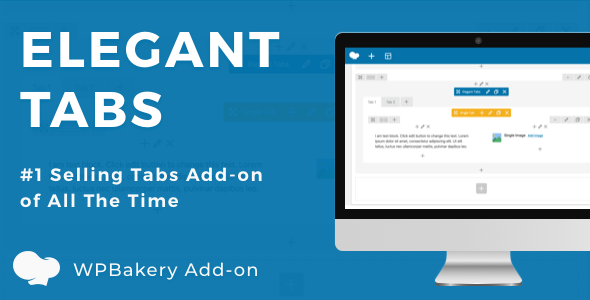
Elegant Tabs for WPBakery Page Builder is a commercial add-on that replaces the default tab element shipped with the WPBakery Page Builder plugin for WordPress with a far more configurable one. It adds roughly twelve tab layouts, vertical and sticky navigation, carousel overflow handling, deep linking and per-tab styling controls. It is aimed at freelancers, agencies and site owners who already build pages with WPBakery and need tabbed content that does not look identical on every project.
The plugin is sold on CodeCanyon by the developer infiwebs for $21.00, and it has accumulated 2,569 sales with a 4.76 out of 5 rating across 99 reviews, which is a strong signal for a niche add-on in this category. The most recent vendor update listed is version 3.6.7, dated 19 December 2021.
What the add-on actually changes about working with tabs
The core value here is not the tab element itself — WPBakery already ships one. It is the amount of control the add-on layers on top of it. The headline capability is that any WPBakery element can be dragged into a tab’s content area using the standard backend editor interface. That means rows, images, buttons, icon boxes and other shortcodes all behave inside tabs the way they do on a normal page, rather than being limited to a plain text field. Container elements such as nested tabs or carousels are excluded, which is a sensible restriction rather than a bug.
Navigation behaviour is where the feature list gets genuinely deep:
- Vertical tabs — tabs can be rotated to run down the side of the content instead of across the top, which suits documentation pages, product spec sheets and long-form service descriptions.
- Sticky navigation — the tab bar can be pinned so it stays visible while the reader scrolls through a tall tab panel. A custom offset is available to account for themes that already have a fixed header, which is the detail most tab plugins miss.
- Carousel overflow — when there are more tabs than fit on one line, the navigation can convert into a carousel with previous and next arrows instead of wrapping onto a second row and breaking the layout.
- Deep linking — each tab has its own URL fragment, so a specific tab can be linked directly from an email, a menu item or another page, and it opens automatically on arrival.
- Auto-switch — tabs can rotate on a timed interval, with the interval set by the site owner.
- Custom links on tabs — a tab can open an external URL rather than switching panels, with double-tap handling for touch devices.
- Active tab control — the site owner chooses which tab is open on load, including a random option.
Styling is handled at two levels. There are twelve named tab styles — Bar, Icon Box, Underline, Top Line, Falling Icon, Line, Line Box, Flip, Trapezoid, Fillup, Icon Box List and Border Scale — and on top of that, individual tabs accept their own colours, icons and background images. Hover states are separately configurable, including a different image icon on hover. Alignment can be set to left, centre or right, and a justified option stretches every tab to equal width across the container.
Two smaller features are worth flagging because they solve real editorial problems. Individual tabs can be shown or hidden depending on whether the visitor is logged in, which allows member-only content to sit inside the same tab set as public content. And the mobile accordion — the stacked layout tabs collapse into on small screens — can be configured with plus and minus indicators, set to close other panels on click, or disabled entirely so mobile inherits the desktop tab layout.
Where this fits, and where it does not
This add-on is a natural fit for agencies and freelancers who build client sites on WPBakery and are tired of explaining why every tabbed section looks the same. The twelve styles plus per-tab colour and icon overrides mean a tab block can be tuned to match a brand rather than dropped in as-is. It suits service business sites with multiple offerings, product pages with specification panels, documentation and knowledge base pages where vertical tabs and deep linking matter, and membership or course sites where the logged-in visibility toggle removes the need for a separate plugin.
It is also a reasonable fit for anyone migrating an existing WPBakery site, because the add-on extends the editor rather than replacing it — existing page structures are not rewritten.
It is the wrong choice in two clear situations. The first is any site not built on WPBakery Page Builder. This is an add-on, not a standalone plugin, and it requires WPBakery to be installed and active. Sites running Elementor, the block editor alone, or a theme with its own builder get nothing from it. The second is a project where the only requirement is a simple set of three tabs with default styling — the native WPBakery tab element already covers that, and adding a paid dependency for it is unnecessary.
Strengths and limitations
Strengths
- Twelve distinct tab styles with per-tab colour, icon and background overrides, so two sites using the add-on need not look alike.
- Vertical, sticky and carousel navigation are all present, which is unusual — most tab add-ons handle one of the three.
- Deep linking plus the ability to set the active tab on load makes tabs work as navigable page sections, not just visual toggles.
- Drag-and-drop of any non-container WPBakery element into tab content keeps the editing workflow consistent with the rest of the page.
- Per-tab visibility rules for logged-in and logged-out visitors remove a common reason to install a separate content-restriction plugin.
- Source files are included in JavaScript, HTML, CSS and PHP, so a developer can extend the plugin rather than being locked to the settings panel.
- Source files are included in JavaScript, HTML, CSS and PHP, so a developer can extend the plugin rather than being locked to the settings panel.
- The 4.76 rating across 99 reviews and 2,569 sales indicate the plugin has been used widely enough to surface problems.
Limitations
- The vendor’s last listed update is December 2021, and the declared compatibility stops at WordPress 6.1.x and WPBakery 6.7. Neither the listing nor the changelog indicates testing against later WordPress or WPBakery releases, so buyers on current versions are taking on unverified compatibility risk.
- Container elements such as nested tabs and carousels cannot be placed inside tab content, which limits how deeply layouts can be nested.
- The mobile accordion behaviour is a separate configuration layer from the desktop tabs, so a tab set with heavy per-tab styling needs checking twice — once for desktop and once for the collapsed mobile view.
- Browser support is declared back to Internet Explorer 11, which suggests the underlying codebase predates modern CSS layout approaches and may carry legacy markup.
- The listing does not state whether the plugin is translation-ready or ships with a .pot file, so multilingual projects should verify that before purchase.
- Gutenberg optimisation is declared as yes, but the product is fundamentally a WPBakery add-on; the block editor benefit is limited to whatever the shortcode renders.
How it compares with the wider tab add-on category
Tab add-ons for WordPress generally fall into three groups: standalone plugins that work with any theme, builder-specific add-ons, and all-in-one add-on packs that bundle tabs alongside dozens of other elements. Elegant Tabs sits firmly in the second group, and that is both its advantage and its constraint.
Against standalone tab plugins, it wins on integration. Because it hooks into the WPBakery editor, there is no shortcode syntax to learn and no separate settings screen to configure — the controls live in the same panel as everything else on the page. Standalone plugins are more portable if a site later moves away from WPBakery, but they rarely offer the same depth of navigation options, and drag-and-drop of arbitrary elements into tab content is uncommon outside builder-native implementations.
Against large all-in-one add-on bundles, the trade-off is scope versus focus. A bundle gives tabs plus accordions, pricing tables, carousels and more for one price, but the tab element inside a bundle is usually one of many features and receives less attention. Here, tabs are the entire product, and the feature list reflects that — sticky positioning with a custom offset, carousel overflow, per-tab login visibility and deep linking are the kind of details that get cut from a bundle.
The deciding factor is less about capability and more about the site’s stack. For a WPBakery site, this is a focused upgrade to a specific weak point. For anything else, the category is irrelevant.
Frequently Asked Questions
Does Elegant Tabs work without WPBakery Page Builder?
No. It is an add-on that extends WPBakery Page Builder, so WPBakery must be installed and active for the tab element to appear in the editor. Sites using Elementor, Beaver Builder, the native block editor or a theme’s own page builder cannot use this plugin. The declared compatibility list covers WordPress 5.0 through 6.1 and WPBakery versions up to 6.7.
Can any WPBakery element be placed inside a tab?
Almost any element can be dragged into a tab’s content area, including rows, images, buttons and icon boxes. The exception is container elements such as tabs, carousels and similar nested structures, which the vendor explicitly excludes. This restriction prevents recursive layouts that would break the editor, but it does mean complex nested designs need to be restructured.
What does deep linking do for tabs?
Deep linking gives each tab its own URL fragment. Copying that URL and pasting it into a menu, an email or another page causes the correct tab to open automatically when a visitor arrives. This turns a tab set into a navigable part of the site rather than a purely visual element, which is useful for documentation and product pages.
Is the plugin still maintained?
The most recent update listed by the vendor is version 3.6.7, dated 19 December 2021, which addressed WordPress 5.8.x and WPBakery 6.7 compatibility. No later releases are shown. Buyers running current WordPress or WPBakery versions should test on a staging site first, since the vendor does not state compatibility beyond those versions.
Verdict
Elegant Tabs for WPBakery Page Builder Add-ons is a well-reviewed, feature-dense upgrade for sites already committed to WPBakery. The twelve styles, vertical and sticky navigation, carousel overflow and deep linking cover ground that the native tab element does not, and the 4.76 rating from 99 reviews suggests the implementation holds up in practice. It is worth buying for agencies and freelancers who build WPBakery sites regularly and want tabbed sections that can be tailored per project.
It is not worth buying for anyone outside the WPBakery ecosystem, or for a project that only needs a basic three-tab block. The stale update history is the main caveat: with the last release dated December 2021 and compatibility declared only up to WordPress 6.1.x and WPBakery 6.7, buyers on newer versions should verify behaviour on a staging environment before committing, and should weigh that risk against the $21 price.