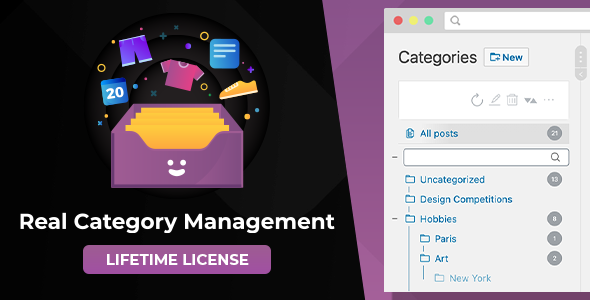
Real Category Management: Content Management in Category Folders in WordPress is a plugin that turns the WordPress admin content list into a folder-based file manager. Instead of filtering long tables by category or tag, site owners drag posts, pages, WooCommerce products and other custom post types between folders that mirror their existing taxonomy structure. It suits stores, membership sites, learning platforms and forums where the content list has grown past a few hundred entries.
The plugin comes from devowl, a developer with a track record on CodeCanyon, and it has been purchased 2,533 times with a 4.83 out of 5 rating across 89 reviews. That is a healthy signal for a utility plugin, since tools that touch the WordPress admin tend to attract critical reviews when they break workflows rather than improve them.
What the plugin actually changes in the WordPress admin
WordPress already stores content in a hierarchy. Categories can have parents and children, and custom taxonomies can do the same. What WordPress lacks is a visual way to move content between those branches without opening each item individually. This plugin closes that gap by rendering the taxonomy tree as a folder pane beside the content list.
The core interaction is drag and drop. A post can be dragged from the list into a folder, and the underlying category assignment updates accordingly. The same gesture reorders folders themselves, so the tree can be arranged to match how a team thinks about the site rather than alphabetical order. A toolbar handles folder creation, renaming and deletion in one place, which matters because the alternative is bouncing between the taxonomy screen and the content screen for every change.
Several smaller touches make the difference between a demo and something usable day to day:
- No-reload pagination. Moving between pages of results happens without a full backend refresh, which keeps the folder pane and scroll position intact during bulk sorting sessions.
- Folder quick search. On sites with deep category trees, typing part of a folder name jumps straight to it instead of requiring manual expansion of parent folders.
- Touch support. Drag and drop works on tablets, so content can be reorganised away from a desk.
- Multisite compatibility. The folder view functions across a WordPress Multisite network rather than only on single installs.
- Translation coverage. The interface has been translated into several languages, which matters for agencies handing admin access to non-English-speaking clients.
- No personal data collection. The vendor states the plugin does not gather personal data without consent, which simplifies GDPR and DSGVO compliance reviews.
Custom post type support is the feature that decides whether this is useful or decorative. WordPress plugins register post types constantly — testimonials, portfolio items, events, documentation articles — and each one arrives with its own admin list. Because the plugin reads existing taxonomies rather than inventing its own storage, it extends to those types automatically, provided they have a taxonomy attached. WooCommerce products and product attributes, LearnPress course content and bbPress forum threads are the examples the vendor names, and those are also the content types most likely to reach four-figure counts.
Technical requirements are modest and clearly documented: PHP 7.4 or newer with PHP 8 supported, WordPress 5.9 or above, and MySQL 5.7 or MariaDB 10.3 at the database layer. The plugin has been tested against WordPress 6.5.x and every release back to 5.9.x, and the vendor ships source files in JavaScript, HTML, CSS and PHP. The last update recorded on the listing is dated 30 September 2026.
Where folder-based content management earns its place
The strongest fit is a WooCommerce store with a large, messy catalogue. Product categories in a busy store tend to multiply — seasonal collections, brands, materials, price bands — and reassigning products one at a time through the product editor is slow. Dragging twenty products into a new “Spring 2026” folder in a single pass is a different order of effort. The same logic applies to LearnPress courses with hundreds of lessons, or bbPress installations where threads accumulate faster than moderators can file them.
Editorial sites benefit too, particularly ones running several authors. A folder view makes the structure of a section visible at a glance, which shortens the time a new contributor needs to understand where things belong. Agencies managing client sites get a similar advantage during handover: the taxonomy tree doubles as documentation of how the content is organised.
There are situations where the plugin is the wrong purchase. A site with under a hundred posts and a flat category structure does not need a folder interface; the standard WordPress filter dropdown is faster than learning a new pane. The plugin also does not create taxonomy terms on the fly from arbitrary groupings — folders are existing categories and terms, so a site with no meaningful taxonomy to begin with would need to build one first. Finally, anyone expecting a full document management system with file versioning, permissions per folder or approval workflows will find this is a navigation and assignment tool, not a records management platform.
Strengths and limitations
Strengths
- Works with existing WordPress taxonomies instead of creating a parallel structure, so nothing is locked in if the plugin is later removed.
- Drag-and-drop assignment removes the single biggest time cost in bulk content reorganisation.
- Custom post type support means one interface covers products, courses, forums and bespoke types.
- Long support window: WordPress 5.9 through 6.5.x, PHP 7.4 through PHP 8.
- Strong review profile — 89 reviews at 4.83 average is a meaningful sample for a backend utility.
- Updates are free for the lifetime of the licence, per the vendor.
Limitations
- Custom post type support beyond the defaults is tied to the PRO version. Buyers on a restricted tier should confirm which types they actually need before purchase.
- The plugin depends on a taxonomy existing for each content type. Post types registered without any taxonomy attached cannot be organised this way without additional setup.
- Because folders are taxonomy terms, renaming a folder renames a live category. That is correct behaviour, but it means the folder pane is not a private organisational layer — changes are visible on the front end wherever those terms are displayed.
- Drag and drop on very large trees can be fiddly on touch devices, and the vendor does not publish a stated limit on the number of folders the interface handles comfortably.
- Requirements are conservative on paper but the plugin modifies core admin list tables, so conflicts with other admin-customisation plugins are possible and worth testing on a staging site first.
How it compares with the alternatives
Three broad approaches exist for managing large WordPress content libraries. The first is filtering and bulk actions built into core: workable, free, and adequate up to a few hundred items, but it forces a mental model of search rather than structure. The second is admin customisation suites that rebuild the content list with custom columns, saved filters and inline editing. Those are powerful but general-purpose, and they rarely visualise hierarchy.
This plugin occupies a third position. It is narrower than an admin suite and deeper than core bulk editing, and its distinguishing choice is to treat the taxonomy tree as the interface. That makes it fast to understand — anyone who has used a desktop file manager already knows the interaction — but it also means the plugin inherits taxonomy’s constraints. Content that is not organised by category or term has nowhere to go.
For a site already investing in taxonomy structure, the folder view is a natural extension of decisions already made. For a site with no taxonomy discipline, the plugin will not impose any; it will simply show an empty or shallow tree.
Frequently Asked Questions
Does Real Category Management work with WooCommerce products?
Yes. WooCommerce products and product attributes are supported, with the caveat that support for custom post types sits in the PRO version. Products are among the content types most likely to benefit, because large catalogues generate category structures that are tedious to maintain through the standard product editor.
Does the plugin create its own categories or use existing ones?
It uses existing WordPress hierarchical taxonomies. Folders in the interface are the categories and terms already registered on the site, visualised as a tree. Nothing is stored in a separate proprietary structure, so removing the plugin leaves the taxonomy and all category assignments intact.
What are the minimum requirements to run it?
The vendor lists PHP 7.4 or newer with PHP 8 supported, WordPress 5.9 or above, and MySQL 5.7 or MariaDB 10.3 for the database. The plugin has been tested against WordPress versions from 5.9.x through 6.5.x, and it runs in current versions of Chrome, Firefox, Edge and Safari.
Can content be organised without editing each post individually?
Yes, and that is the central purpose. Posts, pages and custom post type entries are dragged directly from the content list into a folder, which updates their category assignment in one action. Bulk sorting of dozens or hundreds of items becomes a single drag-and-drop session rather than a repeated edit-save cycle.
Verdict
Real Category Management is worth buying for anyone running a WordPress site where the content list has become a search problem — large WooCommerce catalogues, course platforms, forums, or editorial archives with a developed category structure. The drag-and-drop model is genuinely faster than bulk editing, the taxonomy-based approach avoids lock-in, and the review history suggests the plugin holds up in production. It is not the right purchase for small sites with flat categories, nor for anyone wanting permissions, versioning or workflow features that belong to a document management system. Buyers should also verify which post types their licence tier covers, since custom post type support is a PRO feature. At $59 with free updates, the calculation rests on how much time bulk content organisation currently consumes.