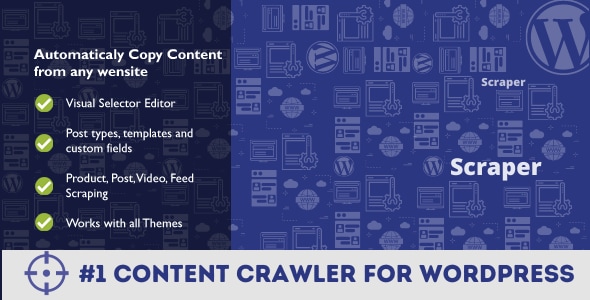
Scraper Utilities is a WordPress plugin that automatically pulls content from external websites and publishes it as posts on a WordPress site. Built by wpBots and sold on CodeCanyon for $29, it lets an administrator define a scraping method through a visual editor, then runs that method on a schedule so new content appears without manual copying. It suits site owners who aggregate news, build price comparison pages, or republish structured data at volume, and it is a poor fit for anyone who wants a simple one-off import tool.
What the Plugin Actually Does
The core idea is that a site owner builds a “project” — a set of instructions describing which pages to visit, which parts of those pages to capture, and how to turn the captured data into a WordPress post. The plugin then executes that project repeatedly on a built-in scheduler, which means the site keeps filling itself as long as WordPress cron runs reliably.
Extraction works through two complementary methods. XPath targets elements by their position in a page’s HTML structure, which is the standard approach for pulling headlines, article bodies, or tables out of a fixed layout. Regular expressions handle cases where the data sits inside a string rather than a tag, and the plugin also ships a JSON parser for sources that return structured objects instead of markup. Between those three, the vendor claims almost any public page can be read, though the accuracy of that claim depends entirely on how stable the target site’s markup is.
Beyond grabbing text, the plugin parses element attributes. That means it can follow a link and store the destination URL, capture an image’s source so it can be attached as a featured image, or pull a video’s source address. Image sequences can be assembled into a gallery automatically. Embedded media from YouTube, Instagram, and Vimeo is supported by extracting the platform ID and rebuilding the embed, which avoids the common problem of copied iframe code breaking on a different domain.
Content assembly is where the plugin offers more control than a basic feed importer. A template system lets the operator combine scraped fields with fixed text and variables, so the published post is not a raw copy of the source. Search and replace runs across the captured content, and math functions can add, subtract, or divide numeric values — useful when a scraped price needs a markup applied before it is displayed. Language translation is handled automatically, with the plugin detecting the source language and converting it to a chosen target.
On the publishing side, scraped items can be assigned to any existing WordPress category, mapped to custom fields and custom taxonomies, and pushed into WooCommerce as products with the standard product tags supported. Duplicate titles are checked before insertion, so a source that publishes the same headline twice does not create two posts. Encoding errors are corrected during the import. The vendor also documents proxy configuration and cookie handling, which matter when a source rate-limits requests or requires a session to serve content.
Where This Fits and Where It Does Not
The strongest use case is a site that depends on a steady stream of third-party information and has staff time to configure the rules properly. A niche news aggregator that monitors a dozen industry publications, a deals site that tracks prices across retailer pages, or a directory that mirrors listings from a public database are all realistic fits. Affiliate marketers building comparison tables from manufacturer specifications are another. In each case the value comes from repetition: the setup effort is paid back because the project runs continuously rather than once.
WooCommerce store owners who source product data from supplier catalogues are a specific sub-case worth calling out. The math functions and attribute parsing mean a supplier price can be adjusted before publication rather than corrected by hand afterward, and the custom field mapping means SKUs, dimensions, and other structured values land in the right places.
It is the wrong choice for a one-time migration. Moving fifty old articles from a legacy site into WordPress is a job for a dedicated importer or a manual copy-paste session, not for a scheduler-driven crawler. It is also a poor fit for anyone who needs to scrape a source that requires logging in through JavaScript-rendered pages, since the plugin reads the HTML it receives rather than executing a browser. And it is unsuitable for a site owner who cannot commit to maintenance: scraped projects break when the source redesigns, and someone has to notice and repair the extraction rules.
Strengths and Limitations
Strengths
- Three extraction approaches — XPath, regex, and JSON parsing — cover markup-based pages, string-embedded data, and API-style responses within one tool.
- The scheduling engine turns a configured project into an ongoing content pipeline rather than a manual operation.
- Attribute parsing and featured image extraction remove the most tedious part of republishing, which is re-uploading and re-linking media.
- Duplicate title detection, encoding correction, and search-and-replace reduce the cleanup work that normally follows a bulk import.
- WooCommerce support with custom fields and taxonomies makes it viable for product catalogues, not just blog posts.
- Proxy and cookie settings are documented, which is unusual for plugins in this price bracket and matters for sources that block repeated requests.
- A 4.46 rating across 65 reviews and 2,448 sales indicates a reasonably established user base rather than an untested release.
Limitations
- The last vendor update was August 2023. The plugin lists compatibility up to WordPress 6.2, so sites running newer WordPress versions are outside the tested range and should verify behaviour before relying on it.
- It is not Gutenberg-optimized according to the vendor’s own specification, which may matter on sites that build posts primarily with blocks.
- Scraping depends on the source’s HTML structure. Any redesign on the target site silently breaks a project, and the plugin cannot repair that on its own.
- There is no headless browser, so content injected by client-side JavaScript after page load will not be captured.
- Automatic translation and bulk republication raise copyright and duplicate-content questions that the plugin does not address. Those are the operator’s responsibility.
- Long-running scrape tasks can hit PHP memory limits; the vendor maintains a dedicated troubleshooting entry for this, which suggests it is a recurring issue.
- Source files are included for JavaScript and PHP, but the plugin is not marketed as extensible, so custom development beyond the visual editor may be limited.
How It Compares to the Wider Category
Tools in this space generally fall into three groups. Feed-based importers are the simplest: they subscribe to RSS or XML feeds and republish items, which is fast to set up but only works when the source offers a feed and only captures what the feed contains. Full scraping frameworks are the opposite extreme — powerful and scriptable, but requiring a developer to write and host the extraction logic outside WordPress. General-purpose automation platforms sit in between, connecting a scraper to a WordPress publishing action, usually on a subscription with per-task limits.
Scraper Utilities occupies the middle ground deliberately. It keeps the extraction logic inside WordPress and exposes it through a visual editor, so a non-developer can build a project without writing code, while still offering regex and JSON parsing for sources a feed importer could never touch. The trade-off is that it is less capable than a purpose-built scraping framework for heavily protected or JavaScript-driven sites, and less convenient than a feed importer for simple cases. For a site that needs structured, transformed, scheduled content from arbitrary public pages and wants to stay inside the WordPress admin, that balance is the point.
Frequently Asked Questions
Does Scraper work with the latest version of WordPress?
The vendor lists compatibility up to WordPress 6.2, and the last update was August 2023. WordPress versions released after that are not covered by the stated compatibility list, so a site on a newer release should test the plugin in a staging environment first. Basic scraping and scheduling functions are likely to work, but nothing is guaranteed beyond the declared range.
Can Scraper import content from a website that loads with JavaScript?
No, not reliably. The plugin fetches and parses HTML rather than running a browser, so content that appears only after client-side scripts execute will not be captured. Sources that render their content server-side, or that expose data through JSON endpoints, are the appropriate targets. For JavaScript-heavy sites, a separate headless browser tool would be needed before the plugin could read the result.
Is it possible to avoid publishing duplicate posts?
Yes. The plugin checks for an existing post with the same title before inserting a new one, which prevents the most common duplication problem when a source republishes the same headline. The vendor also documents a uniqueness check for preventing duplicates more broadly. Neither approach catches the same content published under a different title, so some manual review remains worthwhile.
Can scraped data be turned into WooCommerce products?
Yes, product creation is supported and the plugin handles the standard WooCommerce product tags. Custom fields and custom taxonomies can be mapped during the import, so attributes such as SKU, size, or brand can be placed correctly. Math functions allow price adjustments before publication, which is useful when a supplier price needs a margin applied automatically.
Verdict
Scraper Utilities is worth buying for site owners who run content-driven properties that depend on continuous third-party data — aggregators, price trackers, directories, and affiliate catalogues — and who are willing to maintain the extraction rules as source sites change. The combination of XPath, regex, and JSON parsing inside a visual editor is genuinely more capable than feed-based importers at a comparable price, and the WooCommerce and custom field support extends it beyond blogging.
It should be avoided by anyone wanting a one-off content migration, by sites that need to scrape JavaScript-rendered pages, and by teams running WordPress versions newer than the declared compatibility range without a staging environment to test in. The plugin is a pipeline tool, not an importer, and the maintenance burden that comes with that distinction is real.