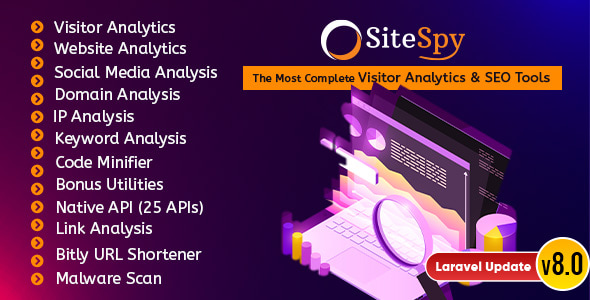
SiteSpy is a self-hosted PHP application built on the Laravel framework that combines visitor tracking, website auditing and a broad set of SEO utilities inside a single multi-user SaaS platform. It is sold on CodeCanyon by developer xeroneitbd for $49, and it has accumulated 2,413 sales with a 4.64 out of 5 rating across 131 reviews. Anyone researching SiteSpy Ratings & Charts is usually weighing two options: paying monthly for a hosted analytics and SEO suite, or running the whole stack on their own server and reselling access to it.
What the Platform Actually Does
The product is best understood as three tools sharing one login. The first is first-party analytics for sites the operator owns. After a tracking snippet is placed on a page, the dashboard reports unique visitors, page views, bounce rate, average stay time and average visit length. Breakdowns cover traffic sources, top referrers, new versus returning visitors, most-viewed content, and visitor geography, browser, operating system and device type. This is the core of the SiteSpy Ratings & Charts experience — the numbers arrive as coloured widgets rather than raw tables, which matters for agencies that show dashboards to clients.
The second layer audits sites the operator does not own. A user enters any domain and receives a PDF-ready report containing Whois registration data, Moz metrics, Google backlink counts, IP details, a malware scan, search engine index status, social network traffic signals, keyword and meta information, and a mobile-friendly check. Because this works on third-party domains, it doubles as a prospecting tool: a freelancer can audit a prospect’s site and hand over a report before any contract exists.
The third layer is a toolbox of roughly twenty SEO and utility functions. Link analysis with page status checks, keyword position tracking with automatic keyword suggestions, rank and index checks across Google, Yahoo and Bing, DNS and server lookups, expired domain lists, IPv6 and IP canonical checks, bulk URL shortening through Bitly and Rebrandly, and malware scanning via Google Safe Browsing, AVG and VirusTotal. Smaller utilities sit alongside these: HTML, CSS and JavaScript minifiers, meta tag and Open Graph tag generators, robots.txt generation, email and URL encoders, Base64 conversion, GZIP checks and a plagiarism checker with Unicode support.
Two technical features deserve separate mention. The native API exposes around 25 endpoints and three embeddable widgets, so developers can pull SiteSpy data into another application or drop a small code snippet onto any page to display site statistics. The multi-user architecture is the other: the script supports separate accounts, and the vendor has integrated PayPal, Stripe, Razorpay, Mollie, Paystack, Xendit and roughly ten further gateways so operators can charge their own users. That resale capability requires the extended licence rather than the standard one — a distinction worth confirming before purchase.
Where It Fits and Where It Does Not
The strongest fit is a small agency or SEO consultancy that already sells audits and reports. SiteSpy collapses several subscriptions into one owned installation, and the per-domain audit reports become a deliverable rather than an internal note. A second good fit is a developer building a niche SaaS — a dashboard for a specific industry, for example — who needs analytics and SEO endpoints without writing them from scratch. The API and widget system make that plausible.
It is also a reasonable choice for a hosting company or reseller wanting to bundle analytics as a value-added service, since the payment gateway integrations already handle billing.
The wrong choice is a single site owner who simply wants to know how many people visited a blog. Installing Laravel, configuring MySQL, enabling cURL, fileinfo, mbstring and ZipArchive extensions, setting up HTTPS and creating an API key for every user account is a substantial amount of work for a job that a hosted analytics script does in five minutes. Shared hosting with restrictive PHP settings will also cause problems: the vendor explicitly notes that safe_mode must be off, open_base_dir must be empty, and AllowOverride must be enabled for the rewrite rules to function. Anyone unwilling to touch server configuration should look elsewhere.
Strengths and Limitations
Strengths
- Breadth in one licence: visitor analytics, third-party site auditing and utility tools ship together, which removes the need for several separate subscriptions.
- Genuine multi-tenant design with around a dozen payment gateways integrated, making resale viable without custom development.
- Native API and embeddable widgets mean the data is not locked inside the dashboard.
- PDF report output on the website analytics module turns audits into client-facing documents.
- Auto-update from the vendor’s cloud storage reduces manual patching, provided file permissions are set correctly.
- A documented track record — 2,413 sales and a 4.64 rating across 131 reviews — is a meaningful signal for a $49 script.
Limitations
- Server requirements are strict and specific. The vendor lists PHP 8.1 or higher, MySQL 5.7.8 or higher, cURL, fileinfo, mbstring, ZipArchive, symlink support and enabled mod_rewrite. Budget hosts frequently fail one of these.
- Every user must generate their own API key, and the vendor notes the admin account needs one too. That is an onboarding step that will generate support tickets if it is not explained clearly.
- The SaaS resale feature is gated behind an extended licence. The $49 price shown on the marketplace does not cover commercial multi-user deployment.
- Several audit functions depend on third-party services — Moz, VirusTotal, Google Safe Browsing. Their accuracy, rate limits and availability are outside the vendor’s control, and the listing does not state what happens when a quota is exhausted.
- The last recorded update is February 2024. Buyers should check the current changelog before assuming active development.
- Installation guidance assumes comfort with virtual host configuration and file permissions. This is not a plugin-style upload-and-activate product.
How It Compares to the Wider Category
Hosted analytics platforms win on setup speed and zero maintenance. Nothing needs installing, scaling is handled, and the interface is polished by large teams. The trade-off is recurring cost per site and data that lives on someone else’s servers — a real concern for agencies handling client confidentiality or operating under data residency rules.
Standalone self-hosted analytics scripts solve the data ownership problem but usually stop at page views and referrers. SiteSpy’s differentiator is the audit and SEO layer sitting on top of the same installation. A buyer comparing options should ask whether they need both halves. If the answer is yes, the combined package is efficient. If only traffic statistics are needed, a narrower self-hosted tool will be easier to run and cheaper to maintain.
Against other CodeCanyon scripts in the same bracket, the relevant comparisons are licence terms, update frequency and the depth of the API. SiteSpy’s 25 endpoints and multi-gateway billing put it toward the more complete end, but the strict server requirements narrow the hosting environments where it will run cleanly.
Frequently Asked Questions
Do I need an extended licence to charge users for SiteSpy?
Yes. The vendor states that using the SaaS features to charge end users requires the extended licence rather than the standard one. The regular licence covers a single installation for personal or client use. Buyers planning to resell access should factor the extended licence cost into their budget before committing.
What server setup does SiteSpy require?
PHP 8.1 or higher and MySQL 5.7.8 or higher are the stated minimums, with cURL, fileinfo, mbstring and ZipArchive extensions enabled. Apache mod_rewrite must be active, the domain must run over HTTPS, and safe_mode must be off with open_base_dir left empty. Shared hosting often fails these checks.
Can SiteSpy analyse websites I do not own?
Yes. The website analytics module accepts any domain and returns Whois data, Moz metrics, backlink counts, malware scan results, index status and mobile-friendliness checks, exportable as a PDF report. This makes it usable for prospect auditing. Results depend on third-party services such as Moz and VirusTotal, so accuracy and availability vary.
Does SiteSpy integrate with other applications?
It ships with a native API covering roughly 25 endpoints and three embeddable widgets. Developers can pull analytics and SEO data into a separate application, or paste a short code snippet into any page to display live site statistics. The vendor does not publish detailed API rate limits in the listing, so those should be confirmed directly.
Verdict
SiteSpy suits agencies, SEO consultants and developers who want analytics, site auditing and utility tools in one owned installation, and who are comfortable configuring a Laravel application on a server they control. The multi-tenant design and payment gateway integrations make it a credible foundation for a resold service, provided the extended licence is purchased. It is a poor fit for single-site owners who want quick setup, and for anyone on shared hosting that cannot meet the extension and rewrite requirements. The 4.64 rating from 131 reviews suggests most buyers got what they expected, but the strict environment and the February 2024 update date are the two things worth verifying before purchase.