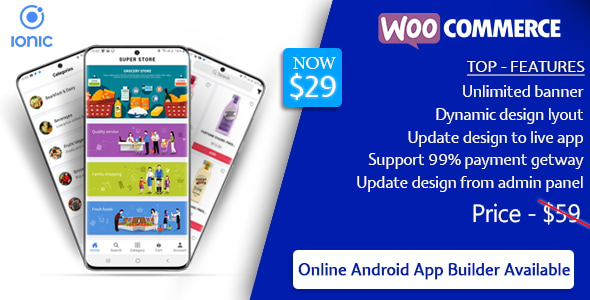
Quick Order is a Flutter-based mobile app source code that connects a WooCommerce store to native iOS and Android apps, with built-in support for multivendor marketplaces. It is sold on CodeCanyon by the developer hakeemnala for $29, and it is aimed at store owners, freelancers and agencies who want a branded shopping or on-demand services app without building one from scratch. With 2,333 sales and a 4.04 out of 5 rating from 170 reviews, it is one of the more widely purchased Flutter and WooCommerce combinations in the mobile category.
The product is source code, not a hosted service. Buyers receive the full Flutter project plus a companion WordPress plugin that bridges the store dashboard and the app, and they are expected to compile, configure and publish the result themselves.
What the app actually does
At its core, the package turns an existing WooCommerce catalogue into a mobile storefront. Products, categories, variations, cart and checkout all run through the WooCommerce REST API, so inventory and orders stay in one place rather than being duplicated across systems. The vendor states compatibility with WordPress 4.9 through 6.7 and WooCommerce 7.0 or higher, which covers most stores still receiving security updates.
The more interesting capabilities sit around that core:
- Multivendor marketplace support. The app is declared compatible with Dokan and WCFM, two of the most common WordPress multivendor plugins. That means a marketplace operator can show vendor-specific catalogues, route orders to the right seller and let customers browse by store rather than only by product.
- Bookings and add-ons. Integration with the WooCommerce Bookings plugin allows salons, cleaning services, consultants and similar businesses to take scheduled appointments in the app. The Product Add-Ons plugin adds configurable extras, such as engraving, gift wrapping or upsized portions, at the point of purchase.
- Wallet and loyalty. An in-app wallet runs on the Woo Wallet plugin, letting customers preload funds and check out faster. Points and Rewards adds a second retention layer, awarding points on purchases that can later be redeemed for discounts.
- Location awareness. Geolocation support helps customers find nearby providers or region-relevant listings, and the app supports multiple store locations so a user can pick the branch they want to order from. The vendor’s own demo uses a Bangalore location selector as an example.
- Authentication and notifications. Firebase handles sign-in, real-time data and push notifications, and social login through Facebook and Google shortens registration. Push alerts cover order updates, booking confirmations and promotions.
- Payments and localisation. Multiple payment gateways are supported, and the app can be translated into other languages, which matters for stores selling outside a single English-speaking market.
Because the entire Flutter project ships with the purchase, branding, layout and feature set can be changed directly in the code. The vendor also includes an App Builder WordPress plugin to connect the dashboard to the app, though the listing does not detail its full feature set.
Where this fits, and where it does not
The strongest fit is an existing WooCommerce store that already has traffic and wants a mobile channel without paying an agency five figures. A marketplace built on Dokan or WCFM is the clearest use case, since multivendor support is baked in rather than bolted on. Service businesses that take bookings, such as salons, tutors, repair technicians or cleaning companies, are a second natural fit, particularly when combined with geolocation so customers can find the nearest provider.
Freelancers and small agencies also benefit, because the source code doubles as a starting point for client work. Instead of quoting a from-scratch Flutter build, a developer can configure this project and spend the budget on customisation instead.
It is the wrong choice for a store with no technical resource at all. Publishing to the App Store and Google Play requires an Apple Developer account, a Google Play account, Xcode on a Mac for iOS builds, and the ability to sign and submit binaries. A shop owner who has never opened Android Studio will struggle, and the vendor does not bundle installation as a service in the listed price.
It is also a poor fit for anyone expecting a turnkey subscription product. There is no monthly hosting, no managed updates and no support team handling store submissions on the buyer’s behalf.
Strengths and limitations
Strengths
- Full Flutter source code, so nothing is locked behind a proprietary builder or a per-order fee.
- Genuine multivendor support through Dokan and WCFM, which is uncommon at this price point.
- Deep plugin ecosystem coverage: Bookings, Product Add-Ons, Woo Wallet, Points and Rewards.
- Firebase-backed authentication and push notifications, both standard and well documented.
- Localisation and multi-location support suit stores operating in more than one region.
- A large sales history means community answers and forum threads are more likely to exist than for a niche script.
Limitations
- The premium WooCommerce plugins are not included. Bookings, Product Add-Ons and Points and Rewards must be bought separately, and those licences can cost more than the app itself.
- Firebase is free only up to a usage threshold. A growing user base pushes the project onto a paid Firebase plan, and the vendor does not state where that line falls.
- Payment gateway fees are entirely the buyer’s responsibility, as are any setup costs charged by providers such as Stripe or Razorpay.
- Minimum requirements are not trivial: Flutter SDK 3.10.0 or higher, Xcode 14 or newer for iOS, PHP 7.4 or higher, and a target Android API level of 34. Older build environments will need upgrading first.
- iOS support starts at version 13.0 and Android at 5.0, so very old devices are excluded.
- The 4.04 rating is solid rather than excellent, and a rating in that range across 170 reviews usually signals a mix of smooth installs and buyers who hit configuration friction.
- The listing does not publish a detailed changelog or a support response-time commitment, so buyers are relying on the marketplace’s standard dispute process.
How it compares to the wider category
Mobile options for WooCommerce generally fall into three groups. The first is a hosted app service that generates an app from a store and charges monthly, usually with limited design control and no source code. The second is a custom Flutter or React Native build, which offers total freedom but costs many times the $29 here and takes weeks or months. The third is a source-code template like this one, sitting between the two.
Against hosted services, this package wins on ownership and loses on convenience. There is no dashboard to click through and no one to call when a build fails. Against a custom build, it wins decisively on cost and time, but a bespoke app will always fit unusual business logic better.
Within the source-code segment, the differentiator is plugin breadth. Many templates handle products, cart and checkout and stop there. Support for Dokan, WCFM, Bookings, Product Add-Ons, Woo Wallet and Points and Rewards in a single codebase is a broader surface than most competitors advertise, and it is the main reason a marketplace or service business would pick this over a simpler template.
Frequently Asked Questions
Do I need to know Flutter to use this app?
Yes, some Flutter knowledge is effectively required to publish and maintain the app. The project ships as complete source code, so building it, changing the branding and submitting it to the app stores all happen inside Android Studio or Xcode. A developer familiar with Flutter can move quickly; a non-technical owner will need to hire one.
Are the WooCommerce plugins included in the price?
No. WooCommerce Bookings, Product Add-Ons and Points and Rewards are premium plugins sold separately by their own developers. The $29 buys the Flutter app and the companion WordPress plugin only. Buyers should budget for those licences before committing, because several of the advertised features depend on them.
Can it run a multivendor marketplace with separate sellers?
Yes. The app is declared compatible with Dokan and WCFM, the two most widely used WordPress multivendor plugins. Sellers manage their products through the normal WordPress dashboard, and the app displays vendor catalogues and routes orders accordingly. The vendor does not state whether every Dokan or WCFM module is supported, so unusual configurations should be tested.
What ongoing costs should be expected after purchase?
Three recurring costs are likely. Firebase charges once usage passes its free tier, premium WooCommerce plugin licences renew annually, and payment gateways take a cut of every transaction. Apple and Google developer accounts also carry yearly fees. None of these are included in the one-time purchase price.
Verdict
Buy this if there is an existing WooCommerce store, a marketplace running on Dokan or WCFM, or a booking-based service business, and there is a developer available to build and publish the app. At $29 with 2,333 sales behind it, the risk is low relative to commissioning a custom Flutter build, and the plugin coverage is genuinely broad.
Do not buy it expecting a finished product. The premium plugin licences, Firebase costs and app store fees push the real budget well above the sticker price, and the 4.04 rating suggests a meaningful share of buyers ran into setup friction. Anyone without Flutter experience, or without the budget to hire it, should look at a hosted app service instead.