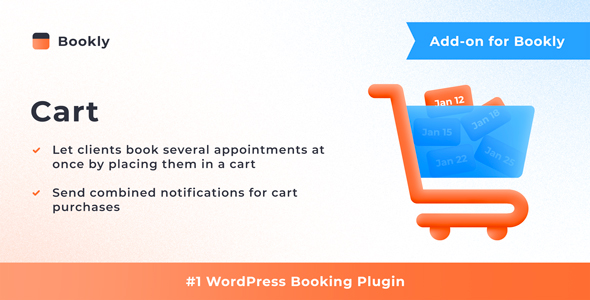
Bookly Cart (Add-on) is a paid extension for the Bookly PRO appointment booking system that adds a shopping cart step to the booking form, letting clients select several services and pay for them in one transaction. It is built for businesses that take bookings through WordPress and want to raise the average value of each visit rather than process every appointment as a separate purchase. The add-on is sold on CodeCanyon by the developer Nota-info for $39 and has been downloaded 2,181 times, with a 5 out of 5 rating from 9 reviews.
Because it is an add-on rather than a standalone plugin, it only functions on a site that already runs Bookly PRO. That dependency shapes almost every decision about whether it is worth buying, so it is worth understanding before anything else.
What the cart actually changes in the booking flow
Bookly on its own treats a booking as a single service attached to a single time slot. The cart interrupts that pattern by inserting an extra step into the booking form where chosen services accumulate before payment. The practical effect is that a client can book a haircut, a colour treatment and a follow-up consultation as three separate appointments with three separate time slots, then settle the whole basket once.
Several details matter more than the headline feature:
- Multiple appointments, one payment. Each item in the cart becomes its own booking with its own date, time and staff member. The client pays a single total instead of running the checkout process repeatedly.
- Layout control over the cart step. The summary panel shown at the cart stage can be rearranged and formatted, so the information displayed before payment — services, staff, times, prices — can be shaped to match the rest of the site rather than accepted as fixed.
- Separate records per staff member. Bookings are not merged into one lump. Each staff member’s schedule shows only the appointments assigned to them, which keeps calendars accurate in salons, clinics and studios where several people work in parallel.
- Cart purchases flagged in payment reports. Bookly’s payment reporting marks transactions that originated from a cart with a distinct icon, which makes it possible to separate multi-service orders from ordinary single bookings when reviewing revenue.
- One combined notification. Instead of the client receiving a separate confirmation for every appointment, a single message covers the whole order. For a three-service booking that is a meaningful reduction in inbox noise.
Two supporting details are worth noting for anyone maintaining a multilingual or block-based site. The add-on is declared compatible with WPML, so the cart step can be translated alongside the rest of the booking form, and it is marked as Gutenberg optimised, meaning the booking form block behaves normally inside the block editor. The vendor lists WordPress 6.8.x as the supported core version and confirms that the JavaScript, CSS and PHP source files ship with the purchase.
Where a multi-service cart earns its place, and where it does not
The clearest fit is a business that routinely sells combinations. A hair salon where a cut, colour and treatment are commonly booked together, a spa offering a sequence of treatments in one visit, a clinic where a consultation leads straight into a procedure, or a photography studio selling a shoot plus a separate retouching session — all of these benefit directly, because the alternative is a client abandoning the process partway through the second booking.
It also suits businesses selling packages across time. A personal trainer who wants clients to reserve a block of sessions, or a tutor booking a term’s worth of lessons in advance, can use the cart to capture several future appointments in a single sitting. The vendor’s own framing is that clients schedule additional future appointments in one go, and that is the honest use case: it converts intent into committed bookings while the client is still on the site.
Where it does not fit is equally clear. A single-operator business selling one service at a time gains almost nothing, because there is no second item to add. Sites with a small number of high-value, manually negotiated bookings — wedding venues, bespoke construction quotes — rarely benefit either, since the price is not fixed at the point of booking. And any site not already running Bookly PRO should stop here: this add-on does nothing on its own, and the cost of entry is Bookly PRO plus $39 for the cart, not $39 alone.
Strengths and limitations
Strengths
- Removes the single largest friction point in multi-service booking, which is repeating the entire checkout flow for each appointment.
- Keeps staff calendars correct by writing each cart item as a separate booking rather than a combined record.
- Combined notifications reduce the volume of email clients receive, which matters for businesses booking three or four services at once.
- Cart layout is configurable, so the summary step does not have to look like a generic plugin screen.
- WPML compatibility and Gutenberg support mean it slots into multilingual and modern-editor sites without workarounds.
- Payment reports distinguish cart orders from single bookings, giving a usable signal on how the feature performs.
- A 5 out of 5 rating across 9 reviews and more than 2,000 sales suggests the add-on is stable in production rather than newly released.
Limitations
- The hard dependency on Bookly PRO is the biggest constraint. The $39 price is only meaningful if that licence is already in place, and the total cost of ownership is therefore higher than the listing implies.
- Only 9 reviews back the rating. A perfect score from a small sample is encouraging but not statistically strong, and buyers should weight the sales count more heavily than the score.
- The add-on extends an existing booking flow rather than replacing it, so any limitation in Bookly PRO’s core scheduling — how availability is calculated, how deposits work — carries straight through to the cart.
- Support and updates come from a single developer rather than a larger team, which is normal on CodeCanyon but worth factoring in for a site that depends on bookings for revenue.
- The vendor does not state whether the cart handles partial payments, per-item deposits or refunds on individual items within an order. Those are the questions most likely to matter to a business taking large multi-service bookings, and they are not answered in the listing.
How it compares with the wider add-on category
WordPress booking add-ons generally fall into three groups: extensions that add a capability to an existing system, standalone booking plugins, and integrations that push bookings into a third-party service. Bookly Cart sits firmly in the first group, and that is the right comparison. Judged as a feature extension, it is narrow and well-scoped — it does one thing, adds a cart step, and does not attempt to duplicate scheduling, payments or notifications that Bookly already handles.
The trade-off of that approach is that the add-on’s value is entirely proportional to how much multi-service booking the site actually does. A standalone booking plugin with a built-in cart would cover the same ground without the dependency, but it would also mean migrating an existing Bookly installation, reconfiguring staff, services and payment settings, and retraining anyone who manages the calendar. For a site already invested in Bookly, the add-on is the cheaper path by a wide margin. For a site starting from nothing, the calculation is different: the cart is one line item in a stack that includes Bookly PRO and possibly other add-ons, and the total should be weighed against a single all-in-one alternative.
Feature extensions like this also tend to age well, because they inherit improvements made to the parent plugin. The listing shows a vendor update in late 2025, which indicates active maintenance rather than an abandoned product.
Frequently Asked Questions
Does Bookly Cart work without Bookly PRO?
No. Bookly Cart is an add-on and requires the Bookly PRO plugin to be installed and active. On its own it has nothing to attach to, so the booking form will not gain a cart step. Buyers must budget for the Bookly PRO licence as well as the $39 add-on price before committing.
Can clients pay for several appointments in one transaction?
Yes. The cart lets a client add multiple services, each with its own date, time and staff member, and then pay a single combined total. Each item is still stored as an individual booking in the system, so staff schedules and reporting remain accurate rather than collapsing everything into one record.
Does the cart change how staff schedules are displayed?
No, and that is deliberate. Bookings created through the cart are recorded separately in each staff member’s schedule, so a client booking three services with three different people produces three correctly assigned calendar entries. The cart affects the client’s checkout experience, not the internal calendar structure.
Is the cart step translatable for multilingual sites?
Yes. The add-on is declared compatible with WPML, the widely used WordPress translation plugin, so the cart step and its labels can be translated alongside the rest of the booking form. The vendor lists WordPress 6.8.x as the supported core version and confirms that JavaScript, CSS and PHP source files are included.
Verdict
Bookly Cart is worth buying for one specific situation: a business already running Bookly PRO that regularly sells two or more services in a single client visit or across a package of future sessions. In that context the $39 is easy to justify, because the add-on removes a real drop-off point in the booking flow and the combined notification and reporting details show the developer understood how the feature would actually be used.
It is the wrong purchase for single-service operators, for businesses that quote manually rather than selling fixed-price appointments, and above all for anyone who does not already own Bookly PRO. The small review sample means the perfect rating should be read as a positive signal rather than proof, and the unanswered questions around partial payments and per-item refunds are worth clarifying with the developer before purchase if large multi-service orders are the target.