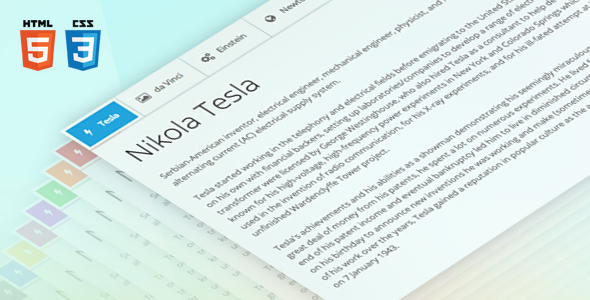
Sky Tabs is a pure-CSS tabbed navigation component sold on CodeCanyon for $7. It builds horizontal and vertical tab layouts, accordions and step wizards without requiring any JavaScript, and it ships with nine colour schemes, twelve CSS3 animations and a small responsive grid. It suits freelancers and agencies who want a lightweight, hand-editable tab system for a static HTML site or a custom theme, rather than a plugin that installs into WordPress. With 2,068 sales and a 4.84 average from 148 reviews, Sky Tabs Tabs & Sliders is one of the more established items in its category, and the developer, voky, has built a small family of related interface components around it.
What the component actually does well
The core proposition is simple: tabs that work with the CSS alone. The markup uses hidden radio inputs and sibling selectors to track which panel is open, which means there is no script to load, no dependency to update and nothing to break when a browser changes how it handles JavaScript. For anyone maintaining a brochure site or a hand-coded template, that is a real operational advantage — the tab state survives even if scripts fail or are blocked.
Layout variety without extra tooling
Seven arrangements are included: five horizontal variants (top-left, top-right, top-centre, justified, and a split left-plus-right bar) and two vertical ones (left and right). The justified layout is the one most useful in practice, because it spreads tab labels evenly across the full width and keeps a navigation bar looking deliberate at any container size. Vertical tabs suit sidebar navigation or settings panels where the label list is long.
Auto height and nesting
Tab panels rarely hold the same amount of content, and with CSS-only tabs the container does not naturally resize. Sky Tabs handles this by animating the height of the content area automatically, so a short panel and a long panel both sit correctly without the developer measuring anything. Tabs can also be nested inside one another, and the inner set can carry different layout and animation settings from the outer one. That combination covers most multi-level information architecture — product categories with sub-specifications, for example — without a separate component.
Mobile behaviour, colour and animation
Rather than one responsive fallback, the component offers three: a stacked accordion, an icon-only tab bar, and a switcher. Choosing between them is a design decision, not a technical one, and having the option matters on narrow screens where seven horizontal labels will not fit. Nine colour schemes each live in their own CSS file, so re-theming means editing one file rather than hunting through a stylesheet. Twelve animations (flip, scale, fade, rotate and eight slide directions) are available, though in practice most projects will use one or two.
The supporting extras
Bundled alongside the tabs are a twelve-column fluid grid with offset support, a typography set covering headings, paragraphs, images and lists, and the Font Awesome iconic font at 369 glyphs. Thirty-six worked examples demonstrate the combinations. These extras matter because they let a developer assemble a consistent page from one download instead of pairing the tabs with a separate framework — though they also mean the package is larger than a tabs-only file would be.
Where Sky Tabs fits, and where it does not
The strongest fit is a static HTML site, a landing page, or a custom PHP template where the developer controls the markup end to end. Agencies building a repeatable page pattern — a services section, a pricing comparison, a product spec sheet — will get value from the example library and the colour-scheme files, because a new variant can be cloned and adjusted rather than written from scratch. It also works well as a base for a bespoke WordPress or Craft theme, since the output is plain semantic HTML and CSS that can be dropped into a template file.
It is the wrong choice for anyone who wants to add tabs to an existing WordPress site through the admin. There is no plugin wrapper, no shortcode and no block; the code has to go into a template or a custom HTML field, and the CSS has to be enqueued or pasted. Site owners who are not comfortable editing files should look at a plugin-based tab solution instead. The same applies to page builders: a drag-and-drop builder already has its own tab module, and importing a hand-coded component into one usually creates more work than it saves.
A second mismatch is any project that needs dynamic tab behaviour — tabs driven by URL fragments, deep links to a specific panel, or state that persists across page loads. CSS-only tabs cannot do that without added script, which defeats the point of the component.
Strengths and limitations
Strengths
- No JavaScript dependency at all, which keeps the page weight down and removes a common failure point.
- Automatic content height removes the most tedious part of hand-building CSS tabs.
- Three distinct mobile treatments rather than a single breakpoint behaviour.
- Clean, semantic HTML5 and CSS3 that is straightforward to read and modify.
- Colour schemes isolated in separate files, making re-theming a contained task.
- Retina-ready assets and a documented cross-browser test matrix covering older Internet Explorer versions.
- Thirty-six examples and step-by-step documentation reduce the time to a first working tab set.
- An established item with a long review history and a developer who has shipped several related components.
Limitations
- The last recorded update is March 2014. The vendor does not state any maintenance since then, so buyers should assume no fixes for browser behaviour introduced after that date.
- The declared browser support tops out at Internet Explorer 11, and the CSS techniques used for CSS-only tabs are old enough that they predate modern layout features; there is no indication of testing against current browser versions.
- No WordPress plugin, shortcode or block — integration is a manual code task.
- No deep-linking or URL state, which rules out bookmarking a specific tab panel.
- The bundled grid, typography set and icon font add files that many projects will not use, so some pruning is required.
- Support is handled by email through the developer’s profile page rather than a ticket system, which is slower for anything urgent.
How it compares with the wider tabs and sliders category
Most items in the CodeCanyon tabs category are JavaScript-driven: a jQuery or vanilla script initialises the tabs, handles accessibility attributes, and often adds swipe support and URL state. Those products do more out of the box and are easier to drop into a dynamic application. Sky Tabs takes the opposite trade-off — fewer moving parts, more manual markup discipline. If the requirement includes keyboard navigation handled automatically, AJAX-loaded panels or animation libraries, a scripted alternative is the better fit.
Against plugin-based tab tools for WordPress and other CMSs, the comparison is really about workflow. A plugin installs in minutes and is maintained by its author, but it adds a dependency and usually some styling to override. Sky Tabs gives full control of the output and no dependency, at the cost of editing files. Neither is universally better; the deciding question is whether the person doing the work is comfortable in a code editor.
Within the CSS-only niche, the differentiators here are the auto-height behaviour, the nesting support and the breadth of examples — features that are genuinely fiddly to build by hand and are the main reason to buy rather than write from scratch.
Frequently Asked Questions
Does Sky Tabs require JavaScript?
No. The tabs are built entirely with HTML and CSS, using hidden inputs and CSS selectors to switch panels. That means no script file to load and nothing to break if JavaScript is disabled. The trade-off is that features normally handled by script, such as deep links to a specific tab, are not available.
Can Sky Tabs be used in WordPress?
Yes, but only by editing theme files or pasting markup into a custom HTML field. There is no plugin, shortcode or Gutenberg block included, and the vendor does not state any WordPress-specific integration. Site owners who are not comfortable editing template files should use a dedicated WordPress tab plugin instead.
Is Sky Tabs still maintained?
The last recorded update was version 1.1.2 in March 2014, and the vendor does not state any release since. The component still works as written, but buyers should not expect fixes for browser changes made after that date. Treat it as a stable, finished codebase rather than an actively developed product.
How much does Sky Tabs cost?
It is listed at $7 on CodeCanyon as a one-off purchase, which includes the source JavaScript, HTML and CSS files plus documentation and examples. The vendor does not state whether the licence covers multiple client projects, so buyers should check the standard CodeCanyon licence terms before using it across several sites.
Verdict
Sky Tabs is worth buying for developers and agencies who build static or custom-coded sites and want a dependable, script-free tab component they can restyle quickly. The auto-height handling, nesting and three mobile modes are the features that justify the small price over writing the CSS by hand, and the example library shortens the setup considerably. It is not the right purchase for WordPress site owners wanting a point-and-click solution, nor for projects that need URL state, AJAX panels or automatic keyboard accessibility. The 2014 last-update date is the main caveat: the code is stable but not current, so it should be tested against the browsers in use before committing to it on a client build.