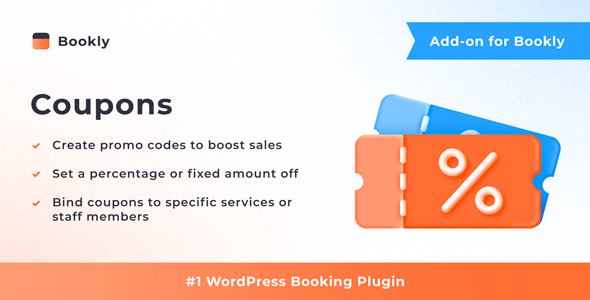
Bookly Coupons (Add-on) is a paid extension for the Bookly PRO appointment booking system that adds promotional discount codes to the booking form. Customers enter a code at checkout, the price drops automatically, and the discount is logged in Bookly’s payment reports. It is aimed at salons, clinics, studios and agencies already running Bookly PRO who want a discount mechanism without switching booking platforms.
The add-on is sold on CodeCanyon for $49 by the developer Nota-info, and it has accumulated 2,672 sales with a 4.33 out of 5 rating from six reviews. Those numbers matter for a simple reason: Bookly Coupons (Add-on) is useless on its own. It is one piece of a larger stack, and the decision to buy only makes sense after confirming the base plugin is already installed and in production.
What the add-on actually adds to a Bookly installation
The core function is narrow and deliberate. A coupon field appears in the Bookly booking form, and when a valid code is submitted the service price is recalculated before payment. There is no separate coupon page for customers to browse, no storefront, and no public listing of available offers. The discount exists only at the moment of checkout, which keeps the booking flow short but also means the add-on cannot be used to advertise promotions on its own.
Codes are generated from inside the Bookly admin panel rather than typed in by hand, which reduces the risk of duplicate or malformed codes when running several campaigns at once. Each coupon can be tied to a specific service, a specific provider, or a specific customer. That combination covers most of the practical discount scenarios in a service business: a first-visit offer restricted to new clients, a loyalty code for one repeat customer, or a promotion on a single treatment that the business wants to push.
Discounts can be set as either a percentage or a fixed amount off. Expiration dates and usage limits are configurable per coupon, so a code can be capped at a single redemption or allowed to run until a calendar date passes. Both controls are essential for anyone running a time-limited campaign, because an unlimited code with no expiry is effectively a permanent price cut.
Used coupon codes are passed through to Bookly’s email and SMS notifications. That detail is easy to overlook but has real operational value: the notification record shows which code was applied to which appointment, so reconciling a promotion against actual bookings does not require cross-referencing a separate spreadsheet. Discount data also appears in the Bookly payment reports, which is where the financial side of a campaign gets reviewed.
The add-on is WPML compatible, so coupon text and the surrounding booking form can be translated in multilingual setups. It is also listed as Gutenberg optimized, which is relevant mainly if the booking form is embedded through the block editor rather than a shortcode. Source files are included as JavaScript, CSS and PHP, and the vendor states compatibility with WordPress 6.8.x and current versions of Firefox, Safari, Opera, Chrome and Edge. The most recent update was published on 28 November 2025.
Where this fits, and where it does not
The clearest fit is an established service business already taking bookings through Bookly PRO. A salon running a seasonal promotion, a clinic offering a discounted first consultation, or a tutoring agency issuing a referral code to existing clients can all run those campaigns entirely inside the booking system. Because the discount is applied before payment rather than refunded afterwards, the customer sees the reduced price immediately, which tends to convert better than a mail-in or post-purchase rebate.
Agencies building booking sites for clients are another natural audience. Coupon rules are configured in the admin panel, so a client can be handed control of their own promotions after launch without developer involvement. The per-provider binding is particularly useful for marketplaces or multi-staff businesses where each professional manages their own offers.
The wrong choice is anyone who has not yet bought Bookly PRO. The vendor states plainly that this is an add-on requiring the PRO plugin, so the real cost of entry is the base licence plus $49, not $49 alone. It is also a poor fit for businesses that need discount codes to work across multiple systems — for example, a WordPress site that also sells physical products through WooCommerce and wants one shared coupon pool. This add-on operates inside Bookly’s own booking flow and does not extend to other plugins.
Anyone wanting a public-facing deals page, a self-service coupon portal, or automatic coupon distribution by email would need additional tooling. The add-on creates and validates codes; it does not market them.
Strengths and limitations
Strengths
- Discounts are applied inside the booking form, so the price shown to the customer is already reduced at the point of payment.
- Coupon rules can be scoped by service, provider or customer, which supports targeted campaigns rather than blanket discounts.
- Automatic code generation removes a manual step and reduces the chance of duplicate codes across simultaneous promotions.
- Usage limits and expiration dates are built in, giving campaigns a natural end without manual intervention.
- Coupon codes appear in email and SMS notifications, and discount totals feed into Bookly’s payment reports, keeping the campaign auditable.
- WPML compatibility means the feature works in multilingual booking setups.
- Source files are included, and the plugin is actively maintained, with the latest release dated November 2025.
Limitations
- The add-on is non-functional without Bookly PRO, so the $49 price is not the full cost of adoption.
- The review base is thin. A 4.33 rating from six reviews is a positive signal but a small sample, and it should be treated as indicative rather than conclusive.
- Coupon scope is limited to services, providers and customers. There is no stated support for stacking multiple coupons on one booking, minimum spend thresholds, or category-level rules.
- There is no customer-facing coupon discovery. Codes have to be distributed through external channels — email, social media, printed material — because the add-on does not advertise them.
- Discounts apply only within Bookly’s booking flow and do not extend to other parts of a WordPress site.
- The vendor does not state whether coupons can be edited or voided after a customer has already redeemed them, or how partial refunds interact with an applied discount.
How it compares with the wider coupon add-on category
Coupon extensions for WordPress booking and e-commerce plugins generally fall into two groups: lightweight add-ons that bolt a discount field onto an existing checkout, and standalone coupon systems that manage codes, restrictions and reporting independently of any single plugin. Bookly Coupons sits firmly in the first group.
Against a standalone coupon plugin, the trade-off is integration depth versus reach. A general-purpose coupon tool can apply discounts across an entire WordPress site, but it has no native understanding of Bookly’s services, providers or appointment data. It would need custom work to discount a specific treatment booked with a specific staff member. This add-on handles that out of the box, at the cost of being confined to one plugin’s ecosystem.
Against doing nothing — running promotions manually by adjusting prices or issuing refunds — the add-on wins on bookkeeping alone. Manual discounts leave no structured record, and reconciling them against appointments is tedious. Here the discount is recorded in the same system that holds the booking.
Against building custom coupon logic in-house, the calculation is mostly about maintenance. A bespoke solution can be shaped to any rule set, but it needs ongoing upkeep as WordPress and Bookly release updates. A maintained add-on shifts that burden to the developer, which for most small businesses is the better trade. The caveat is that custom rules outside the add-on’s stated scope — tiered discounts, bundle pricing, minimum basket values — are not supported and would still require custom development.
Frequently Asked Questions
Do I need Bookly PRO to use Bookly Coupons?
Yes. Bookly Coupons is an add-on and will not function without the Bookly PRO plugin installed and active. The vendor states this requirement explicitly on the product page. Budget for both licences, not just the $49 add-on price, before committing to the purchase.
Can I limit a coupon to one customer or one service?
Yes. Coupons can be bound to a particular service, a particular provider, or a particular customer. That allows a code to be issued to a single client for a single treatment, or restricted to one staff member’s bookings, without affecting the rest of the booking catalogue.
Do coupon discounts show up in Bookly’s reports?
Yes. Once a coupon is applied, the discount is recorded in Bookly’s payment reports, and the code used during the booking can be included in email or SMS notifications. That gives a written trail linking each discount to the appointment it was applied to.
Can coupons be set to expire or stop after a certain number of uses?
Yes. Each coupon supports an expiration date and a usage limit, configured individually. A code can be capped at a single redemption or allowed to run until a set date, which prevents a promotional discount from remaining active indefinitely.
Verdict
Bookly Coupons (Add-on) is a sensible purchase for anyone already running Bookly PRO who wants a structured, auditable way to offer discounts. The scoping rules — by service, provider or customer — cover the promotional patterns most service businesses actually use, and routing coupon data into notifications and payment reports removes the manual reconciliation that makes ad-hoc discounting painful. The 2,672 sales and 4.33 rating suggest a product that works for its existing audience, though six reviews is a small base to generalise from.
It is the wrong purchase for anyone who has not yet bought Bookly PRO, for businesses needing coupons that span multiple plugins, and for anyone expecting the add-on to advertise promotions to customers. Those cases need a standalone coupon system or custom development instead. For everyone else already inside the Bookly ecosystem, the $49 buys a well-scoped feature that does one job and records it properly.