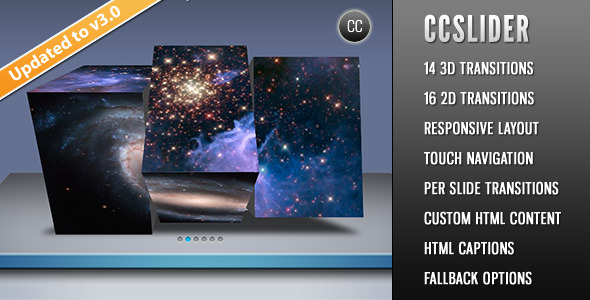
CCSlider is a jQuery-based slideshow script sold on CodeCanyon that adds animated image sliders to web pages, including fourteen 3D transitions rendered through HTML5 Canvas and sixteen conventional 2D effects. It is aimed at developers and site owners who want more control over slider behaviour than a drag-and-drop page builder offers, and who are comfortable editing HTML, CSS and JavaScript. The script has been purchased 2,310 times and holds a 4.57 out of 5 rating from 164 reviews.
What the Slider Actually Does
At its core, CCSlider takes a set of slide images and moves between them using animated transitions rather than a simple fade. The 3D effects are generated with HTML5 Canvas, a browser technology that draws graphics pixel by pixel in JavaScript. That approach is what allows effects such as a cube rotation or a sliced, staggered reveal, where the image breaks into segments that animate at slightly different moments.
The transition engine is unusually configurable for a script at this price point. The number of slices used in a 3D effect can be set, as can the delay between each slice animating and the direction that delay travels — four directions are available. There are also controls for z-axis offset, which governs how far slices push toward or away from the viewer, and for the gap between slices during the animation. An easing option can be applied to smooth the motion. The practical result is that the same stock effect can be tuned to feel subtle or dramatic without writing custom animation code.
Content handling goes beyond plain images. Each slide supports an HTML caption, and captions can sit at the top, bottom, left or right — with the position set individually per slide rather than globally. Captions can fade in, slide in, or appear with no animation at all. Separately, each slide accepts custom HTML content that renders over the image, which means video embeds, formatted text blocks or styled callouts are all possible. Since that content is ordinary markup, it can be styled with the site’s existing CSS.
Navigation is handled several ways. Control links can jump to individual slides, thumbnails can serve as links, and a slide image itself can point to an external page. Autoplay is optional, and when enabled the script generates play and pause buttons. Two details stand out here: autoplay pauses on hover if that option is switched on, and in browsers that support the HTML5 Page Visibility API, playback stops when the browser tab loses focus and resumes when it returns. That second behaviour avoids burning CPU and battery on a slider nobody is looking at.
For developers integrating the slider into a larger application, the script exposes a set of API functions — next(), prev(), start(), stop(), goToSlide() and destroy() — plus callback hooks and custom events that fire before and after a slide change. That makes it possible to sync the slider with other page elements, or to tear it down cleanly when a page section is removed.
Where CCSlider Fits and Where It Does Not
The strongest fit is a custom-built or hand-coded website where the developer wants a specific visual effect and is willing to configure it. Portfolio sites, agency landing pages, photography showcases and product microsites are all natural homes for a 3D slider, because those pages often live or die on how the imagery is presented. A freelancer building a client site from scratch, with full control over the theme files, gets the most out of the transition parameters.
It also suits projects that need programmatic control. If a page has to advance the slider in response to a click elsewhere, or reset it when a modal closes, the exposed API and events cover that without hacking around the script.
The wrong choice is a WordPress site managed by a non-technical editor. The vendor does offer a separate WordPress plugin version, but this CodeCanyon listing is the standalone jQuery script — integration into a theme is the buyer’s responsibility. Anyone expecting to install a file and manage slides from an admin dashboard will be disappointed. It is equally a poor fit for projects that need high-resolution or retina-ready assets handled automatically, since the vendor states the item is not high-resolution, and for anyone who needs a slider that still animates in browsers older than Internet Explorer 9. The 3D effects simply will not run there.
Strengths and Limitations
Strengths
- Thirty transitions in total — fourteen 3D and sixteen 2D — which is a wide range for a script in this price bracket.
- Genuinely deep transition controls: slice count, slice delay, delay direction, z-axis offset, slice separation and easing are all adjustable.
- Per-slide customisation, including individual caption positions, per-slide transition parameters and custom HTML overlays.
- Responsive layout with touch gesture navigation on iOS, Android and other touch devices.
- Autoplay respects tab focus through the Page Visibility API, which is a thoughtful detail many sliders miss.
- Clean programmatic surface: API methods, before/after callbacks and matching custom events.
- Documentation and changelog are included, and the source JavaScript, HTML and CSS files ship with the purchase.
Limitations
- The item was last updated in April 2014. That is a long gap, and buyers should treat the code as frozen rather than actively maintained.
- 3D effects depend on HTML5 Canvas, so Internet Explorer 8 and below cannot display them. A 2D fallback effect can be nominated, but the headline feature is unavailable on those browsers.
- There is no built-in content management interface. Slides are defined in markup or configuration, which puts ongoing editing out of reach for non-developers.
- The vendor does not state that the output is high-resolution, so retina displays may show softer imagery than a modern slider would deliver.
- Compatibility is declared as far back as IE6, which suggests the codebase carries legacy browser handling that a modern project will not need.
How It Compares to Other Slider Options
The slider market splits roughly three ways: page-builder modules bundled with a theme or plugin, hosted slider services, and standalone scripts like this one. Builder modules win on convenience — slides are edited visually and updates arrive with the parent product. Hosted services win on maintenance, since the vendor handles browser changes. Standalone scripts win on control and on not adding another dependency to the stack.
CCSlider competes in that third category, and its differentiator is the depth of the 3D transition engine rather than the breadth of its feature list. Plenty of alternatives offer responsive layouts, touch gestures and captions; far fewer expose slice delay direction and z-axis offset to the person configuring the effect. The trade-off is that those controls are only useful to someone who will actually use them. A buyer who picks a preset and moves on is paying for capability they will never touch, and would likely be better served by a simpler, more recently maintained option.
Age is the other axis of comparison. A slider is not a complex product, and a 2014 script can still work perfectly well on a 2024 site — the underlying jQuery and Canvas APIs have not vanished. But newer alternatives have had years of browser testing the vendor of this item has not performed, and they are more likely to account for modern responsive patterns and high-density screens out of the box.
Frequently Asked Questions
Does CCSlider work on mobile phones and tablets?
Yes. The slider is fully responsive and adapts to any screen size, and it supports touch gestures for navigating between slides on iOS, Android and other touch-screen devices. That responsiveness was added in version 3.0, so any copy purchased since mid-2012 includes it.
Can CCSlider be used inside WordPress?
Not directly from this listing. This item is the standalone jQuery script, and the vendor points buyers to a separate WordPress plugin version for CMS use. On a WordPress site, the script would need to be enqueued manually and slides defined in theme templates or a custom plugin.
What happens on browsers that do not support the 3D effects?
The 3D transitions rely on HTML5 Canvas, which Internet Explorer 8 and earlier do not support. The script lets a 2D effect be nominated as a fallback, along with its own animation speed, so those visitors see a working slider rather than a broken one. IE9 and above support Canvas.
Can videos or custom content be placed inside a slide?
Yes. Each slide accepts custom HTML content that renders over the slide image, and the vendor explicitly notes that videos can be embedded this way. That content can be styled and animated with existing CSS, and each slide can carry its own separate HTML caption as well.
Verdict
CCSlider is worth buying for developers who need a configurable 3D image slider on a hand-coded site and who are comfortable working in JavaScript and CSS. The transition controls are the reason to choose it over a generic slider, and the API and event hooks make it easy to integrate into something larger. The 2,310 sales and 4.57 rating from 164 reviews suggest the script has satisfied a substantial number of buyers, and the author, cosmocoder, has a track record on the marketplace.
It is the wrong purchase for anyone who needs a visual editing interface, for WordPress users who want plugin-style administration, or for projects where ongoing vendor maintenance matters. The last update was in 2014, and that gap should weigh heavily in the decision. Buyers who want a set-and-forget slider with modern browser guarantees should look at more recently maintained alternatives; buyers who want deep control over a 3D effect and will use it should find this still delivers.