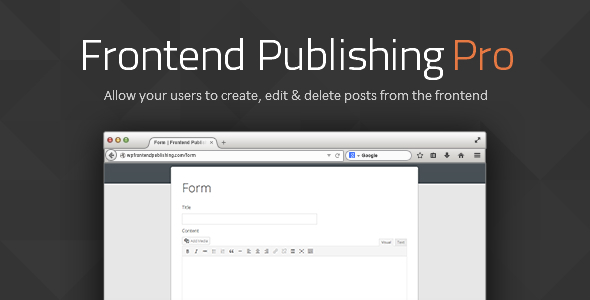
Frontend Publishing Pro is a WordPress plugin that lets visitors submit posts, custom post types and WooCommerce products through forms on the front end of a site, without ever entering the WordPress dashboard. Forms are assembled with a drag-and-drop builder and placed anywhere via shortcode, with optional moderation, media uploads and email notifications built in. It suits site owners running guest post sections, community blogs, classified-style listings or multi-author publications who want submissions to arrive structured rather than by email.
The plugin is sold on CodeCanyon for $30 under a one-time licence, developed by khaxan. It has accumulated 2,623 sales and holds a 4.82 out of 5 rating across 142 reviews, which places it among the more established options in this niche. The most recent update logged by the vendor is July 2022.
What the plugin actually does
At its core, the plugin separates two things that WordPress normally ties together: the ability to write a post and the ability to publish one. A visitor fills in a form, and the plugin creates a post on their behalf, assigned to a status the site owner chooses. Everything else in the feature set exists to make that handoff controllable.
Form building without code
Forms are constructed from elements dragged into place. The element set covers standard post fields such as title and content, plus custom fields, taxonomy selectors, media uploaders and file inputs. Validation is configurable per element, and error messages can be rewritten, which matters when a form needs to sound like part of the site rather than part of a plugin.
Custom post types and taxonomies
The plugin reads whatever post types and taxonomies WordPress already knows about, including custom ones registered by other plugins or by the theme. That means a form can target a portfolio item, a recipe, a job listing or a directory entry just as easily as a standard blog post. Hierarchical taxonomies such as categories render as nested dropdowns, and terms can be created from the front end if the form is configured to allow it.
Media handling
Submitters can upload images and other files, subject to restrictions the site owner sets — file type, size and quantity. There is a dedicated custom field type for images. Non-image attachments are displayed under the post content with a thumbnail that links through to the actual file, which is a small detail that saves building a template override.
Moderation and post management
Submissions can be saved as drafts, held for review or published immediately, depending on the form. Each form can display a list of posts created through it, so a contributor sees their own submissions and not the whole site’s. From that list they can edit or delete entries, with pretty URLs for the tabs and action links. A setting restricts the list to posts from the current form only, which prevents one form’s output bleeding into another’s dashboard.
Notifications and workflow
Email notifications fire on submission, and since version 3.10 the plugin can also notify a user when their post is published or declined. Redirection after submission is configurable, so a form can send a contributor straight to their new post. Anonymous posting is supported for sites that do not want to require an account.
Integration and developer options
There is a PayPal payments add-on and a CopyScape add-on available separately, the latter aimed at plagiarism checking for guest post workflows. Template tags — wpfepp_submission_form() and wpfepp_post_table() — let a developer drop a form or a post list directly into a theme file. The plugin is translation-ready with a .pot file, and has been tested against WordPress 6.x. It is not Gutenberg-optimised, which is worth noting for anyone expecting block editor integration.
Where it fits, and where it does not
The clearest fit is a content site that accepts contributions from people who should not have dashboard access. A guest post programme is the obvious case: the editor gets a structured submission with the title, body, category and featured image already in the right fields, and the moderation queue does the rest. Reviewers and contributors on a multi-author blog are a second fit, particularly since the plugin lets Subscribers and Contributors upload media, a permission WordPress withholds by default.
Directory and listing sites are a third. Because the plugin works with custom post types and custom fields, and because custom field values can be inserted into the post automatically, a form can collect structured data — an address, a price, an opening time — and store it as post meta rather than as prose the site owner has to parse later. Classified-style sites and WooCommerce product submissions follow the same pattern.
Multi-site installations are supported, and the plugin has carried that compatibility since version 3.5, so a network of sites can share the same submission workflow.
Where it is the wrong choice: a site that needs a general-purpose form builder. Frontend Publishing Pro is not a contact form plugin, a survey tool or a checkout. If the requirement is a newsletter signup, an event RSVP or a multi-step quote request, the post-centric data model here is a poor match and a dedicated form plugin will be less work. It is also a weak fit for anyone who needs the plugin to be actively maintained against current WordPress releases on a short cycle — more on that below.
Strengths and limitations
Strengths
- Genuine custom post type and taxonomy support, including hierarchical term display and front-end term creation.
- Custom fields are first-class: they can be collected on the front end, shown on the admin edit screen and inserted into post content automatically.
- Per-form post lists give contributors a self-service area for editing and deleting their own submissions.
- Anonymous posting, draft saving and configurable redirection cover most moderation workflows without add-ons.
- Template tags and a translation-ready codebase make it usable in a custom theme rather than only through shortcodes.
- Multi-site compatibility is built in.
- Strong reception: 2,623 sales and a 4.82 rating from 142 reviews is a meaningful signal of stability for a plugin at this price.
Limitations
- The last vendor update is dated July 2022. The plugin is declared compatible up to WordPress 6.0.x, and the vendor does not state support for later major releases. Buyers on current WordPress versions should test thoroughly before committing.
- It is explicitly not Gutenberg-optimised. Sites built around the block editor will not get block-level integration for forms or post lists.
- The interface is built with its own drag-and-drop system rather than the WordPress block or customiser APIs, so it looks and behaves like a separate tool inside the admin.
- Payments and plagiarism checking live in separate paid add-ons, so the $30 price is not the full cost of a monetised submission workflow.
- Support runs through the author’s profile contact form and an external site rather than a ticketing system, which offers no visibility into response times.
- Browsers listed as compatible include Internet Explorer 8 through 11, an indication of how long the codebase has been in development rather than a feature.
How it compares with the alternatives
Three broad categories compete here. The first is general form builders with post-creation add-ons. Those tend to be better maintained and more flexible on layout, but post creation is usually a bolt-on: custom fields, taxonomy assignment and contributor post lists are either absent or require further extensions. For a site whose entire purpose is accepting submissions, that is the wrong centre of gravity.
The second is membership and multi-author plugins. These handle roles and permissions well but typically assume contributors work inside the dashboard. They solve who can publish, not how a non-technical visitor submits a structured post from outside it.
The third is custom development. A bespoke submission form gives complete control and no licensing questions, but the work involved — file uploads, validation, moderation states, contributor edit screens, email notifications — is exactly the list of features this plugin already ships. At $30, the build-versus-buy calculation is not close for most projects.
Against all three, Frontend Publishing Pro’s advantage is depth in one narrow area. Its disadvantage is the same narrowness: it does one job and does not pretend to do others, and its update cadence is behind the category leaders.
Frequently Asked Questions
Can visitors submit posts without creating a WordPress account?
Yes. Anonymous posting is a supported option, added in version 3.0.0. A form can be configured to accept submissions from logged-out visitors, with the post attributed to a guest author or to an account the site owner designates. Most sites combine this with a moderation queue so nothing publishes unreviewed.
Does Frontend Publishing Pro work with WooCommerce products?
Yes, the vendor cites WooCommerce product forms as a use case, and the plugin works with any custom post type, including the product type WooCommerce registers. Custom fields let a form collect price, SKU and other product data. Note that actual payment collection requires the separate PayPal add-on rather than being included.
Is the plugin compatible with the latest versions of WordPress?
The vendor declares compatibility up to WordPress 6.0.x, and the most recent changelog entry covers improved WordPress 6.x compatibility. No later versions are listed. Since the last update was July 2022, buyers running newer WordPress releases should test on a staging site before deploying to a live installation.
Can submitters edit or delete their posts after publishing?
Yes. Each form can display a list of the posts created through it, and contributors can edit or delete their own entries from that list. The list supports pretty URLs for its tabs and action links, and a setting limits it to posts from the current form so contributors only see their own submissions.
Verdict
Frontend Publishing Pro is worth buying for site owners who need a real front-end submission workflow — guest posts, community contributions, directory listings or product submissions — and who want custom fields, taxonomies and moderation handled without building it themselves. The 2,623 sales and 4.82 rating suggest it has served that audience well, and the feature depth around custom post types is genuinely hard to match at this price. It is not the right purchase for anyone who needs a general form builder, and the 2022 update date is a real risk for sites running the newest WordPress releases. Buyers in that position should test against a staging copy first, or budget for the possibility that they will need to maintain compatibility themselves.