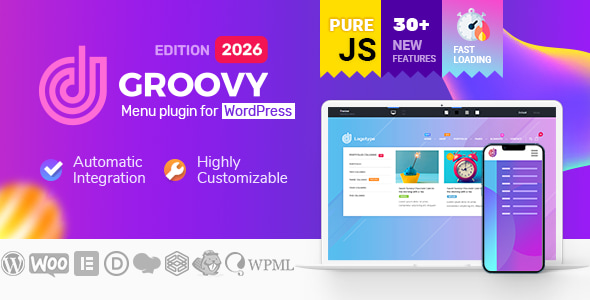
Groovy Mega Menu is a WordPress navigation plugin from CodeCanyon that replaces the standard menu system with a builder-driven mega menu, sidebar, off-canvas or fullscreen layout. It is aimed at agencies and freelancers who need header and navigation designs that the default WordPress menu editor cannot produce, and it works alongside Elementor, Divi, WPBakery and Gutenberg rather than competing with them. The product sits in the CodeCanyon Interface Elements category, costs $49 for a regular licence, and has been developed by grooni.
For anyone comparing options in this space, the practical question is not whether the plugin can draw a dropdown, but whether it can be dropped into an existing theme without rebuilding the header from scratch. Groovy’s answer to that is a combination of automatic integration, a preset library and menu blocks that accept widgets and shortcodes. The plugin also carries a Groovy Mega Menu Interface Elements role in the wider page-builder ecosystem, since the menu blocks themselves are built with the same tools used to construct the rest of the page.
What the plugin actually does well
The core of the product is a menu builder that operates separately from the WordPress Appearance > Menus screen. Instead of being limited to a list of links, each menu item can open a block that behaves like a small page: columns, widgets, shortcodes, images and formatted text. That distinction matters because it means a promotional banner, a product grid or a contact form can live inside the navigation without a developer writing custom markup.
Menu types are unusually broad for a plugin at this price. The vendor lists standard horizontal navigation, vertical navigation, dropdowns, submenus, sidebar menus, collapsible sidebars, off-canvas panels that slide or push the page, fullscreen overlays, hamburger menus, sticky and fixed headers, and one-page anchor navigation. In practice this means a single licence can cover a corporate site with a horizontal mega menu, a store with a left sidebar, and a landing page with a fullscreen overlay, all using the same plugin and different presets.
Presets are the second notable capability. Rather than configuring every spacing and hover rule from zero, a site owner can start from a pre-made header layout and adjust it. The vendor maintains a demo site where these presets can be previewed before purchase, which is the sensible way to judge whether the default styling suits a project.
WooCommerce support is more than a token integration. The plugin offers an Ajax cart, an Ajax search-ready menu, and dedicated WooCommerce menu layouts, so a store can show cart contents and search without a page reload. Badges for labels such as New, Free or Trending can be attached to menu items, which is a small feature that saves a surprising amount of custom CSS on promotional sites.
Compatibility is claimed across a long list of page builders and plugins: Elementor and Elementor Pro, Divi, WPBakery (formerly Visual Composer), Gutenberg, Fusion Builder for Avada, Thrive Architect, Oxygen, Brizy, Beaver Builder, Cornerstone, SiteOrigin, plus WPML for multilingual sites, bbPress and Gravity Forms. The vendor also states support for WordPress versions from 5.7 through 7.0, WooCommerce 6.x through 10.x, and PHP 8.x. Those version ranges are vendor declarations rather than independently verified results, but they are specific enough to be useful when checking against a client’s stack.
Two smaller details are worth noting. Source files are included for the JavaScript, CSS and PHP, so an agency can modify behaviour rather than working around it. And the plugin is described as Gutenberg-optimised, which matters if the rest of the site is being built in the block editor.
Where Groovy Mega Menu fits, and where it does not
The strongest fit is an agency or freelancer maintaining several client sites on different themes. Because the menu is integrated independently of the theme’s own header, the same preset can be reused across a Divi build, an Elementor build and a WPBakery build with relatively little rework. That consistency has real value when a studio is producing similar sites repeatedly.
It also suits WooCommerce stores that want navigation to carry merchandising weight. A mega menu that displays categories, a cart count and a search field in one panel is a genuine conversion tool, and building that by hand is tedious.
A third fit is multilingual and non-Latin sites. WPML compatibility is declared, and the vendor’s showcase includes an RTL Hebrew menu and a menu using CJK characters and Unicode. Anyone who has wrestled with right-to-left navigation in a theme that assumes left-to-right will recognise why that matters.
The plugin is the wrong choice in a few situations. If a theme already ships a header builder that the client is happy with, adding Groovy means two systems competing for the same space, and the vendor’s own FAQ addresses the symptom: a menu appearing twice because two integration methods were enabled at once. Sites with strict performance budgets should also proceed carefully, since the vendor’s roadmap lists splitting the JavaScript into modules to improve PageSpeed scores as work still in progress. Finally, it is WordPress-only. The vendor states plainly that it cannot be used on a non-WordPress site, so a mixed stack needs a different answer.
Strengths and limitations
Strengths
- Wide range of menu types in one licence: horizontal, vertical, sidebar, off-canvas, fullscreen, hamburger, sticky and one-page anchor navigation.
- Menu blocks accept widgets and shortcodes, so navigation can hold content rather than just links.
- Broad page-builder compatibility, including Elementor, Divi, WPBakery, Gutenberg, Fusion Builder and several others.
- WooCommerce features such as Ajax cart and Ajax search are built in rather than sold separately.
- Source files for JavaScript, CSS and PHP are included, which allows deeper customisation.
- Established track record: 7,042 sales and a 4.43 out of 5 rating from 114 reviews.
Limitations
- Automatic integration injects the menu immediately after the opening body tag. On themes with a fixed or custom header, that can conflict with the theme’s own markup and requires manual integration instead.
- Running two integration methods at once produces a duplicated menu, a failure mode the vendor documents rather than prevents.
- Performance work on the JavaScript is listed as roadmap rather than shipped, so current PageSpeed behaviour is not guaranteed to match future versions.
- The plugin targets WordPress only, so it cannot serve a headless or non-WordPress front end.
- Because the menu lives outside the theme, switching themes later means re-checking the integration rather than relying on the theme to handle it.
- Some roadmap items, including Divi module work and a Shopify version, are described as in progress and are not part of the current purchase.
How it compares with the wider category
Mega menu plugins generally fall into two groups. The first are lightweight add-ons that extend the native WordPress menu with extra styling options. They are cheap and predictable, but they cannot place a widget grid or a shortcode inside a dropdown, and they usually inherit whatever constraints the theme’s header imposes.
Groovy belongs to the second group: full navigation frameworks that take over the header entirely. Compared with that group, its differentiators are the breadth of menu types, the preset library, and the fact that the same menu blocks can be edited in whichever page builder a project already uses. The trade-off is the same one every framework in this group carries. Taking control of the header means accepting responsibility for how it interacts with the theme, and that is where most support requests originate.
The pricing sits in the middle of the category at $49 for a regular licence, with an extended licence required for theme developers who want to bundle it. Buyers should treat the extended licence question as a real cost if the plan is to ship the plugin inside a product rather than use it on client sites.
Frequently Asked Questions
Does Groovy Mega Menu work with Elementor and Divi?
Yes. The vendor lists Elementor, Elementor Pro, Divi, WPBakery, Gutenberg, Fusion Builder, Thrive Architect, Oxygen, Brizy, Beaver Builder, Cornerstone and SiteOrigin as compatible. Menu blocks can be built with those tools, and the plugin also provides an Elementor widget and a Divi module for placing the menu itself.
Can Groovy Mega Menu be used on a site that is not WordPress?
No. The vendor states that Groovy Menu is exclusively for WordPress and cannot be used on a non-WordPress site. A Shopify version appears on the published roadmap as work in progress, but it is not part of the current product, so a non-WordPress project needs a different navigation solution.
Why is the menu showing twice on the site?
This happens when two integration methods are enabled at the same time, typically automatic integration plus a manual placement. The fix is to choose one method and disable the other. The vendor documents this scenario in the plugin’s FAQ with a link to further reading.
Does the plugin support WooCommerce carts and search?
Yes. Groovy includes an Ajax cart and Ajax search-ready menus, along with dedicated WooCommerce menu layouts and item badges for labels such as New or Free. The vendor declares compatibility with WooCommerce versions 6.x through 10.x, so recent store builds are covered.
Verdict
Groovy Mega Menu is worth buying for agencies and freelancers who build client sites across multiple page builders and need consistent, content-rich navigation without writing a header from scratch each time. The combination of preset headers, widget and shortcode support inside menu blocks, and genuine WooCommerce integration justifies the $49 for that audience, and the sales volume and rating suggest it has held up in real projects.
It is the wrong purchase for a site whose theme already provides a header builder the client is happy with, for projects where the header markup must stay under tight performance control, or for anything outside WordPress. Buyers in those situations will spend more time reconciling the plugin with the theme than they save.