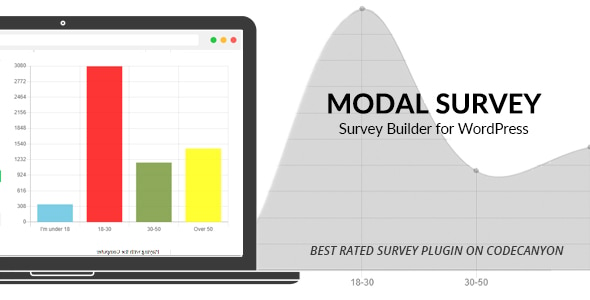
Modal Survey Forms is a WordPress plugin that creates popup and embedded polls, surveys and quizzes without leaving the WordPress dashboard. It stores unlimited questionnaires, questions and answers, and renders results as progress bars, pie charts or plain text. Site owners who need lead capture, audience research, product recommendations or shareable trivia quizzes are the core audience, and the plugin has been downloaded 5,893 times with a 4.78 out of 5 rating across 247 reviews.
What the plugin actually does well
The centrepiece is a visual builder that runs inside the WordPress admin. Rather than editing shortcode attributes by hand, the builder offers a live preview alongside sliders and colour pickers for width, position, border radius, padding, background and font colours. Fonts come from a library of more than 650 Google Font styles. The practical effect is that a non-designer can produce a questionnaire that matches an existing brand without touching CSS.
Display behaviour is unusually granular for this price bracket. A survey can appear as a full-width overlay, a boxed popup or an inline embed. Triggers include a click on a link, scrolling to the bottom of a page, or scrolling to a specified point in the content. A lock screen setting can prevent dismissal until the form is completed, while a closeable variant simply highlights the questionnaire. There is also a frequency control: show once, show again to people who already answered, or show every time.
Logic and scoring separate the plugin from simpler poll widgets. Conditional statements let a specific message appear — or the browser be redirected to a chosen page — based on the score a respondent accumulates. Questions and answers can be assigned to categories, and the chart at the end then reports results per category. That structure supports business evaluation tests, personality-style quizzes and product recommendation flows where the outcome depends on accumulated points rather than a single answer.
Result presentation covers the common formats a researcher would expect: progress bars, pie charts, text lists, and an aggregated graph that plots all questions together. The aggregated view is the one worth noting, because it makes it possible to compare answers across a whole questionnaire at a glance rather than clicking through question by question — useful for checking something like the consistency of a support team’s ratings.
Other capabilities worth flagging:
- Rating scales. Star input replaces text answers, and the number of stars is not fixed, so five, ten or twelve-point scales are all possible.
- Media in questions and answers. Images can be attached to either side of a question, which lifts response rates on visually driven quizzes.
- Timers. A countdown can apply to the whole quiz or to individual questions.
- Sharing. Quiz results can be posted to social networks with a result-specific image, the mechanic behind the widely copied trivia format.
- Scheduling. A date-time picker sets start and expiry, so a survey can be prepared in advance and close itself.
- GDPR compliance. The vendor states the plugin meets GDPR requirements and links to further detail; the specifics of that claim are not documented in the listing.
- WooCommerce compatibility. The plugin declares support for WooCommerce 8.x and 9.x, which matters if a recommendation poll is meant to sit alongside a shop.
On the technical side, the listing declares compatibility with WordPress 5.9 through 6.7, all major browsers, and includes unminified source files in JavaScript, JSON, HTML, CSS, PHP and layered PNG. The vendor, pantherius, last updated the plugin in September 2026. Buyers should confirm current version support before committing, since WordPress releases move faster than many CodeCanyon items.
Where it fits, and where it does not
The strongest use cases are content-driven. A publisher wanting a BuzzFeed-style quiz that earns social shares and referral traffic can build it here, complete with a result image and a share button. A blogger collecting reader feedback can attach a short satisfaction poll to the foot of each post. A small agency building a lead magnet can gate a downloadable file behind a short questionnaire and capture the answers as a trade.
Market research is the second cluster. Because questions and answers can be categorised and scored, the plugin suits customer satisfaction surveys, product recommendation quizzes and lightweight personality or evaluation tests where the output is a banded score rather than raw data. The aggregated chart view gives a quick read on company or team performance without exporting anything.
It is the wrong choice when the requirement is a serious research instrument. There is no mention of branching logic that skips questions based on earlier answers, no multi-page survey flow with save-and-resume, and no discussion of exporting raw response data to a statistics package. Anyone conducting academic research, running a longitudinal study, or needing quota management should look at dedicated survey platforms instead. The plugin is also a poor fit for teams that need collaborative editing with roles and permissions, since the listing describes a single admin interface rather than a workflow with approvals.
Strengths and limitations
Strengths
- Wide display and trigger options — popup, embed, full width, scroll-triggered, click-triggered — from one interface.
- Scoring, categories and conditional redirects support outcome-based quizzes, not just opinion polls.
- Result visualisation includes an aggregated all-questions graph, which is rare at this price.
- Rating scales with a configurable number of stars.
- Strong review record: 4.78 from 247 ratings, with 5,893 sales.
- Source files are included and the codebase is not obfuscated, so a developer can extend it.
Limitations
- No documented question branching or skip logic. Conditional behaviour appears tied to scores and messages rather than to routing respondents down different question paths.
- The GDPR claim is asserted rather than explained in the listing; buyers in regulated sectors will need to verify data handling themselves.
- Compatibility is declared up to WordPress 6.7 and WooCommerce 9.x. Sites on newer major releases should test before deploying.
- Response data handling is not described in terms of export formats or integrations with email marketing or CRM tools, which limits usefulness for lead-generation workflows that need to push contacts elsewhere.
- Licensing terms, update policy and support scope are not stated in the product data, so those need checking on the item page.
How it compares with the wider category
Most WordPress poll plugins fall into two groups. The first is lightweight: a single-question poll widget, often free, that shows one bar chart and little else. The second is form-builder territory, where a general-purpose form plugin adds survey fields but treats polls as a secondary feature and rarely offers scored quizzes or result charts.
Modal Survey sits between them, closer to the second group but with a narrower focus. Against free poll widgets it offers far more — categories, scoring, timers, social sharing, image answers and multiple result formats — at the cost of a $65 one-time licence. Against general form builders it wins on quiz and result presentation, since the whole product is built around the modal, the chart and the outcome; it loses on breadth, because it will not handle contact forms, payment collection or complex multi-step application forms.
The deciding factor is usually the deliverable. If the goal is a scored, shareable, visually finished quiz or a modal survey with a clear result screen, a specialist tool is the better fit. If the goal is data collection that feeds a CRM, a form builder with established integrations is the safer route.
Frequently Asked Questions
Does Modal Survey work with the block editor and modern WordPress themes?
Yes, in the sense that it renders through shortcodes or its own embed options rather than depending on a page builder. The vendor declares compatibility with WordPress 5.9 through 6.7, which covers most sites running recent versions. Because it outputs its own markup and CSS, conflicts with a specific theme’s styling are possible and worth testing on a staging copy first.
Can results be exported or sent to an email marketing service?
The product listing does not describe an export function or native integrations with email marketing or CRM platforms. Results are presented inside the WordPress admin through charts, progress bars and text formats. Anyone who needs responses pushed into an external system should confirm the available options with the developer before purchase.
Is it suitable for a scored quiz with different outcomes per result?
Yes. Questions and answers can be assigned to categories, answers carry scores, and conditional statements display a chosen message or redirect the browser based on the total. That combination supports trivia quizzes, product recommendation flows and banded evaluation tests where the ending depends on how the respondent answered.
Can the same survey be shown differently to different visitors?
Display rules can be set per questionnaire. Options include showing the survey once, showing it again only to people who already completed it, or showing it on every visit. Combined with scroll and click triggers, lock screen and closeable modes, and width and position controls, the same content can be presented as a full-width takeover or a small boxed embed.
Verdict
Modal Survey Forms is a solid buy for bloggers, publishers, small agencies and marketers who want scored quizzes, image-led polls and modal surveys with attractive result screens, all managed from the WordPress dashboard without writing code. The 4.78 rating across 247 reviews and 5,893 sales indicate that the plugin has held up in real use, and the included source files give developers room to extend it. It is not the right tool for research-grade surveys needing branching, multi-page flows or raw data export, nor for teams that need collaborative editing and approval workflows. Buyers in regulated industries should verify the GDPR claim and data handling directly, and anyone on the newest WordPress or WooCommerce major versions should test compatibility before rolling it out.