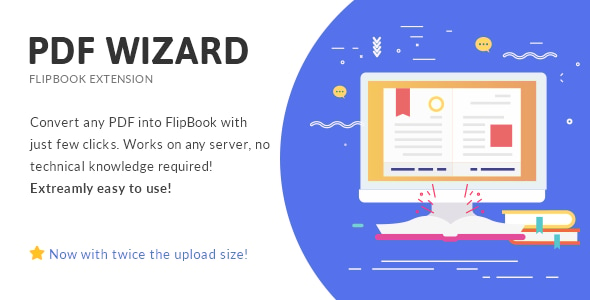
PDF To FlipBook Extension is a WordPress add-on that converts uploaded PDF files into interactive page-turning flipbooks, using the site’s own browser and server to render each PDF page as an image. It is built by the developer mpc and sold on CodeCanyon for $16, and it only works alongside the vendor’s separate Responsive FlipBook plugin, which must be installed first. It suits publishers, agencies and site owners who already use that base plugin and want a faster way to turn brochures, catalogues or reports into something more engaging than a static download link.
What the extension actually does once installed
The core job is straightforward: a PDF is uploaded through the WordPress dashboard, and the add-on turns each page into an image that the flipbook can display and animate. The conversion runs locally — on the visitor’s browser and the site’s own server — rather than being sent to an external conversion service. That matters for two reasons. First, there is no per-file upload limit imposed by a third party, so the old 100MB ceiling that applied to earlier versions no longer applies. Second, the vendor states that uploaded PDFs are not retained on their servers, since the file never leaves the site in the first place.
Because pages are rendered at their original size and resolution, the zoom feature has something meaningful to work with. A reader can magnify a page and still read the fine print on a spec sheet or a product label, which is often the point of publishing a PDF as a flipbook rather than as a download. High-resolution output is declared as a supported feature, and the vendor’s changelog notes that the quality settings once offered before conversion were removed in favour of always rendering at source resolution.
Around that conversion core sits a set of presentation options. Bookshelf view arranges multiple flipbooks as volumes on a shelf, which is useful for a publisher with a back catalogue or a company with several annual reports. A hard cover option gives the flipbook a closed-book appearance before the reader opens it. Lazy loading defers the loading of pages that are not yet visible, which keeps the initial page load lighter on long documents. Zoom controls let readers inspect detail, and the whole output is responsive so it adapts to different screen sizes.
The extension also handles the awkward cases that come up with real PDFs. The changelog records fixes for incorrect colour saturation after conversion, for zero-kilobyte images appearing in the media library on certain server configurations, and for recognising double-page spreads versus single pages. There is a minimum page count of three, lowered from a higher figure in version 3.1, and the panel shows an error message when a server setting such as a low max_input_vars value blocks book creation. That last point is a small but telling detail: conversion depends on server configuration, and the plugin at least tells you when yours is the problem.
Where this add-on fits, and where it does not
The clearest fit is an organisation that already runs the Responsive FlipBook plugin and regularly publishes PDFs — a magazine or newsletter publisher, a college producing prospectuses, a manufacturer with equipment manuals, or an agency building a catalogue site for a retail client. In those cases the workflow is genuinely short: upload, convert, publish, with no design work in between and no need to rebuild the document in a page builder.
It is also a reasonable choice for anyone who wants the flipbook to live inside WordPress rather than on a third-party hosting platform. Keeping the content on the site means the pages are part of the same domain, the same media library and the same backup routine as everything else.
The wrong choice is equally clear. Anyone who does not own the base Responsive FlipBook plugin should not buy this — it is an extension, not a standalone product, and the vendor added an in-panel notice specifically to make that dependency obvious. It is also a poor fit for anyone who needs the flipbook to be searchable or accessible as text. Because each page becomes an image, the words inside the PDF are not available to search engines or screen readers in the way they would be in an HTML page or an embedded PDF. A site that depends on organic search traffic for the document’s content should treat that as a serious constraint, not a minor one.
Finally, sites running current WordPress releases should check compatibility carefully. The vendor’s declared support covers WordPress 4.9.x through 5.2.x and PHP up to 7.3.9, and the last update was in November 2019. That does not mean it will fail on newer versions, but it does mean the vendor has not declared support for them.
Strengths and limitations
Strengths
- Conversion happens on the site’s own browser and server, so there is no third-party file size cap and no PDF stored on the vendor’s infrastructure.
- Pages render at original resolution, which makes the zoom feature useful for dense documents rather than decorative.
- The bookshelf layout supports multiple titles in one place, which suits publishers with a catalogue rather than a single document.
- Lazy loading keeps long documents from loading every page image up front.
- Source files are included in JavaScript, CSS and PHP, so a developer can adapt the output if needed.
- A track record of 5,490 sales and a 4.11 out of 5 rating across 74 reviews indicates a product with a real user base rather than a brand-new listing.
- Compatible with WPBakery Page Builder versions 5.1 through 5.7, so it drops into an existing page-building workflow.
Limitations
- The base Responsive FlipBook plugin is mandatory. The $16 price is on top of whatever that costs, and the extension is useless without it.
- The last vendor update was 21 November 2019. Declared compatibility stops at WordPress 5.2.x and PHP 7.3.9, so newer WordPress and PHP releases are untested by the vendor.
- There is no Gutenberg optimisation. Sites built around the block editor will not get a native block experience.
- Because pages are converted to images, the text inside a PDF is not exposed as indexable or screen-readable content. That is inherent to the flipbook format, not a bug, but it has real consequences for SEO and accessibility.
- Conversion depends on server configuration. The changelog itself references failures tied to settings such as max_input_vars, so results can vary between hosts.
- Support is handled through the vendor’s own ticket system, and the listing states that support requests sent by email, social media or comments may be ignored.
How it compares with the wider category
PDF-to-flipbook tools generally fall into three groups: hosted services that convert and embed a book via a script tag, standalone WordPress plugins that do the whole job, and extensions like this one that bolt onto a larger plugin the site already runs.
Hosted services are the easiest to start with and usually handle conversion on their own infrastructure, but the content typically lives on the provider’s domain or depends on their servers staying online. Standalone plugins keep everything local but often duplicate features a site already has. This extension sits in the third group, and that is both its advantage and its constraint. If the base flipbook plugin is already in place, the extension is the cheapest and least disruptive way to add PDF import, because it reuses the existing viewer, styling and page structure. If it is not, the total cost and setup are effectively those of the base plugin plus this add-on.
Compared with simply embedding a PDF in a browser’s built-in viewer, the flipbook approach trades text searchability and accessibility for presentation. That is a legitimate trade for a marketing brochure and a questionable one for a technical manual that people need to search. The decision should follow the document, not the novelty of the effect.
Frequently Asked Questions
Does PDF To FlipBook Extension work on its own?
No. It is an extension and requires the vendor’s Responsive FlipBook plugin to be installed and active. Without that base plugin there is nothing for the extension to attach to, and the vendor displays a notice in the admin panel stating the dependency. Buyers who do not already own the base plugin should budget for both.
Are uploaded PDF files stored on the developer’s servers?
No. Since version 3.0.1 the conversion runs on the user’s browser and the site’s own server, and the vendor states that uploaded PDFs are not retained or used by them. Earlier versions sent files to an external conversion server, but that approach was replaced and the old service was discontinued.
Will a flipbook created from a PDF be indexed by Google?
Not as text. Each PDF page becomes an image, so search engines cannot read the words inside the document the way they would with an HTML page or a linked PDF. The surrounding page title and description can still rank, but the document’s own content will not contribute to search visibility.
Is the plugin compatible with the latest WordPress version?
The vendor does not state that. Declared compatibility covers WordPress 4.9.x through 5.2.x and PHP up to 7.3.9, with the last update in November 2019. It may run on newer versions, but that is untested by the developer, so testing on a staging site before deploying is the sensible approach.
Verdict
This add-on is worth buying for one specific situation: a site already running mpc’s Responsive FlipBook plugin that needs to publish PDFs as flipbooks without rebuilding them by hand. At $16, with 5,490 sales behind it, the cost is low relative to the time it saves on repeated conversions. Buyers outside that situation should look elsewhere — either at a standalone flipbook plugin or at the base plugin first. The 2019 update date and the image-based output are the two facts that should decide it: sites on current WordPress and PHP versions, or sites that need their documents to be searchable and accessible, should weigh those limitations carefully before purchasing.