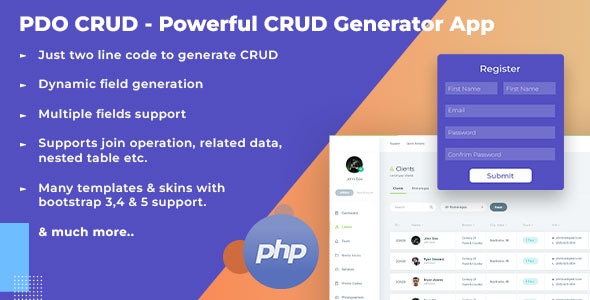
PDO Crud is a PHP script that generates database-driven admin panels, forms and data tables from existing database tables with very little handwritten code. It sits in the CodeCanyon database abstraction category and handles the four core data operations — create, read, update and delete — on top of PDO, the PHP extension that talks to databases through a single consistent interface. It suits freelancers and small agencies building internal tools, CRM-style back ends and content management screens who want working CRUD screens in hours rather than days, and it is a poor fit for teams that need a full application framework with routing, testing and dependency management.
What PDO Crud Actually Does Beyond Basic CRUD
The core promise is that a developer connects to a database, creates an object, points it at a table and calls a render method. The script inspects the table schema and builds the list view and the add/edit form automatically, inferring field types from column definitions. Pagination, sorting and search come along with that default output, so a usable admin screen appears before any styling work begins.
From there, the customisation layer is where most of the value sits. Field labels can be renamed or hidden, individual columns removed or reordered, and input types swapped — a text field can become a dropdown, a date picker or a rich text area. Fields can be populated from another table or a PHP array, which covers the common case of a category selector or a country list. Dependent dropdowns are supported too, so selecting a country can load the matching states without a page reload.
Forms are not limited to a single flat table. The script supports nested tables and nested tables inside tabs, and it can run left joins so a list view can display related data from a second table. That matters for anyone modelling orders and customers, or projects and clients, where the useful view is never one table in isolation.
Form behaviour and validation
Submissions run over AJAX, so forms save without a full page refresh. Validation is available on both sides — PHP rules for anything that must be enforced server-side, and JavaScript rules for immediate feedback. Static fields such as a terms-and-condition checkbox or a confirm-password field can be added to a generated form without touching the database schema. Field-level extras include tooltips, help text, input addons and optional encryption of values before they reach the front end. Captcha support is built in, both a PHP-based version and reCAPTCHA.
Data in and out
Bulk import accepts CSV, XML and Excel files, which is often the fastest route to populating a new system. On the output side, records export to CSV, Excel, PDF and XML, and list views can be printed. There is a formula function for modifying field values before an insert or update, a raw query mode for operations the abstraction does not cover, and a single-cell editing mode that behaves like a spreadsheet. Chart generation from database queries exists but is labelled beta by the vendor, so it should be treated as a convenience rather than a reporting engine.
Access control and presentation
User login and role-based access management are included, letting different roles see different tables, actions or fields. The interface defaults to Bootstrap, with version 7.2 adding Bootstrap 5 support and floating labels, and normal, horizontal and inline form layouts are all available. Right-to-left layouts work by loading an external stylesheet. A one-page template allows a form and its corresponding data table to sit on the same screen, which is useful for quick-entry workflows.
Where PDO Crud Fits Well, and Where It Does Not
The strongest fit is a back-office tool built on an existing database. An agency inheriting a MySQL schema can stand up an admin area for it without writing a data access layer, and the automatic form generation means schema changes propagate with minimal rework. The same applies to internal dashboards, inventory screens, booking administration and any project where the client needs to edit records but the public-facing site is built elsewhere.
It also suits prototyping. When a client needs to see and react to a working interface before committing to a full build, generating the screens from the schema is faster than mocking them up. Freelancers who repeatedly deliver similar admin panels will get the most out of the reusable configuration options and the ability to enqueue additional JavaScript and CSS plugins.
Where it is the wrong choice: a large multi-developer application with automated test suites, complex domain logic, API-first architecture or heavy dependency injection. PDO Crud is a script that generates screens, not an application framework. Teams already working inside Laravel, Symfony or a comparable framework would be adding a second, parallel way of talking to the database, and that duplication costs more than it saves. Projects requiring fine-grained control over every query, or strict separation between persistence and presentation, will fight the abstraction rather than benefit from it.
Strengths and Limitations
Strengths
- Genuinely fast time-to-first-screen: a working list and form come from a table definition with a couple of lines of code.
- Broad database support across MySQL, PostgreSQL, SQLite, Oracle (from version 7.1) and SQL Server 2012 or higher.
- Deep customisation of generated forms and tables without editing the script’s internals.
- Import and export in the formats businesses actually ask for — CSV, Excel, PDF, XML.
- Built-in login and role-based permissions remove a task that would otherwise be hand-rolled.
- Active maintenance: the listing shows an update in December 2024 and PHP 8.3 compatibility.
- Strong reception for a niche script, with a 4.49 out of 5 rating across 102 reviews and over 2,300 sales.
Limitations
- The abstraction leaks when requirements get unusual. Complex reporting, multi-table transactions or non-standard joins will push development back into raw SQL, at which point the generated layer is partly bypassed.
- Chart and graph generation is explicitly marked beta by the vendor, so it is not dependable for client-facing reporting.
- Because forms are generated from the schema, the quality of the output depends on the quality of the database design. Poorly normalised tables produce awkward forms, and there is no automatic remedy.
- Customisation is configuration-driven rather than code-driven. Developers who prefer to write their own templates may find the options restrictive at the edges.
- The vendor lists a WordPress plugin as in progress and version 8.1 as unfinished, so those should not be relied on until released.
- Documentation and support are delivered through the vendor’s own site and video tutorials rather than a formal API reference, which slows down edge-case work.
How It Compares With Other Database Abstraction Options
The alternatives generally fall into three groups. Full frameworks such as Laravel or Symfony provide an ORM, migrations, routing and testing, but they demand a project built around them from the start and a developer comfortable with that ecosystem. Lightweight query builders and ORMs give programmatic control over SQL with less ceremony, but they still require the developer to write the forms, tables, validation and permissions by hand. Hand-rolled admin code gives total control at the cost of rebuilding the same pagination, search and export logic on every project.
PDO Crud sits between those poles. It offers less architectural rigour than a framework and less raw flexibility than a query builder, but it removes far more repetitive work than either. The trade is control for speed, and for the specific job of generating an admin interface over an existing schema, that trade is usually favourable. The decision point is whether the project’s value lies in the data model itself or in the interface around it — if the latter, the generated approach wins on effort; if the former, a framework or hand-written layer will be the better long-term home.
Frequently Asked Questions
Does PDO Crud work with PHP 8?
Yes. The vendor lists compatibility with both PHP 8.x and PHP 7.x, and version 7.1 was released specifically to add PHP 8.3 support. Bootstrap 5 support arrived in version 7.2. Running an older PHP 7 installation is still possible, but new projects should target a current PHP 8 release for security and performance reasons.
Which databases can PDO Crud connect to?
It supports MySQL, PostgreSQL, SQLite, Oracle from version 7.1 and SQL Server 2012 or higher. Because it is built on PDO, the underlying connection layer is the standard PHP database interface rather than a proprietary driver. That breadth means the same script can serve projects across several database engines without rewriting the data layer.
Can PDO Crud build a full admin panel with user logins?
Yes, it includes user login and role-based access management alongside the generated forms and tables. Roles can be used to control which tables, records or actions a user reaches. It is not a complete content management system out of the box, so any bespoke business logic still needs to be written in PHP around the generated screens.
Do I need to write PHP to use it?
Some PHP is required. The default list and form views come from a couple of lines of code, but customising field types, validation rules, callbacks and permissions means editing PHP configuration and, in places, writing callback functions. Developers comfortable with basic PHP will get productive quickly; those expecting a purely point-and-click interface will not.
Verdict
PDO Crud is worth buying for freelancers and small agencies who regularly build admin interfaces over existing databases and want to cut the repetitive work of forms, tables, validation, exports and permissions. The 4.49 rating across 102 reviews and more than 2,300 sales indicate a script that has been used in production and maintained over time, with the most recent update in December 2024. It is also a reasonable prototyping tool when a client needs to see working screens early.
It should be avoided by teams building large, test-driven applications inside an existing framework, and by anyone needing precise control over every query or dependable reporting features — the chart module is still beta. The honest summary is that this is a productivity tool for a specific, common job, and it performs that job well as long as the project’s complexity stays within the shape of the database schema.