PHP Form Builder Forms is a PHP library that generates HTML forms from a single class, either by writing short PHP function calls or by assembling fields visually in a drag-and-drop generator. It handles the parts of form work that usually take the longest — markup, validation, email delivery and database writes — and it supports the major CSS frameworks out of the box. It suits developers and agencies building custom forms inside existing sites, and it is a poor fit for anyone who wants a ready-made admin panel for browsing submissions.
The script is sold on CodeCanyon by the developer migli, priced at $99, with 5,825 sales and a 4.8 out of 5 rating across 255 reviews. That volume of feedback over a long product life is a reasonable signal of stability. One important caveat sits on the listing itself: the CodeCanyon copy is frozen at version 6.3, and active development has moved to the developer’s own site, where version 7 requires PHP 8.1 or newer.
What the library actually does well
The core idea is that a form is described in code, not clicked together in a database-backed admin screen. A developer writes a handful of function calls to declare fields, groups and layout, and the class outputs clean HTML5 markup that the vendor states has been validated against W3C standards. CSS and JavaScript are produced by two separate functions, which matters in practice: a site can defer or inline the stylesheet independently of the scripts, and plugin assets are combined and compressed to keep page weight down.
Two generation paths exist side by side. The drag-and-drop generator produces the same PHP code a developer would otherwise type, so a form can be started visually and then maintained by hand. That hybrid approach is the product’s strongest differentiator, because most visual builders lock the output inside their own interface and make later edits awkward.
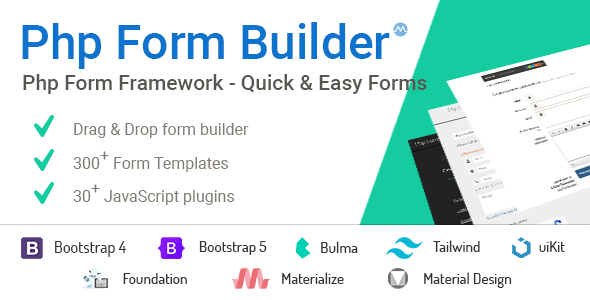
Framework support is broad rather than token. Forms can be built for Bootstrap 4, Bootstrap 5, Bulma, Foundation, Material Design, Tailwind and UIkit, and the vendor notes that Bootstrap themes can be combined with Materialize-based Material forms. A form can also be produced with no framework at all, or with a framework the library does not ship presets for. Layout options cover horizontal, vertical and inline arrangements, plus columns, fieldsets, input groups, button groups, icons, helper text and tooltips.
Validation runs both live in the browser and again on the server, which is the correct pattern — client-side checks improve the experience, server-side checks are the ones that actually protect the application. Email sending uses editable HTML and CSS templates, so notifications can match a brand rather than arriving as plain text. Database work is handled through a bundled PDO class, which is the standard PHP extension for talking to MySQL safely with prepared statements, and it exposes the insert, update and delete operations needed for record management.
Around 300 prebuilt templates ship with the library, covering contact, registration, login, order, Ajax, modal, multi-step, accordion and dynamic-field forms. Editor integration is unusual for this category: there are extensions for Visual Studio Code, Sublime Text and Brackets that provide autocompletion for the library’s functions. The vendor also states the library works inside WordPress, Joomla and Drupal, which is plausible given that it outputs plain markup and does not depend on a particular CMS API.
Where this fits, and where it does not
The natural home for PHP Form Builder Forms is a custom PHP application or a bespoke site build where forms need to look and behave exactly as specified. A development shop maintaining several client sites on different CSS frameworks gets one consistent tool instead of a different form solution per project. Projects that need multi-step onboarding, conditional fields that appear based on earlier answers, or file uploads with progress feedback are well served, since the vendor bundles a JavaScript validator and a jQuery file uploader rather than leaving those as separate purchases.
It also fits teams that must keep form data inside their own schema. Because there is no built-in backend, submissions are stored wherever the developer chooses, and the PDO class is there to help. That is a deliberate design decision, not an omission, and it is the right one for applications with existing database conventions.
Where it is clearly the wrong choice is a non-technical user who wants to install a plugin, build a form and read submissions in a dashboard. There is no submissions inbox, no export screen and no visual entry browser. Anyone unwilling to write or at least read PHP will find the drag-and-drop generator only gets them part of the way, because deploying the generated code still requires editing a PHP file. Sites that only need a simple contact form on WordPress are also better served by a lighter, cheaper plugin.
Strengths and limitations
Strengths
- Dual workflow — forms can be generated visually and then edited as ordinary PHP, so there is no lock-in to the builder interface.
- Genuine multi-framework output across Bootstrap, Tailwind, Bulma, Foundation, Material Design and UIkit, plus a no-framework mode.
- Validation, templated email and MySQL record handling are included rather than sold as add-ons.
- Separate CSS and JavaScript output functions give fine control over how assets load, which is uncommon in this category.
- Editor autocompletion plugins reduce the friction of learning the API.
- Long release history and a large body of reviews, with 4.8 out of 5 across 255 ratings.
Limitations
- The CodeCanyon listing is frozen at version 6.3 and will not receive further updates. Version 7 is distributed only through the developer’s own site, so buyers here should expect to migrate or purchase again to stay current.
- Version 7 requires PHP 8.1 or later, while the CodeCanyon build is documented for PHP 7.x and 8.x. Projects on older PHP versions are effectively pinned to the legacy branch.
- The declared browser support list starts at Internet Explorer 8, which reflects a long support tail rather than modern testing priorities; the vendor does not state which browsers are actively tested.
- No built-in backend means every project needs its own storage, listing and export layer. That is extra work the price does not cover.
- The documentation is described as suitable for novices, but the product is fundamentally a programming library. The learning curve is real for anyone without PHP experience.
- Support is now reserved for customers who buy through the developer’s site, so CodeCanyon buyers of version 6.3 are not in the primary support channel.
How it compares with the wider category
Form tools generally fall into three groups: hosted services, CMS plugins, and code libraries. Hosted services handle storage and spam filtering for a monthly fee but keep the data off the site. CMS plugins are quick to install and include an entries screen, but they are tied to one platform and usually constrain the markup.
PHP Form Builder Forms sits in the third group and competes on control. Against other PHP form libraries, its advantages are the visual generator layered on top of a code API, the breadth of framework presets, and the bundled validation and upload plugins that would otherwise be separate line items. Against CMS plugins, it wins on portability and loses on convenience, since there is no admin interface at all. Against a hand-rolled form class, it saves substantial time on layout, validation and email templating, at the cost of adopting someone else’s conventions.
The pricing sits at the upper end for a script in this category, which is defensible for an agency but harder to justify for a single small site. The version split is the factor most likely to decide the purchase: buyers who want ongoing updates should look at the developer’s own distribution rather than the CodeCanyon listing.
Frequently Asked Questions
Does PHP Form Builder require coding knowledge?
Yes, some. The drag-and-drop generator removes the need to write field markup by hand, but the generated output is PHP that must be placed in a project file, and the library is installed as a PHP class. Non-programmers can produce a form, but they will generally need a developer to deploy and maintain it.
Can PHP Form Builder store form submissions in a database?
It can, through the bundled PDO class, which provides the functions for inserting, updating and deleting records in MySQL. There is no submissions dashboard or export screen, so the developer decides how entries are stored and how they are later viewed or retrieved.
Is the CodeCanyon version still updated?
No. The listing is frozen at version 6.3, described by the vendor as its final release on that marketplace. Version 7 and later are developed and distributed only through the developer’s official website, and direct support is limited to customers who purchase there.
Which CSS frameworks does it support?
Forms can be generated for Bootstrap 4, Bootstrap 5, Bulma, Foundation, Material Design, Tailwind and UIkit. The vendor also states that forms can be built with a custom framework or with no framework at all, and that Bootstrap themes can be used alongside Materialize-based Material forms.
Verdict
PHP Form Builder Forms is worth buying for developers and agencies who build custom PHP applications and want form markup, validation, email and database writes handled by one consistent library across multiple CSS frameworks. The visual generator plus editable PHP output is a genuinely useful combination, and the 4.8 rating from 255 reviews supports the claim that it holds up in real projects. It is not the right purchase for anyone who needs a submissions dashboard, for WordPress users who just want a contact form, or for teams that expect continued updates from the CodeCanyon listing. Buyers who want the current version and direct developer support should purchase through the vendor’s own site instead. For everyone else, the decision comes down to whether the time saved on form plumbing is worth $99 and the willingness to work in PHP.