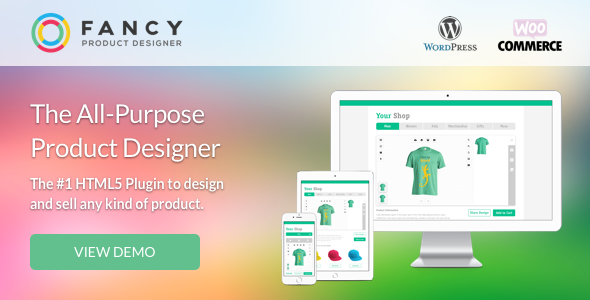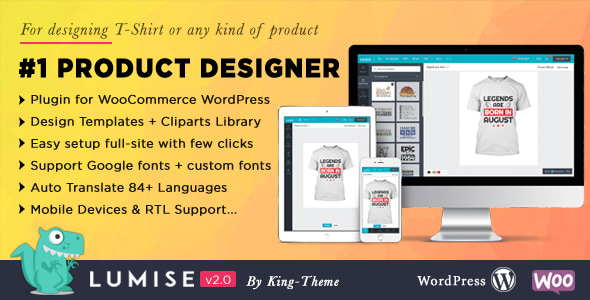
Product Designer for WooCommerce WordPress eCommerce is a plugin from King-Theme, sold on CodeCanyon as Lumise, that adds a full online design studio to a WordPress store. Shoppers open a canvas on the product page, add text, artwork, photos and effects to a print area, then send the finished file to the cart as part of the order. It suits print shops, promotional goods sellers and any store selling mugs, t-shirts, phone cases, stickers or posters that need customer artwork before fulfilment.
The listing carries 13,503 sales and a 4.79 out of five rating from 895 reviews, which is a strong signal for a niche plugin in this price bracket. The current version sells for $69 and was last updated by the vendor on 16 July 2026, with declared compatibility running back to WordPress 4.9 and forward to WordPress 6.9, plus WooCommerce 5.x through 9.x.
What the design tool actually does for a store
Lumise is best understood as a canvas editor that lives inside a WooCommerce product page. The customer never leaves the shop to design, and the finished artwork travels with the order rather than arriving later by email. That single decision shapes most of what the plugin is good at.
Designing on the front end
The editor runs on HTML5 and JavaScript and behaves like a desktop application rather than a web form. Undo and redo cover every action, layers can be moved and snapped to centre lines or to other objects automatically, and edit zones can be drawn with the mouse and given a radius so the printable area is obvious. Text can be curved, given fisheye distortion, slanted or made convex and concave. Photo handling includes cropping, colour filters, background removal and mask layers, which let one shape reveal another.
Clip art comes from two connected libraries, Pixabay and Openclipart, giving customers access to well over 120,000 items without the store owner hosting any of them. Customers can also pull images from Facebook and Instagram accounts, and QR codes can be dropped onto a design for scanning from a phone.
Templates, pricing and checkout
Store owners can build pre-made design templates, price them, and let shoppers apply one with a single click. Templates can also be assigned to a specific product so that a customer only needs to pick attributes and buy, which shortens the path to checkout for repeat or catalogue-style orders. Pricing rules can be calculated from text, colours or chosen clip art, covering the usual ways print businesses charge for personalisation.
Lumise runs its own cart layer alongside WooCommerce. An item is added and edited there, then WooCommerce handles the rest of the checkout. This is worth understanding before buying: it is a deliberate design choice that keeps the designer independent of the host platform, but it does mean the plugin inserts itself into the cart flow rather than sitting purely on the product page.
Output, languages and devices
Finished designs export to PDF, SVG, JSON and PNG at print quality, which covers most production workflows and most printing equipment. Customers can export a design and re-import it later, on another device, to continue working or complete a purchase. The interface supports language switching, with translations managed and edited from the admin panel rather than through a translation file. The editor works on mobile and tablet as well as desktop.
Where Lumise fits, and where it does not
The clearest fit is a print-on-demand or custom merchandise store that already sells through WooCommerce and needs customers to supply artwork at the point of sale. A shop selling mugs, apparel, stationery, signage or promotional gifts can put a print area on each product and let buyers personalise it without staff involvement. Agencies building these stores for clients get a product that covers the whole path from canvas to cart, including the pricing rules that print businesses usually need.
A second fit is a catalogue-style store that wants to sell fast. Pre-built templates assigned to products mean a customer can choose a design, adjust attributes and check out, which works well for seasonal ranges or bulk corporate orders.
It is the wrong choice for a store that only needs a simple upload field. If the requirement is a customer attaching a print-ready file they made elsewhere, a basic file upload plugin costs less and adds no canvas, no cart layer and no server requirements. Lumise is also a poor fit for stores that cannot meet its hosting demands, and for shops where the designer is a nice-to-have rather than the core of the buying experience, since the setup effort only pays off when personalisation drives revenue.
Strengths and limitations
Strengths
- The editor is genuinely capable: layers, masking, filters, background removal, text effects, snapping and undo all ship in the box rather than as add-ons.
- Print output covers PDF, SVG, JSON and PNG, so the same design can serve both a print queue and a re-order workflow.
- Clip art is sourced from Pixabay and Openclipart, which removes hosting and licensing work from the store owner.
- Pricing rules based on text, colour and clip art match how print businesses actually quote.
- Pre-built templates and one-click application shorten checkout for catalogue and repeat orders.
- Broad compatibility, from WordPress 4.9 up to 6.9 and WooCommerce 5.x to 9.x, reduces the risk of a forced platform upgrade.
- Source files are included in JavaScript, JSON, CSS, PHP and SQL, so a development team can extend the plugin rather than treat it as a black box.
Limitations
- The server requirements are specific and non-trivial: ZipArchive, allow_url_fopen, file_put_contents, file_get_contents, the Imagick PHP extension, a 256MB memory limit and an 800MB post_max_size. Shared hosting that meets none of these will need configuration or a move before the plugin works properly.
- The vendor states plainly that templates and clip art are not included in the download package for copyright reasons, so the visual starting point is thinner than the feature list implies.
- The separate cart system is a structural decision, not a setting. Stores with heavily customised WooCommerce cart or checkout code should test this integration early, because it touches the flow that generates revenue.
- Gutenberg optimisation is declared as “No”, so the block editor experience is not a focus.
- Compatibility is declared up to WordPress 6.9 and WooCommerce 9.x. Stores running newer major versions should confirm support before committing.
- The documentation, demo and support desk all sit on the vendor’s own domains, so the buying decision depends on trusting King-Theme’s ongoing maintenance rather than on marketplace-hosted support.
How it compares with the wider category
Product designer tools for WooCommerce split broadly into two groups. The first is lightweight personalisation plugins that add text fields, colour swatches and image uploads to a product. They are cheap, quick to install and easy to theme, but they cannot produce a print-ready file with layers, masks and effects. The second group is full canvas editors, which is where Lumise sits.
Within that second group, the differentiators are usually print output, pricing logic and how the designer hands off to checkout. Lumise covers PDF, SVG, JSON and PNG output, offers pricing rules tied to text, colour and clip art, and uses its own cart layer before handing control back to WooCommerce. A store comparing options should weigh those three points against its own production workflow, because a designer that produces the wrong file format for the print room creates manual work no matter how good the canvas is.
The other axis is hosting. Full canvas editors are heavier than upload fields, and Lumise is explicit about what it needs from the server. Stores on managed WordPress hosting with Imagick available and generous limits will have an easier time than those on entry-level shared plans.
Finally, there is the question of who maintains the plugin. King-Theme is an established Envato author, and the update history on the listing is the practical measure of whether a design tool will keep working as WordPress and WooCommerce move forward.
Frequently Asked Questions
Does Lumise work with any WooCommerce product type?
Yes, provided the product has a printable surface that can be defined as an edit zone. The plugin supports multi-product setups and the vendor lists phone cases, sticks, mugs and posters as examples. Store owners draw the print area on the product image, set its radius, and the same canvas then applies across the catalogue.
What file formats can customers download after designing?
Lumise exports designs as PDF, SVG, JSON and PNG. All are rendered at high quality for printing, and the vendor states compatibility with common printing devices. The JSON format is what allows a design to be re-imported later, so a customer can reopen a saved design on another device and continue editing or complete the order.
Are the design templates and clip art included in the purchase?
No. The vendor states that templates and clip art are excluded from the download package because of copyright issues. Clip art is instead pulled at runtime from Pixabay and Openclipart, which together provide more than 120,000 items. Store owners who want branded templates must create their own inside the admin panel.
What server configuration does the plugin require?
The declared requirements are the ZipArchive class, allow_url_fopen, file_put_contents, file_get_contents, the Imagick PHP extension, a memory_limit of 256MB and a post_max_size of 800MB. These are typical for image-processing tools but stricter than a standard WordPress install, so hosting should be checked before purchase rather than after.
Verdict
Lumise is a mature, well-reviewed product designer for WooCommerce with a feature set that matches what print businesses actually need: a real canvas, print-ready output in several formats, pricing rules tied to design choices, and templates that speed up repeat orders. The 13,503 sales and 4.79 rating from 895 reviews suggest it has been tested across a wide range of stores rather than a handful.
It is worth buying for print-on-demand shops, merchandise sellers and agencies building personalisation into a WooCommerce store, provided the hosting meets the stated requirements and the team is comfortable with a plugin that inserts its own cart layer. It is not worth buying for stores that only need a file upload field, for shops on constrained shared hosting, or for anyone expecting templates and clip art to arrive with the download. The honest summary is that Lumise earns its price when personalisation is the product, and costs more effort than it returns when it is not.