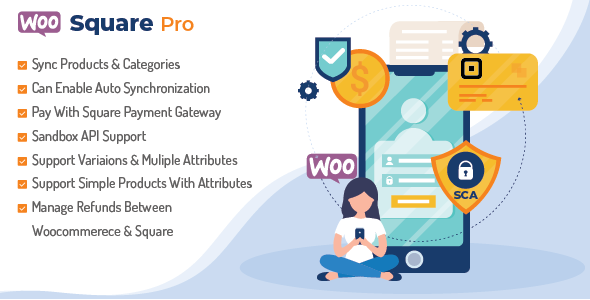
Synchronize Square and WooCommerce, sold on CodeCanyon as WooSquare Pro, is a commercial WordPress plugin that connects a WooCommerce store to a Square account. It does two jobs: it lets shoppers pay through Square at WooCommerce checkout, and it keeps products, stock, orders and refunds aligned between the two systems. It suits store owners who already sell in person through Square and want one inventory rather than two, and it is a poor fit for anyone who only needs a card payment button.
The plugin comes from wpexpertsio, a developer that has built a small family of Square-related tools for WordPress. It has been downloaded 1,943 times on CodeCanyon and holds a 3.9 out of 5 rating across 39 reviews — respectable volume, but a score that suggests a meaningful minority of buyers ran into problems. At $299 for a regular licence, it sits well above the typical price of a payment gateway extension, so the question is whether the inventory side of the product earns that premium.
What the plugin actually does beyond taking payments
Payment acceptance is the entry point. The plugin registers Square as a gateway on the WooCommerce checkout page and processes card details through Square’s API, the programming interface Square exposes for third-party software. Cards saved in a customer’s Square wallet are not the same thing as Google Pay and Apple Pay, which the plugin also supports as express checkout options — useful on mobile, where typing card numbers is the main reason baskets get abandoned.
The more distinctive work happens in the background. The plugin maps WooCommerce products to their Square catalogue equivalents and pushes or pulls price, stock quantity, SKU, categories, images and variations depending on which direction has been configured. For a shop that sells the same physical item online and over a counter, this is the feature that matters: a sale rung up on a Square terminal reduces the WooCommerce stock figure without anyone touching the dashboard.
Synchronisation controls
Automatic sync can be switched on per data type rather than as one all-or-nothing switch. Categories, variations, discounts, inventory counts and prices can each be enabled separately, and a “sync on edit” option triggers an update the moment a product record changes rather than waiting for a scheduled run. That granularity is worth having, because a store may want stock to flow both ways while keeping prices managed in one place only.
Orders, refunds and developer tooling
Order records can be mirrored between the two platforms, so a Square transaction appears against the matching WooCommerce order. Refunds issued against a Square payment can be handled from inside WordPress, which avoids staff switching between dashboards to correct a mistake. A sandbox mode for the Square v2 API lets a developer run test transactions before the store goes live — essential for any agency that has to demonstrate a working checkout before handover. The plugin also declares compatibility with CartFlows, the funnel builder, and states that it follows PCI rules for handling card data; card details are entered into Square’s fields, so they do not sit on the WordPress server.
Where this fits, and where it does not
The clearest fit is a retail business with a physical presence in the United States, Canada, the United Kingdom, Ireland, Australia or Japan — the only countries where Square processes payments — that also runs a WooCommerce shop and is tired of reconciling two stock lists by hand. A second good fit is a agency building a hybrid retail-and-online site for a client who has already committed to Square hardware; the sandbox and the one-click authorisation flow shorten the setup phase considerably.
It is also reasonable for a store that wants Square purely as an additional gateway alongside PayPal or Stripe, provided the owner accepts paying for inventory features they may not use.
There are situations where it is plainly the wrong purchase. A store selling digital goods with no physical inventory gains nothing from the sync engine and should buy a simpler Square gateway instead — the vendor itself points buyers in that direction. A WordPress multisite network is out of scope, because the plugin does not support it. And a catalogue larger than roughly 900 items in Square exceeds a limit the vendor states explicitly, which rules the product out for larger retailers regardless of budget.
Strengths and limitations
Strengths
- Two-way product sync covering the fields that actually drift in a multichannel shop: price, stock, SKU, categories, images and variations.
- Per-field control over what synchronises, so prices can be locked to one system while stock moves freely in both directions.
- Refund handling inside WooCommerce removes a common source of bookkeeping error.
- Sandbox testing and a guided Square authorisation flow make it practical for client work, not just owner-operated stores.
- Google Pay and Apple Pay support at checkout, which matters for mobile conversion.
- Actively maintained: the vendor’s most recent update is dated January 2026, and the compatibility list covers WordPress 5.0 through 6.5 and WooCommerce 5.x through 8.x.
Limitations
- The 900-item ceiling in Square is a hard constraint, not a soft warning, and it caps the product’s usefulness for growing catalogues.
- Tax is not calculated when orders synchronise from Square into WooCommerce, so tax figures need checking or recalculating on the WordPress side.
- Every product must carry an SKU. Shops with loosely managed catalogues will need a data clean-up before the plugin will behave.
- Deletions propagate. Removing a product or category in WooCommerce also removes it in Square, with no described undo — the vendor advises taking a full backup first, which is sound advice but also an admission that mistakes are costly.
- Attribute names must be lowercase and space-free, and HTML is stripped from product descriptions, so existing content may need reformatting.
- No multisite support.
- A 3.9 average across 39 reviews indicates that a portion of buyers hit friction the marketing page does not prepare them for.
- At $299, the price only makes sense if the inventory sync is genuinely used.
How it compares with the alternatives
Buyers in this category are choosing between three broad options: a free or low-cost payment gateway extension, a hosted ecommerce platform that bundles POS and online selling in one subscription, and a premium connector like this one.
A basic gateway extension connects Square to checkout and stops there. It is cheaper and simpler, but it leaves stock reconciliation as a manual task, which is exactly the cost this plugin is priced to remove. A hosted platform solves the same problem by owning both sides of the transaction, but it means migrating the store away from WordPress — a far larger commitment than installing a plugin.
The premium connector category, where this product sits, competes on depth of sync and on how gracefully it handles the awkward parts: variations, refunds, partial failures. The differentiator is not payment processing, which is broadly equivalent across Square integrations, but the reliability of the two-way data flow and the quality of the tooling around it. On paper this plugin covers more ground than a gateway-only product; the review score suggests execution has not always matched the feature list.
Frequently Asked Questions
Does Synchronize Square and WooCommerce work in every country?
No. Square itself only processes card payments in the United States, Canada, the United Kingdom, Ireland, Australia and Japan, and the plugin inherits that restriction. Stores operating outside those markets cannot use Square as a gateway at all, so the plugin would be unusable regardless of its own feature set.
Do I need an SSL certificate to use it?
Yes. The vendor states that an SSL certificate must be active on the checkout page before Square payments will work. SSL is the encryption layer that secures data between the browser and the server, and without it card details would travel insecurely, which no payment processor will permit.
What happens if a product is deleted in WooCommerce?
It is removed from Square as well. Synchronisation runs in both directions, so a permanent deletion on the WordPress side propagates to the Square catalogue immediately. The vendor recommends backing up products, categories and orders on both platforms before running any sync operation, precisely because this cannot be undone.
Can it handle a large product catalogue?
Only up to a point. The vendor states the plugin is not compatible with more than roughly 900 items in Square, which places a firm ceiling on catalogue size. Stores approaching or exceeding that figure should look at a different integration or a platform that manages both channels natively.
Verdict
This is a specialist tool with a clear job, and it does that job well enough to justify its price for one specific buyer: a Square-based retailer in a supported country who runs WooCommerce and needs stock, orders and refunds to stay in step without manual work. The per-field sync controls, sandbox mode and refund handling are the features that earn the $299, and the January 2026 update shows the developer is still maintaining it.
Everyone else should walk away. Stores outside Square’s payment countries cannot use it, multisite networks are unsupported, catalogues above 900 Square items are out of scope, and anyone who only wants a card gateway is overpaying by a wide margin. The 3.9 rating is a fair warning to read the limitation list before buying rather than after.