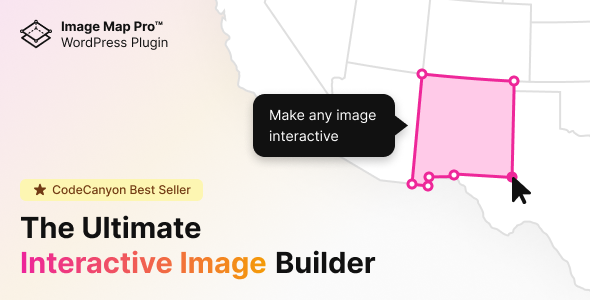
Image Map Pro for WordPress is a plugin that turns a static image into an interactive graphic by letting the user draw clickable regions, pins and tooltips on top of it. Those regions can link somewhere, reveal information on hover or click, or trigger styled pop-ups, all without writing code. It suits site owners who need a floor plan, product diagram, campus map or illustrated navigation element and would rather build it visually than hand-code an HTML image map or an SVG file.
The plugin sits in the CodeCanyon WordPress media category and is sold as a one-off purchase at $49. It has accumulated 21,688 sales and holds a 4.48 out of 5 rating across 599 reviews, which places it among the better-established items in this niche. The developer is listed as nickys.
What the plugin actually lets a site owner build
The core workflow happens inside a dedicated editor rather than the standard WordPress post screen. A background image is uploaded, then hotspots are drawn on top of it as either pins or freeform vector shapes. Because shapes are stored as vectors rather than pixel selections, they stay sharp when the browser window is resized or when the graphic is viewed on a high-density screen. The vendor declares high-resolution support, which matters for anyone placing a detailed diagram on a retina display.
Each hotspot carries its own behaviour. A region can act as a plain link, open a tooltip containing text or HTML, or display a styled pop-up panel. Tooltips can be positioned relative to the shape, which avoids the situation where a label covers the very thing it describes. Styling controls cover colours, borders, hover states and animation, so the interactive layer can be matched to an existing brand palette instead of looking like a bolted-on widget.
On the delivery side, the plugin is Gutenberg optimised, meaning the map can be inserted as a block in the modern WordPress editor. Shortcodes are the more traditional route and remain the practical option for page builders and older themes. The vendor also ships the source files — JavaScript, CSS and PHP — which matters to agencies that need to adjust behaviour rather than only appearance.
Compatibility is broad. The listing claims support from WordPress 4.9 through the 7.0.x line, and browsers from Internet Explorer 8 upwards alongside Firefox, Safari, Opera, Chrome and Edge. That legacy reach is unusual in 2026 and is worth noting, though the practical value depends on whether a project genuinely still serves those browsers.
Where an interactive image map earns its place
The clearest fit is any page where a picture carries information that needs to be explored rather than simply viewed. Real estate listings with floor plans, hotel sites showing room layouts, university pages with campus maps, and manufacturer sites with exploded parts diagrams all fall into this category. In each case the alternative is a static image plus a wall of text, and the interactive version communicates faster.
Marketing teams use the same mechanic for product tours. A single photograph of a device, vehicle or piece of equipment becomes a set of labelled callouts that explain features in place. Because the tooltips accept HTML, they can hold formatted text, images or embedded media rather than plain strings.
Freelancers building sites for clients who will maintain them later are another natural audience. The visual editor means a non-technical site owner can add a hotspot after launch without opening a code editor, which reduces the support burden on the person who built the site.
There are situations where this is the wrong tool. If the requirement is a genuine geographic map with panning, zooming, routing or address search, a mapping library built on real geodata is the correct choice — an image map is a picture, not a map engine. Similarly, if the interactive graphic is the centrepiece of a complex data visualisation with live data, filtering and charting, a dedicated visualisation library will be a better foundation. Image Map Pro is for fixed images with defined interactive regions, and it should be judged on that scope.
Strengths and limitations
Strengths
- No coding is required for the standard workflow. Hotspots, tooltips and styling are all handled through a visual editor.
- Vector shapes stay crisp at any size, which is a real advantage over pixel-based hotspot tools on responsive sites.
- Tooltips accept HTML, so pop-ups can contain formatted content rather than plain text.
- Gutenberg block support plus shortcode support covers both modern and legacy editing setups.
- Source files are included, giving developers a route to customise behaviour rather than only styling.
- A long track record: more than 21,000 sales and a 4.48 rating from 599 reviews is meaningful evidence of stability.
- Broad version compatibility, from WordPress 4.9 through 7.0.x.
Limitations
- The advertised browser support reaches back to Internet Explorer 8. That is a marketing claim about legacy reach, not a benefit for most current projects, and it says nothing about how the editor itself performs on modern browsers.
- The vendor does not state accessibility provisions. Screen reader and keyboard navigation support for drawn hotspots is not documented in the listing, and an image-based interaction model is inherently harder to make accessible than plain links. Buyers with WCAG obligations should test this specifically before committing.
- Hotspots are positioned relative to the image, so a background image that is replaced later at different dimensions will require the regions to be repositioned. The listing does not describe any automatic re-scaling of existing hotspots when the underlying image changes.
- The product is a one-off CodeCanyon purchase, which means updates arrive through the marketplace rather than a self-hosted licence server. That is normal for the platform but worth understanding before purchase.
- Because the interaction layer is rendered by JavaScript, the content inside tooltips is not part of the page’s initial HTML. Sites that depend on that content being crawlable or visible with scripts disabled would need to verify how it renders.
How it compares with the alternatives
There are three broad ways to put clickable regions on an image. The first is hand-coding an HTML image map using area coordinates — free, but tedious to build and painful to maintain, and it offers no styling or tooltips. The second is a general-purpose page builder with hotspot or overlay elements; these are convenient if the builder is already in use, but the hotspot features tend to be shallow, with limited shape control and basic tooltips.
Image Map Pro occupies the specialist position: it does one job and goes deeper on it than a general builder will. The trade-off is that it adds a plugin to the stack and introduces its own editor, which is a second interface to learn alongside the WordPress admin. For a single simple map, a page builder element may be sufficient. For anything with multiple regions, styled tooltips and a need to stay sharp on large screens, the dedicated tool justifies itself.
Against hand-coded SVG, the comparison is about who maintains it. A developer-authored SVG file gives complete control and no plugin dependency, but every change afterwards requires a developer. The plugin trades some of that control for a visual editor that a non-developer can operate.
Frequently Asked Questions
Does Image Map Pro require any coding knowledge?
No. The core workflow — uploading an image, drawing hotspots and configuring tooltips — is handled entirely through a visual editor, and the result is inserted with a Gutenberg block or a shortcode. Developers who want to change behaviour beyond the built-in options can do so, since the JavaScript, CSS and PHP source files are included with the purchase.
Will the interactive map work on mobile phones?
Yes, the output is intended for responsive layouts, and vector shapes stay sharp as the image scales. The practical consideration is touch: hover-triggered tooltips behave differently on a touchscreen, so click or tap triggers are the safer configuration. The vendor does not document specific mobile testing results in the listing, so checking on a real device is advisable.
Can the tooltips contain images or formatted text?
Yes. Tooltip and pop-up content accepts HTML rather than plain text only, so headings, lists, images and embedded media can be placed inside a hotspot’s panel. This is what separates the plugin from simpler overlay tools, where a hotspot typically reveals nothing more than a short caption. Styling is controlled separately from the content.
Is Image Map Pro a geographic mapping plugin?
No. It builds interactive regions on a flat image and has no geodata, panning, zooming or routing capability. For a real map with streets, addresses and directions, a proper mapping service is the right tool. Image Map Pro is for floor plans, diagrams, product photos and similar fixed images where defined areas need to be clickable.
Verdict
Image Map Pro is worth buying for anyone who needs clickable regions on a fixed image and wants to build them without code. The combination of vector shapes, HTML-capable tooltips, Gutenberg support and included source files covers the requirements of most floor plan, diagram and product tour projects, and a 4.48 rating across 599 reviews suggests it holds up in practice. Agencies and freelancers who hand sites to non-technical clients will get particular value from the visual editor.
It is the wrong purchase for anyone who needs a real geographic map, a live data visualisation, or a strictly accessible interactive graphic where keyboard and screen reader support must be guaranteed — the vendor does not document those provisions, and testing would be required. Buyers should also accept that replacing a background image later may mean repositioning hotspots by hand. Within its defined scope, the plugin does its job and has the sales history to back that up.