Elite Video Player Media is a commercial WordPress plugin that replaces the default WordPress video embed with a fully customisable player. It handles self-hosted MP4 files, YouTube, Vimeo, HLS streams and cloud storage sources such as Google Drive, Dropbox, Amazon S3 and OneDrive, and it adds advertising, subtitles and analytics on top. It is aimed at publishers, course creators, agencies and media sites that need one consistent player across many video sources rather than a patchwork of embeds.
The plugin is sold on CodeCanyon for $69 and has been downloaded 2,912 times, with a 4.68 out of 5 rating across 138 reviews. It is developed by _CreativeMedia_, and the vendor last updated it in August 2025. Those numbers matter because video players are unusually dependent on third-party platforms: a player that is not actively maintained tends to break quietly when YouTube or a browser changes something.
What the player actually does beyond a standard embed
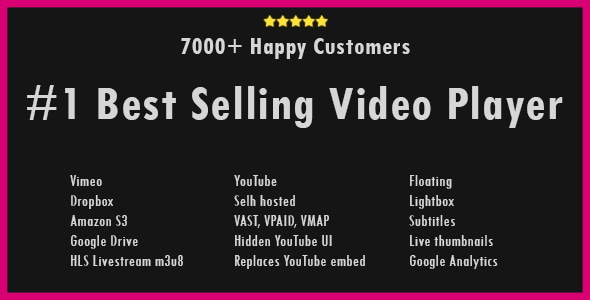
The core proposition is source flexibility. Most WordPress video setups force a choice: upload to the media library and accept basic HTML5 controls, or embed from YouTube and accept YouTube’s interface. Elite Video Player treats those as interchangeable inputs. A single playlist can mix a YouTube clip, a Vimeo clip, a self-hosted MP4 and a file served from Google Drive. For sites that have accumulated videos across years and platforms, that removes the need to migrate anything.
Self-hosted playback requires only MP4, which is the pragmatic choice — no transcoding pipeline, no HLS packaging unless it is wanted. Where HLS is wanted, the plugin reads .m3u8 manifests, which is the format used for adaptive streaming and for most live broadcasts. YouTube support extends to single videos, full playlists and entire user channels, plus 360-degree VR videos and YouTube live streams.
One feature stands out for anyone embedding YouTube: the plugin can strip the YouTube interface entirely. No logo, no title bar, no “watch later”, no related videos at the end. The video plays as though it were self-hosted. This is a genuine differentiator, because the standard YouTube iframe always leaks viewers back to YouTube, and related-video overlays are a common source of complaint for course and membership sites.
Advertising is the second major area. The plugin supports VAST, VPAID, VMAP and Google IMA tags — the standard formats ad servers use to deliver video commercials — as well as self-hosted ads. Self-hosted ads can be placed before, during or after a video, as popups, or as a mix, and each video can have its own skip timing. Linear ads (pre-roll, mid-roll, post-roll, and back-to-back “pods”) and non-linear ads (text or banner overlays) are both covered, and the vendor states no programming knowledge is required. Ad tags work across every supported source, not just self-hosted files, which is unusual.
Two smaller features are worth noting because they affect perceived quality. First, the progress bar can show thumbnails on hover. The plugin can generate these automatically from the video, or use a pre-made VTT sprite sheet — a single image containing many small frames, referenced by a text file that maps timestamps to positions. Second, subtitles are supported for self-hosted, Google Drive, Dropbox, Amazon S3 and HLS sources. Neither is essential, but both are the kind of detail viewers notice when they are missing.
Elsewhere: sticky mode keeps a video pinned to the bottom corner when the viewer scrolls past it; Chromecast casting works for every supported source; and Google Analytics integration tracks plays, downloads, ad views, ad watch duration and ad clicks.
Where this fits, and where it does not
The clearest fit is a site that monetises video. If a publisher sells pre-roll inventory through an ad server, or a membership site wants to run its own promotional clips before lessons, the VAST and IMA support alone justifies the price compared with building that logic from scratch. The same applies to media companies running a video section across multiple pages.
A second strong fit is the site with a messy video archive. Agencies inheriting a client site with videos scattered across YouTube, Vimeo and an old S3 bucket can unify presentation without re-uploading anything. The plugin’s one-click replacement of existing YouTube embeds across an entire site speaks directly to that scenario.
A third is any project where the YouTube chrome is a problem — online courses, paid content, corporate training. Hiding the source of a video is a legitimate requirement in those contexts, and few WordPress players do it.
Where it is the wrong choice: a blog that embeds two YouTube videos a month and has no interest in advertising, analytics or custom controls. WordPress handles that natively, and the plugin’s configuration screens would be pure overhead. Similarly, anyone wanting a lightweight player with no admin interface, or a site that needs DRM-protected playback, should look elsewhere — DRM is not among the supported features.
Strengths and limitations
Strengths
- Source coverage is unusually broad: self-hosted MP4, YouTube (single, playlist, channel, live, 360 VR), Vimeo, HLS, Google Drive, Dropbox, Amazon S3, OneDrive and local files, all mixable in one playlist.
- Full YouTube interface removal, which most competing players do not offer.
- Advertising support covers both industry tags (VAST, VPAID, VMAP, IMA) and self-hosted pre/mid/post-roll ads with per-video skip timing.
- Stable, well-reviewed track record: 138 ratings averaging 4.68, and a maintenance update in August 2025.
- Editor integration is broad — Elementor, Elementor Pro, WPBakery, Beaver Builder, the Block Editor and BuddyPress are all listed as compatible.
- Source files (JavaScript, JSON, HTML, CSS, PHP) are included, so an agency can extend the player rather than fight it.
Limitations
- Self-hosted playback requires MP4 only. There is no built-in support for WebM or other HTML5 formats as primary sources, which is a constraint for anyone who has standardised on them.
- HLS is supported, but there is no mention of MPEG-DASH, the other major adaptive streaming standard. Sites serving DASH manifests are out of luck.
- DRM is not offered, so premium film and television distribution is off the table.
- The plugin only lists Openload among third-party file hosts beyond the major cloud providers. Openload has historically been unreliable, and the vendor does not state whether that integration is still functional.
- Advertising features assume an existing ad server or VAST tag source. The plugin renders ads; it does not sell or fill them.
- Compatibility is declared up to WordPress 6.9.x, but the plugin also claims support back to WordPress 4.9.x. That range is wide enough that older installations should be tested rather than assumed working.
How it compares with the alternatives
WordPress video players generally fall into three groups. The first is the native embed, which is free, requires no maintenance and does nothing beyond play a file. The second is lightweight player plugins that improve the look of self-hosted video but treat YouTube and Vimeo as external embeds with their own interfaces. The third is full media platforms — hosted services that manage encoding, delivery and analytics, usually on a subscription.
Elite Video Player sits between the second and third groups. It has the source breadth and advertising depth of a hosted platform, but it runs on the site’s own WordPress installation, with a one-time licence cost rather than a recurring one. The trade-off is that delivery, encoding and bandwidth remain the site owner’s problem. A hosted platform handles those; this plugin does not.
Against the lightweight players, the difference is scope rather than quality. If the requirement is simply a nicer control bar on an MP4, a smaller plugin will do the job with less configuration. If the requirement involves advertising, multiple sources, or hiding YouTube branding, the lighter options generally cannot compete. The $69 price sits in the middle of the CodeCanyon video player category, and the sales volume suggests the market has accepted it at that level.
Frequently Asked Questions
Does Elite Video Player work with YouTube playlists and channels?
Yes. The plugin can import a full YouTube playlist or an entire user channel, not just individual videos, and it supports YouTube live streams and 360-degree VR videos as well. Playlists can also mix YouTube items with Vimeo, self-hosted and cloud-hosted videos in a single sequence.
Can Elite Video Player show ads on self-hosted videos without an ad server?
Yes. The plugin includes a self-hosted advertising system that places pre-roll, mid-roll, post-roll or popup ads using videos stored on the site, with no external XML files required. Skip timing can be set per video, and self-hosted ads can be combined with VAST, VMAP or Google IMA tags.
What video formats does the plugin support for self-hosted files?
MP4 is the only format the vendor states as required for self-hosted playback. HLS streams in .m3u8 format are supported separately for adaptive and live streaming. The listing does not mention WebM, Ogg or MPEG-DASH, so sites relying on those formats should confirm compatibility before purchasing.
Is Elite Video Player compatible with Elementor and the WordPress block editor?
Yes. The vendor lists Elementor, Elementor Pro, WPBakery Page Builder, Beaver Builder, the Block Editor and BuddyPress as compatible, and the plugin is marked as Gutenberg-optimised. Videos are typically inserted via shortcode, which works inside any of those builders as well as in standard post content.
Verdict
Elite Video Player Media is worth buying for sites where video is a revenue channel or a core part of the product — publishers running ad inventory, course platforms that need YouTube branding removed, and agencies consolidating scattered video libraries. The combination of VAST and IMA advertising, mixed-source playlists and full YouTube interface control is difficult to match in a self-hosted WordPress plugin, and the 4.68 rating across 138 reviews is a reasonable signal that it holds up in practice.
It is not worth buying for a site that embeds the occasional YouTube clip with no advertising or branding requirements, since WordPress does that for free. Sites needing DRM, MPEG-DASH or non-MP4 self-hosted formats should also look elsewhere. For everyone in between, the decision comes down to whether the advertising and source-flexibility features will actually be used — if they will, the one-time $69 cost is easy to justify.