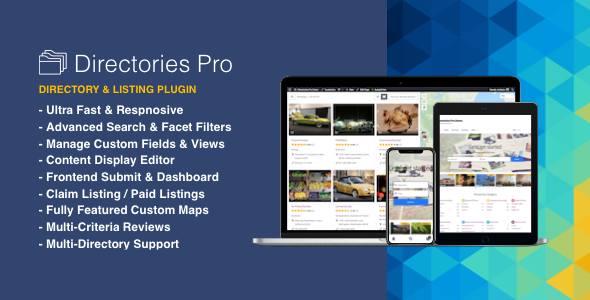
Directories Pro is a WordPress plugin that turns a standard WordPress installation into a structured directory site — a searchable database of listings with categories, locations, custom fields, reviews and paid submissions. It is aimed at developers, agencies and site owners who need more than a simple business listing block, and who are willing to work with a plugin that exposes a lot of configuration rather than hiding it. The product sits in the CodeCanyon Miscellaneous category, is developed by onokazu, sells for a one-off $39, and has accumulated 9,162 sales with a 4.75 out of 5 rating across 284 reviews.
What Directories Pro Actually Does Beyond Listing Entries
The core of the plugin is a directory builder. A single WordPress install can host an unlimited number of separate directories, and each one can have its own categories, tags, locations, reviews and payment rules switched on or off independently. That matters for anyone running more than one directory type on the same site — a job board alongside a venue guide, for example — because it avoids installing two competing plugins that fight over the same database tables.
Content modelling is where the plugin goes deeper than most. Listings, reviews, claims, and even the taxonomy terms themselves can carry custom fields, and those fields support conditional logic, so a field only appears when a previous answer makes it relevant. Fieldsets, which are repeater-style groups, allow a listing to hold an arbitrary number of repeated blocks — opening hours, staff members, menu items — without a separate plugin. A content display editor handles the front-end output without code, and template file overrides are available when the editor is not enough.
Search and filtering are treated as a first-class feature rather than an afterthought. There is an advanced search form with auto-suggestion, a standalone filter form that updates results live and recalculates facet counts as options are selected, and support for filtering by custom field values or by the visitor’s current location through geolocation. Multiple filter groups and conditional filters mean a property directory can show bedroom-count filters while a restaurant directory shows cuisine and price band, from the same underlying engine.
Monetisation has expanded considerably. The plugin now ships with its own payment and subscription system, so charging for listings no longer requires WooCommerce to be installed — although WooCommerce remains fully supported for sites already using it. Available revenue mechanics include membership plans, add-on plans, discount codes, prorated upgrades, plan switch and reactivation fees, and guest checkout. Free and paid tiers can coexist inside one directory.
On the front end, registered users and guests can submit listings and reviews, manage them from a directory dashboard, bookmark entries, claim an existing listing as its owner, and compare listings side by side. The newer additions include a calendar and booking module, an internal notification system, mass email sending, and a report moderation tool for flagging inappropriate content. Authentication options cover social login, two-factor authentication through WP-2FA, Cloudflare Turnstile, hCaptcha and reCAPTCHA v2 or v3, plus email verification and custom login and registration forms.
Display is handled through shortcodes and view configurations. Listings, reviews, categories, tags and locations can render as lists, grids, masonry layouts, photo sliders or carousels, with custom queries and sorting by custom field. An A–Z filter makes a glossary-style index possible. Maps are available through either the Google Maps API or OpenStreetMap with Leaflet.js, the latter avoiding Google’s billing entirely. On the SEO side, the plugin generates schema.org JSON-LD, supports custom OpenGraph tags and configurable permalinks for listings and taxonomy terms, and is declared compatible with Yoast SEO, Rank Math and Breadcrumb NavXT.
Where This Plugin Fits and Where It Does Not
The strongest fit is a directory that is the point of the website rather than a section within it. A local business guide with paid premium placements, a professional or member directory tied to BuddyPress or Ultimate Member profiles, a real estate or rental listing site, a classifieds board, or a curated website and tool directory all map cleanly onto what the plugin provides. Agencies building these for clients will find the permission manager, the import and export of directory settings and content, and the dummy content generator useful for staging and handover.
Multilingual projects are covered through WPML and Polylang, and the plugin ships with community translations for French, German, Italian, Polish, Portuguese, Spanish and Turkish. Sites that need advanced custom fields already in use elsewhere will find ACF support, and Elementor Pro dynamic tags are supported for template building.
It is the wrong choice for a site that only needs a handful of static listings. A small restaurant page with six locations does not need conditional fields, subscription billing and a moderation queue, and the setup time would be wasted. It is also a poor fit for anyone who wants a directory that works immediately after activation with no configuration decisions — the plugin expects the site owner to define fields, views, permissions and payment rules, and that work is unavoidable. Projects with no budget for a learning curve, or where the directory must be handed to a non-technical editor who will never open the settings, should look at something simpler.
Strengths and Limitations
Strengths
- Genuinely broad feature coverage in one plugin: listings, custom fields, search, reviews, claims, bookings, messaging and payments, without stacking half a dozen separate extensions.
- Per-directory control over which features are active, which keeps a multi-directory site coherent instead of forcing every directory into the same shape.
- Built-in monetisation removes the WooCommerce dependency for sites that only need to sell listings, while still supporting WooCommerce where it already exists.
- OpenStreetMap support means maps can run without a Google Maps API key or billing account.
- Consolidating six previously separate plugins into one unified plugin simplifies updates and licensing.
- A long, active changelog — the current release is 2.0.29, dated 31 August 2026 — shows ongoing maintenance rather than abandonment.
- Strong reception for the price point: 4.75 out of 5 from 284 reviews and over 9,000 sales.
Limitations
- The configuration surface is large. Fieldsets, conditional fields, filter groups, permission roles and view templates all interact, and a mistake in one area can produce confusing results elsewhere.
- Shared taxonomies across directories are labelled Beta by the vendor, so sites depending on that specific behaviour should test it thoroughly before committing.
- The plugin’s own payment and subscription engine is newer than its WooCommerce integration, and the vendor does not publish migration guidance for sites moving from one to the other.
- Custom fields are added to the plugin’s own post types and taxonomies. Anyone expecting to attach directory fields to arbitrary WordPress post types will need to check whether that is supported in the current build.
- Because so much of the front end is shortcode and view driven, switching themes can require reworking display templates.
- Some functionality depends on third-party services and APIs — Google Maps, reCAPTCHA, social login providers — which bring their own quotas and setup requirements.
How It Compares to Other Directory Options
Directory plugins broadly fall into three groups. The first is lightweight listing plugins that add a custom post type, a few fields and a shortcode, and are ready in an afternoon. The second is general-purpose membership or content-directory frameworks that handle user roles and gated content well but treat listings as a secondary concern. The third is full directory platforms, where Directories Pro sits.
Against the lightweight group, the difference is scope rather than quality. A simple plugin will render a list of businesses faster and with less friction, but it will not handle paid submissions, claim workflows, multi-criteria reviews, booking calendars or facet-counted filtering without additional plugins that may not integrate cleanly. Against the membership frameworks, the trade-off runs the other way: those tools are often stronger at subscription logic and content restriction, while Directories Pro is stronger at the directory-specific mechanics — geolocation search, listing claims, review criteria, map views and schema output.
The practical question is whether the directory is the product or a feature. If it is the product, the extra configuration buys capabilities that would otherwise require several plugins and custom development. If it is a feature, the same configuration is overhead. The 4.75 rating across 284 reviews suggests that buyers who understood what they were getting have generally been satisfied, but the rating alone does not indicate how steep the setup was for them.
Frequently Asked Questions
Does Directories Pro require WooCommerce to charge for listings?
No. The plugin includes its own monetisation system with subscription and membership plans, discount codes and prorated upgrades, so paid listings can run without WooCommerce installed. WooCommerce and WooCommerce Subscriptions remain fully supported for sites that already use them for other parts of the store, and the two approaches can coexist.
Can Directories Pro run more than one directory on the same WordPress site?
Yes. The plugin supports an unlimited number of directories within one installation, and each directory can independently enable or disable categories, tags, locations, reviews, claims and payments. Shared taxonomies across directories are also available, though the vendor marks that particular feature as Beta, so it warrants testing before relying on it.
Is Directories Pro compatible with multilingual sites?
WPML and Polylang are both supported, which allows a multilingual directory to be built with translated listings, categories and interface strings. The plugin also ships with community-contributed translations for French, German, Italian, Polish, Portuguese, Spanish and Turkish. Sites using a language outside that list should expect to translate some strings themselves.
Do visitors need an account to submit a listing?
Not necessarily. Guest posting without user registration is supported, and the plugin includes guest checkout for paid submissions. Site owners who prefer accountability can require registration instead, with email verification and optional two-factor authentication through WP-2FA. Social login is also available, and submission limits can be applied per user role or per membership tier.
Verdict
Directories Pro is worth buying for anyone building a directory that is the primary purpose of the site and who needs paid listings, structured search, reviews or claims as part of it. The feature set is unusually complete for a single $39 plugin, the maintenance record is consistent, and the review history gives reasonable confidence that it does what it claims. Buyers should go in expecting real setup work: defining fields, views, permissions and payment rules is part of the process, not an optional extra. It is not the right purchase for a site that needs a short list of locations displayed neatly, or for a project where nobody will maintain the configuration after launch — in those cases a simpler listing plugin will cost less in time than it saves in features.