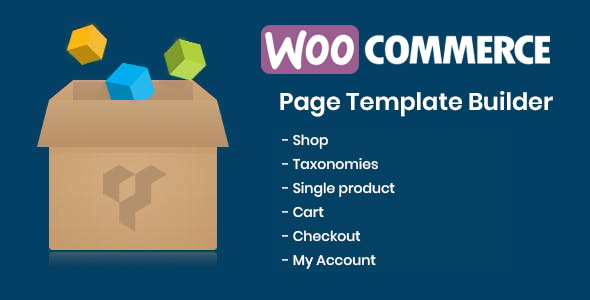
DHWCPage is a WooCommerce add-on that replaces the standard WooCommerce page templates with layouts built in WPBakery Page Builder, the drag-and-drop editor also known as Visual Composer. It targets the parts of a store that WooCommerce normally locks down: the shop archive, single product pages, cart, checkout, My Account and the product taxonomy archives. The DHWCPage Add-ons approach is aimed at freelancers, agencies and store owners who already work with WPBakery and want storefront design control without writing template overrides by hand.
The plugin comes from developer SiteSao, sells on CodeCanyon for $29, and has accumulated 7,048 sales with a 4.32 out of 5 rating across 187 reviews. It was last updated in December 2025.
What DHWCPage Actually Lets a Store Owner Change
The core idea is that WooCommerce pages become editable content rather than fixed PHP templates. Once the plugin is active, a page template selector appears for the store’s key screens, and each one can be assembled from WooCommerce shortcodes placed inside WPBakery rows and columns. That means a cart page can be rebuilt with a different column order, a checkout page can carry a promotional block above the order summary, and a My Account page can be arranged as a dashboard rather than a plain list of links.
Coverage extends further than the four pages most people think of first. The plugin supports custom templates for the shop archive, product category and tag archives, the empty-cart state, the checkout thank-you screen, and the account login screen. Each of those is a separate template slot, so a store can style a logged-out login page differently from the logged-in account area without touching theme files.
Single Product Control
Single product pages get the most attention. Layouts can be assigned globally, per product category, per product type (simple, grouped, variable, downloadable, virtual) or per individual product. That granularity matters for stores selling mixed inventory: a downloadable product rarely needs a shipping tab, and a variable product needs its attribute selector presented differently from a one-size item.
The product gallery has its own settings, with vertical, horizontal and overlay image slider styles, plus control over thumbnail columns and custom gallery images per shortcode instance. Product description and reviews can be output separately instead of inside the default tabbed container, which is useful when a long description needs to sit above the fold and reviews need their own section lower down.
Checkout Field Editing
A later release added a checkout field editor. Fields can be reordered, disabled or supplemented with custom ones, which covers the common request to remove a company field for a consumer store or add a delivery instruction box. This is functionality that otherwise requires a separate plugin or a snippet in the theme’s functions file.
Theme and Plugin Compatibility
The plugin is built to work with any theme, and the vendor lists tested compatibility with WooCommerce Extra Product Options, WooCommerce Bookings, Advanced Custom Fields, YITH WooCommerce Wishlist, WooCommerce Germanized, MarketPress German Market and Fancy Product Designer. It also supports overriding default templates inside the plugin by placing copies in the active theme, which is the conventional WordPress pattern and keeps customisations safe from plugin updates.
Where This Fits, and Where It Does Not
The clearest fit is an agency or freelancer who already builds WordPress sites with WPBakery. If WPBakery is the standard page builder across a portfolio, DHWCPage removes the friction of switching to raw PHP or a second builder just for store pages. The same applies to Avada users, since version 5.2 added support for Fusion Builder, the builder bundled with that theme.
A second fit is a store owner running a WooCommerce site with a theme whose product and cart templates are close to acceptable but not quite right. The plugin allows targeted changes, such as moving the price, changing the gallery orientation or restructuring checkout, without commissioning a custom theme.
It is the wrong choice for anyone not already using WPBakery or Fusion Builder. The plugin requires one of those builders to function, so a store built with the block editor, Elementor, Divi or Beaver Builder would need to add a second page builder purely to use it. That is a significant amount of extra weight for store page customisation alone. Stores with highly bespoke requirements, such as multi-step checkout with custom validation logic, will also find the shortcode-and-builder model too shallow and should look at purpose-built checkout solutions instead.
Strengths and Limitations
Strengths
- Broad template coverage: shop, single product, cart, checkout, thank-you, My Account, login, empty cart, and product category and tag archives all have dedicated template slots.
- Layout assignment by category, product type or individual product gives real flexibility on stores with mixed inventory.
- Checkout field editing is included rather than sold separately, covering reordering, disabling and adding fields.
- Compatibility is declared and tested against a long list of WooCommerce extensions, including Bookings, Germanized and Fancy Product Designer, which reduces the guesswork on complex stores.
- Theme override support follows the standard WordPress child-theme pattern, so customisations survive plugin updates.
- An established sales record and a rating above four stars across 187 reviews suggests the plugin is stable in production use.
Limitations
- WPBakery Page Builder or Fusion Builder is mandatory. The plugin does not work standalone, and the cost of that builder is not included in the $29 price.
- The listing does not state Gutenberg or block editor optimisation, and the vendor’s own specification marks Gutenberg-optimised as “No”. Stores standardising on the block editor are outside the intended audience.
- Source files are listed as HTML only. There is no indication that the plugin ships with a Figma or design source, so the layout work is entirely inside the builder interface.
- High-resolution assets are marked as not included in the vendor specification, which is worth checking if a project needs retina-ready demo imagery.
- Because every page is assembled from shortcodes, the resulting markup depends on the builder’s own output. Stores that care about minimal DOM size or strict Core Web Vitals budgets should test the generated pages before committing.
- The changelog shows a long run of small fixes, including duplicate content issues on cart and checkout pages in earlier versions. That is normal for a plugin of this scope, but it does mean version history is worth reading before upgrading on a live store.
How It Compares to the Wider Category
WooCommerce page customisation plugins fall into roughly three groups. The first group uses the block editor or a dedicated WooCommerce-specific builder and works independently of any third-party page builder. The second group, which includes DHWCPage, hooks into a general-purpose builder the site already uses. The third group provides targeted fixes only, such as a checkout field editor or a single product layout tool, and leaves everything else alone.
DHWCPage sits firmly in the second group, and that is both its advantage and its constraint. Compared with the first group, it offers deeper integration with an existing WPBakery workflow and a wider set of template slots than most standalone alternatives, but it carries a hard dependency. Compared with the third group, it is broader and better value if several pages need work, but heavier if only one screen needs changing.
The honest comparison is not about feature count. It is about whether WPBakery is already part of the stack. If it is, DHWCPage is a natural extension. If it is not, adding a page builder to customise store pages is a large architectural decision that should be made deliberately.
Frequently Asked Questions
Does DHWCPage work without WPBakery Page Builder?
No. The plugin requires either WPBakery Page Builder or Fusion Builder, the builder bundled with the Avada theme, to function. It has no standalone editor of its own. Stores using Elementor, Divi, Beaver Builder or the native block editor cannot use it without installing a second page builder, which the vendor does not include in the purchase price.
Can DHWCPage change the WooCommerce checkout fields?
Yes. Version 5.2.1 added a checkout field editor that allows existing fields to be reordered or disabled and new custom fields to be added. This covers common requirements such as removing the company field for consumer stores or adding a delivery instructions box, tasks that would otherwise need a separate plugin or custom code.
Is DHWCPage compatible with the latest WordPress and WooCommerce versions?
The vendor lists compatibility with WordPress 4.9 through 6.9 and WooCommerce 6.x through 9.x. The most recent update was released in December 2025 and the changelog notes testing against current WooCommerce and WordPress releases. Compatibility with future versions depends on the developer continuing to ship updates.
Can different products have different single product layouts?
Yes. Layouts can be assigned globally, per product category, per product type such as simple, variable or downloadable, or per individual product. That means a store selling both physical and digital goods can present each type differently, and a specific high-value product can receive a bespoke template without affecting the rest of the catalogue.
Verdict
DHWCPage is a sensible purchase for anyone already running WPBakery or Avada who needs control over WooCommerce store pages. The template coverage is broad, the per-category and per-product-type assignment is genuinely useful, and the checkout field editor removes a common reason to install a second plugin. The 7,048 sales and 4.32 rating indicate it holds up in real projects rather than only in a demo.
It is the wrong buy for stores built on the block editor, Elementor, Divi or any other builder, because the WPBakery dependency makes it unusable without adding a second page builder to the stack. Stores with complex checkout logic or strict performance budgets should also evaluate whether shortcode-driven layouts meet their requirements before purchasing. At $29 the risk is low, but the dependency decision is the one that matters.