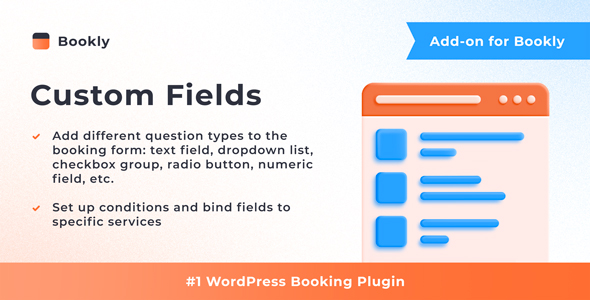
Bookly Custom Fields (Add-on) is an extension for the Bookly PRO appointment booking system that lets site owners add their own questions to the booking form. Instead of being limited to the default name, phone, email and notes fields, an administrator can build text boxes, checkboxes, drop-downs, radio buttons, numeric inputs and captcha challenges, then decide which services each one applies to. It is aimed at businesses whose bookings depend on information the standard form cannot capture — clinics collecting medical history, salons asking about allergies, consultants qualifying leads before a call.
The add-on comes from Nota-info, the same developer behind the wider Bookly family, and it is distributed on CodeCanyon at $79. At the time of writing it has accumulated 6,962 sales and holds a 4.6 out of 5 rating across 25 reviews, which places it among the more established paid extensions in the Bookly ecosystem. It requires the separate Bookly PRO plugin, so the total cost of ownership is higher than the add-on price alone suggests.
What the add-on actually adds to the booking form
The core function is straightforward: extra fields are inserted into the Details step of the Bookly booking flow, the screen where a client confirms who they are and what they want. Administrators control the field type, the label, whether an answer is mandatory, and the order in which fields appear. There is no stated cap on how many fields can be created, so a form can be as short or as long as the business needs.
Several capabilities matter more than the raw field list:
- Conditional logic. Fields can be shown or hidden based on answers to earlier questions. A dental practice can ask whether the patient is a new or returning client and only then reveal a question about previous treatment. This keeps the form from feeling like a questionnaire for people whose answers make later questions irrelevant.
- Service-specific binding. A field can be attached to particular services rather than the whole catalogue. A studio offering both massage and personal training can collect injury history for one and fitness goals for the other without forcing every client through both sets of questions.
- Internal-only fields. Answers can be restricted to the Bookly backend, meaning staff see them in the appointment record while the client never does. This is useful for internal reference numbers, staff notes or categorisation that would confuse a customer if it appeared on the public form.
- Editable answers after booking. Submitted responses appear in the appointment details inside the Bookly Calendar and can be amended later. If a client changes their mind or supplies incomplete information, the record can be corrected without rebuilding the booking.
- Answer validation. Numeric fields restrict input to numbers, and a captcha option adds a bot check to the form — relevant for high-traffic sites where spam submissions are a recurring nuisance.
The add-on inherits the wider Bookly integration model, so responses are stored alongside the rest of the appointment data rather than in a separate table or third-party form tool. The vendor states that setup takes a few minutes and that the plugin is compatible with WPML, which means multilingual sites can present field labels in more than one language. Gutenberg optimisation is declared, and the package ships with the JavaScript, CSS and PHP source files, so developers can inspect or extend the code rather than working against a compiled bundle.
Where this add-on fits, and where it does not
The clearest fit is any service business where the standard four fields are insufficient for the staff member delivering the appointment. Health and wellness providers are the obvious case: a physiotherapist needs to know the area of complaint and whether the client has had treatment before; a nutritionist needs dietary restrictions. Booking without that information means a follow-up phone call or email for every appointment, which erodes the efficiency the booking system was meant to create.
It also suits agencies and freelancers building client sites on Bookly. Because the add-on supports conditional fields and per-service binding, a single installation can serve a multi-service business without the developer writing custom form code or bolting on a separate form plugin and reconciling the data afterwards. The availability of source files matters here — a developer who needs to adjust markup or styling can do so directly.
Internal-only fields give it a second use case beyond customer-facing questions. Teams that want to tag appointments with a category, an internal reference or a staff instruction can do that without exposing the field to clients at all.
Where it is the wrong choice: sites that have not bought Bookly PRO. The add-on does nothing on its own. Anyone running a different booking plugin — Amelia, Simply Schedule Appointments, WooCommerce Bookings — cannot use it, and anyone who only needs one or two extra questions on a low-traffic site may find a general-purpose form builder plus manual follow-up cheaper than the combined cost of Bookly PRO and this extension. Businesses that need complex multi-page forms with file uploads, signatures or payment logic tied to individual answers should also check whether the field types on offer cover that ground; the vendor lists text, checkbox, drop-down, radio, numeric and captcha, and does not advertise file upload or signature capture.
Strengths and limitations
Strengths
- Conditional logic and per-service binding together cover most real-world intake scenarios without custom development.
- Answers live inside the Bookly appointment record, so staff work from one screen instead of cross-referencing a separate form tool.
- Internal-only fields solve a problem most form builders ignore — collecting data for staff without showing it to customers.
- WPML compatibility makes it viable for multilingual booking sites, which is not universal among booking add-ons.
- Source files are included, giving developers room to adapt the code.
- Established sales history and a 4.6 rating from 25 reviews suggest the add-on is stable in production use.
Limitations
- The $79 price is on top of Bookly PRO. The add-on is unusable without it, so the real entry cost is substantially higher than the listing implies.
- Field types are limited to text, checkbox, drop-down, radio, numeric and captcha. There is no advertised file upload, date picker, signature or address field, which rules out use cases like document intake or consent capture with attachments.
- The review base is small relative to the sales count — 25 reviews against nearly 7,000 sales — so the rating reflects a thin sample of buyers.
- Compatibility is declared for WordPress 6.9.x. Sites running older WordPress versions, or those pinned to a legacy stack, should verify compatibility before purchasing.
- The vendor does not state how field data behaves on uninstall or export, which matters for businesses with data retention obligations.
How it compares with the alternatives
The realistic alternatives fall into three groups. The first is a general-purpose WordPress form builder — Gravity Forms, WPForms, Fluent Forms and similar — combined with the base booking plugin. These offer far more field types and richer conditional logic, but the data lands in a separate form entry rather than the appointment record, so staff end up checking two systems. For high-volume operations that friction adds up.
The second group is custom development: writing fields directly into the Bookly booking flow. That gives complete control and no licensing cost, but it means maintaining custom code against every Bookly update. For an agency billing hourly, the $79 add-on is usually cheaper than the development time it replaces, and the maintenance burden sits with the vendor.
The third group is booking plugins that ship with custom fields built in. If a business has not yet committed to Bookly PRO, comparing the total cost of a plugin with native field support against Bookly PRO plus this add-on is worth doing. Where Bookly PRO is already installed and working, the add-on is the lower-friction path because it keeps everything inside one system.
Frequently Asked Questions
Does Bookly Custom Fields work without Bookly PRO?
No. It is an add-on and requires the Bookly PRO plugin to be installed and active. Without Bookly PRO the custom fields feature has nothing to attach to. Buyers should budget for both licences, since the $79 add-on price does not include the base booking plugin.
What types of custom fields can be added to the booking form?
The vendor lists text inputs, checkboxes, drop-down menus, radio buttons, numeric fields and captcha challenges. Fields can be marked required or optional, and conditional logic can show or hide them based on earlier answers. File upload, signature and date-picker fields are not advertised, so those use cases need a different tool.
Can custom fields be limited to specific services?
Yes. Each field can be bound to particular services rather than applied across the whole booking catalogue. This means a business offering several unrelated services can collect different information for each one. Fields can also be marked internal, so the answer is visible only in the Bookly backend and never shown to the client.
Where do the answers appear after a client books?
Responses are stored with the appointment and appear in the appointment details inside the Bookly Calendar. Staff can review and update them if a client supplies corrected information later. Because the data sits in the booking record rather than a separate form entry, there is no need to cross-reference a second system.
Verdict
Bookly Custom Fields (Add-on) is a sensible purchase for anyone already running Bookly PRO whose bookings depend on information the default form cannot collect. Conditional logic, per-service binding and internal-only fields cover the intake scenarios that come up most often in service businesses, and keeping answers inside the appointment record avoids the two-system problem that form-builder workarounds create. The main caveats are the combined cost with Bookly PRO and the absence of file upload or signature fields, which rules it out for document-heavy intake. Buyers who need those field types, or who have not yet chosen a booking platform, should compare against plugins with native custom field support before committing. For existing Bookly PRO users with a clear intake requirement, the add-on does its job without custom development.