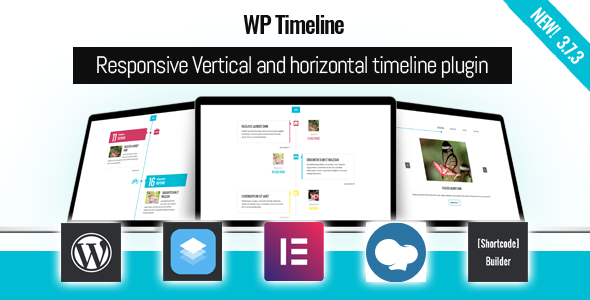
WP Timeline is a WordPress plugin that builds vertical and horizontal timelines from existing site content, then places them anywhere on a page through a shortcode or a page builder widget. It is aimed at site owners who need to present a company history, a project roadmap, an event sequence or a personal résumé without writing custom templates. The plugin is sold on CodeCanyon by Ex-Themes for $45 and has accumulated 6,732 sales with a 4.86 out of 5 rating across 121 reviews, which places it among the more established WP Timeline Interface Elements on the marketplace.
What separates it from a simple list-building tool is that it does not require content to be retyped. Timelines are assembled from posts, pages, custom post types, categories, tags and custom taxonomies that already exist in the WordPress database, with a separate date field controlling the order in which entries appear.
What the plugin actually does well
The core workflow is content-driven rather than design-driven. A site owner selects a post type or taxonomy, sets which date field should govern the sequence, and the plugin renders the matching entries as a timeline. That means an existing blog archive, a portfolio, a staff directory or a set of press releases can be repurposed as a chronological display without duplicating any content. Entries can also be ordered by a custom field instead of a date, which matters for roadmaps where sequencing is intentional rather than calendar-based.
Date handling is more flexible than most timeline tools. The plugin supports BC and AD notation and its date picker reaches back to the year 1000, so historical and heritage projects are viable. A separate free-text date field accepts arbitrary strings, which covers cases where the exact year is unknown or where a label such as “Phase One” is more useful than a calendar date.
Layout options are the other obvious strength. The vendor lists 45-plus layouts, more than 40 animations, light and dark presentation, single-column and side-by-side arrangements, and both vertical and horizontal orientations. Colours can be set globally, per category or per individual timeline entry, and headings, body text and metadata each accept custom fonts and colours. The practical effect is that a timeline can be styled to match an existing theme rather than looking like a bolt-on.
Navigation and filtering are handled without a page reload. Ajax filtering narrows the visible entries by category or tag, and long timelines can be broken up with a load-more button, infinite scroll or conventional page links. Media support extends to video, audio and galleries, and full post content can open in a lightbox instead of sending visitors to a separate page. Each entry can also point to an external URL rather than its own single page.
Editor integration is broader than the marketplace tags suggest. Elementor, Elementor Pro, WPBakery and SiteOrigin are all supported, and a shortcode builder generates the markup without requiring hand-written parameters. The plugin also ships with RTL support, which is relevant for Arabic, Hebrew and similar language sites, and it is listed as compatible with WPML for multilingual builds. The source package includes JavaScript, CSS, PHP and XML files.
Where this fits, and where it does not
The clearest fit is a business or organisation that already publishes dated content and wants a second, chronological view of it. Company history pages, “our story” sections, milestone roadmaps on a SaaS marketing site, conference programmes, sports club records and legal or medical practice histories all map onto what the plugin does. Agencies will find it useful as a repeatable component: build the timeline once, reuse the shortcode across client sites with different colour schemes.
It also suits projects with unusual date requirements. Genealogy and local history sites, museum collections and anniversary campaigns benefit from the BC/AD support and the year-1000 date picker, which most general-purpose timeline widgets do not offer.
It is the wrong choice for a site that needs a timeline as a design object rather than a content view. If the requirement is a bespoke illustrated journey with custom SVG paths, scroll-linked animation or a highly specific visual treatment, a page builder plus custom CSS will give more control than a shortcode-driven plugin. It is also a poor fit for very large datasets. The plugin renders entries into the page and paginates them, but there are no documented provisions for handling tens of thousands of dated records, and a timeline is rarely the right interface for that volume of data in any case.
Strengths and limitations
Strengths
- Pulls from existing WordPress content — posts, pages, custom post types, categories, tags and custom taxonomies — rather than requiring duplicate entries.
- Genuinely broad date handling, including BC/AD notation and a picker that reaches back to the year 1000.
- Both vertical and horizontal orientations, with side-by-side and single-column variants available.
- Granular styling: colours can be applied globally, per category or per entry, and typography is configurable for headings, content and metadata separately.
- Ajax filtering, load-more, infinite scroll and page-link navigation are all present, so long timelines stay usable.
- Works with Elementor, WPBakery and SiteOrigin, and includes a shortcode builder for sites without a page builder.
- RTL and WPML support make it viable for non-English and multilingual projects.
- Five years of WordPress compatibility listed, from 4.9 through 7.0.x, plus a recent release addressing PHP 8.3.
Limitations
- The price rose from $29 to $45. The vendor attributes this to Envato’s author fee structure, which now takes up to 50% plus fixed fees per transaction, but buyers comparing against older reviews will notice the difference.
- There is no free version or trial, so evaluation depends entirely on the vendor’s demo site.
- Layouts and animations are chosen from a fixed library. Sites needing a fully bespoke visual treatment will hit the ceiling of what the settings panels allow.
- The feature list is long but the vendor does not document performance characteristics, so the behaviour of a timeline containing hundreds of entries is not stated.
- Support response times are described as within one business day, which is a target rather than a guarantee, and support is tied to the licence terms.
- Recent changelog entries include fixes for a broken access control vulnerability and a JavaScript error in the horizontal layout on mobile. Both are resolved, but they indicate the plugin has had security and mobile-rendering issues worth tracking through future updates.
How it compares with the alternatives
The realistic alternatives fall into three groups: page-builder timeline widgets, general-purpose post-grid plugins, and custom development.
Page-builder widgets are convenient because they live inside the editor a site already uses, but they typically pull from a single post type and offer limited date logic. WP Timeline’s advantage is breadth — multiple post types, taxonomies, custom fields and BC/AD dates in one tool. Its disadvantage is that it operates through shortcodes and its own settings screens rather than entirely inside the builder canvas, which some editors find less immediate.
Post-grid and content-display plugins overlap significantly. Many can order entries by date and render them in a styled list. What they generally lack is the timeline-specific presentation: the connecting line, the alternating sides, the horizontal scroll, the history bar and the icon-or-image markers. Where a project needs a genuine timeline rather than a dated list, a dedicated plugin is the more direct route.
Custom development offers total control and no ongoing licence considerations, but it costs developer time, needs maintenance through WordPress core updates, and has to solve the same problems — date formatting, pagination, filtering, responsive behaviour — that this plugin already addresses. For a one-off bespoke design, custom work can be justified. For a standard history or roadmap page, it usually is not.
Frequently Asked Questions
Does WP Timeline work with any WordPress theme?
Yes. The vendor states the plugin works with any theme, and the styling controls for colours, fonts and layout are self-contained so they do not depend on theme CSS. Because it renders through shortcodes and page builder elements, it inherits the surrounding page structure while applying its own presentation to the timeline itself.
Can WP Timeline display dates before the common era?
Yes. The plugin supports BC and AD date notation, and the date picker extends back to the year 1000. For entries where an exact calendar date is unknown or unsuitable, a separate custom date field accepts free text, so labels such as “Early Period” or “Phase Two” can be used instead of a formal date.
Do I need Elementor or WPBakery to use this plugin?
No. Elementor, Elementor Pro, WPBakery and SiteOrigin are supported, but they are optional. The plugin includes a shortcode builder that generates the required shortcode from a settings interface, so it can be used on any WordPress site regardless of which page builder, if any, is installed.
Can a timeline pull from custom post types and taxonomies?
Yes. The plugin supports standard posts and pages as well as custom post types, categories, tags and custom taxonomies. Entries can be ordered by their timeline date or by a custom field, and an Ajax filter lets visitors narrow the visible entries by category or tag without reloading the page.
Verdict
WP Timeline is a sensible purchase for site owners and agencies who need to present dated content as a timeline and want to avoid custom development. The combination of broad date handling, multiple content sources, page builder support and granular styling covers the majority of real-world history, roadmap and milestone projects. The 4.86 rating across 121 reviews and 6,732 sales suggest the plugin has held up in production for a wide range of sites.
It is not the right buy for projects that need a fully bespoke visual design, for sites working with very large dated datasets, or for anyone who needs to trial software before paying. The $45 price is also worth weighing against the fact that it was previously $29, particularly for buyers who only need a simple vertical timeline.