Smooth Zoom Pan Images & Media is a jQuery plugin that places a zoomable, pannable image inside a fixed area on a web page. It lets visitors magnify product photos, floor plans, maps or any large graphic without leaving the page, using mouse drag, scroll wheel, double click or pinch gestures. It suits developers and agencies building catalogue, real estate or e-commerce pages who want detailed image inspection without adopting a full gallery framework.
The plugin comes from CodeCanyon, the Envato marketplace for scripts and components, and was written by a developer trading as VF. It has sold 5,799 copies and holds a 4.66 out of 5 rating across 232 reviews, which is a strong signal for a ten-dollar script. The last vendor update was in September 2015.
What the plugin actually does
At its core, the script takes one image element and gives it an interactive viewport. The image can be larger than the space it occupies, and the visitor moves around it. Everything else in the feature set exists to control how that movement feels and where it is allowed to go.
Setup is deliberately minimal. A working instance needs only a target selector plus a width and a height, which means a developer can drop it into an existing page in a few minutes. Beyond that baseline there are more than thirty configuration parameters, so the same script can produce a restrained product viewer or a heavily customised map interface.
Zoom and pan behaviour
Zoom limits are set independently for the minimum and maximum levels, so an image can be prevented from shrinking below its natural size or from being magnified past the point where it turns to mush. Animation speed is configured separately for zooming and for panning, and there is a separate smoothness setting. That separation matters: a fast zoom with a slow pan feels controlled, while the reverse feels twitchy. The image can be set to fit inside the viewport or to fill it, which changes whether the whole picture is visible at rest or the frame is always full.
Input methods across devices
Desktop visitors get mouse drag, scroll wheel zoom, cursor-position zoom (where the wheel zooms toward wherever the pointer is) and double-click zoom. Touch devices get drag and pinch. The vendor lists support for iOS, Android and Windows touch platforms, and the browser list runs from Internet Explorer 7 through to Edge, plus Firefox, Safari, Opera and Chrome. That is unusually broad for a plugin of this age, and it reflects a deliberate effort to keep older browsers working rather than abandoning them.
Interface controls
Navigation buttons can be enabled or disabled, and their size, colour, transparency, alignment and margin are all adjustable. They can also auto-hide after a delay, which keeps the image itself unobstructed until the visitor moves the cursor. Panning can be limited to the image bounds so visitors cannot drag the picture off into empty space, and the pan direction can be reversed for anyone who prefers inverted controls. A reset button realigns the image to a chosen position.
Landmarks, callbacks and external control
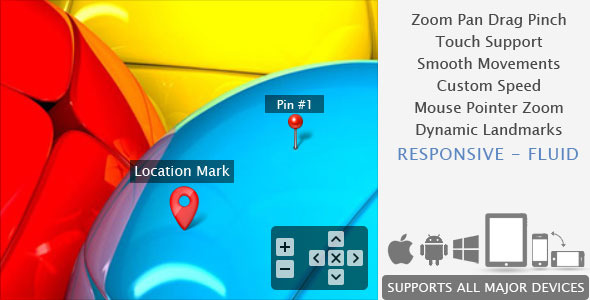
Landmarks are markers placed on the image — location pins, labels or hotspots. They can be added, removed or refreshed at runtime, and they resize as the image zooms (with the exception of Internet Explorer 8 and below). Two callbacks fire during use: one on every animation frame with the current scale and position, and one whenever a landmark’s visibility changes. Others fire on image load and when a zoom or pan action completes.
The plugin can also report its current position and zoom values, which makes two things possible: storing a visitor’s exact view so a page can reopen at the same spot, and building a crop tool on top of the viewer. Buttons can be driven from outside the plugin, or removed entirely so a site can supply its own controls. Four example variations ship in the source files, covering thumbnail and lightbox gallery patterns alongside the basic viewer.
Where it fits, and where it does not
The strongest use case is a single large image that needs close inspection. Property listings with floor plans, e-commerce product shots where fabric texture or small print matters, museum and archive collections, engineering diagrams, and interactive maps with pinned locations all map directly onto what this script does. Because it handles landmarks and reports coordinates, it also works as the foundation for a lightweight annotation or cropping interface rather than just a viewer.
It is a reasonable choice for agencies maintaining older sites, since the browser support extends far enough back to cover clients who still have legacy traffic. The small footprint — JavaScript and HTML source files, no build step — means it can be dropped into a page built with plain jQuery without introducing a toolchain.
It is the wrong choice for anyone who needs a full media gallery. There is no thumbnail grid, no lightbox, no video or audio handling, and no content management integration; those patterns exist only as examples showing how the viewer might be combined with other libraries. It is also a poor fit for projects that have moved away from jQuery, or that require a modern component architecture with a maintained release cadence. A site built on React, Vue or Svelte would be adding a dependency and a mental model for one feature.
Strengths and limitations
Strengths
- Two parameters produce a working viewer, so the cost of trying it is very low.
- More than thirty options cover zoom limits, animation speeds, button styling, borders and layout.
- Touch, mouse wheel, drag and double-click input are all handled, with pinch zoom on touch devices.
- Landmarks can be created and removed at runtime, and they scale with the image.
- Callbacks expose scale and position data continuously, enabling crop tools and saved view states.
- Buttons can be replaced with the site’s own controls, or removed completely.
- Responsive and fluid layouts are supported, with a method to resize the view area after initialisation.
- Broad browser coverage, including a documented decision to drop Internet Explorer 6 rather than pretend to support it.
Limitations
- The last vendor update was September 2015. Nothing in the listing indicates maintenance since then, so buyers should assume no further fixes or compatibility work.
- Performance is explicitly described as varying with browser capability. The vendor does not publish frame rates or test conditions, so smoothness on low-powered devices cannot be verified from the listing.
- Landmark resizing does not work in Internet Explorer 8 and below, which is a real gap for anyone supporting very old browsers.
- It depends on jQuery. That is a hard requirement, not an optional adapter.
- The feature set stops at viewing. Galleries, lightboxes and thumbnails are demonstrated as integrations, not built in.
- Documentation quality is not described in the listing beyond the four bundled examples, so the learning curve for advanced options is unknown.
How it compares with the wider category
Image zoom tools generally fall into three groups. The first is pure CSS or lightweight JavaScript approaches that magnify a region on hover — cheap and fast, but limited to desktop pointers and unable to pan. The second is full gallery frameworks, which bundle zoom alongside thumbnails, lightboxes, slideshows and video, at the cost of a much larger download and a more opinionated structure. Smooth Zoom Pan sits between them: more capable than a hover magnifier, considerably narrower than a gallery framework.
Against hover magnifiers, it wins on input breadth. Pinch zoom, drag panning, landmarks and position callbacks are not things a CSS transform gives you, and the ability to read back coordinates is what separates a viewer from a crop tool. Against gallery frameworks, it wins on weight and focus. A site that already has its gallery handled elsewhere can add this for the detail view without pulling in a second complete system.
The trade-off is maintenance. A plugin last updated in 2015 competes against actively released alternatives, and buyers weighing them should treat release history as a first-class criterion rather than an afterthought. The 232 reviews and 4.66 rating describe how the product performed when it was current; they say nothing about how it behaves in browsers released since.
Frequently Asked Questions
Does Smooth Zoom Pan work on mobile phones and tablets?
Yes. The plugin supports touch drag and pinch zoom on iOS, Android and Windows touch devices, and the vendor added pointer event handling for consistency across them. Navigation buttons can be sized differently for touch screens, which matters because finger targets need to be larger than cursor targets. Desktop input methods such as scroll wheel zoom are simply unavailable on touch hardware.
Can the zoom viewer be used to build a crop tool?
Yes, with custom development. The plugin can return the current position and zoom values, and a callback fires on every animation frame with updated scale and position data. That gives a developer the numbers needed to define a crop region. The plugin does not perform the cropping itself, so server-side or canvas code would still be required to produce the final image.
Is jQuery required, or can it run standalone?
jQuery is required. The vendor lists jQuery as the compatible software and the source files are JavaScript and HTML only, with no framework-agnostic build. The plugin has supported jQuery 1.9.1 since a 2013 update. Sites that have removed jQuery, or that use a modern component framework, would need to reintroduce it or choose a different tool.
Is the plugin still maintained?
The vendor’s last recorded update was September 2015, and the listing shows no releases after that date. Buyers should therefore treat it as a finished product rather than an actively maintained one. It may continue to work well in current browsers, but there is no stated commitment to fix issues or add support for new platforms in future.
Verdict
Buy this if a project needs one large image to be inspected closely, the site already runs on jQuery, and the budget is ten dollars. The low setup cost, the breadth of input methods and the coordinate callbacks make it a genuinely useful component for product photography, floor plans, maps and annotated diagrams, and the review history suggests it delivered on those promises for a large number of buyers.
Do not buy it if the project needs a complete gallery, if the stack has moved past jQuery, or if ongoing maintenance is a requirement. The 2015 update date is the deciding factor for anyone building something that must stay current for years. For a stable site with a narrow zoom requirement, it remains a sensible, inexpensive fit.