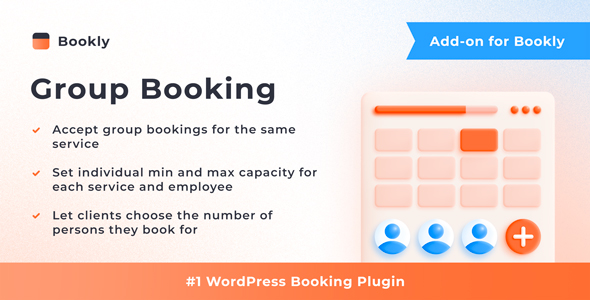
Bookly Group Booking (Add-on) is a paid extension for the Bookly PRO appointment booking plugin that lets several clients reserve places in the same time slot instead of one appointment per person. It adds capacity rules to services and staff members, then handles the counting, the calendar display and the customer-facing form so a class, workshop or clinic session can be booked as a single event. It is aimed at WordPress site owners who already run Bookly PRO and need to sell seats rather than one-to-one appointments.
Among the Bookly Group Booking (Add-on) Add-ons available on CodeCanyon, this is the one that changes the underlying booking model rather than just decorating it. The listing has accumulated 5,371 sales and holds a 4.28 out of 5 rating across 18 reviews, which suggests a mature product with a small but consistent stream of buyer feedback. The developer is Nota-info, the same team behind the core Bookly plugin, and the add-on was last updated on 28 November 2025.
What the add-on actually changes about how bookings work
The central idea is capacity. Each service can be given a minimum and a maximum number of participants, and each staff member can carry their own capacity limit as well. That second layer matters more than it first appears: a yoga instructor might comfortably take twenty people, while the same studio’s massage therapist should only ever be booked by one. Because both limits exist, the tighter of the two governs any given slot, and the system refuses to oversell it.
On the customer side, the booking form gains a quantity field. A visitor selects a slot, states how many people they are reserving for, and the form checks that number against the remaining capacity before accepting it. The vendor also provides controls for showing or hiding group booking information in that form, plus a choice of formats for displaying how full a time slot already is. Those two settings are what separate a clean, minimal booking flow from one that nudges people toward the sessions with space left.
Inside the admin calendar, a group booking appears as one entry carrying the total number of signed-up customers rather than as a stack of separate appointments. For anyone who has managed a calendar cluttered with duplicate entries, this is the feature that makes the add-on worth its price on its own — a class of fifteen occupies one row, not fifteen.
The add-on inherits the rest of the Bookly ecosystem’s behaviour. It is Gutenberg optimised, ships with the JavaScript, CSS and PHP source files, and declares compatibility with WPML, so a multi-language booking site can translate the group booking interface along with everything else. Browser support covers Firefox, Safari, Opera, Chrome and Edge. The vendor states WordPress 6.8.x compatibility, which is a specific version claim rather than an open-ended one — worth checking against the site’s current WordPress release before purchase.
Where group booking fits, and where it does not
The obvious fits are businesses that sell time in a shared room. Yoga and fitness studios, dance schools, cooking classes, art workshops, group therapy sessions and guided tours all share the same shape: one slot, one instructor, a fixed number of places. The add-on turns Bookly from a one-client-one-slot scheduler into something closer to a ticketing system for those sessions, without leaving WordPress.
A second, less obvious fit is clinics and consultancies running group intake sessions, antenatal classes or group information meetings. These often sit alongside ordinary one-to-one appointments on the same site, and because capacity is configured per service and per staff member, both models can coexist. A practitioner can offer private consultations at a capacity of one and a group session at a capacity of twelve from the same Bookly installation.
It is the wrong choice for a purely one-to-one business. A salon, a law practice or a personal training studio that never seats two clients at once gains nothing here — the core Bookly PRO plugin already handles single appointments, and the extra $49 buys capacity logic that would sit permanently unused. It is also the wrong choice for anyone who has not yet bought Bookly PRO, because the add-on requires it. Budgeting for the add-on alone will not produce a working group booking system.
Finally, it is a poor fit for event ticketing in the conventional sense. There is no seat map, no tiered pricing per attendee, no waiting list and no QR check-in described in the vendor’s material. If a project needs those things, a dedicated event platform is the more honest comparison.
Strengths and limitations
Strengths
- Capacity can be set at two levels — per service and per staff member — which covers mixed teams where different people can handle different group sizes.
- The admin calendar collapses a group into a single appointment entry with a headcount, keeping schedules readable as volume grows.
- Customers state their own party size at the point of booking, so no manual back-and-forth is needed to confirm numbers.
- Display settings for slot occupancy and group information are configurable, letting the site owner decide how much pressure the booking form applies.
- WPML compatibility means the group booking flow can be localised on multilingual sites without a separate solution.
- Source files are included, so a developer can extend or adapt the front-end behaviour rather than working around it.
- The developer also maintains the parent plugin, which reduces the risk of the add-on lagging behind core changes.
Limitations
- The add-on is useless without Bookly PRO. The $49 price is an additional cost on top of the parent plugin, not a standalone purchase.
- WordPress compatibility is stated as 6.8.x specifically. Sites on older or significantly newer releases have no compatibility guarantee from the vendor.
- The rating sits at 4.28 from only 18 reviews. That is a small sample, and roughly one buyer in seven left a rating below the top mark — enough to suggest the add-on does not suit every setup.
- There is no waiting list, no per-attendee pricing tiers and no check-in mechanism described in the vendor’s feature list. High-demand classes that routinely fill up have no built-in overflow handling.
- Group bookings are represented as a single appointment with a quantity, which is efficient for scheduling but means individual attendee records are not the primary unit of the data model.
- The vendor does not state whether partial refunds or per-person cancellations are handled, which matters for paid group sessions.
How it compares with the wider category
Group booking functionality in WordPress tends to arrive in one of three forms: a dedicated event or class booking plugin, a general appointment plugin with a group extension, or a standalone SaaS booking tool connected by embed. Each has a different centre of gravity.
Dedicated event platforms are built for one-off or ticketed events. They typically handle seat selection, attendee lists, promotional pricing and check-in, but they are weaker at recurring weekly schedules and at managing individual staff availability. A yoga studio running the same 6pm class every Tuesday for a year is not really an event business, and an event platform often makes that recurring pattern awkward.
Standalone SaaS tools handle group sessions well and usually offer better reporting, but they move booking data off the WordPress site, add a monthly fee, and complicate styling and WPML translation. For an agency already maintaining a client’s WordPress stack, keeping bookings inside the CMS is usually the simpler long-term position.
Within the appointment-plugin-with-extension category, the trade-off is different. The add-on approach means the group logic is one module among many, sharing a calendar, a customer database and a payment layer with everything else. That integration is the real advantage: a business that already runs one-to-one appointments through Bookly does not have to run a second system for its classes. The cost is that group booking is an extension rather than the product’s reason for existing, so edge cases specific to group sales — waiting lists, per-seat pricing, attendance tracking — are not the focus.
Frequently Asked Questions
Do I need Bookly PRO to use Bookly Group Booking?
Yes. The add-on will not function on its own and the vendor states plainly that Bookly PRO is required. That means the true cost of adding group bookings is the price of Bookly PRO plus the $49 for this extension. Buyers who have not yet purchased the parent plugin should factor both into the budget before committing.
Can different staff members have different group sizes?
Yes. Capacity can be configured per service and per staff member independently. When both limits apply to the same slot, the lower of the two takes effect, so a room that holds twenty people will still cap a session at whatever number the assigned staff member can handle. This suits studios where instructors have varying limits.
How do group bookings appear in the Bookly calendar?
A group booking shows as one appointment entry that carries the total number of signed-up customers, rather than as multiple separate appointments. This keeps the calendar legible when a session has a dozen or more attendees and avoids the duplicate-entry clutter that would otherwise build up across a busy week.
Does the add-on work with multilingual WordPress sites?
The vendor lists WPML as compatible, so the booking form and group booking interface can be translated alongside the rest of the site. Compatibility is declared rather than demonstrated in the listing, so a site running a heavy multilingual setup should test the booking flow in each language before going live.
Verdict
Bookly Group Booking (Add-on) is worth buying for one specific situation: a WordPress site already running Bookly PRO that needs to sell places in shared sessions — classes, workshops, group consultations — alongside ordinary one-to-one appointments. The dual capacity model, the single-entry calendar display and the customer-facing quantity field cover the core mechanics well, and the 5,371 sales indicate the add-on has been through enough real-world use to be dependable.
It is not worth buying for a purely one-to-one business, for anyone who has not yet purchased Bookly PRO, or for a project that needs waiting lists, per-attendee pricing or event check-in. Those requirements point to a dedicated event platform instead. The small review sample and the narrow WordPress version claim are reasons to test on a staging site first, not reasons to avoid the add-on outright.