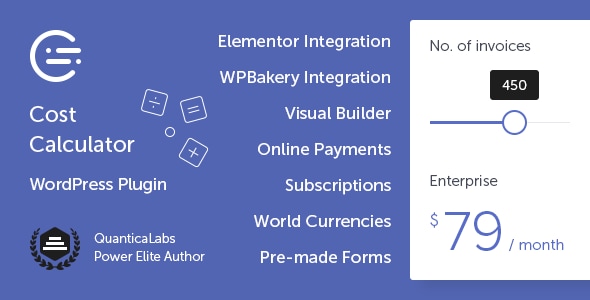
Cost Calculator for WordPress Forms is a plugin from QuanticaLabs that builds interactive quote, pricing and estimation forms without code. It adds a drag-and-drop form builder, a set of calculation field types and optional Stripe payment collection to any WordPress site. It suits agencies, freelancers and service businesses that need to publish a price estimator and let visitors configure a job or product before requesting a quote or paying.
The plugin has sold 2,514 copies on CodeCanyon and holds a 4.56 out of 5 rating across 84 reviews, which places it among the more established calculation form tools in that marketplace. It sells for $59 as a one-time licence and was last updated by the vendor in July 2026, a cadence that suggests ongoing maintenance rather than an abandoned script.
What the plugin actually does
At its core, the product is a form builder specialised for arithmetic. Most WordPress form plugins collect data; this one collects data and multiplies, adds and totals it. That distinction drives every design decision in the plugin.
The built-in builder is visual and drag-and-drop, organised around rows and columns. Forms are assembled from components, and the vendor ships predefined layout templates so a working calculator can be assembled quickly rather than from a blank canvas. There is no cap on the number of forms a single installation can hold, and forms are responsive by default.
The component set is where the calculation logic lives. A Dropdown Box creates a selectable list where each option carries its own numeric value, which handles pricing tiers and service variants. A Slider Box lets visitors drag to a number within a defined range, with a configurable step size, minimum and maximum labels, currency symbols, thousands separators and an optional manual entry field for exact figures. An Input Box covers text, number, email, date, checkbox, radio, hidden and submit types, so the same field can gather a name and feed a calculation. A Checkbox component supports optional add-ons where each tick adds value, available in classic or button styling. A Switch Box handles binary choices such as yes or no with a value attached to each state, and a Date Picker supports booking and date-dependent pricing.
The Summary Box is the component that ties the rest together. It reads the values entered elsewhere in the form and displays the running total, which is what turns a collection of fields into a genuine price estimator.
Payment collection is handled through Stripe, built directly into the form rather than bolted on through a separate checkout. The plugin supports one-time charges and recurring subscriptions, with billing periods of daily, weekly, monthly or yearly, plus custom intervals such as every two weeks. Vendors can send visitors straight to a Stripe checkout or email a payment link instead.
On the integration side, the plugin ships eight dedicated Elementor widgets — Cost Calculator, Form Container, Dropdown Box, Slider Box, Input Box, Switch Box, Summary Box and Contact Box — so calculator forms can be assembled inside Elementor’s own interface. WPBakery Page Builder is supported as well. Importantly, neither page builder is required: the built-in builder produces fully functional forms on its own, which matters for sites running the block editor or a lighter theme. Other declared integrations include Beaver Builder, Cornerstone and WPML for multilingual sites.
Source files are included in the download — JavaScript, CSS, PHP and XML — so developers can modify styling and behaviour rather than fighting a compiled bundle. The plugin is declared compatible with WordPress 4.9 through 7.0.x and with IE10 and above alongside current Firefox, Safari, Opera, Chrome and Edge.
Where it fits, and where it does not
The obvious fit is any business that quotes rather than lists prices. A renovation contractor whose cost depends on room count, materials and timeline can publish a calculator that returns a ballpark figure and captures the lead. A web design agency can price a project from selected deliverables. A print shop can let customers configure quantity, paper stock and finishing and see the total update live.
Booking-adjacent businesses are a second strong fit, because the Date Picker allows date-dependent pricing — equipment rental, event services, photography packages. Subscription businesses benefit from the Stripe recurring support, since a calculator can double as the signup path for a monthly plan.
It is also a reasonable choice for anyone who wants a straightforward order form with calculated totals but no external checkout, or a contact form with a light estimation component attached.
Where it is the wrong choice: sites that need complex conditional logic across many branches, multi-step wizards with heavy branching, or integration with a CRM or ERP that the plugin does not natively support. The component set is built around numeric calculation, not around advanced form routing. A business whose real requirement is a sophisticated survey or application form with dozens of conditional paths should look at a general-purpose form builder instead. Similarly, anyone needing payment gateways beyond Stripe will find the plugin’s built-in payment layer too narrow, and would be better served pairing a calculator with a dedicated e-commerce or membership checkout.
Strengths and limitations
Strengths
- The built-in builder means no page builder dependency. Forms work on the block editor, and Elementor or WPBakery are enhancements rather than requirements.
- Calculation is native to every field. Dropdowns, checkboxes, switches, sliders and inputs all carry values, so pricing logic does not need workarounds.
- Stripe support covers both one-time payments and recurring billing with custom intervals, which is unusual for a calculator plugin at this price.
- Eight Elementor widgets give a level of page-builder integration that most competing plugins do not attempt.
- Source files ship with the plugin, so styling and behaviour can be modified directly.
- WPML compatibility makes it usable on multilingual sites without a separate bridging plugin.
- A 4.56 rating across 84 reviews and more than 2,500 sales is a meaningful track record for a CodeCanyon script.
Limitations
- Payment support is Stripe-only. Sites already committed to PayPal, Square or a local gateway would need a separate checkout, which defeats part of the plugin’s value.
- The vendor does not state a maximum number of components per form, and complex calculators with many interdependent fields can become difficult to manage in a column-based layout.
- Conditional logic is not described in the supplied specifications. Buyers who need fields to appear or disappear based on earlier answers should confirm this with the vendor before purchasing.
- Declared browser support extends back to IE10, which hints at a conservative front-end codebase rather than a modern JavaScript framework. That is not a practical problem for most sites, but it is worth knowing.
- Because the plugin is a CodeCanyon script rather than a hosted service, support runs through the vendor’s own channels and the standard marketplace support window, not a live chat or SLA.
How it compares with the wider category
The calculation form category splits roughly three ways. General-purpose form builders with calculation add-ons offer broader field types and stronger conditional logic, but pricing maths is usually an afterthought and the add-on often costs extra. Dedicated estimation SaaS tools handle complex quoting well and host the logic for you, but they charge monthly and keep the data on their servers.
This plugin sits in a third position: self-hosted, one-time cost, and purpose-built for arithmetic. It gives up some of the flexibility of a general form builder and some of the sophistication of hosted quoting software, but it avoids recurring fees and keeps everything inside WordPress. For a business whose forms are fundamentally about producing a number, that trade is usually the right one. For a business whose forms are about collecting information that occasionally includes a number, a general builder is the better buy.
The Elementor widget set is the clearest differentiator against other self-hosted calculator plugins, most of which rely on shortcodes and leave you styling the output yourself.
Frequently Asked Questions
Does Cost Calculator for WordPress require Elementor or WPBakery?
No. The plugin includes its own drag-and-drop form builder and works fully without any page builder, including on the default block editor. Elementor and WPBakery integration are optional additions that let forms be assembled inside those interfaces using dedicated widgets. Sites running neither page builder lose nothing in functionality.
Can it accept payments directly in the calculator form?
Yes, through Stripe. Forms can charge a one-time amount or set up a recurring subscription with daily, weekly, monthly, yearly or custom billing intervals. Visitors can be sent to a Stripe checkout page or receive a payment link by email. No other payment gateway is supported by the plugin itself.
What kinds of fields can be used in a calculation?
Dropdowns, sliders, checkboxes, switches, input boxes and date pickers can all contribute numeric values to the total. Each option, tick or switch state carries its own value, and the Summary Box displays the running result. Input boxes additionally handle text, email and date collection for lead capture alongside the maths.
Is the plugin compatible with multilingual WordPress sites?
Yes. WPML compatibility is declared, so calculator forms and their labels can be translated for multilingual sites. The plugin is also declared compatible with WordPress versions from 4.9 through 7.0.x, and with Beaver Builder, Cornerstone, the block editor, Elementor and Elementor Pro, and WPBakery Page Builder.
Verdict
Cost Calculator for WordPress Forms is worth buying for service businesses, agencies and freelancers who need a self-hosted price estimator that produces a real number and can take payment at the end. The combination of a standalone builder, native calculation fields, Elementor widgets and Stripe subscriptions is strong value at $59 with no recurring fee, and the sales and rating figures suggest the plugin is maintained and broadly trusted.
It is the wrong purchase for anyone who needs PayPal or another gateway, deep conditional branching, or integration with an external CRM or quoting system. Those buyers should look at a general-purpose form builder with a calculation add-on, or at hosted quoting software, and accept the different trade-offs.