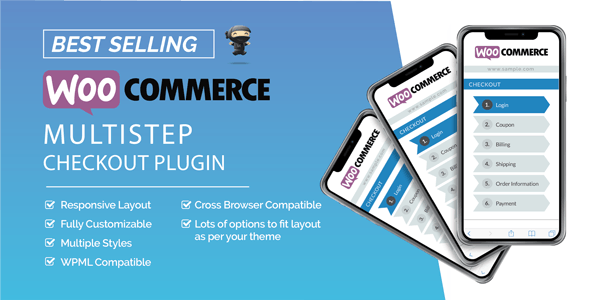
ARG MultiStep Checkout for WooCommerce is a WordPress plugin that replaces the default single-page WooCommerce checkout with a wizard-style flow, splitting billing, shipping, coupons, order review and payment into separate steps. It is sold on CodeCanyon by the developer argthemes for $19 and currently holds a 4.82 out of 5 rating across 181 reviews, with 2,414 sales recorded. It suits store owners who find that the standard WooCommerce checkout form is too long or too dense for their audience, and who want more control over the order in which customers complete each part of the purchase.
What the Plugin Actually Changes on the Checkout Page
The central idea is decomposition. WooCommerce ships a single form that asks for everything at once, and ARG MultiStep Checkout breaks that form into a sequence of screens the shopper moves through one at a time. Each screen is presented as a tab, and the plugin supports both horizontal and vertical tab arrangements, so the visual shape of the wizard is a design decision rather than a fixed template.
Several capabilities stand out because they go beyond cosmetic rearrangement:
- Custom steps built from arbitrary content. Extra steps can be added and filled with shortcodes, HTML or plain text. That makes it possible to insert a trust-building panel, a delivery information block or a cross-sell section into the purchase flow without writing a custom template.
- Coupon field relocation. The coupon input can be moved to a different step and positioned before or after the order table, before the payment methods, before billing, after shipping, or after the additional fields. Placing it next to the order summary means the shopper sees the total update the moment a code is applied, which reduces the confusion that a coupon field buried at the top of a long form often causes.
- Built-in login and registration step. The plugin ships with two layouts for account creation and sign-in, plus an option to force login or registration before the order can proceed. There is also a “continue as guest” link that lets shoppers skip the account step entirely.
- Tab-based navigation as well as button navigation. Shoppers can advance by clicking the next tab rather than scrolling to the bottom of the current step to find a button. The plugin can also scroll the page back to the top of the wizard or the top of the page on each transition, and that behaviour can be applied to mobile only, desktop only, or both.
- Step visibility and combination. Individual steps can be hidden or merged, so a store selling digital goods can drop the shipping step entirely while a store with complex delivery options keeps it prominent.
- Style inheritance. The checkout form can inherit its styling from the active theme or another plugin rather than imposing its own look, which matters for stores that have already invested in a consistent visual identity.
The vendor states that the multi-step page loads at the same speed as the default WooCommerce checkout and that no preloader is required. That claim is worth verifying on a staging copy, because performance depends heavily on the theme and the number of plugins already running. The plugin is also translation ready, WPML compatible, and includes JavaScript, CSS and PHP source files for buyers who want to modify the front-end behaviour directly.
Where a Multi-Step Checkout Earns Its Place
The strongest fit is a store with a long or complicated checkout. Sellers of physical goods with multiple shipping zones, optional gift messaging, and several payment gateways often end up with a form that stretches well past a single screen on mobile. Splitting it reduces the perceived effort of completing an order, and the tab indicator gives shoppers a clear sense of how much remains.
It also suits stores that rely on account creation. The dedicated login step, the two registration layouts and the option to require an account give more control over when and how that request appears, rather than interrupting the form midway as the default checkout sometimes does.
Digital product stores, membership sites and subscription businesses with a short, simple checkout are a weaker fit. If the entire form already fits comfortably on one screen, adding steps introduces extra clicks and an extra page transition without removing any friction. The same applies to stores using a heavily customised checkout built by another plugin or by bespoke development, where a second system layering on top of the first tends to produce conflicts rather than improvements.
Strengths and Limitations
Strengths
- The rating is genuinely strong for this category: 4.82 from 181 reviews suggests the plugin behaves predictably across a wide range of themes, not just the developer’s own demo.
- Coupon placement is more flexible than in most competing plugins, including the ability to position the field so the price change is visible immediately.
- Custom steps accept shortcodes, which means the wizard can host content from other plugins without custom coding.
- Style inheritance avoids forcing a visual redesign on stores that already have a polished theme.
- The plugin has been maintained across a long run of WordPress and WooCommerce versions, and the most recent update added compatibility with WooCommerce High-Performance Order Storage.
- Source files are included, so agencies can adjust behaviour rather than working around it.
Limitations
- The last recorded update is February 2024. Buyers evaluating it now should check whether the developer has continued releasing compatibility updates for newer WooCommerce versions, because checkout is one of the areas WooCommerce changes most often.
- There is no block-based or cart-block equivalent described. The plugin works with the classic checkout shortcode, so stores that have migrated to the newer WooCommerce block checkout will not be able to use it there.
- The vendor lists Internet Explorer 8 through 11 as compatible browsers, which signals how far back the codebase reaches. That is not harmful, but it does suggest the front-end is built on jQuery rather than a modern framework, and the step validation depends on a jQuery validation library.
- Adding steps increases the number of page interactions. On a slow hosting environment, each transition is another opportunity for the shopper to abandon.
- Conditional logic is not mentioned in the feature set. Stores that need steps to appear or disappear based on what the shopper selects earlier in the flow should confirm whether that is supported before buying.
How It Compares With Other Checkout Customisation Options
Broadly, a store owner has three routes to a better checkout: a multi-step plugin, a checkout field editor, or custom development. Field editors reorganise and remove fields but keep everything on one page, which solves clutter without changing the rhythm of the purchase. Custom development offers total control at a cost that rarely makes sense below enterprise volume. ARG MultiStep Checkout sits in the middle: it changes the structure of the flow, not just the fields, and it does so through admin options rather than code.
Against other multi-step plugins in the same category, the differentiators here are the coupon relocation options, the arbitrary-content custom steps, and the breadth of tab layouts. Where it is likely to fall behind is in conditional logic and in support for WooCommerce’s newer block-based checkout, both of which are areas where newer entrants in this category tend to compete. A buyer whose requirements are simple — fewer fields, clearer sections — may find a field editor sufficient and cheaper in terms of complexity. A buyer who specifically wants a guided, step-by-step purchase flow will get more from this plugin.
Frequently Asked Questions
Does ARG MultiStep Checkout work with the WooCommerce block checkout?
No. The plugin is built to replace the classic checkout shortcode, and there is no block-based version described in the vendor’s feature list. Stores that have already switched to the newer WooCommerce block checkout would need to revert to the shortcode-based checkout before this plugin could take effect, which may not be practical on a live store.
Can the coupon field be moved so customers see the discount straight away?
Yes. The coupon can be placed on a different step and positioned before or after the order table, before the payment methods, before billing, after shipping, or after the additional fields. Putting it beside the order summary means the total updates visibly when a code is applied, which removes a common source of checkout confusion.
Is it possible to add a step that is not part of the standard checkout?
Yes. Custom steps can be created and filled with shortcodes, HTML or plain text. In practice that allows a store to insert a delivery information panel, a trust or guarantee section, or a cross-sell block into the purchase flow. The content comes from whatever shortcode or markup is placed in the step, so the limitation is what other plugins provide.
Will the multi-step checkout slow down the site?
The vendor states that page speed matches the default WooCommerce checkout and that no preloader is needed. That is a reasonable expectation for a jQuery-based front end, but actual performance depends on the hosting environment, the active theme and the number of other plugins loading scripts on the checkout page. Testing on a staging copy before going live is the sensible approach.
Verdict
ARG MultiStep Checkout for WooCommerce is a well-reviewed, reasonably priced option for stores that need to break a long checkout form into manageable steps. Its strongest features are the flexible coupon placement, the ability to insert custom content steps, and style inheritance that avoids fighting an existing theme. Buyers should verify current compatibility with their WooCommerce version before purchasing, since the last recorded update predates several WooCommerce releases, and it is not an option for stores already using the block checkout. Stores with short, simple checkouts or heavily customised checkout builds should look elsewhere. For a classic-checkout store selling physical goods with a crowded order form, it remains a credible and low-cost improvement.