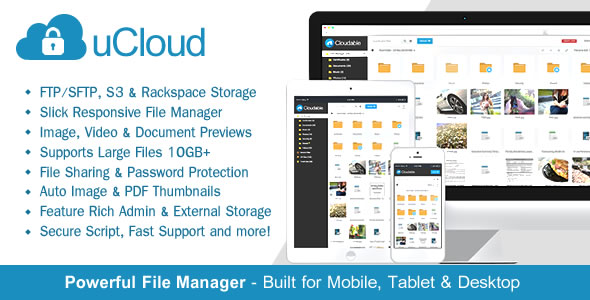
uCloud is a self-hosted PHP file hosting script that lets a site owner run a private file storage, preview and sharing service on their own server or cloud storage account. It combines a multi-file uploader, a browser-based file manager with inline previews, expiring download links and detailed per-file statistics, and it is aimed at freelancers, small agencies and webmasters who want a branded alternative to sending large attachments or relying on public file-sharing services. As a commercial item in the CodeCanyon Loaders & Uploaders category, it has sold 2,024 copies and holds a 4.58 out of 5 rating across 118 reviews, which is a meaningful sample for a script at this price point.
What uCloud actually does well
The core of the product is a file manager that behaves like a desktop application rather than a web form. Uploads run over AJAX — meaning the page does not reload while data is transferred — so a user can keep working in another part of the account while a large file finishes. The vendor states support for files above 10GB, and the uploader reports percentage progress, transfer speed, size remaining and estimated time left. Files can be dragged straight into the browser window. That combination matters because most cheap upload scripts stall or time out on anything past a few hundred megabytes.
Storage is not locked to the local disk. The script can write to FTP, SFTP, Amazon S3, Rackspace Cloud Files and Backblaze, and the vendor documents a route for Wasabi. Multiple file servers can be configured at once, which means capacity can be added without migrating existing content. For anyone who has outgrown a single hosting account, that flexibility is the difference between a toy and a working system.
Preview support is broader than the category norm. Images (jpg, png, gif, wbmp), audio (mp3), video (mp4, ogg) and a long list of document formats — Word, Excel, PowerPoint, PDF, Illustrator, TIFF, SVG, EPS, fonts and more — render inside the browser, with the vendor noting a 15MB ceiling on document previews. Thumbnails are generated for images and PDFs using ImageMagick and then cached, so repeat views stay fast. There is also a code preview mode with syntax highlighting and embed codes for video, audio, images and documents, which turns the tool into something closer to a lightweight media library than a plain download page.
Sharing is handled in several distinct ways. Files and folders can be shared internally between registered accounts, shared globally, sent by email, or posted to Facebook, Twitter and LinkedIn. A private folder can generate a unique URL that grants access without an account, and the owner can choose whether the download button appears and whether recipients may pull the whole folder as a zip. The built-in URL shortener keeps those links tidy.
Downloads are protected by design. Files are stored without their extension inside a directory that cannot be reached directly, and each download requires a hash-based access token that expires after a single use. The vendor also states support for xSendFile and xAccelRedirect, two server modules that hand file delivery to the web server instead of PHP — a real performance gain on busy sites. Security features include two-factor authentication through Google Authenticator, SHA256 with PBKDF2 password hashing, folder-level passwords, IP blacklisting, HTTPS support and a claim of external testing against cross-site scripting and SQL injection.
Finally, the statistics page is more granular than most buyers will expect at this price: daily, weekly and monthly download counts, referring sites, and the countries, browsers and operating systems of visitors. For an agency sharing client assets, that is usable reporting rather than vanity numbers.
Where uCloud fits, and where it does not
The clearest fit is a small media or creative agency that regularly sends heavy assets to clients. Watermarking by folder is built for exactly that workflow: a proof copy can carry a PNG watermark at a chosen position and padding while the client still sees a proper preview, and the original stays protected. Freelance photographers, videographers and designers sending review copies fall into the same group.
A second fit is an organisation that wants a branded internal file drop — a place where team members or clients log in, upload documents and retrieve them, without paying per-seat pricing to a hosted service. The internal sharing model, the optional social login and the admin-controlled registration requirement all support that.
The product is a poor choice for anyone who wants a download portal that anonymous visitors can browse freely. Registration is required to upload and manage files by default, and the whole design assumes account holders. It is also the wrong tool for a single-page “download our brochure” button; a static link on the existing site costs nothing and does the same job. And because it is a PHP application the buyer hosts, it is unsuitable for someone with no server access, no ability to configure PHP extensions such as ImageMagick, and no appetite for patching software themselves.
Strengths and limitations
Strengths
- Genuine large-file handling with background uploading, drag-and-drop and detailed progress feedback.
- Broad storage backends — local disk, FTP, SFTP, S3, Rackspace, Backblaze — configurable side by side.
- Wide preview coverage across images, video, audio and office documents, with cached thumbnails.
- Download links are single-use and hash-protected, and files sit outside the public web root.
- Two-factor authentication, PBKDF2 password hashing and IP blacklisting go beyond what most scripts in this category offer.
- Full unencrypted source code, so the front end and behaviour can be reshaped without restriction.
- Per-file analytics covering referrers, geography and device type.
Limitations
- The vendor does not publish a documented REST API, so integrating uCloud with an existing CRM, billing system or mobile app would mean working directly against the codebase.
- Document previews are capped at 15MB, which rules out inline viewing of large PDFs and scanned contracts.
- Video preview lists Flash-era formats (flv) alongside mp4 and ogg, and the dependency on ImageMagick for thumbnails is an extra server requirement some shared hosts will not meet.
- There is no native mobile application; the interface is browser-only.
- Because it is self-hosted, ongoing security maintenance, backups and PHP version upgrades fall entirely on the buyer, and the vendor’s last update was in May 2024.
- The design is functional rather than polished, and building a genuinely distinctive brand experience means custom template work.
How it compares with the wider category
Buyers researching this space usually weigh three routes: a hosted service such as Dropbox or WeTransfer, a SaaS file manager with per-user pricing, or a one-off self-hosted script. Hosted services win on zero maintenance and lose on branding, storage cost at scale and control over where data lives. uCloud sits firmly in the third camp, and within that camp its differentiators are the storage backend choice, the single-use download tokens and the depth of the statistics.
Compared with simpler upload scripts, the gap is in the file manager: sorting by downloads or last access, folder-level zip downloads, duplicate and rename actions, right-click context menus and a full-screen mode are the kind of details that separate a tool people use daily from one they abandon. Compared with heavier enterprise document management systems, uCloud is far lighter and far cheaper, but it lacks workflow approvals, versioning histories and audit trails that regulated industries expect. It is a file hosting and sharing tool, not a records management platform, and buyers who need the latter should look elsewhere regardless of price.
Frequently Asked Questions
Does uCloud require a dedicated server to run?
No. It runs on ordinary shared or VPS hosting that meets the PHP and MySQL requirements, and the vendor lists PHP 7.x and 8.x alongside MySQL 5.x and 8.x. ImageMagick is needed for thumbnail generation, and xSendFile or xAccelRedirect are optional performance additions rather than hard requirements.
Can uCloud store files on Amazon S3 instead of the web server?
Yes. The script supports Amazon S3, Rackspace, Backblaze, FTP and SFTP as storage destinations, and multiple file servers can be configured at once. That allows storage to scale independently of the hosting account, and the vendor also documents a setup route for Wasabi, though it is not listed as a first-class backend.
Is there a free version or trial of uCloud?
The vendor provides a live public demo at ucloud.mfscripts.com, which is the practical way to evaluate the interface before buying. There is no free tier or time-limited trial advertised, and the item is sold as a one-off $67 licence through CodeCanyon rather than a subscription, so the demo is the main pre-purchase check.
What happens to shared download links after someone uses them?
Each download link carries an access hash that expires once it has been used, so the same URL cannot be redeemed twice. Files are also stored without their extension in a folder that cannot be browsed directly, which means a leaked path alone does not expose the file to the public.
Verdict
uCloud is worth buying for freelancers and small agencies that send large media to clients regularly and want that traffic, branding and access control on infrastructure they own. The storage flexibility, single-use download tokens, watermarking and per-file analytics justify the $67 outlay against a year of hosted subscription fees, and the 4.58 rating across 118 reviews suggests the code holds up in real deployments. It is a weaker proposition for anyone without server skills, for teams that need an API to connect the tool to other systems, and for organisations requiring audit trails or document versioning. Buyers in those positions should treat the demo as a firm gate rather than a formality.
