Ultimate Video Player Media is a self-hosted HTML5 video and audio player script sold on CodeCanyon by the developer FWDesign. It plays locally hosted MP4 and MP3 files, streams from a server, and pulls in YouTube, Vimeo and Vimeo Pro content through a single configurable interface, with unlimited playlists and a long list of optional modules. It suits website owners, freelancers and agencies who need one player to handle mixed media sources on a site they control, rather than relying on a third-party embed.
The product has sold 2,287 times and holds a 4.81 out of 5 rating across 126 reviews, which is a strong signal for a script in this price bracket. It costs $59 and was last updated by the vendor in September 2026.
What the player actually does well
The core strength is source flexibility. A single playlist can mix MP4 video files, MP3 audio, YouTube clips, Vimeo and Vimeo Pro videos without the site owner maintaining separate players for each. Playlists can be defined in several ways: hand-written HTML markup, an XML file, a folder of MP4 files, a folder of MP3 files, a YouTube playlist or channel, or a Vimeo playlist or album. That range matters in practice because a business that hosts its own product videos but also curates a YouTube channel does not have to choose between the two.
Playback compatibility is handled by stacking multiple video engines behind the scenes. The vendor states that only MP4 and MP3 are required, and that the player works across Firefox, Safari, Opera, Chrome and Edge on both desktop and mobile. For anyone who has wrestled with codec fallbacks, that abstraction is the main reason to consider a commercial player over a free one.
Streaming support extends beyond static files. The player handles HTTP Live Streaming (HLS, delivered as m3u8 playlists) and DASH MPEG live streaming, which are the two dominant formats for adaptive streaming where the video quality adjusts to the viewer’s connection. Adaptive bitrate playback is difficult to build from scratch, so having it available in a purchased script is a meaningful shortcut.
Monetisation features are unusually deep for this category. The player supports pre-roll, mid-roll and post-roll video or image advertisements, popup ads with configurable show and hide timestamps, Google AdSense, and the Interactive Media Ads SDK for HTML5, including DFP and Google DoubleClick IMA tags. That last set covers VAST, VMAP, bumper ads and non-linear banner or text ads. In plain terms, a publisher can sell video inventory against self-hosted content using the same ad standards that large media sites use.
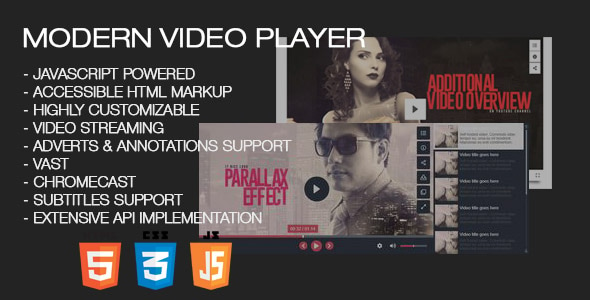
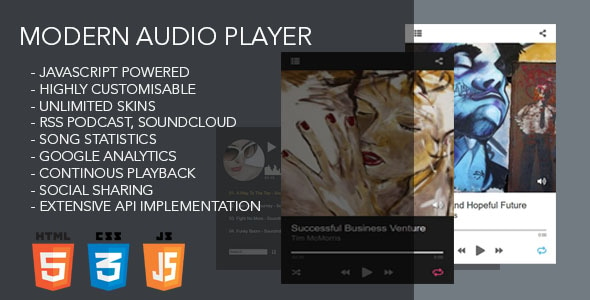
There are also features aimed at presentation and engagement. Audio playback includes a real-time spectrum visualiser with a customisable colour theme. A quality selector lets viewers pick a resolution in the same way YouTube does. Subtitles, annotations, 360-degree and VR playback, a share and embed window, and optional deep linking (a unique shareable URL for a specific playlist and video) are all present. Chromecast support lets a viewer push MP4 or MP3 playback to a television, though the vendor notes that HLS, YouTube, Vimeo and advertising are excluded from that particular feature.
Administrative touches round it out: Google Analytics tracking of play and download counts, an optional download button that can be toggled globally or per video, and a choice between bottom or right playlist placement. The source files include JavaScript, HTML, XML, CSS, PHP, SWF/FLV and layered PSD files, so designers can restyle the skin rather than being locked to the shipped look.
Where this player fits, and where it does not
The strongest fit is a content publisher or media site that hosts its own video and wants to monetise it. The advertising stack, ad server tag support and analytics integration point clearly at that use case. A second good fit is an agency building a video-heavy site for a client where the source material is scattered: some files on the client’s server, some on YouTube, some on Vimeo. Consolidating those into one branded player with one consistent skin saves real build time.
Course creators and membership sites are another natural audience, particularly because of deep linking, subtitle selection and quality switching. A training library benefits from shareable links to a specific lesson and from letting viewers on slow connections drop to a lower resolution.
It is the wrong choice for anyone who wants a hosted, zero-maintenance solution. This is a PHP script that must be installed and configured on a server the buyer controls. A blogger who simply wants to paste a YouTube link and forget about it will find a free embed or a hosted platform simpler and cheaper. It is also a poor fit for live broadcasting in the Twitch sense, since the stated streaming support covers HLS and DASH delivery rather than interactive live production.
Strengths and limitations
Strengths
- One player handles local files, server streams, YouTube, Vimeo and Vimeo Pro, so mixed media libraries do not need multiple tools.
- Playlist loading is genuinely flexible: HTML markup, XML, folders, YouTube channels and Vimeo albums are all supported, and playlists can be generated from a database.
- Advertising support reaches professional standards through IMA SDK, VAST and VMAP, which is rare in a $59 script.
- Adaptive streaming via HLS and DASH is included rather than sold as an add-on.
- Layered PSD source files mean the skin can be redesigned rather than merely recoloured.
- Strong marketplace track record: 2,287 sales and a 4.81 rating from 126 buyers.
Limitations
- Chromecast does not work with HLS, YouTube, Vimeo or advertising content, so the feature is narrower than the headline suggests.
- Self-hosting means the buyer owns installation, updates and server configuration. The vendor does not state a managed hosting option.
- The feature list is long enough that configuration is a real task, not a five-minute setup. Advertising and ad server tags in particular require familiarity with VAST or IMA concepts.
- The listing includes SWF/FLV in the source files, a legacy Flash format that modern browsers no longer run, so that portion of the package has limited practical value.
- Because the player depends on third-party platforms for YouTube and Vimeo playback, changes to those platforms’ embed policies are outside the vendor’s control.
How it compares with the wider category
Buyers in this space generally choose between three approaches: a free open-source player such as a bare HTML5 video element or a lightweight JavaScript library, a hosted video platform subscription, and a commercial self-hosted script like this one.
Free players win on cost and on the absence of a licence fee, but they typically offer no advertising framework, no playlist manager and no unified handling of YouTube and Vimeo alongside local files. Assembling those capabilities from separate libraries is possible, and some developers will prefer that route for control. The trade-off is development time, which for an agency is rarely free.
Hosted platforms solve the maintenance problem entirely and usually include transcoding and a content delivery network. Their weakness is cost at scale and the loss of control over the player’s appearance and data. Ultimate Video Player Media sits between the two: it keeps the media and the interface on the buyer’s own server while providing a feature set closer to a platform than to a library. The $59 price is a one-time cost rather than a recurring subscription, which is the main economic argument in its favour.
Frequently Asked Questions
Does Ultimate Video Player work with YouTube and Vimeo videos?
Yes. The player supports YouTube videos, YouTube playlists and channels, Vimeo and Vimeo Pro videos, Vimeo playlists and albums, and it can mix those sources with locally hosted MP4 and MP3 files in the same playlist. The same custom skin is applied to YouTube content, so playback looks consistent across sources.
What video and audio formats does it need?
Only MP4 for video and MP3 for audio are required. The vendor states that the player handles browser and device compatibility internally by combining multiple video engines, so separate codec versions of each file are not necessary. HLS streams delivered as m3u8 and DASH MPEG live streams are also supported for adaptive playback.
Can advertisements be added to the videos?
Yes, and the advertising options are extensive. The player supports pre-roll, mid-roll and post-roll video or image ads, popup ads with configurable timing, Google AdSense, and the Interactive Media Ads SDK for HTML5 with DFP and DoubleClick IMA tags. That covers VAST, VMAP, bumper ads and non-linear banner or text advertising against self-hosted video.
Is it a hosted service or a script that must be installed?
It is a self-hosted PHP script. The buyer installs it on their own server and configures the player there, and the source files include JavaScript, HTML, XML, CSS, PHP and layered PSD assets. There is no managed hosting option mentioned by the vendor, so server setup and ongoing maintenance remain the buyer’s responsibility.
Verdict
Ultimate Video Player Media is worth buying for publishers, agencies and course creators who host their own media, need to combine several video sources in one interface, and want advertising and adaptive streaming without building either from scratch. The 2,287 sales and 4.81 rating suggest the script delivers on its core promises for most buyers. It is not the right purchase for someone who wants a hosted, maintenance-free video solution, nor for a casual blogger who only needs to embed an occasional clip. The Chromecast exclusions and the configuration effort around advertising are the main caveats to weigh before buying. At $59 as a one-time cost, the calculation is straightforward for anyone with a genuine multi-source video project.