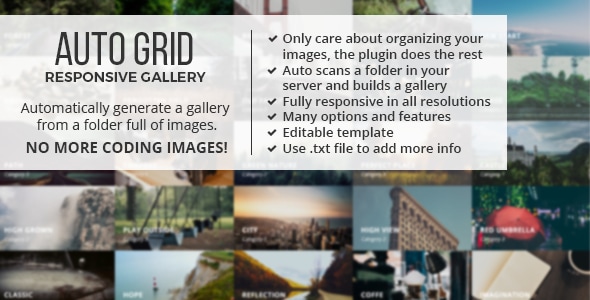
Auto Grid Responsive Gallery Images & Media is a PHP script sold on CodeCanyon that builds a filterable, responsive image gallery by reading a folder on the web server rather than from a database. The folder’s subfolders become the gallery’s category tabs, and every image inside them is rendered into a grid with a lightbox. It suits site owners and freelancers who keep large image collections on disk and want a gallery that updates itself as files are added, without touching a CMS or writing new markup each time.
The item has been on the marketplace a long time, has passed 2,000 sales and holds a 4.72 average from 143 ratings, which for a $17 script of this age suggests the core mechanic works reliably for the people who buy it. It is developed by castleplugins, trading under the name David in the item’s support threads.
How the folder-scanning gallery actually works
The central idea is that the script reads a directory tree and derives the gallery from it. A parent folder holds the images and its immediate subfolders act as categories, so a folder called weddings inside portfolio produces a “weddings” tab. Adding a new category means creating a folder; adding new images means uploading files. Nothing in the page markup changes, which is the main reason buyers describe the workflow as low maintenance.
Implementation is a single line of embed code placed once in a page. Running more than one gallery on the same site means adding another line with different parameters, so a site can carry a portfolio grid, a product gallery and a family photo album without duplicating the setup.
Layout control and breakpoints
Column behaviour can be set three ways: a fixed pixel width per column, a fixed number of columns, or auto, which lets the grid stretch to fill 100% of its container. Separate layouts can be defined per screen resolution, which is how the script handles the jump from desktop to tablet to phone. Images of any dimensions are accepted, so there is no need to pre-crop everything to a single aspect ratio before upload.
Thumbnails, performance and lazy loading
Thumbnails are optional and can be applied only to the images where they matter. That is a sensible compromise: a gallery of several hundred photos can serve small files in the grid and full-resolution files only in the lightbox. The vendor also publishes a separate free thumbnail-generation script, hosted outside CodeCanyon and explicitly without support, so bulk thumbnail creation is possible but is not part of the paid product.
The lightbox and its navigation
The lightbox supports slideshow playback with play, pause and auto-play controls, and deep linking, which means individual images can be addressed by URL and shared or bookmarked directly. Deep linking is the feature most gallery scripts skip, and its absence is usually noticed only after launch, so its inclusion here is worth flagging.
Per-image metadata through text files
Each image can be paired with a .txt file that adds a YouTube or Vimeo embed, an iframe, extra descriptive text, or a custom aspect ratio. This turns the grid from a photo wall into a mixed-media grid without a database or admin panel. It is a file-based convention rather than a form-driven interface, so the person maintaining the gallery needs file access and a basic understanding of the naming rule.
Ordering, search and interaction effects
Images can be sorted by name, by date or randomly, and categories follow the same alphabetical prefix convention (a-, b-, c-) so their tab order can be controlled by renaming folders. A built-in search filters the grid, images can load in batches rather than all at once, and a direction-aware hover effect changes the reveal animation depending on which edge the cursor enters from. Individual thumbnails can also link out to another page instead of opening the lightbox.
Where this gallery fits, and where it does not
The strongest fit is a self-hosted site on a server where the owner has file access and PHP 7.x or 8.x is available. PHP is a hard requirement, not an optional extra, and the script will not run on static hosting, a purely client-side stack, or a platform that blocks arbitrary PHP execution.
Photographers and studios maintaining a portfolio that changes weekly are the obvious audience: drop finished exports into a folder, and the grid reflects them. Families and clubs with large personal archives also fit, since the folder structure doubles as the album structure. Freelancers building a one-off gallery for a client who can be taught to upload files into folders will find the handover simple.
The wrong choice is a site that already runs on WordPress, Shopify or another platform with a native media library. In that setting the script duplicates functionality the CMS already provides, adds a second place to manage images, and puts the gallery outside the platform’s backup and permission systems. It is also a poor fit where non-technical editors need a browser-based upload form with drag-and-drop, because this product has no admin interface at all.
Strengths and limitations
Strengths
- Zero-database architecture: the filesystem is the source of truth, so backups and migrations are a matter of copying folders.
- Genuinely low maintenance once installed, with new content added by upload rather than by editing pages.
- Deep linking in the lightbox, which makes individual images shareable.
- Per-resolution layout settings and an auto-width mode that fills its container.
- Mixed media support through .txt sidecar files, including video embeds and iframes.
- Source files for JavaScript, JSON, HTML, CSS and PHP are included, so the code can be modified.
- A long, documented update history and a substantial review base for a low price.
Limitations
- The last recorded update is March 2022. Buyers should check current PHP 8.x compatibility on their own host before committing, because the listing’s compatibility claims predate recent PHP releases.
- No administrative interface. Every change happens through the file system and a configuration call in the page.
- Thumbnail generation is not built in; the vendor’s helper script is a separate download with no support attached.
- Metadata is handled through hand-written .txt files, which is workable for a developer and awkward for anyone else.
- The browser compatibility list reaches back to Internet Explorer 8, which says more about the code’s age than about modern browser support.
- Search, filtering and lightbox behaviour depend on JavaScript, so there is no meaningful no-JavaScript fallback described.
How it compares with the wider gallery category
Gallery options broadly fall into three groups: CMS plugins tied to a platform’s media library, hosted gallery services, and standalone scripts like this one. CMS plugins win on integration and editorial workflow but tie the gallery to one platform. Hosted services remove hosting concerns but add a subscription and move the images off the site.
A standalone PHP script sits between them. It offers more layout control than most hosted builders and no recurring cost, at the price of requiring server access and manual file organisation. Against other standalone scripts, the distinguishing traits here are the folder-as-category model, the deep-linked lightbox and the sidecar text files for mixed media. Against a drag-and-drop gallery builder, it loses clearly on ease of use for non-technical editors. The decision comes down to who maintains the gallery: a developer with server access will find this faster than most alternatives, while a marketing team without it will find it restrictive.
Frequently Asked Questions
Does Auto Grid Responsive Gallery need a database?
No. It reads images directly from folders on the server, so there is no MySQL setup, no import step and no database to back up. The trade-off is that all content management happens through the file system rather than an admin panel, which keeps hosting simple but puts maintenance in the hands of whoever can access the server.
Can it display videos alongside images?
Yes, through a .txt file placed alongside an image. That file can specify a YouTube or Vimeo embed, an iframe, extra text or a custom ratio, and the grid renders the item accordingly. The vendor does not state a limit on how many items can carry metadata, so large mixed-media sets should be tested before rollout.
Is PHP required to run this gallery script?
Yes, PHP is mandatory. The listing states compatibility with PHP 7.x and 8.x, and the folder-reading logic runs server-side, so static hosting or a client-only stack will not work. Because the most recent update dates from March 2022, confirming the installed PHP version with the host is a sensible first step.
Can several galleries run on the same page or site?
Yes. The script is embedded with a single line of HTML, and additional instances are created by adding further lines with their own settings. Each instance can point at a different folder and use a different layout, so separate galleries do not interfere with one another and share the same underlying files.
Verdict
Buy this if the site runs on PHP, someone involved has server file access, and the image collection is large enough that re-editing pages every time a photo is added has become a chore. The folder-driven model is genuinely efficient, the lightbox is better equipped than most at this price, and more than 2,000 sales with a 4.72 rating is reasonable evidence that it delivers what it promises. Do not buy it for a WordPress or Shopify site, for a team that needs a browser-based upload screen, or for a project where guaranteed compatibility with the newest PHP release is a hard requirement without prior testing. At $17 the risk is small, but the fit matters more than the price.