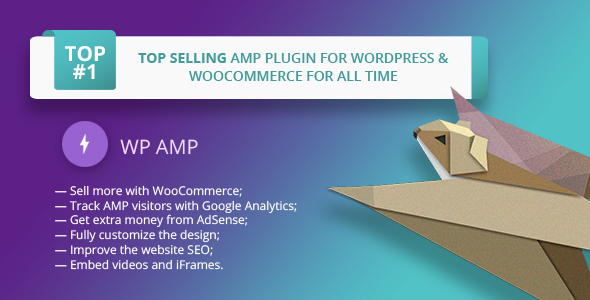
WP AMP is a commercial WordPress plugin that generates Accelerated Mobile Pages — stripped-back, fast-loading versions of web pages built to Google’s AMP HTML standard — for a WordPress site and, unusually, for a WooCommerce store. It is sold on CodeCanyon for $49 and includes a drag-and-drop builder for laying out those mobile pages, a set of shortcodes, and an API for developers. It suits site owners who want an AMP layer without rebuilding their theme, and store owners who want product and cart pages to render in AMP at all; the WP AMP Add-ons bundle is what adds the WooCommerce and page-builder handling on top of the core plugin.
What the plugin actually does beyond generating AMP pages
Plenty of AMP plugins stop at converting posts. This one goes further in three areas that matter for real sites.
Coverage across content types, not just blog posts
AMP output is generated for home pages, single posts, static pages, categories, tags, date and author archives, search results and even the 404 page. Custom post types and custom taxonomies are supported too, which is the detail most competing plugins skip. In practice that means a site with a portfolio, a recipe section or a directory of listings can serve AMP versions of those pages rather than dropping visitors back to the full theme the moment they leave the blog.
A visual builder for the AMP layout
Rather than forcing the AMP output to inherit whatever the desktop theme produces, the plugin ships its own drag-and-drop editor for arranging AMP blocks. It applies to posts, pages, archives, the blog index, search and the 404 template. Blocks can be enabled, disabled, reordered and restyled. Customisation reaches the logo (text, image or both), header menu, colours, fonts, footer, featured images, post meta, related and recent posts, comments and ad slots. Custom HTML and CSS can be added directly, which is the escape hatch for anyone who finds the built-in options too narrow.
WooCommerce and page-builder handling
The WooCommerce integration puts the shop page, product pages, product category and tag pages, and the cart into the AMP layer. One constraint is stated openly by the vendor: AMP rules do not permit the checkout and account pages, so shoppers are redirected to the standard site to complete a purchase. That is a limitation of the AMP specification, not a bug in the plugin, but it shapes how the store experience feels.
Elementor, WPBakery (Visual Composer) and Gutenberg are listed as compatible. The vendor is candid that full page-builder support is technically impossible under AMP, because those builders emit inline CSS and custom JavaScript that AMP disallows. The workaround is a per-post content override: a simpler, code-free version of the page — text, images, video, basic formatting — shown only to AMP visitors. Individual posts and pages can also be excluded from AMP generation entirely.
Analytics, ads and SEO plugin coexistence
Tracking support covers Google Analytics (including the GA4 update added in version 9.3.34), Google Tag Manager, Yandex.Metrika and Facebook Pixel. AdSense and DoubleClick blocks can be positioned at the top or bottom of pages, or inserted inside content with the [wp-amp-ad] shortcode. On the SEO side, the plugin is declared compatible with Yoast SEO, All in One SEO Pack, The SEO Framework and SEOPress — worth checking, because duplicate or conflicting meta output is the usual failure mode when an AMP layer meets an SEO plugin.
A pack of shortcodes handles the smaller jobs: related posts, recent posts, social share buttons, ad placement, a “switch to regular version” button, and [no-amp] for hiding a section of content from AMP. Developers get esc_amphtml() for sanitising output and is_wp_amp() as a conditional check, plus documented filters and actions.
Where it fits, and where it does not
The strongest case is a content-heavy WordPress site — a magazine, a news outlet, a large blog — where mobile bounce rate is a commercial problem and the theme is too complex to convert cleanly. The built-in builder lets the AMP version look deliberately different from the desktop site rather than like a broken copy.
A second good fit is a small WooCommerce store whose owner wants product pages to load quickly on phones and is comfortable sending shoppers to the full site for checkout. The cart is supported; the transaction is not.
Freelancers and agencies maintaining several client sites will find the per-post override and the exclusion toggle useful, since they allow a mixed approach: AMP where it helps, the normal theme where it does not.
The wrong choice is a site whose value depends on interactive, JavaScript-driven components — configurators, calculators, complex forms, membership dashboards. AMP’s restrictions will strip them out, and the override system can only substitute a simpler page, not preserve the interaction. Anyone expecting a page builder such as Elementor to translate pixel-for-pixel into AMP will be disappointed, and the vendor says so directly.
Strengths and limitations
Strengths
- Genuine WooCommerce coverage — shop, products, categories, tags and cart — which is rare among AMP plugins.
- Support for custom post types, custom taxonomies and archives, not just posts and pages.
- A visual builder that lets the AMP layout be designed independently of the desktop theme.
- Per-post content overrides and per-post AMP exclusion give fine-grained control on mixed sites.
- Broad declared compatibility: Yoast, Rank Math-adjacent tools such as SEOPress, WP Rocket, W3 Total Cache, WPML, Divi, Avada, Contact Form 7 and more.
- Developer hooks — shortcodes, a sanitising function, a conditional tag and documented filters.
- Strong track record: roughly 1,975 sales and a 4.63 out of 5 average across 95 reviews, with a decade of version history behind it.
Limitations
- The last update recorded is October 2022. WordPress, WooCommerce and the AMP specification all move faster than that, so buyers should verify current compatibility before committing — especially on WordPress 6.x releases after 6.0.
- Checkout and account pages cannot exist in AMP. This is a hard limit of the standard, but it means the mobile purchase journey is split across two experiences.
- Page-builder layouts do not carry over. Elementor and WPBakery users must rebuild simplified AMP content by hand for any complex page.
- Advanced Custom Fields requires a separate add-on, sold independently, which adds cost and another dependency.
- The vendor notes that permalinks must be resaved and all caches cleared after install or update — a setup step that will trip up less experienced users.
- Interface localisation is limited to English, German, Spanish and Russian.
How it compares with the wider AMP plugin category
Most AMP plugins for WordPress fall into two camps. The free, standards-first options focus on generating valid AMP markup for posts and pages, leaving the design largely inherited from the theme and offering little or no e-commerce support. The premium, design-led options give more control over appearance but often stop at content pages.
WP AMP sits in the second camp with an unusually wide scope. Its differentiators are the WooCommerce cart and product coverage, the custom post type support, and the built-in builder that decouples AMP design from the theme. A site that only needs valid AMP on blog posts can achieve that with a free plugin and less configuration. A store or a complex content site that needs AMP to look intentional and cover more than articles has far fewer options, and this is one of the few that addresses both.
The trade-off is maintenance risk. A plugin that has not shipped an update since 2022 carries more uncertainty than one updated monthly, and that should weigh in the comparison alongside features.
Frequently Asked Questions
Does WP AMP work with WooCommerce checkout pages?
No. The shop, product, category, tag and cart pages can all be served in AMP, but checkout and account pages cannot, because the AMP specification disallows the scripts they require. Shoppers who tap checkout are redirected to the standard version of the site to complete payment and manage their account.
Can WP AMP be used with Elementor or WPBakery?
Only partially. The vendor states that full page-builder support is impossible under AMP rules, since those builders output inline CSS and custom JavaScript that AMP rejects. Instead, each post or page can be given a simplified AMP-only version built from text, images, video and basic formatting, or excluded from AMP entirely.
Is WP AMP still maintained and compatible with current WordPress versions?
The vendor lists compatibility up to WordPress 6.0.x, and the most recent changelog entry is dated October 2022. Newer WordPress releases are not covered by the declared specification. Buyers should test on a staging copy and confirm with the developer before relying on it for a production site.
Does WP AMP support Google Analytics 4 and AdSense?
Yes to both. Version 9.3.34 added Google Analytics 4 support, and the plugin also handles Google Tag Manager, Yandex.Metrika and Facebook Pixel. AdSense and DoubleClick blocks can be placed at the top or bottom of AMP pages, or inserted within post content using the [wp-amp-ad] shortcode.
Verdict
Buy WP AMP if the project genuinely needs AMP beyond blog posts — a WooCommerce store that wants fast mobile product and cart pages, or a content site with custom post types and archives that must render in AMP without a theme rebuild. The combination of WooCommerce coverage, a visual builder and per-post overrides is difficult to match at $49, and the sales and rating figures suggest it has worked for a substantial number of buyers. Do not buy it if the site depends on interactive JavaScript components, if pixel-perfect page-builder fidelity is a requirement, or if you need assurance of active maintenance against the newest WordPress and WooCommerce releases — the 2022 update date is the single biggest reason for caution. Developers at custom4web have a long version history behind the plugin, which counts in its favour, but a careful staging test before purchase is the sensible step.