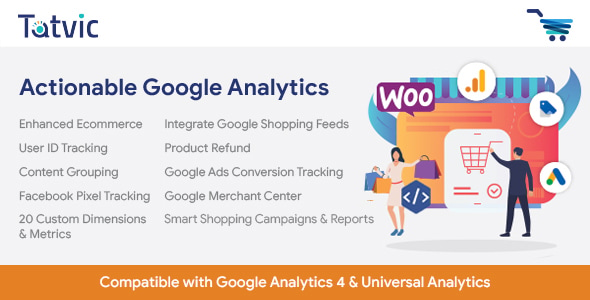
Actionable Google Analytics for WooCommerce is a commercial WordPress plugin from the developer conversios that connects a WooCommerce store to Google Analytics 4 and several advertising platforms without custom code. It handles GA4 eCommerce event tracking, Google Ads and Microsoft Ads conversions, Meta Pixel and LinkedIn Ads tags, plus Microsoft Clarity session recordings, and adds two reporting dashboards inside WordPress. It suits store owners and small agencies who want reliable conversion data across channels but do not have a developer on hand to wire up tags manually.
The product sells on CodeCanyon for $90, has recorded 1,829 sales and holds a 4.61 out of 5 rating across 95 reviews, which is a reasonable signal of steady use rather than a runaway success. The current version was last updated in June 2025 and lists compatibility with WooCommerce 5.x through 9.x and WordPress 4.9 through 6.8, so it spans a wide range of installs.
What the plugin actually does for a WooCommerce store
The core value is consolidation. A typical WooCommerce store that wants to measure marketing performance ends up juggling several separate snippets: a GA4 tag, a Google Ads conversion tag, a Meta Pixel, possibly a Microsoft Ads UET tag and a LinkedIn Insight tag. Each one needs to fire on the right pages and pass the right order value and product data. This plugin replaces that patchwork with a single settings screen where each integration is switched on or off.
GA4 eCommerce and event tracking
The plugin sends WooCommerce activity into Google Analytics 4 using the platform’s eCommerce event model. In practice that means product views, add-to-cart actions, checkout steps and purchases arrive in GA4 with item-level detail attached, rather than as bare pageviews. For anyone trying to read a GA4 eCommerce report, that distinction matters: without item data the product performance reports are largely empty.
Advertising platform conversions
Google Ads, Meta, Microsoft Ads and LinkedIn are all covered as conversion destinations. The practical benefit is that a store can attribute revenue back to paid campaigns in each platform’s own dashboard without maintaining separate tracking code for each channel. For stores running several ad networks at once, this is the feature that justifies the price most clearly.
Session recordings through Microsoft Clarity
Clarity integration adds behavioural data — recorded sessions and heatmaps — alongside the numeric reports. That lets a store owner watch where visitors hesitate on a product page or drop out of checkout, which is a different kind of insight from a conversion count.
Two dashboards inside WordPress
The plugin ships with a General Reports view covering traffic, user behaviour and conversions, and an Ecommerce Reports view covering product performance, revenue trends and purchase behaviour. Both are designed to align with GA4’s enhanced eCommerce standards. Having this inside the WordPress admin reduces the need to switch to the GA4 interface for routine checks, which is convenient for store managers who do not live in analytics tools.
Where this plugin fits, and where it does not
The clearest fit is a WooCommerce store that already runs paid advertising on two or more platforms and wants conversion data flowing to all of them without commissioning custom development. A single-store owner managing their own marketing, or a freelancer maintaining several client shops, gets the most from the consolidated setup screen. Stores running WPML for multilingual catalogues, or using Gravity Forms and WPForms for lead capture, are explicitly supported, which helps agencies with mixed project types.
It is also a sensible choice for a store migrating from Universal Analytics to GA4 that needs eCommerce events configured correctly and quickly.
The wrong choice is a store with complex measurement requirements. The vendor states plainly that the plugin does not handle Google Tag Manager tag and trigger configuration, does not provide a Conversions API gateway for server-side tracking, and does not cover consent management or GDPR/CCPA setup. A business operating in a jurisdiction with strict consent rules, or one that has standardised on server-side tagging for accuracy, will find this plugin covers only part of what it needs. The same applies to multi-domain or sub-domain tracking, which is listed as unsupported out of the box.
Strengths and limitations
Strengths
- One settings screen replaces several hand-coded tracking snippets, cutting the most common source of broken eCommerce data.
- Covers five advertising and analytics destinations — GA4, Google Ads, Meta, Microsoft Ads and LinkedIn — in a single licence.
- Item-level eCommerce events mean the GA4 product and revenue reports are actually populated.
- In-dashboard reporting reduces reliance on the GA4 interface for day-to-day checks.
- Broad version support, from WordPress 4.9 upward and WooCommerce 5.x through 9.x, suits older client sites.
- Source files in JavaScript, CSS and PHP are included, which gives agencies room to adapt presentation if needed.
- An established sales record and a rating above 4.5 suggest the integration paths work in practice for most buyers.
Limitations
- No support for creating custom events beyond the ones the plugin already tracks, so unusual funnel steps or bespoke micro-conversions cannot be measured without custom work.
- No Conversions API integration, meaning tracking relies on browser-side tags that ad blockers and privacy restrictions can suppress.
- Consent management and GDPR/CCPA configuration are explicitly excluded, which shifts legal compliance entirely onto the store owner.
- No anomaly detection, discrepancy alerts or data-quality tooling, so mismatches between WooCommerce and GA4 revenue must be found manually.
- Multi-domain and sub-domain tracking are not included, limiting use for stores spread across regional domains.
- Dashboards cannot be white-labelled, which is a drawback for agencies wanting to present reports under their own brand.
- Google Tag Manager configuration is out of scope, so stores already standardised on GTM will have overlapping tooling to reconcile.
How it compares with the wider category
Plugins in this space fall into roughly three groups. Pixel-management plugins focus on injecting advertising tags and often stop there, leaving GA4 eCommerce events to be configured separately. Dedicated GA4 plugins handle analytics thoroughly but tend to ignore the ad platforms. Full tag-management approaches put everything through Google Tag Manager, which is more flexible but requires someone who understands triggers and data layers.
This plugin sits in a fourth position: a bundled connector that covers analytics and the major ad networks together, with reporting on top. That breadth is its advantage over narrow pixel plugins and over GA4-only tools. Against a tag-manager-led setup it trades flexibility for simplicity — it cannot express arbitrary tracking logic, but it also does not demand the expertise that GTM does. Buyers who need custom events, server-side tagging or strict consent tooling will find the category’s more technical options a better fit, at the cost of setup effort. Those who want correct, standard conversion data across channels with minimal configuration are the audience this product is built for.
Frequently Asked Questions
Does Actionable Google Analytics for WooCommerce work without coding?
Yes, the plugin is designed to be configured entirely through settings screens. Installation involves uploading the ZIP file through the WordPress plugins area, activating it, accepting the privacy policy and switching on the integrations required. No snippet placement or theme editing is needed for the supported tracking types, which is the main reason non-technical store owners choose it.
Does it send purchase data to Google Analytics 4 correctly?
It sends WooCommerce activity to GA4 using the platform’s eCommerce event structure, including item-level detail on purchases. That means product views, add-to-cart actions, checkout steps and orders appear with the parameters GA4’s eCommerce reports expect. The vendor does not publish accuracy benchmarks, so stores should verify revenue figures against WooCommerce orders after setup.
Can it track conversions for Meta, Google Ads and Microsoft Ads at the same time?
Yes, all three are supported alongside LinkedIn Ads, and each can be enabled independently from the settings screen. A store running campaigns on several networks can therefore send conversion data to each platform without maintaining separate code. Each integration still needs its own account identifiers and configuration before tracking begins.
Does the plugin handle GDPR consent for tracking scripts?
No, consent management and GDPR/CCPA setup are explicitly excluded from the plugin’s scope. The vendor lists them among features available only through custom development or add-ons. Store owners remain responsible for ensuring tracking scripts fire only after lawful consent, which usually means pairing the plugin with a separate consent management tool.
Verdict
This plugin earns a recommendation for WooCommerce store owners and small agencies who need GA4 eCommerce tracking and multi-platform ad conversions configured quickly, without hiring a developer. The combination of five integrations, item-level event data and in-dashboard reporting is genuinely useful at the $90 price point, and the sales history and rating suggest it delivers for most buyers. It is not the right purchase for stores with strict consent obligations, server-side tracking requirements, multi-domain setups or a need for custom event definitions — those cases need either add-on development from the vendor or a more technical tag-management approach. Buyers should treat the excluded features as a scope boundary rather than a flaw, and confirm before purchase that their measurement plan fits inside it.