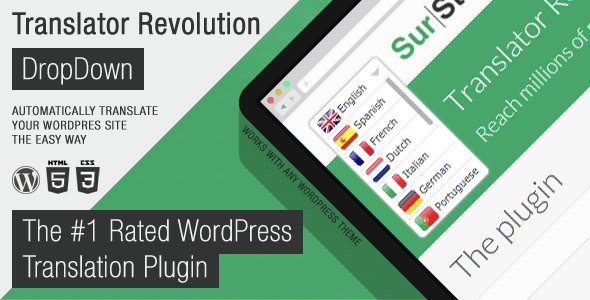
Ajax Translator Revolution DropDown WP Plugin is a WordPress translation utility sold on CodeCanyon by SurStudio. It adds a dropdown language switcher to a site and translates the pages automatically through a translation API, with no requirement that the theme or its plugins be built for WordPress internationalisation. It suits site owners who need a multilingual site quickly and are willing to accept machine translation as the starting point rather than the finished result.
The listing carries 5,185 sales and a 4.9 out of 5 rating across 447 reviews, which is a meaningful signal for a utility priced at $25. SurStudio has also kept the product current, with the last vendor update dated August 2026.
What the plugin actually does
The core function is a language dropdown that renders on the front end and swaps the visible content for a translated version. The vendor describes the setup as taking around a minute, and the architecture supports that claim: the plugin hooks into the page output rather than relying on translation files, so it does not need theme strings wrapped in translation functions before it will work.
That design choice matters more than it sounds. Standard WordPress localisation depends on developers marking every user-facing string with gettext calls. In practice, page builders, sliders, forms, popups and gallery modules rarely do this consistently. This plugin sidesteps the problem by translating rendered output instead of source strings, which is why the vendor can claim coverage of pages, posts, custom post types, tags, categories, widgets, plugins and themes without per-component configuration.
Automatic translation runs through one of two routes. The SurStudio Translate API acts as a gateway to Google Translate and is free for buyers for the life of the licence. The Google Translate API is also supported directly, but that route is paid and requires the site owner to hold their own billing account with Google. The distinction matters: the free gateway removes ongoing cost, while the direct API route gives more control but adds a recurring bill.
Translation results are cached, and the admin includes an editor for correcting cached strings. That combination is the practical heart of the product. Machine translation handles the first pass across a large site, and human editing fixes the phrases that matter most — product names, legal wording, navigation labels, anything where an awkward literal translation would be visible.
Coverage is broad. The vendor lists 103 supported languages, spanning major European and Asian languages alongside smaller ones such as Welsh, Corsican, Hawaiian, Scots Gaelic and Zulu. For a site targeting an audience outside the usual English, Spanish, French and German set, that range is often the deciding factor.
Control over what gets translated is granular. Entire pages, posts and categories can be excluded, so a checkout flow or a legal notice can be left in one language while the rest of the site switches. The plugin also remembers the visitor’s chosen language between sessions, which avoids the dropdown resetting on every page load.
Presentation is configurable. The switcher can show flags and language names together, names alone, or flags alone. There is an option to display each language in its own script — so German appears as Deutsch rather than English — and custom language names can be defined for cases where the default label is wrong for the audience. A template system allows the default HTML structure to be replaced, and custom CSS rules can be defined from the admin. The vendor counts 93 settings in total.
Placement is handled two ways. The default is a WordPress widget, which is the quickest route on any theme with a widget area. Where no suitable widget area exists, custom positioning settings place the switcher anywhere on the page, which covers themes built entirely with a page builder or with a fixed header structure.
For sites with heavy pages, the plugin allows the number of concurrent translation calls to be specified. That is a genuine performance control rather than a cosmetic one: fewer simultaneous requests reduce browser resource use at the cost of slower translation, and the reverse trade-off is also available. JavaScript callback functions can be defined for developers who need to hook into the translation lifecycle.
Administration sits inside the normal WordPress dashboard, using tabbed panels. Translations can be imported and exported, and settings and cached translations can be backed up online through a dedicated panel. A recent update added role-based permissions for editing translations, which lets a site owner delegate that work to an editor without granting full administrative access.
Where it fits, and where it does not
The clearest fit is a brochure or content site that needs to be readable in several languages without a translation budget. A business with a handful of service pages, a blog and a contact form can have a working multilingual site the same day, and the cached translation editor lets the owner clean up the highest-traffic pages over time.
It also fits sites built on page builders where string-based translation plugins have failed. Elementor, Elementor Pro, Visual Composer, Layers WP, Aesop Story Engine and Bootstrap-based themes are all listed as compatible, along with bbPress, BuddyPress, Easy Digital Downloads, Gravity Forms and WPML. Where a theme or plugin produces content outside the standard WordPress content filters, this approach has a better chance of catching it.
A third fit is the site that needs a language the mainstream plugins handle poorly. If the target audience reads Amharic, Sinhala, Hausa or Kyrgyz, the 103-language list is likely to include it where a smaller competitor would not.
The plugin is the wrong choice for a regulated or high-stakes context. Machine translation of medical instructions, legal terms, financial disclosures or safety information is not something to publish unchecked, and the editing workflow here is manual and page-by-page. An organisation in that position needs professional human translation, and this tool would only add a layer of machine output that a translator would then have to review anyway.
It is also a poor fit for a site with a very large content archive and no appetite for review. Automatic translation will render thousands of pages, but nobody will have read them, and the resulting site can carry errors that are invisible to the owner. Scale is not the same as quality.
Strengths and limitations
Strengths
- Works without theme or plugin internationalisation, so it covers page builder output, sliders, forms and custom post types that string-based plugins often miss.
- The SurStudio Translate API gateway is free for buyers for life, which removes the recurring cost that direct Google Translate API usage carries.
- 103 languages, including many that mainstream translation plugins do not offer.
- Cached translations can be edited in the admin, allowing targeted corrections rather than all-or-nothing machine output.
- Granular exclusion of pages, posts and categories, plus a remembered language preference per visitor.
- Deep customisation — 93 settings, a template system for the HTML structure, custom CSS, and JavaScript callbacks for developers.
- Active maintenance, with the last update in August 2026 and a strong review record across 447 ratings.
- Source files include JavaScript, HTML, CSS, PHP and a layered PSD, so the front-end can be restyled properly rather than patched with CSS overrides.
Limitations
- Translation quality is whatever the underlying machine service produces. The plugin provides the editing tools; it does not improve the raw output.
- The direct Google Translate API route is billed by Google, and the vendor does not state pricing or quota details for it. Site owners need to check Google’s terms before choosing that option.
- Correcting cached translations is manual work on a per-string basis. On a large site with many languages, that workload scales quickly and the plugin offers no bulk review queue.
- Reliance on a third-party translation service means the site depends on that service remaining available. The vendor does not describe an offline fallback.
- The compatibility list is wide but not exhaustive. Themes with unusual content rendering may still produce sections that pass through untranslated, and testing is required rather than assumed.
- The browser compatibility list includes IE6 through IE11, which reflects a long support history rather than a modern requirement, and says nothing about how the plugin behaves with current browser privacy features that restrict third-party requests.
How it compares with other translation approaches
WordPress translation tools broadly fall into three groups. String-based plugins rely on the theme and its extensions being properly internationalised, which produces clean, reliable results when it works and frustrating gaps when it does not. Manual translation plugins store human-written content per language, which gives the best quality at the highest ongoing cost. Automatic translation plugins sit in between, trading editorial control for speed and coverage.
This product sits firmly in the automatic group, but with two distinctions. The first is the output-level approach, which lets it translate content that string-based tools cannot reach without code changes. The second is the free API gateway, which removes the per-character billing that makes automatic translation expensive at volume on other setups.
The trade-off is the same one every automatic tool makes: the plugin decides what the page says in each language, and the site owner inherits that decision. Where a competitor might offer a cleaner integration with a specific page builder, this one offers broader coverage with less precision. Where a manual translation plugin offers fully controlled copy, this one offers speed. The choice depends on whether the priority is reach or accuracy.
Frequently Asked Questions
Does Ajax Translator Revolution DropDown WP Plugin translate the whole WordPress site automatically?
Yes, it translates rendered page output rather than source strings, so pages, posts, custom post types, tags, categories, widgets, plugins and theme output are all covered by default. Individual pages, posts and categories can be excluded if they should stay in one language. Translation happens through an external API, not on the server.
Is the translation service free, or does it cost extra?
The SurStudio Translate API gateway is free for buyers for life, and it routes requests to Google Translate. The plugin also supports the Google Translate API directly, but that route is paid and billed by Google under the site owner’s own account. The vendor does not state the cost of that second option.
Can the machine translations be edited afterwards?
Yes. Translations are cached, and the admin includes an editor for changing individual cached strings. A recent update added role-based permissions so editors can be granted access to that editor without full administrator rights. Import and export functions and online backups of settings and cached translations are also provided.
Which WordPress versions and page builders does it work with?
The vendor lists compatibility from WordPress 4.9.x through 7.0.x, and names Elementor, Elementor Pro, Visual Composer, Layers WP, Aesop Story Engine, bbPress, BuddyPress, Easy Digital Downloads, Gravity Forms, WPML, Bootstrap 5 and 4, and Foundation 6. Gutenberg is listed as optimised. Testing on the specific theme in use is still advisable.
Verdict
This is a well-maintained, generously configurable automatic translation plugin that solves a real problem: making a WordPress site readable in many languages when the theme and its extensions were never built for translation. The free API gateway, the 103-language list and the cached translation editor are the three features that justify the $25 price on their own.
Buy it if the goal is broad language coverage on a content or brochure site, particularly one built with a page builder, and if someone is prepared to review and correct the highest-value pages after launch. Skip it if the content is legally sensitive, if the site is large enough that nobody will ever read the translated output, or if genuinely accurate copy in each language is a requirement rather than a nice-to-have. The 4.9 rating across 447 reviews suggests most buyers understood which of those two situations they were in.