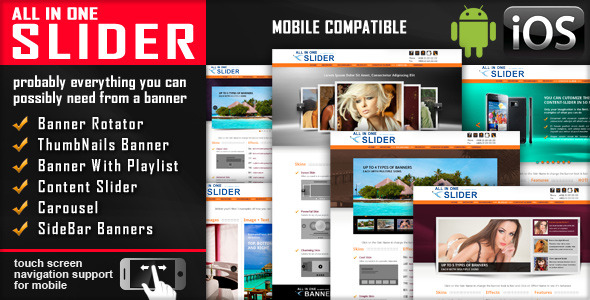
All In One Slider Responsive Jquery Slider Plugin is a JavaScript slider package sold on CodeCanyon that bundles five distinct slider types into a single download: a banner rotator, a thumbnail banner, a playlist banner, a content slider and a carousel. It is aimed at front-end developers and freelancers who build custom PHP or static sites and need a configurable, touch-friendly slider without committing to a WordPress plugin or a hosted service. The same package can also be used to build sidebar banners and small galleries, which broadens its appeal beyond full-width hero areas.
The item has been on the marketplace for years and has accumulated 9,238 sales with a 4.61 out of 5 rating across 609 reviews, which places it among the more established slider scripts in the JavaScript category. It is developed by LambertGroup, a vendor with a long history of slider products on the same marketplace. The current version is 3.0, last updated by the vendor on 22 June 2025.
What the package actually gives you across its five slider modes
The headline feature is the variety of layouts. Rather than one slider that you restyle, the package ships five separate presentations that share a common configuration approach. A banner rotator cycles large images with overlaid text. A thumbnail banner adds a strip of clickable thumbnails, with an optional reflection effect under each one. A playlist banner moves the thumbnail strip into a side playlist panel with its own width, border width and border colour settings. A content slider swaps the image for arbitrary content, including embedded YouTube, Vimeo and HTML5 video. The carousel shows several items at once, with controls for how many are visible and how much horizontal space sits between them.
Responsive behaviour arrived in version 3.0 and is the most consequential change for anyone building for mobile. Each slider type includes a parameter to switch responsiveness off, which matters when a fixed-width layout is intentional, such as a sidebar module inside a rigid grid. Touch navigation is supported, so swipe gestures work on phones and tablets without extra configuration.
Text handling is more flexible than many sliders in this price bracket. Captions can animate in from the top, bottom, left or right, and they accept standard HTML and CSS, so bold text, links and inline styling survive the transition. Each image can carry its own external URL and a target of either _blank or _self, which turns a slider into a navigable promotional element rather than a purely decorative one.
Timing and playback controls are consistent across the modes: autoplay, loop, randomise image order, and a circular countdown timer whose colour, dimensions and transparency are all adjustable. Controllers and thumbnails can be shown or hidden per instance. The package also supports multiple sliders on the same page, either sharing a skin or using different ones, which is useful on a homepage that needs both a hero rotator and a smaller carousel further down.
Three predefined skins ship with the product, and the download includes JavaScript, HTML, CSS and layered PSD source files. The PSD inclusion is a practical detail: it means a designer can rebuild the skin graphics to match a client’s brand instead of fighting the default styling.
Where this slider fits, and where it does not
The strongest fit is a custom-built website where the developer controls the markup. A PHP site, a static HTML build, or a bespoke CMS that outputs raw HTML all suit this package well, because integration is a matter of placing the container markup and initialising the script. Agencies producing multiple small business sites will find the five modes useful, since one purchase covers hero banners, portfolio carousels and sidebar promotions without buying separate components.
It also suits projects that need fine-grained control over presentation without writing a slider from scratch. The parameter list is long and explicit, covering dimensions, autoplay state, loop behaviour, controller visibility and timer styling. For a freelancer billing by the hour, that breadth reduces the time spent building custom transitions and touch handling.
There is one clear situation where this is the wrong purchase: a WordPress site. The vendor offers a separate WordPress plugin built on the same underlying script, and the JavaScript package reviewed here is not that plugin. A WordPress user who buys this item will receive files that need manual enqueueing and template edits, which is more work than installing the dedicated plugin. Anyone working primarily inside Elementor, Divi or the block editor should look at the plugin version instead.
A second poor fit is a project that needs a slider with an active, rapidly evolving feature set. Version 3.0 landed in 2025, but the product’s core architecture predates modern front-end conventions, and the browser support list still reaches back to Internet Explorer 7. Teams that expect a component-based build, a package manager install or a framework wrapper will find this a different kind of tool.
Strengths and limitations
Strengths
- Five slider types in one licence, covering hero banners, thumbnail galleries, playlist layouts, mixed content and multi-item carousels.
- Consistent parameter set across all modes, so learning one slider transfers to the rest.
- Captions accept HTML and CSS and can animate from four directions, which supports real promotional content rather than plain text overlays.
- Embedded video support for YouTube, Vimeo and HTML5 in the content slider and carousel.
- Multiple instances on one page, with the option to mix skins.
- Layered PSD files included, allowing the default skins to be restyled to match a brand.
- Long marketplace track record with 609 reviews and a 4.61 rating, which suggests the product behaves as described for most buyers.
Limitations
- The script is jQuery-based. Sites built on modern frameworks such as React or Vue would need to load jQuery purely for this component, which is a meaningful overhead for a single UI element.
- Integration is manual. There is no build tool, package manager entry or framework wrapper, so the files must be placed and initialised by hand.
- The vendor does not state accessibility provisions such as keyboard navigation, ARIA roles or reduced-motion handling. Buyers with accessibility requirements should verify this on the live demo before purchasing.
- Documentation quality and support responsiveness are not described in the listing data, so those cannot be assessed here beyond the general pattern of positive buyer comments.
- The carousel’s visible-item count and spacing are configured as fixed parameters rather than through a breakpoint system, so adapting item counts across screen sizes may require custom work.
- Browser support extends to IE7, which signals an older codebase. That is harmless for legacy intranets but offers no advantage on modern projects.
How it compares with the wider slider category
Slider tools generally fall into three groups: hosted services, WordPress plugins, and standalone JavaScript libraries. Hosted services are the easiest to launch but lock content into a third-party platform and often charge monthly. WordPress plugins are the right answer for WordPress sites but useless elsewhere. Standalone libraries, which is where this product sits, offer the most control and no recurring cost, at the price of doing the integration work.
Within the standalone group, the meaningful distinction is between general-purpose libraries and pre-built slider packages. A general-purpose library gives a developer primitives and expects them to compose the result. This product takes the opposite approach: it delivers finished slider types with a long list of named parameters, which trades flexibility at the architectural level for speed at the implementation level. For a developer who wants a rotator running this afternoon, that trade is favourable. For one who wants to build a bespoke interaction from scratch, a lighter library will be less constraining.
The five-mode structure is the main differentiator. Most slider scripts at this price point do one thing and do it well. Covering banners, playlists, content and carousels in a single licence reduces the number of components a developer has to evaluate and maintain across a project.
Frequently Asked Questions
Is All In One Slider a WordPress plugin?
No. This CodeCanyon item is a JavaScript slider package for custom sites, not a WordPress plugin. The vendor sells a separate WordPress plugin built on the same script, and that is the correct purchase for a WordPress site. Installing this package on WordPress requires manually enqueueing the script and editing templates.
Does the slider work on mobile phones?
Yes. Version 3.0 added responsive behaviour and touch screen navigation, so swipe gestures work on phones and tablets. Each slider type also includes a parameter to disable the responsive layout when a fixed width is required, such as inside a sidebar module or a rigid grid column.
Can several sliders appear on the same page?
Yes. The package supports multiple instances on one page, and each can use the same skin or a different one. That allows a homepage to combine a full-width banner rotator with a smaller carousel or thumbnail gallery further down, all driven by the same script files.
Can video be embedded inside the slider?
Yes, in two of the five modes. The content slider and the carousel both accept YouTube, Vimeo and HTML5 video alongside images. The banner rotator, thumbnail banner and playlist banner are image-focused, though their captions accept HTML and CSS, so a link or styled text can be layered over the image.
Verdict
This is a sensible buy for front-end developers and agencies building custom PHP or static sites who want a proven, configurable slider without recurring costs or a plugin dependency. The five modes, the consistent parameter set and the included PSD source files make it efficient across multiple client projects, and the sales and rating history suggest it does what the listing claims.
It is not the right choice for WordPress users, who should buy the vendor’s dedicated plugin instead, nor for teams working in React, Vue or another modern framework where adding jQuery for one component is hard to justify. Developers who need documented accessibility features should confirm those details on the live demo before committing.
At $11 with a 4.61 rating from 609 reviews, the risk is low and the coverage is broad. The decision comes down to whether the project is a custom build that can absorb a manual jQuery integration. If it is, this package covers a lot of ground for very little money.