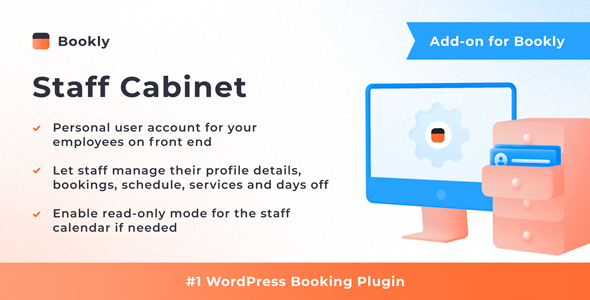
Bookly Staff Cabinet (Add-on) is a WordPress extension that gives each employee their own front-end account inside a Bookly-powered booking system, so staff can manage calendars, working hours, pricing and appointments without ever logging into wp-admin. It is sold on CodeCanyon for $49 and requires the Bookly PRO plugin to function. It suits salons, clinics, consultancies and any service business where several people share one booking calendar and the site owner wants to hand day-to-day scheduling to the team rather than act as a middleman.
The add-on comes from Nota-info, the developer behind the wider Bookly family, and has been downloaded 2,725 times with an average rating of 4.15 out of 5 across 20 reviews. Those numbers suggest a mature, widely deployed extension rather than an experiment, though the rating also hints that a meaningful minority of buyers hit friction somewhere.
What the Staff Cabinet actually lets employees do
The core idea is a permissioned dashboard that lives on the public-facing site rather than in the WordPress admin. An employee logs in and sees a version of the Bookly calendar scoped to their own work. The vendor supports four calendar views — month, week, day and list — which matters more than it sounds, because a stylist checking a single afternoon and a clinic manager reviewing a month of utilisation need different default screens.
From that calendar, staff can create appointments, approve pending ones, move them to a new slot, or cancel them outright. That covers the full lifecycle of a booking without an administrator touching anything. For businesses that take requests outside normal hours, the approve step is the useful part: a receptionist can queue a request and the assigned staff member confirms or declines it themselves.
Each account also exposes the staff member’s own profile data — personal details, working schedule and service pricing — with editing rights attached. This is where the add-on earns its keep in larger teams. A therapist who changes availability every term, or a tutor who raises rates seasonally, can update their own record instead of emailing the office and waiting.
Two control layers keep that freedom from becoming a liability. The first is display limitation: the site owner chooses which elements appear in the cabinet at all, so a cabinet can be pared back to a bare calendar if that is all a role needs. The second is permission control, which allows services and price editing to be switched off, and allows the calendar itself to be set to read-only. A read-only cabinet is genuinely useful for staff who only need to see their schedule, and it removes the risk of accidental edits.
Calendar data can be exported to CSV, which gives managers a plain spreadsheet of appointments for payroll reconciliation, room-utilisation analysis or reporting in a tool like Excel or Google Sheets. The vendor does not state whether exports are filtered to the logged-in staff member or include the whole team, so that is worth confirming in the demo before relying on it.
On the technical side, the add-on declares compatibility with WordPress 6.9.x, WPML for multilingual sites, and the current versions of Chrome, Firefox, Safari, Edge and Opera. It is Gutenberg-optimised and ships with unminified JavaScript, CSS and PHP source files, which is relevant if an agency intends to restyle the cabinet to match a client’s brand. The vendor maintains a live demo and documentation, and describes setup as a matter of minutes — consistent with how the rest of the Bookly add-on range installs.
Where this add-on fits, and where it does not
The clearest fit is a multi-staff service business running Bookly PRO where the owner is currently the bottleneck. Salons, barbershops, physiotherapy and dental practices, driving instructors, tutoring agencies and small clinics all share the same pattern: several practitioners, one booking system, and an administrator fielding constant schedule-change requests. Moving those requests into a staff-facing cabinet removes a whole category of interruptions.
It also suits agencies building client sites on Bookly. Handing a client a staff cabinet at launch is a deliverable in itself, and the permission switches mean one build can serve several client types — a tightly locked-down cabinet for a franchise, a more permissive one for a cooperative studio.
There is a specific case where this is the wrong purchase: a single-person business. If one practitioner runs the whole calendar, they are already the administrator, and a separate front-end login adds a credential to manage without removing any work. The same applies to sites where staff have no reason to touch the calendar — for example, a booking flow that is entirely automated and never needs human approval. In both situations the $49 is better left unspent.
It is also worth being explicit that this is an add-on, not a standalone product. Without Bookly PRO installed and licensed, the Staff Cabinet does nothing. Buyers who do not already run Bookly should treat the total cost as Bookly PRO plus $49, not $49 alone.
Strengths and limitations
Strengths
- Removes WordPress admin access from the staff workflow entirely, which is both a usability win and a security improvement — employees never see the dashboard, plugins or theme files.
- Granular permissions let one installation serve very different staff roles, from a read-only viewer to a practitioner who manages their own hours and prices.
- Four calendar views (month, week, day, list) mean the same tool works for quick daily checks and longer-range planning.
- CSV export provides an escape hatch to spreadsheet reporting without needing database access or a custom query.
- Source files are included and the plugin is Gutenberg-optimised, so agencies can restyle the cabinet rather than accept the default look.
- WPML compatibility is declared, which matters for anyone running a multilingual booking site.
- A live demo and written documentation exist, so the workflow can be evaluated before purchase.
Limitations
- It is useless without Bookly PRO. The $49 is an incremental cost on top of an existing licence, and the vendor states this plainly.
- The 4.15 rating across 20 reviews is respectable but not stellar; roughly one buyer in six scored it below the top mark, and the listing does not break down what those reviews complained about.
- Staff can edit their own pricing and schedule, which is a feature only if the permission switches are configured carefully. Left open, it allows an employee to change what customers are charged.
- The vendor does not specify whether CSV exports are scoped per staff member or cover the full team, nor whether custom fields added by other Bookly add-ons appear in the cabinet.
- Compatibility is declared for WordPress 6.9.x specifically. Sites running older major versions are not covered by that statement.
- There is no native mobile app. Staff manage their calendar through a browser, which is fine on a phone but is not the same as a dedicated scheduling app with push notifications.
How it compares with the alternatives
The realistic alternatives fall into three groups. The first is doing nothing and letting an administrator handle all scheduling from wp-admin. That costs nothing extra but concentrates work in one person and gives staff no visibility of their own day. The Staff Cabinet trades a small licence fee for removing that bottleneck.
The second group is general-purpose WordPress role and capability plugins. These can restrict what a user sees in the admin area, and some can build limited front-end dashboards. They are cheaper and more flexible in the abstract, but they know nothing about Bookly’s data model. Recreating a scoped calendar, appointment approval and per-staff pricing inside a generic role plugin means custom development, and that development breaks whenever Bookly updates.
The third group is standalone booking platforms with built-in staff portals, typically sold as monthly subscriptions. Those bundle the staff login for free, but they require migrating off WordPress and paying indefinitely. For a business already committed to Bookly and WordPress, the add-on is the lower-friction path; for a business that has not yet chosen a platform, a hosted system with a native staff app may be the simpler long-term answer, particularly if push notifications matter.
Within the Bookly ecosystem itself, the honest comparison is against other add-ons. The Staff Cabinet is one of the more consequential ones, because it changes who can operate the system rather than just what the system displays.
Frequently Asked Questions
Does Bookly Staff Cabinet work without Bookly PRO?
No. It is an add-on and will not function unless Bookly PRO is installed and active on the same WordPress site. The vendor states this requirement at the top of the listing. Budget for both: Bookly PRO plus the $49 add-on licence, and expect to install Bookly PRO first.
Can staff change their own prices and working hours?
Yes, by default the cabinet exposes personal details, schedule and pricing with editing enabled. However, the permission settings let the site owner disable service and price updates, and can place the calendar into read-only mode. Most businesses keep schedule editing on and price editing off, so staff control availability without altering what customers pay.
What can staff actually do with appointments in the cabinet?
Staff can create new appointments, approve or reject pending requests, reschedule existing bookings to a different time, and cancel them. All of this happens from the front end of the site without WordPress admin access. The calendar can be viewed in month, week, day or list mode depending on how much detail is needed.
Can appointment data be exported for reporting or payroll?
Yes, the cabinet includes CSV export, which produces a spreadsheet-readable file suitable for Excel, Google Sheets or payroll reconciliation. CSV is a plain comma-separated text format that opens in almost any spreadsheet tool. The vendor does not state whether the export covers only the logged-in staff member’s appointments or the entire team’s calendar.
Verdict
Bookly Staff Cabinet (Add-on) is a sensible purchase for any multi-staff service business already running Bookly PRO where an administrator currently absorbs every scheduling change. The permission controls are the strongest part of the design — they let one build serve a tightly restricted viewer and a self-managing practitioner at the same time — and the front-end approach keeps WordPress admin credentials out of staff hands entirely. Single-practitioner businesses should skip it, since there is no second person to delegate to, and anyone not already on Bookly PRO should price the full stack before committing. The 4.15 rating suggests the add-on works well for most buyers but is not without rough edges, so testing the live demo against a real staff workflow is the sensible step before purchase.