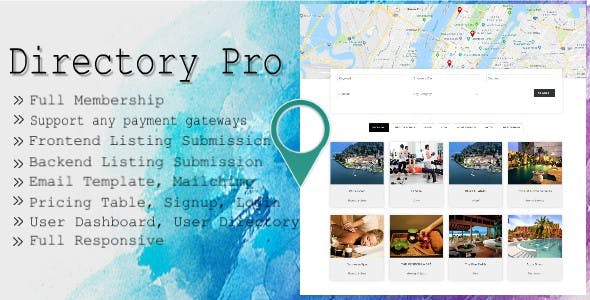
Directory Pro Miscellaneous is a WordPress plugin from developer e-plugins that turns a standard WordPress install into a paid business directory, listing marketplace or membership portal. It bundles front-end listing submission, multiple payment gateways, subscription tiers and searchable map-based directories into a single $39 package. It suits freelancers and agencies building niche directories — local services, professional registers, event guides — where owners pay to be listed rather than simply browse.
The plugin has sold 1,934 copies on CodeCanyon and holds a 4.41 rating across 88 reviews, which places it firmly in the established rather than experimental tier of directory scripts. That track record matters in a category where abandoned plugins are common.
What the plugin actually lets a site owner build
The core proposition is that a directory owner never needs to touch the WordPress admin to run the site. Listings are created, edited and renewed from a front-end “My Account” area, and the plugin exposes that same dashboard to vendors with role-based read and write permissions. Administrators decide whether new submissions publish immediately or sit in a moderation queue.
Monetisation is where the feature set goes further than most rivals in this price bracket. Listings can be sold through PayPal Express Checkout, Stripe (including synchronised subscription plans) or WooCommerce’s own checkout. Membership packages can be free, one-time, recurring, free trial, paid trial or variable — and the plugin ships seven pricing table layouts to present them. Signup coupons can be capped by usage and given expiry dates, and user roles can be generated automatically from the package purchased, so a paying vendor gets different capabilities from a free registrant.
Search and discovery are handled through a drag-and-drop search builder that supports dropdowns, multi-selects and grouped multi-selects, with unlimited search shortcodes. Map markers are configurable per category, listings can carry multiple locations, and OpenStreetMap is supported alongside the default mapping provider. Address autocomplete works without a third-party API key, which removes a recurring cost and a common point of failure.
Beyond the basics, the plugin covers several secondary revenue and engagement paths: featured listing upgrades, a “claim this listing” workflow for unverified entries, coupon and deal sales handled by the listing owner, event listings and a booking shortcode. Owners can see who has expressed interest in their entry, and visitors can maintain a favourites list. Eleven email templates cover welcome messages, password resets, order confirmations, contact forms and subscription reminders, with the option to copy the admin on listing enquiries.
Where Directory Pro fits, and where it does not
A regional business guide is the clearest use case. A publisher targeting one city or county can charge local traders for enhanced profiles, let them self-manage opening hours and images, and use the claim flow to seed the directory from existing public listings before anyone has paid.
Professional associations and registers are a second strong fit. The role-based access and subscription tiers map neatly onto member directories where annual dues unlock a public profile — the vendor’s own demo set includes examples along these lines.
Event and venue directories work because the plugin treats events as a listing type with dates and a booking shortcode. Niche marketplaces — tutors, therapists, tradespeople — are also viable, particularly where vendors need trial periods before committing to a paid plan.
It is the wrong choice for anyone wanting a general-purpose classifieds board with heavy image galleries and buyer-seller messaging, or a multi-vendor e-commerce marketplace where the transaction itself happens on-site. WooCommerce integration here is for taking payment for listings, not for selling physical products through vendor storefronts. Projects needing complex custom post-type architecture or a headless front end will also fight the plugin’s opinions rather than benefit from them.
Strengths and limitations
Strengths
- Genuine front-end management: vendors add, edit and renew listings without admin access, which is the single feature that decides whether a paid directory is operationally viable.
- Flexible billing: recurring Stripe plans, one-time payments and WooCommerce checkout cover most monetisation models without buying add-ons.
- Search builder with custom fields means non-technical owners can assemble filtered search forms rather than commissioning development.
- Broad translation support through WPML, Polylang and Loco, plus RTL-ready layout, for directories serving more than one language.
- Page builder compatibility with Elementor Pro, Elementor widgets and WPBakery, so listing templates can be styled visually.
- Consistent maintenance history, including repeated Patchstack security patches through 2025 and 2026, and declared compatibility up to WordPress 6.9.
- Source files for JavaScript, CSS and PHP are included, allowing template overrides and deeper customisation.
Limitations
- The changelog shows a long run of Patchstack security fixes — three in a fourteen-month window. Diligent patching is welcome, but it signals that earlier versions carried vulnerabilities, so running an outdated copy is genuinely risky.
- Dependency on Bootstrap 4 is dated. Sites built on modern block-based or utility-first frameworks will carry legacy CSS, and Bootstrap 4 is no longer receiving feature updates.
- The settings surface is very large. Between email templates, page redirects, package rules, role creation and field builders, configuration is a project in itself, and the vendor does not publish structured onboarding documentation in the listing.
- No native buyer-seller messaging or escrow. Contact happens through forms and email templates, which limits the plugin for transaction-heavy marketplaces.
- Internet Explorer 10 and 11 are still listed as supported browsers, which suggests parts of the codebase have not been modernised.
- Payment gateways are limited to PayPal, Stripe and WooCommerce. Sites needing regional processors would depend on WooCommerce extensions.
How it compares with the wider directory plugin category
Directory plugins broadly split into three camps: lightweight free options that handle listings but not payments, hosted SaaS directory platforms with monthly fees, and premium self-hosted scripts like this one. Directory Pro sits in the third camp and competes mainly on breadth of monetisation.
Against free plugins, the difference is billing and membership logic. Free alternatives typically require separate e-commerce or membership plugins bolted on, and the seams show in the user dashboard. Here, subscriptions, coupons, trials and role assignment are native, which is why the $39 price is easy to justify for anyone charging vendors.
Against hosted platforms, the trade-off is control versus convenience. Self-hosting means owning the data, avoiding per-listing fees and customising freely — but also handling updates, backups and security patching personally. Given the plugin’s security history, that responsibility is not trivial.
Against other premium directory themes and scripts, Directory Pro’s advantage is the front-end vendor experience and the search builder. Its weakness is visual modernity: competitors built on newer CSS frameworks will look fresher out of the box, and this plugin’s Bootstrap 4 foundation shows its age. Buyers prioritising design polish may prefer a theme-first product; buyers prioritising working monetisation will find more here.
Frequently Asked Questions
What is Directory Pro used for?
Directory Pro is a WordPress plugin for building paid business directories and listing sites. It lets visitors submit entries from the front end, charges them through PayPal, Stripe or WooCommerce, and supports membership tiers, featured upgrades, claim requests, events and coupon sales. It is aimed at site owners who want vendors to pay for visibility rather than browse for free.
Does Directory Pro work with Elementor and WooCommerce?
Yes. The vendor declares compatibility with Elementor Pro and provides dedicated Elementor widgets for listing detail pages, alongside WPBakery Page Builder support. WooCommerce versions 5 through 9 are supported as a payment route for listings. Gutenberg is also listed as optimised, so block-based editing works, though the deepest design control comes through the page builder widgets.
Is Directory Pro safe to use on a live site?
It can be, provided it is kept updated. The changelog records several Patchstack security patches, including releases in 2025 and 2026, which shows the developer responds to reported issues. The practical requirement is subscribing to update notifications and applying patches promptly, since running an older version leaves known vulnerabilities unaddressed.
Can Directory Pro handle recurring subscription payments?
Yes. Stripe integration synchronises with Stripe subscription plans, and the membership system supports recurring billing alongside one-time payments, free trials, paid trials and variable packages. Signup coupons can be limited by number of uses and expiry date, and purchasing a package can automatically assign a WordPress user role with matching permissions.
Verdict
Directory Pro earns its 4.41 rating and its near-2,000 sales because it solves the hard part of running a directory: getting vendors to pay and manage themselves without admin involvement. The monetisation depth — recurring plans, trials, coupons, featured upgrades and claim workflows — is unusual at $39 and genuinely reduces the number of add-ons a project needs.
Buy it if the plan is a niche directory, regional guide, association register or event listing site where owners charge for placement and want vendors self-serving from day one. Skip it if the project is a general classifieds marketplace with on-site transactions, requires a contemporary design system out of the box, or if nobody on the team will reliably apply security updates.
The plugin is a practical tool rather than a polished product, and treating it that way — budgeting time for configuration and ongoing maintenance — sets realistic expectations.