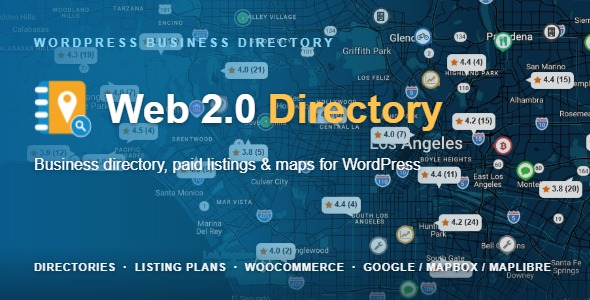
Web 2.0 Directory plugin for WordPress Miscellaneous is a commercial plugin by developer Shamalli that converts a WordPress installation into a multi-directory platform. It combines a visual drag-and-drop page builder, paid listing plans processed through WooCommerce, map-based search, and an optional AI layer that drafts listing text and interprets conversational search phrases. It suits agencies and site owners building business directories, real-estate portals or classifieds boards who want to sell listings rather than give them away.
The plugin has been sold 8,121 times on CodeCanyon and holds a 4.54 out of 5 rating across 337 reviews, which places it among the more established directory options in the marketplace. It is priced at $39.00, with the last vendor update recorded on 17 September 2026.
What the plugin actually does
The core proposition is that one WordPress install can host several independent directories at once. A business directory, a property listing site and a classifieds board can coexist on the same domain, each with its own categories, locations, tags and submission form template. Each directory also gets its own URL segments for listings, categories and locations, so permalink structures stay readable. A single shortcode, [webdirectory id=”N”], embeds any directory on any page, and the ID can be resolved by post ID, slug or title.
Layout work happens in a React-based visual builder. Pages are assembled from rows, columns and elements such as Search, Map, Listings, Categories, Locations, Slider, Pricing Plans and Breadcrumbs. Layouts can be defined separately for the directory home, category views, location views, favourites and the single-listing page. Elements are sized on a six-column grid, and the builder supports distinct tablet and mobile layouts with configurable breakpoints. Every element is also exposed as a shortcode in the [webdirectory-*] family, which matters for developers who prefer to place components inside a theme template rather than through the builder interface.
Monetisation through WooCommerce
Paid listings are handled by a per-directory plan constructor that pushes checkout through WooCommerce, so existing payment gateways and currency settings carry over. Plans can be free or payable, with separate prices for submitting, renewing and bumping a listing to the top. Charges are per action rather than recurring subscriptions, which is a meaningful distinction for anyone expecting automatic billing cycles. A single payment can also buy a bundle of listings that sit on the member’s account and are consumed on future submissions.
Plan-level controls are unusually granular. Listings per package, categories, tags, locations, images and videos can each be capped or left unlimited. Active periods can be fixed in days, weeks, months or years, or set to permanent. User roles can be restricted for viewing and submitting separately. Featured status, sticky placement, ribbon labels, nofollow toggles, ratings and claiming can all be switched on or off per plan, with badge text and colour configured individually.
The AI layer and what it does not do
AI features are opt-in and gated behind a service key. Nothing leaves the server until a key is entered, and with no key the feature is entirely inactive. Groq is built in and its free tier requires no payment card, so the functionality can be trialled at no cost. A Write button beside the description field drafts text from the listing name, its categories and its location, and the vendor states that factual fields such as prices, phone numbers, dates, opening hours and web addresses are excluded by design so the model cannot invent them.
Keys remain on the user’s own server rather than being proxied through the vendor, and hourly and daily limits apply both per visitor and site-wide. Which fields offer a Write button is configurable, as is whether visitors see it or only administrators.
A separate add-on plugin, installed from the AI tab in one click, extends this. It adds OpenAI, DeepSeek, Mistral, OpenRouter and Google Gemini, tried in a configurable order with individual keys and models. It puts Write buttons on custom fields, not just the description, and can populate every empty field in a single request so the generated texts stay consistent with one another. The more interesting capability is assisted search: a visitor types a phrase such as “a cheap place open on Sunday that takes cards” and the search form sets its own category, location, distance, slider and dropdown filters. Only values the form genuinely offers are used, each appears as a removable chip, and manual selections are preserved.
Where this fits and where it does not
The strongest fit is a monetised directory where listings are the product. A regional business directory charging for placement, a niche property portal with paid agent listings, or a classifieds board with tiered packages all map directly onto the plan constructor and WooCommerce checkout. The multi-directory architecture is particularly useful for agencies that operate several directories from one licence and one hosting account, since each directory keeps its own taxonomies and URL structure.
It also suits projects where search needs to be map-driven. Results can be browsed by keyword, category, location or distance across Google Maps, Mapbox or MapLibre, and the assisted search feature lowers the effort required from visitors who do not know the category names.
The plugin is a poor choice for anyone who wants a simple, free, community-maintained directory with no commercial layer. The plan constructor, WooCommerce dependency and per-plan access controls add configuration surface that a hobby listing page will never use. It is also the wrong fit for a project that must avoid third-party services entirely, since maps and AI both depend on external providers, and for teams unwilling to maintain a plugin that receives vendor updates, because a directory built on this will need ongoing attention as WordPress, WooCommerce and the AI providers evolve.
Strengths and limitations
Strengths
- Genuine multi-directory support on one install, with independent taxonomies, URL segments and submission forms per directory.
- Visual builder with separate desktop, tablet and mobile layouts, plus a shortcode equivalent for every element.
- Detailed monetisation controls: submit, renew and bump pricing, listing bundles, per-plan caps and duration rules.
- WooCommerce integration reuses existing gateways, currencies and tax settings rather than introducing a parallel payment system.
- AI features are off by default, key-gated, and deliberately restricted from generating factual fields such as prices and opening hours.
- Broad compatibility list covering Elementor, Elementor Pro, Beaver Builder, WPBakery, the Block Editor, Contact Form 7 and WooCommerce 10.x.x.
- Strong marketplace track record: 8,121 sales and a 4.54 rating from 337 reviews.
Limitations
- Charges are per listing action, not recurring subscriptions. Anyone wanting automatic annual renewal billing will need to build that workflow separately.
- The AI add-on is a separate plugin. The headline AI capabilities beyond basic description writing and Groq are not included in the $39.00 price, and the vendor does not state the add-on’s cost in the listing.
- AI-assisted search depends on an external model responding correctly to the query. The vendor does not publish accuracy figures, so results will vary by provider and phrasing.
- Maps require a third-party service and, in most cases, an API key with its own quota and billing terms. That is an ongoing operational cost outside the plugin.
- Multiple directories, per-plan limits, role restrictions and responsive forks create a large configuration surface. There is no indication in the listing of a simplified setup path for smaller projects.
- The shortcode-based fallback and React builder mean theme conflicts are possible with heavily customised themes, and the vendor does not publish a compatibility statement for specific theme frameworks.
How it compares to the wider directory plugin category
Directory plugins generally fall into three groups. The first is lightweight, free or low-cost plugins that handle listings, categories and a map but leave payment to a separate e-commerce plugin or omit it entirely. The second is hosted directory platforms, where the software, hosting and payment handling are bundled into a monthly fee and the trade-off is control. The third is premium self-hosted plugins that bundle layout building, monetisation and search into one package.
This plugin sits firmly in the third group, and its distinguishing features within that group are the multi-directory architecture and the granularity of plan configuration. Many premium directory plugins assume one directory per site; running three independent directories from one install is less common. The per-plan control over categories, tags, locations, images, videos, badge styling and user roles also goes further than the typical featured-listing toggle.
Where it is weaker than the category average is in recurring billing. Plugins built around subscription memberships handle automatic renewals natively, while this one charges per action through WooCommerce. For a directory where listings are renewed annually by their owners, that difference affects both cash flow and administrative effort.
The AI layer is the newest differentiator. Competitors in this category largely do not offer conversational search or field-level text generation, so this is a real point of separation. It is also the part most dependent on external services and therefore the most likely to change behaviour over time.
Frequently Asked Questions
Does Web 2.0 Directory require WooCommerce to work?
No. WooCommerce is only needed for paid listings. A directory with free submissions runs without it, and the plugin is listed as compatible with WooCommerce 10.x.x for sites that do charge. If monetisation is planned, WooCommerce must be installed and configured with at least one active payment gateway before plans can accept payment.
Can one WordPress site run several separate directories?
Yes. Each directory is a self-contained container with its own categories, locations, tags, listing form template and URL segments. The vendor provides a one-click duplication option that clones a directory’s layout and configuration, which is the practical way to start a second directory without rebuilding the structure from scratch.
Is the AI feature mandatory, and does it send data anywhere?
The AI feature is entirely optional and inactive until a service key is entered. Keys stay on the site owner’s server and are not proxied through the vendor. With no key configured, nothing is transmitted. Usage is bounded by per-visitor and site-wide hourly and daily limits that the site owner controls.
What does the AI add-on cost, and is it included?
The add-on is a separate plugin installed from the AI tab, and the vendor does not state its price in the listing. It is not part of the $39.00 purchase. It adds OpenAI, DeepSeek, Mistral, OpenRouter and Google Gemini support, Write buttons on custom fields, bulk field population and assisted conversational search.
Verdict
Buy this if the goal is a directory that earns money. The combination of multi-directory support, a visual builder with responsive layouts, granular plan controls and WooCommerce checkout covers the full path from listing submission to payment without stitching together separate plugins. Agencies running several directories from one licence will get the most value from the architecture.
Do not buy it for a simple community listing page with no commercial intent, or for a project that cannot depend on external map and AI services. Anyone who needs automatic recurring subscription billing should also look carefully at whether per-action charging fits their model, because that is a genuine gap rather than a configuration detail.