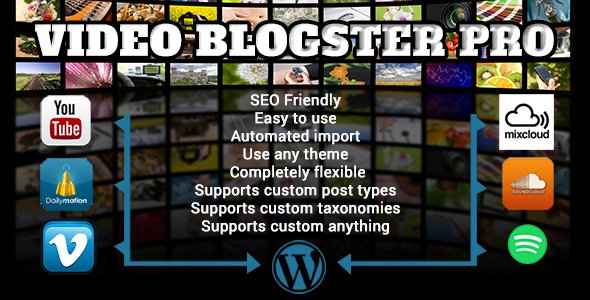
Video Blogster Pro Media is a WordPress plugin that pulls videos and audio tracks from outside platforms — YouTube, Vimeo, DailyMotion, Spotify, MixCloud and GiantBomb — and turns each item into a native WordPress post. It is built for site owners who want a video-heavy blog or niche content site that fills itself on a schedule rather than through manual embedding. The plugin sells on CodeCanyon for $26, has been purchased 2,833 times, and holds a 4.87 out of 5 rating across 97 reviews.
The developer is johnh10, who handles support directly rather than routing it through an outsourced desk — a detail worth noting, because a plugin that talks to third-party APIs will eventually need a human who understands those APIs.
What the plugin actually does with an imported video
The core mechanic is a feed. Each feed is a saved query — a channel, a playlist, a single video ID, or a set of search keyphrases with filters attached — that the plugin sends to the source platform’s API. Whatever comes back becomes a WordPress post. That is the whole loop, and everything else in the plugin exists to shape what those posts look like and which items qualify.
Imported posts are not thin. The plugin pulls the title, the full description, the highest-quality screenshot the source offers, tags, categories, view counts, like and dislike figures, and comments. The screenshot is pushed into the Media Library and set as the featured image automatically, which means archive pages and social previews work without any manual step. Video comments can be imported by time or by relevance, filtered to those containing specific keywords, and replies can be pulled in alongside their parent comments. It also integrates with WP-PostViews and WP-PostRatings, so view and rating data can display through plugins a site may already be running.
Because the video itself is embedded rather than self-hosted, there is no streaming bandwidth cost. That matters for anyone who has priced out hosting a video library directly.
Post construction and layout control
Post output is template-driven. Template tags expose the individual pieces of video data — title, description, statistics, comments — and the site owner arranges them however the theme requires. Advertising code such as AdSense can be inserted into the same template, so monetisation sits inside the generated post body rather than being bolted on afterwards. Posts can be assigned to any user, any post type, any status, any format and any taxonomy, which means the plugin is not locked to the standard blog post structure.
For premium video themes that store video data in custom meta fields, the plugin can write to those fields directly. The vendor lists built-in detection for several such themes and offers to add support for others if the field names are supplied.
Filtering and automated publishing
The scheduler is where the plugin earns its keep. Feeds can be set to run in the background on a recurring basis, so the site keeps finding new content without anyone logging in. The processing layer around that scheduler is unusually granular: skip videos with duplicate content, skip by keyphrase, skip below a minimum view count, skip by date or duration, blacklist specific video IDs, cap title and description length, strip unwanted characters, remove URLs from descriptions or comments, and linkify embeddable links.
There is also search-and-replace with spintax support, meaning a phrase can be replaced with a randomised set of variants, plus translation of titles and descriptions through Google Translate or Microsoft Azure. One feature stands out for anyone running an unattended site: the scheduler flags posts whose embedded media has since been removed from the source platform, so visitors do not land on a dead player.
Where this fits, and where it does not
The clearest fit is a niche content site built on curation — a music blog drawing from MixCloud and Spotify, a gaming site pulling from GiantBomb and YouTube, a topic-focused video aggregator that needs a steady publishing cadence without a content team. Affiliate and AdSense sites that live or die on indexed page count are another natural match, since each import is a real post with real text, categories and tags rather than an empty embed.
It also suits agencies maintaining multiple client sites where the same feed logic can be reused, and anyone migrating a manually built video archive into WordPress structure. The custom meta field support makes it viable for sites already committed to a premium video theme.
The wrong choice is a site with an editorial voice. If every post needs a written introduction, a considered angle and a human check before publishing, the automation saves little — the plugin will still import, but someone still has to edit each result. Sites that need a curated, hand-picked selection rather than a query-driven one will find the feed model fights them. And anyone unwilling to review what a scheduled job publishes should think carefully: automated imports can surface content that does not match the site’s tone, and the filters reduce that risk but do not eliminate it.
Strengths and limitations
Strengths
- Genuinely deep filtering. Duplicate detection, view thresholds, date and duration limits, ID blacklists and keyphrase rules give real control over what gets published.
- Comments, statistics and featured images come across with the post, so imports look like authored content rather than bare embeds.
- Broken-media detection flags posts whose source video has disappeared — a practical detail most importers in this category ignore.
- Template tags and custom meta field support mean the output can match an existing theme instead of forcing a layout.
- Direct shortcode support for players such as JW Player, video.js and FV WordPress Player, alongside native oEmbed handling.
- Lifetime updates and bug fixes are included at a one-time $26, with support handled by the developer.
Limitations
- The plugin is not Gutenberg-optimised according to its own specifications. Sites built around the block editor should expect the generated post content to sit in the classic editor context rather than as blocks.
- Stated compatibility tops out at WordPress 5.9.x. The plugin has been updated recently, but the vendor’s own compatibility list does not name the 6.x releases, so anyone on a current WordPress version should confirm before buying.
- Automated imports depend on third-party APIs. YouTube in particular has changed its API terms and quota rules repeatedly, and any plugin in this category inherits that fragility.
- Translation and search-and-replace features exist to reshape imported text, but machine-translated descriptions read like machine translations. Sites that care about prose quality will need to edit.
- Importing other people’s videos does not transfer rights to that content. The plugin makes embedding easy; it does not resolve the legal question of what a site is allowed to republish.
How it compares with the alternatives
Most tools in this space fall into three groups. Manual embedding through WordPress’s built-in oEmbed is free, requires no plugin, and gives total editorial control — but it does not scale past a handful of posts a week. General-purpose autoblogging plugins import articles from RSS feeds and rarely handle video metadata, comments or featured images with any depth. Single-platform importers exist for YouTube specifically, and they tend to be narrower: one source, fewer filters, less control over post structure.
Video Blogster Pro sits between those groups. It covers six platforms rather than one, treats a video post as a structured object with statistics and comments attached, and gives the site owner template-level control over the result. The trade-off is that it is a specialist tool with a learning curve around feed configuration — the options are extensive, and getting a good feed means understanding what each filter does. For a site that publishes video at volume, that configuration work pays back quickly. For a site publishing twice a month, a manual embed is simpler and just as effective.
Frequently Asked Questions
Which video and music platforms does Video Blogster Pro support?
It imports from YouTube, Vimeo, DailyMotion, Spotify, MixCloud and GiantBomb. YouTube uses API v3, and the plugin is built against that current interface. Each platform is queried the same way through a saved feed, so a site can mix sources in one publishing schedule. Platforms outside that list are not supported natively.
Does the plugin host the videos on the WordPress site?
No. Videos are embedded from the original platform, so the site does not store or stream the media files. That keeps hosting bandwidth and storage costs down, which is a significant advantage for video-heavy sites. The trade-off is that if the source removes the video, the embed stops working — though the plugin does flag those posts automatically.
Can imported posts be published automatically without review?
Yes. Feeds can be scheduled to run in the background and create posts continuously, with no manual step. The plugin supports saving posts with any status, so a site owner can choose to publish immediately or hold imports as drafts. Filters for duplicates, keyphrases, view counts and dates control what qualifies.
Is Video Blogster Pro compatible with the WordPress block editor?
The vendor’s specification states the plugin is not Gutenberg-optimised, and the listed compatibility range runs from WordPress 4.9.x to 5.9.x. Post content is generated from templates rather than blocks. Sites running current WordPress releases should verify compatibility with the developer before purchase, since the stated list does not cover 6.x versions.
Verdict
Video Blogster Pro Media is worth buying for site owners running a volume-driven video or music blog who want imports to look like real posts — with categories, tags, statistics, comments and featured images attached — and who need filters strong enough to keep the output on-topic. The 4.87 rating across 97 reviews and 2,833 sales suggest the plugin has held up in real use rather than only in a demo. It is a poor fit for editorial sites where every post needs a human angle, and anyone on a current WordPress release should confirm compatibility first, because the vendor’s stated range stops at 5.9.x. At $26 with lifetime updates and developer-handled support, the cost is low enough that the decision rests on workflow fit rather than budget.