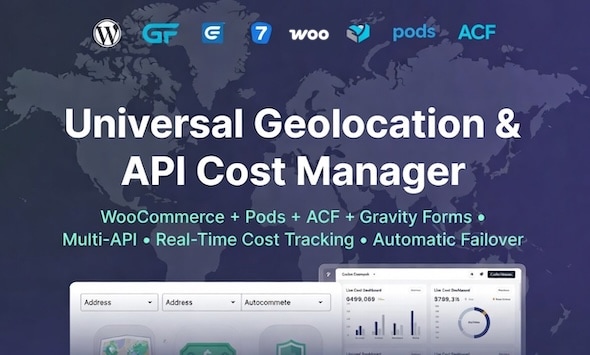
Gravity Forms Address Autocomplete is a WordPress add-on that turns a standard address field into a type-ahead lookup, so visitors pick a verified address from a list instead of typing it by hand. It is aimed at site owners who collect shipping, billing or contact addresses and want fewer typos, fewer failed deliveries and less manual cleanup. The plugin is sold on CodeCanyon for $39 and is developed by bhagwantbanger.
The listing sits in an unusual position. The product name points squarely at Gravity Forms, but the vendor’s own feature set describes a much broader tool that also supports Contact Form 7, WooCommerce, WPForms, Elementor, LearnDash and several other platforms. That mismatch matters when deciding whether it belongs in a project, so it is worth unpacking before purchase.
What the plugin actually does beyond filling in an address
The core mechanic is straightforward. A CSS class is added to an address field, and the plugin attaches autocomplete behaviour to it. As a visitor types, the field queries a mapping service and returns matching addresses, which the visitor selects from a dropdown. The selected result is then written back into the individual sub-fields — street, city, postcode, country and so on — rather than dumped into a single text box.
Where this product departs from most single-provider alternatives is its multi-API design. Google Places acts as the primary engine, but the plugin can fail over automatically to Mapbox when Google returns nothing useful or when a request fails. For Indian addresses, it can also route to MapMyIndia natively. The switching is described as location-aware, meaning the plugin decides which provider to query based on where the visitor appears to be. In practice this is the feature that justifies the price for anyone serving more than one region.
Regional address formatting is handled explicitly rather than left to chance. German addresses resolve to five-digit postcodes with street and house number separated correctly. Austrian addresses accommodate the Stiege, Top and Tür designations that generic address parsers routinely mangle, along with four-digit postcodes. Swiss addresses handle NPA numbers, canton codes and the multilingual city naming that makes Swiss data awkward. For India, the plugin understands locality, area, pin code, city and state as distinct components, and the vendor claims better accuracy in Tier-2 and Tier-3 cities — a claim worth testing on the demo before committing.
There is also a cost tracking dashboard built on Chart.js. Mapping APIs are billed per request, and a busy checkout page can generate a surprising number of them. Seeing that consumption inside WordPress, rather than logging into a Google Cloud console, is a genuinely practical addition that most competing plugins do not offer.
The plugin is small — the vendor states 22 KB — and the source files include JavaScript, HTML and PHP, so a developer can inspect or extend the behaviour rather than treating it as a black box.
Where this fits, and where it does not
The strongest fit is a WooCommerce store shipping into Germany, Austria, Switzerland or India, or any combination of those. Checkout address entry is where bad data costs real money: undeliverable parcels, support tickets about failed deliveries, and manual correction in the order admin. Autocomplete with correct regional parsing attacks all three at once.
A second good fit is a lead-generation site running Gravity Forms or Contact Form 7 where the address feeds a CRM, a quoting engine or a routing system. Structured, validated components are far more useful downstream than a free-text field that a sales team has to interpret.
Membership and LMS sites using LearnDash, LifterLMS or MemberPress fall into the same category, particularly where billing addresses need to match payment records. The vendor lists ACF and Pods as supported field frameworks too, which extends the plugin into custom-built forms rather than only pre-made builders.
It is the wrong choice when the project only collects addresses from a single well-covered country and the budget is tight. Google Places autocomplete is available through other routes, and paying $39 for failover and regional parsing that will never be triggered is unnecessary. It is also a poor fit for anyone unwilling to manage API keys: the plugin requires a Google Places API key and a Mapbox access token, and the MapMyIndia key, while optional, is needed for the India accuracy the listing advertises. Those keys carry their own billing relationships and setup steps, and no plugin removes that overhead.
Strengths and limitations
Strengths
- Failover between mapping providers means a single provider outage or coverage gap does not break address entry entirely.
- Genuine regional depth for DACH countries, including Austrian and Swiss formats that generic plugins handle poorly.
- Native MapMyIndia support is uncommon and materially improves Indian address accuracy.
- Built-in cost dashboard makes API spend visible without leaving WordPress.
- Broad platform coverage — Gravity Forms, Contact Form 7, WooCommerce billing and shipping, WPForms, Formidable, Elementor, LearnDash, LifterLMS, MemberPress, Easy Digital Downloads, ACF and Pods.
- Very small footprint at a stated 22 KB, so page weight impact is minimal.
- Source files are included, which suits agencies that need to adapt behaviour.
Limitations
- Requires external API keys with their own accounts and billing. Setup is not a one-click affair, and costs scale with traffic.
- The product name says Gravity Forms, but the supported platform list is much wider. Buyers searching specifically for Gravity Forms may overlook it, and buyers wanting a Gravity Forms-only tool may find the extra surface area unnecessary.
- The vendor’s comparison table sets the plugin against unnamed “other plugins” with no methodology. Treat those rows as marketing rather than evidence.
- High-resolution assets are not included, which matters if the plugin output needs to match a polished checkout design.
- Browser support extends back to IE9, which suggests a conservative codebase. That is fine for compatibility but tells nothing about how actively modern front-end practices are used.
- Accuracy claims for Tier-2 and Tier-3 Indian cities are vendor-stated and not independently benchmarked here.
How it compares with the wider category
Most address autocomplete plugins for WordPress are thin wrappers around a single provider, usually Google Places. That approach works well in the United States, Canada, the United Kingdom and most of Western Europe, where Google’s coverage is strong. It becomes unreliable the moment a store ships into markets where Google’s data is thinner, or where local address conventions differ from the Anglo-American street-city-postcode pattern.
This plugin competes on three axes where single-provider tools generally do not: provider redundancy, regional parsing, and spend visibility. A store that only ships domestically gains little from any of those. A store operating across DACH and India gains a great deal, because the alternative is either accepting bad data or building custom parsing logic in-house — which costs far more than $39 in developer time.
The trade-off is complexity. More providers means more keys, more configuration and more places for something to be misconfigured. A simpler single-provider plugin will be faster to set up. The question is whether that simplicity survives contact with real international addresses.
Frequently Asked Questions
Does Gravity Forms Address Autocomplete work with forms other than Gravity Forms?
Yes. Despite the name, the plugin supports Contact Form 7, WPForms, Formidable Forms, Elementor, WooCommerce billing and shipping fields, Easy Digital Downloads, LearnDash, LifterLMS, MemberPress, ACF and Pods. The vendor states it works with more than thirteen form builders and LMS platforms, and setup follows the same pattern everywhere: add the geofill-address CSS class to the target field.
Which API keys are needed to run it?
A Google Places API key and a Mapbox access token are both required for full functionality. A MapMyIndia key is optional but recommended if Indian addresses matter, since that provider drives the India-specific accuracy. Each key comes from its own provider account with its own usage limits and billing, so budget for API costs on top of the one-time plugin price.
How accurate is it for German, Austrian and Swiss addresses?
The vendor states strong regional handling: five-digit German postcodes with street and house number, Austrian Stiege, Top and Tür designations with four-digit postcodes, and Swiss NPA numbers, canton codes and multilingual city names. These are vendor claims rather than independent benchmarks. The live demo is the sensible way to verify accuracy against real addresses before buying.
Is the plugin heavy on page performance?
The vendor lists the plugin at 22 KB, which is small compared with the 80–200 KB range it cites for alternatives. The heavier cost is not the plugin itself but the API calls it makes as visitors type, and those are billed per request rather than measured in kilobytes. The built-in cost tracking dashboard exists precisely to monitor that usage.
Verdict
This is a well-targeted tool for a specific problem: collecting accurate addresses in regions where generic autocomplete fails. With 2,284 sales and a 4.87 rating across 140 reviews, it has enough of a track record to be taken seriously, and the multi-provider design plus the cost dashboard are real differentiators rather than marketing decoration.
Buy it if the project ships into Germany, Austria, Switzerland or India, or if address data feeds a system that cannot tolerate free-text input. Skip it if the store operates in a single well-covered market, if there is no appetite for managing external API accounts, or if a simpler single-provider plugin already meets the requirement. The $39 price is modest; the ongoing API relationship is the commitment that deserves the most thought.