Media Library Categories Premium is a WordPress plugin that adds a category system to the Media Library, so images, PDFs, videos and other uploads can be sorted and filtered the same way posts are. It is aimed at site owners and agencies whose media libraries have grown past the point where search and date sorting are enough, and who need a practical way to group files without moving them into folders on the server. The plugin sells on CodeCanyon for $25 and has been developed by jeffrey-wp.
The WordPress Media Library has never had a taxonomy of its own. Attachments are stored as a post type, but the interface exposes no categories, no tags and no filter beyond file type and date. Media Library Categories Premium fills that gap by registering a taxonomy for attachments and wiring it into the media screens, the block editor and the classic editor. The “Premium” in the name distinguishes it from a free version in the same family, and the paid edition is what carries the bulk editing tools, the gallery shortcode integration and the settings page.
What the plugin actually adds to the Media Library
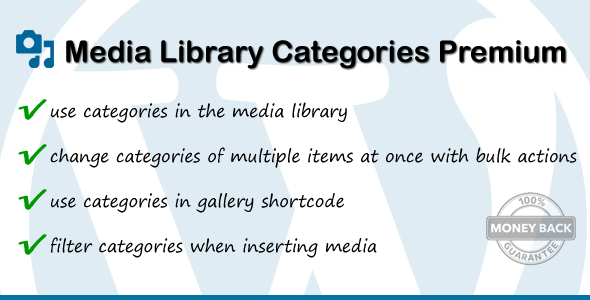
The core of the product is a category dropdown that appears in the Media Library list view and grid view. Selecting a term narrows the grid to matching files, which turns a library of several thousand images into something browsable. Categories can be added, edited and removed from any attachment, either individually through the attachment details panel or in bulk: select a set of items, choose a bulk action, and assign or strip a category across the whole selection at once. That bulk path matters more than it sounds, because retrofitting categories onto an existing library is otherwise a per-file chore.
Filtering is not confined to the Media Library screen. The same category filter appears when inserting media into a post or page, and when building a gallery from the media modal. In practice this means a content editor looking for a specific product shot can filter to the relevant category inside the insert dialog rather than scrolling through everything uploaded that month.
Two design decisions are worth calling out. First, the plugin can use the same categories as posts and pages, or create a separate taxonomy used only by media. The setting lives under Settings → Media, and separating the two keeps editorial categories out of the media filter and vice versa. Second, an autocomplete search can be switched on for the category dropdown, which becomes necessary once a site accumulates a long list of terms. There is also a “not in a category” filter option, useful for auditing files that were uploaded before the plugin was installed and never assigned.
The plugin extends the standard WordPress gallery shortcode with a category attribute, so a gallery can be limited to a single term. It supports multiple slugs and IDs in that shortcode, and the changelog records support for Elementor alongside Gutenberg. Source files are included in the download as JavaScript, CSS and PHP, and the declared compatibility range runs from WordPress 4.9 through the 7.0.x line, which is unusually broad for a plugin of this type.
Where this fits, and where it does not
The clearest fit is a content-heavy site: a publication, a multi-author blog, a membership site or a WooCommerce store where the same product imagery is reused across pages. Once a library passes a few hundred files, category filtering saves real time on every insert. Photographers and agencies managing client sites also benefit, because separate media categories let them keep one client’s assets distinct from another’s without splitting uploads across multiple sites.
A second fit is any workflow where a gallery needs to update itself. Because the shortcode accepts a category slug, adding a new image to that category makes it appear in the gallery without editing the page. That is a meaningful maintenance saving on portfolio and news sites.
It is the wrong choice for a small site with a few dozen images that are already easy to find. Adding a taxonomy introduces a second organisational layer that somebody has to maintain, and on a lightly used library the overhead outweighs the benefit. It is also not a file manager: it does not move files into folders on disk, does not deduplicate uploads, and does not compress or convert images. Anyone looking for those capabilities is shopping in a different category.
Strengths and limitations
Strengths
- Bulk assignment and removal of categories across many attachments, which is the only realistic way to categorise an existing library.
- Filtering is consistent across the Media Library, the insert-media dialog and gallery creation, rather than being confined to one screen.
- Optional separation between media categories and post categories, configurable under Settings → Media.
- Extends the core gallery shortcode with a category attribute, enabling self-updating galleries.
- Long compatibility range spanning WordPress 4.9 to 7.0.x, with Gutenberg support and Elementor support noted in the changelog.
- An active maintenance record: the changelog shows steady fixes for JavaScript deprecations, caching edge cases and translation strings rather than a single launch release.
- Source files are included, so the JavaScript and CSS can be inspected or adjusted.
Limitations
- Categories are the only organisational tool. There is no tagging, no custom field filtering and no saved filter views, so complex taxonomies are out of reach.
- The plugin relies on the standard WordPress taxonomy interface, which means the attachment editing experience inherits WordPress’s own limitations rather than improving on them.
- Retrofitting categories onto a large existing library is manual work. The bulk tools reduce the effort but do not automate the decision of which file belongs where.
- The vendor does not state whether the plugin removes its taxonomy and term data cleanly on uninstall, which is worth confirming before deploying on a client site.
- Because it hooks into the media modal and gallery shortcode, conflicts with other plugins that modify the same screens are a realistic risk; the changelog references past fixes for Advanced Custom Fields and UberMenu, which suggests the surface area is broad.
- The documentation offered on the listing is thin, with example code for separate categories appearing in the FAQ rather than a dedicated manual.
How it compares with the alternatives
Media organisation in WordPress splits into three broad approaches. The first is a folder plugin that presents a virtual directory tree inside the Media Library. Those tend to feel familiar to anyone coming from a desktop file system, but folders are single-parent by nature, so an image can only live in one place. Categories are multi-parent: the same photo can sit under “Products”, “Summer campaign” and “Homepage hero” simultaneously. For sites where assets are reused across contexts, that difference is decisive.
The second approach is a full media management suite that adds tagging, custom taxonomies, bulk metadata editing, image replacement and sometimes CDN handling. Those products do considerably more, and they cost considerably more and carry more configuration. Media Library Categories Premium sits deliberately below that tier: it does one thing, does it inside the native WordPress interface, and does not attempt to replace the Media Library.
The third approach is custom development, registering an attachment taxonomy by hand. That is viable for a developer with the time, and it produces exactly the behaviour a project needs. The plugin’s value is that it already handles the awkward parts: the media modal, the block editor, the gallery shortcode, the bulk action screens and the settings toggle for separate taxonomies. Reproducing all of that reliably takes longer than the $25 asking price.
Social proof is reasonable for a utility plugin. The listing records 2,325 sales and a rating of 4.63 out of 5 across 52 reviews, which points to a settled product rather than a new release still finding its footing.
Frequently Asked Questions
Does Media Library Categories Premium work with Gutenberg and the block editor?
Yes. Gutenberg compatibility was added in version 2.3 and the listing marks the plugin as Gutenberg optimised. The category filter appears when inserting media through the block editor’s image and gallery blocks, and categories can be assigned from the attachment details panel in the media modal. Elementor support was added later as well.
Can media categories be kept separate from post categories?
Yes, and this is one of the plugin’s more useful settings. By default the Media Library shares the same categories as posts and pages. A settings panel under Settings → Media allows a separate taxonomy to be created for media only, so editorial categories and media categories do not pollute each other’s dropdowns.
Can categories be assigned to many images at once?
Yes. The Media Library’s bulk action dropdown gains options for adding and removing categories, so a selection of attachments can be categorised in one operation. This is the practical route for retrofitting categories onto an existing library, though deciding which files belong in which category remains a manual judgement.
Does the plugin affect existing galleries or the gallery shortcode?
It extends the standard gallery shortcode with a category attribute, so a gallery can be limited to one term using a slug, and multiple slugs or IDs are supported. Existing galleries without that attribute continue to work as before. The changelog notes past fixes for compatibility with other plugins that also modify the gallery shortcode.
Verdict
Media Library Categories Premium is a focused, well-maintained utility that solves a genuine gap in WordPress, and the sales and rating figures suggest it does so reliably. It is worth buying for sites with large or shared media libraries, particularly multi-author publications, agencies and stores where the same assets are reused across many pages. It is also a sensible purchase for anyone who wants self-updating galleries driven by a category rather than a fixed list of image IDs.
It is not worth buying for a small site with a tidy library, and it is not a substitute for a full media management suite or a folder plugin if the requirement is a directory tree. Buyers should also weigh the maintenance cost: categories only pay off if somebody keeps them current, and the plugin provides no automation to do that for them.