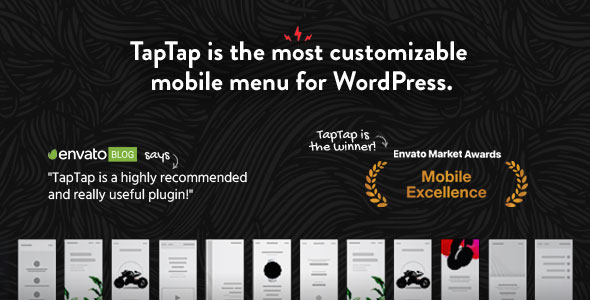
TapTap: A Super Customizable WordPress Mobile Menu is a plugin that replaces the default mobile navigation on a WordPress site with an off-canvas panel whose button, logo, colours, typography, spacing and animations are all set individually. It is built by BonfireThemes and sold on CodeCanyon for a one-time $26, and it targets site owners, freelancers and agencies who want a mobile menu that matches a specific design rather than accepting whatever their theme ships with. It has been purchased 2,625 times and holds a 4.84 out of 5 rating across 165 reviews.
What the plugin actually lets a site owner control
The core idea is that nothing about the menu is fixed in advance. Instead of choosing from a handful of preset layouts, the site owner adjusts individual properties and watches the result update live in a preview panel before saving.
The menu button is the most configurable element. It can sit on the left or right of the screen, with the top and side offsets set to the pixel. It can open on a click or a tap, or on mouseover for desktop visitors. There are six base button styles, each offered in a regular and a thin weight, giving twelve designs, and each one carries two animation options or none at all. Animation speed, opacity, icon colour, hover colour and the active-state colour are all separate fields.
A text label can be attached to the button and positioned anywhere around it, again with pixel-level control over placement, font size and letter spacing. Twelve fonts are bundled, or a font already loaded by the theme can be used instead. One detail worth noting: if the button itself is hidden, a label that has been entered stays visible and still opens the menu. That makes it possible to trigger the menu from a text link in a header rather than an icon.
Logo handling follows the same pattern. The logo can be placed left, centre or right with fine-grained offsets, and it can be entered either as text — with its own font, size, spacing and colours — or as an image with a settable display size. It can also be hidden entirely if the theme already renders a logo elsewhere.
For stores, a WooCommerce cart button can be positioned and styled in the same way, with a choice between a cart and a shopping bag icon. A search button works similarly, with regular and thin variants, an optional flip for extra visual variety, and its own optional label. The search overlay behind it has separate controls for placeholder text, field height, font size, letter spacing, background opacity, and the colours of the placeholder, the typed text, the close button and the clear-field button. Right-to-left alignment is supported for the search field.
The header bar above the menu has its own set of controls: height, background colour, background opacity, a blur amount, an optional drop shadow with adjustable strength, and the option to use a background image.
The menu panel itself can open full-screen or at a custom width or height, and it can fade in or slide from any of the four edges. Appearance speed is configurable, as is a scaling effect on the menu contents at any positive or negative level, or switched off completely. Contents can be aligned left, centre or right and top, middle or bottom, and capped at a maximum width. Two behaviour options matter for practical sites: submenus can be set to open automatically when the visitor is on a page inside them, and the menu can close after a menu item is clicked — which is what most one-page sites need.
Where this fits, and where it does not
The clearest fit is a project with a design that has already been signed off. If a client has approved a mockup with a specific button position, a particular accent colour and a logo that sits slightly off-centre, TapTap can reproduce that without writing CSS. Agencies running several client sites will get the most out of it, because the same configuration logic applies regardless of which theme is underneath.
It also suits one-page marketing sites, where the close-on-click behaviour removes a common annoyance, and WooCommerce shops that want cart access in the mobile header without switching to a heavier theme framework. Creative portfolios benefit from the typography controls in particular, since letter spacing and font choice do more visual work on a small screen than most people expect.
It is the wrong choice in two situations. The first is a site that only needs a standard hamburger menu that opens a list of links — the built-in navigation in most modern themes is adequate, and paying for a plugin to reproduce it adds maintenance for no gain. The second is a site where the mobile menu is generated by a page builder or a theme that already controls the header markup, because two systems styling the same region tend to conflict, and resolving that can cost more time than the plugin saves.
Strengths and limitations
Strengths
- Genuinely granular control. Pixel-level positioning for the button, logo, cart and search elements is unusual at this price point.
- Live preview means changes can be judged visually rather than saved and checked on a phone.
- Bundled fonts plus the option to inherit a theme font avoids loading a second font family for no reason.
- Source files are included — JavaScript, HTML, CSS and PHP — so a developer can extend the plugin rather than work around it.
- Broad WordPress compatibility, declared from 5.8 through 6.9, and high-resolution assets are provided.
- A strong track record: 2,625 sales and a 4.84 average across 165 reviews is a meaningful sample, and the vendor last updated it in October 2025.
Limitations
- The plugin is not Gutenberg-optimized according to the vendor’s own specification, so it does not ship dedicated blocks for placing its elements inside the block editor.
- Internet Explorer 9 through 11 are listed as compatible browsers. That is a legacy commitment and suggests parts of the codebase carry older browser handling that a modern project will never use.
- Because almost every property is adjustable, a site owner who wants a working menu in two minutes will find the settings panel heavier than expected. There is no stated set of one-click presets.
- The vendor does not state whether the plugin removes its settings and database entries on uninstall, which matters for anyone who tests plugins on a live site.
- It is a mobile menu layer, not a navigation builder. It styles and positions the menu; it does not create menu structures, and it does not replace the theme’s desktop navigation.
How it compares with the alternatives
Mobile menu plugins generally fall into three groups. The first is the free hamburger replacement, which typically offers a few preset styles and a colour picker. The second is the mega-menu plugin, which focuses on desktop dropdowns and treats mobile as a secondary concern. The third is the full header builder, which controls the entire site header, desktop and mobile, and usually costs considerably more and takes over more of the theme.
TapTap sits between the first and third. It does more than a preset hamburger plugin — the pixel offsets, the label system, the search overlay styling and the WooCommerce cart button are all beyond what that category usually provides — but it deliberately does not take over the desktop header. That restraint is the point. A site can keep its existing desktop navigation and use TapTap only for the small-screen experience, which is a much smaller commitment than adopting a header builder.
The trade-off is scope. A header builder will give one consistent system across every breakpoint; TapTap gives deep control over one breakpoint. For a project where the desktop header is already settled and only mobile needs work, that is a favourable exchange. For a rebuild where both need to change together, a broader tool is likely the better purchase.
Frequently Asked Questions
Does TapTap work with any WordPress theme?
It is designed to work independently of the theme, since it renders its own menu button, logo and panel rather than relying on the theme’s header markup. In practice, themes that also generate a mobile menu button may need that feature switched off first to avoid two buttons appearing. The vendor declares compatibility with WordPress 5.8 through 6.9.
Can the mobile menu be styled differently on different pages?
The vendor’s specification describes a single global configuration for the menu button, logo, header and panel, and does not state that per-page or per-post overrides are supported. Sites needing different menus on different sections would typically handle that through WordPress menu locations or conditional logic in a child theme rather than through the plugin’s settings.
Does TapTap add a search function and a WooCommerce cart to the mobile header?
Yes. Both are optional elements that can be positioned on the left or right with pixel-level offsets. The search button opens a styled overlay with configurable placeholder text and colours, and the cart button offers cart and shopping bag icon variants. Either element can be hidden entirely if it is not wanted.
Is the plugin a one-time purchase or a subscription?
It is listed on CodeCanyon at a one-time price of $26. CodeCanyon items are generally sold with the option of extended support purchased separately, and the vendor does not state a recurring licence fee. Buyers should confirm current support terms on the item page before purchasing, as those terms can change.
Verdict
TapTap is worth buying for anyone who has a specific mobile menu design to hit and does not want to write CSS to get there. The combination of pixel-level positioning, live preview, bundled fonts and optional WooCommerce and search elements covers ground that cheaper plugins do not, and the sales and rating figures suggest it holds up in real use. It is also a sensible purchase for agencies that want one consistent mobile menu workflow across many client sites.
It is not the right buy for a site that just needs a standard hamburger menu, nor for one where a page builder or theme already owns the header. Those projects will pay $26 and inherit a settings panel they never open. The plugin’s value is proportional to how specific the design requirement is.