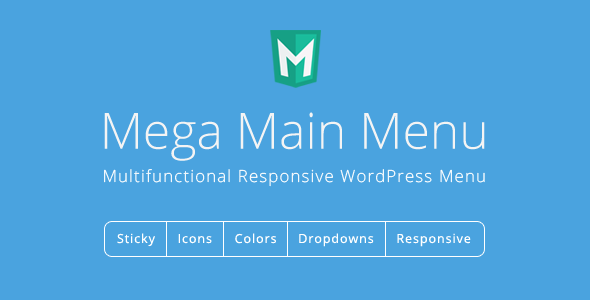
Mega Main Menu Interface Elements is a WordPress plugin that replaces the default navigation bar with a configurable menu builder, adding mega dropdowns, sticky behaviour, icons, logos and search into a single header element. It is sold on CodeCanyon for $16 and has been downloaded more than 8,000 times, with a 4.53 out of 5 rating across 426 reviews. It suits site owners and freelancers who need a visually rich header without hand-coding CSS or buying a full theme.
What the plugin actually does
The core idea is that a menu should be a layout container, not just a list of links. Mega Main Menu takes that idea further than most navigation plugins by letting dropdown panels hold almost anything the site can render. Menu links, plain text, images, widgets and shortcodes can all sit inside a dropdown, which means a submenu can function as a small landing page rather than a plain list.
The vendor ships more than ten dropdown combinations, so the structure of each panel is a design decision rather than a fixed template. A dropdown can hold a single column of links, a multi-column grid, an image block alongside links, or a widget area. Because shortcodes are supported, anything a third-party plugin outputs through a shortcode can be embedded in a menu panel.
Colour control is granular. Individual menu elements can be styled with flat colours, gradients or background images, and the vendor includes twelve preset colour schemes plus predefined skins. That matters for agencies matching a client’s existing brand palette without writing custom stylesheets.
Typography and iconography are handled inside the WordPress dashboard. The plugin provides access to Google Fonts for menu text and a large vector icon library, with FontAwesome v5 added in a 2019 release. Vector icons stay sharp at any screen density, which is why they are preferable to image-based icons on retina displays. The vendor states that fonts selected in the plugin settings can also be used inside the classic TinyMCE editor, which keeps typography consistent between the menu and page content.
Sticky behaviour, a logo slot and a search field can all live in the same menu bar. Logos can be assigned per menu, and the plugin allows a logo to display only in the sticky state, only on desktop, or only on mobile — useful when a wide horizontal logo does not fit a phone header.
Multilingual support is one of the stronger claims here. The plugin is WPML compatible and the vendor states it was tested and approved by the WPML team, with right-to-left layout support. It also ships with a Russian translation and can be translated through standard .PO and .MO files, the conventional WordPress translation format. WooCommerce integration extends to a cart element that shows the number of items in the basket.
Two further details are worth noting. The plugin can be inserted into page content through Gutenberg blocks, so a menu is not restricted to a theme’s header location. And menu items can be hidden or shown based on the logged-in user’s role, which is a practical way to expose wholesale pricing or member links to the right audience. The developer, MegaMain, has kept the plugin updated through to December 2024, when a PHP error in one of the framework files was fixed.
Where it fits and where it does not
This plugin earns its place on content-heavy sites where navigation carries real weight. An online store with dozens of product categories can use multi-column dropdowns to surface subcategories, featured images and promotional text in one panel. A magazine or blog with many sections can use the post list dropdown type, added in version 2.2.1, to pull recent articles into the navigation itself.
Agencies building client sites on a Bootstrap-based theme are a natural fit, since the vendor lists Bootstrap 4.x compatibility and has repeatedly improved theme compatibility in updates. Freelancers who inherit a site with a weak default menu and no budget for a custom build will find the visual controls faster than writing CSS from scratch.
Multilingual projects are another good match. WPML compatibility plus RTL support covers a lot of ground that generic menu plugins handle poorly.
It is the wrong choice in a few situations. Sites that need a lightweight, near-zero-overhead header should look elsewhere: a plugin that loads icon fonts, Google Fonts and its own framework adds page weight that a plain CSS menu avoids. Projects built entirely in the block editor with a modern block theme may find the plugin’s own settings screens redundant next to native navigation tools. And anyone who needs a menu that adapts to a design system with strict component rules will spend more time overriding the plugin’s output than building from scratch.
Strengths and limitations
Strengths
- Dropdowns accept essentially any content type, including widgets and shortcodes, so navigation panels can carry promotional or editorial material.
- Deep visual control without code: gradients, background images, twelve colour schemes and predefined skins.
- WPML compatibility with RTL support, verified by the WPML team according to the vendor.
- Role-based visibility for menu items, which is uncommon at this price point.
- Gutenberg block support means menus are not locked to theme header locations.
- A long, documented update history, with the most recent release in December 2024.
- Strong marketplace signal: 8,079 sales and a 4.53 rating from 426 buyers.
Limitations
- The update log contains breaking changes. Version 2.1.6 removed the #mega_main_menu CSS selector in favour of a class, forcing anyone with custom CSS to rewrite it. The vendor’s own update notes warn that some releases require reconfiguring options that did not previously exist.
- Browser support extends back to Internet Explorer 9, which suggests legacy code paths that a modern build would not carry.
- WordPress compatibility is listed up to the 5.9.x line in the declared specifications, even though later updates reference WordPress 6.6 fixes. Buyers on the newest WordPress releases should confirm current compatibility rather than assume it.
- Loading icon fonts and Google Fonts adds requests to every page, with no stated option to self-host or subset them.
- The vendor does not publish performance benchmarks, so the real-world cost of the framework on a large site is unknown until tested.
How it compares with the wider category
Navigation plugins broadly fall into three groups: minimal replacements for the WordPress menu walker, mega menu builders, and full header builders that include the logo, search and sticky behaviour. Mega Main Menu sits firmly in the third group, and that positioning is where most of its value lies.
Against minimal menu plugins, it offers far more layout freedom but at the cost of extra assets on every page load. Against mega menu builders alone, it adds header-level elements — logo, search, sticky states — that would otherwise need theme support or a second plugin. Against building a custom menu into a bespoke theme, it trades some control for speed of delivery and a visual interface a non-developer can operate.
The honest comparison is not feature count but fit. A site that only needs a tidy dropdown of links is over-served by this plugin. A site that treats navigation as part of its merchandising or editorial strategy is under-served by almost everything cheaper.
Frequently Asked Questions
Does Mega Main Menu work with the latest WordPress version?
The vendor’s declared compatibility list stops at WordPress 5.9.x, but update notes from August 2024 reference improved compatibility with WordPress 6.6 and PHP 8.3. That gap between the specification table and the changelog means buyers should verify current compatibility before purchase rather than relying on the listed versions.
Can the dropdowns contain images and widgets, not just links?
Yes. Dropdown panels accept menu links, text, images, widgets and shortcodes, and the vendor provides more than ten dropdown layout combinations. This lets a submenu act as a small content panel, which is useful for stores surfacing categories alongside promotional imagery or for publishers pulling recent posts into the navigation.
Is Mega Main Menu compatible with WPML and multilingual sites?
Yes. The plugin is WPML compatible and the vendor states it was tested and approved by the WPML team, with right-to-left layout support included. It also ships with a Russian translation and supports custom translations through standard .PO and .MO files, the usual WordPress translation format.
Will updating the plugin break an existing customised menu?
It can. The changelog records at least one breaking change, when the #mega_main_menu CSS selector was replaced by a class and custom CSS had to be updated. Several releases also note that they require configuring only options that did not previously exist, so testing updates on a staging copy is advisable.
Verdict
Mega Main Menu is worth buying for site owners, freelancers and agencies who need a header that does real work: multi-column dropdowns carrying images, widgets or shortcodes, role-based item visibility, WPML support and per-menu logo control. At $16, with 8,079 sales and a 4.53 rating, the risk is low and the feature set is broad for the price. It is not the right pick for performance-sensitive sites, block-theme purists, or anyone who only needs a simple dropdown of links. Buyers should also plan for the occasional breaking change at update time and verify WordPress 6.x compatibility directly, since the vendor’s specification table lags behind the changelog.